

Forum Replies Created
-
AuthorPosts
-
Hunter
ModeratorHi Tac,
As much as I would love to help out here, this type of support request reaches beyond what we’re able to cover. I took a look at your post history and found the thread referenced in your initial post. My fellow team member Geoff B. nailed it on the head (as usual) on how the best way to go about achieving the customizations you need.
Feel free to respond with the code you’ve got and if I see anything that jumps out, I’d be happy to help, but that’s unfortunately as far as I’m able to take it. Thank you for understanding and have a good rest of your day.
May 26, 2016 at 12:20 pm in reply to: Setting up featured image on events is also showing as image header #1119296ModeratorHey David,
I visited the links provided and am admittedly a bit confused as to what you’re asking. Can you provide any more clarity and if possible, send over screenshots?
Keep me updated and we’ll go from there. Thank you for reaching out and have a great Thursday.
ModeratorHey Gary,
Sorry to hear about the troubles. I just did a quick test on my local environment but was unable to reproduce the issue described. Is this happening with one specific event or multiple events? Can you send over a screenshot of a ‘Download’ you’ve set up that is giving you the problematic link in the emails? (see screenshot below)
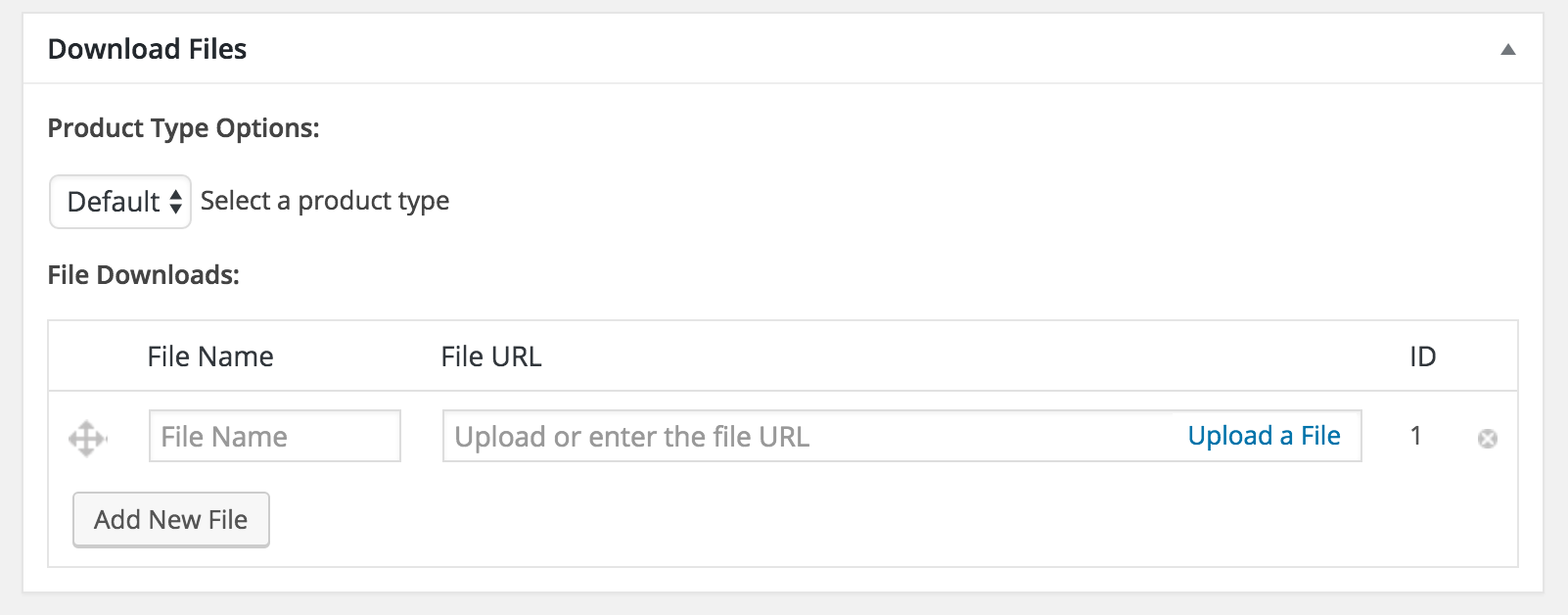
Thank you for reaching out and I look forward to resolving the issue with you. Have a good Thursday.
ModeratorHey Kevin,
Thank you for choosing PRO and welcome back.
I just did a quick check on our bug reports and noticed right at the top that we’ve got a logged bug of users reporting similar issues. There isn’t anything in there about a hot-fix until we can get this addressed in an upcoming maintenance release, but hold tight and keep your eye on your wp-admin and theeventscalendar.com/blog for release info.
I’ve linked this thread to the logged bug report so the developers can reference it while working towards a solution. Thank you again and have a good upcoming weekend.
ModeratorWelcome back,
My apologies for misunderstanding the question!
For the time being, you can do a template override as explained in our Themer’s Guide. The file you’ll need to overwrite is /event-tickets-plus/src/views/wootickets/tickets.php. You’ll need to make changes starting around line 104 and save it as /your-theme/tribe-events/wootickets/tickets.php.
Thanks for the patience while we worked it out and keep me updated with your progress.
ModeratorHello Jesse,
Welcome back!
We cannot help with custom coding, so unfortunately you will have to take the reins on this. Please read this page for more information: https://theeventscalendar.com/knowledgebase/what-support-is-provided-for-license-holders/
Please note, however, that if you use this code verbatim it won’t do anything – it simply illustrates the basic process and you would of course need to amend the initial test condition and error message.
I’d like to at least try and help you get going in the right direction, though, so if you don’t mind, can you specify how you implemented this customization? If possible, please copy and paste your unedited custom code into a Gist at http://gist.github.com, and then share a link to that Gist with me here.
Thank you for understanding and have a good rest of your Thursday.
May 26, 2016 at 10:03 am in reply to: Change URL's for events/venues category and tag pages #1119203ModeratorHello and welcome back 🙂
If you’d like to alter your WordPress categories and tags structure, you can visit Settings > Permalinks and try different options there. More information on WordPress permalinks can be found here. You can also set event slug settings under Events > Settings > General.
Let me know if this helps and have a good Thursday.
ModeratorHi Anisa,
Welcome to the forums. I’d be more than happy to help out 🙂
We have a blog post tailored to help assist with an license key issues. If you’re still having troubles after reviewing the article, please reply with specific instructions and if possible, send over your System Information as a private reply.
Thank you for choosing PRO and have a good Thursday!
ModeratorHey Robert,
Thank you for posting and welcome back!
I don’t have a guaranteed answer for you, but if you haven’t already implemented Google Analytics into your site, I would recommend doing so. The next idea I have would be to explore the WP repository for stat-related plugins.
Let me know how things go for you and thanks again for reaching out.
ModeratorGlad to hear it’s been solved! I’ll close this thread out but go ahead and open a new thread if you’ve got any more questions. Have a good weekend 🙂
ModeratorThank you for the update and I’m glad to hear the issue has been resolved! Please feel free to open a new thread if you have any more questions or concerns. Enjoy the upcoming weekend!
ModeratorHey Don,
I’m sorry to hear the troubles have grown to such heights. If for any reason you change your mind, we are here to try and assist as much as possible. I’ll close this thread out but feel free to open a new one should anything else come up. Best of luck and have a good upcoming weekend.
May 25, 2016 at 7:59 pm in reply to: Private Events scheduled to publish in the future appear immediately #1118988ModeratorHello and welcome back,
Thank you for the update. I’ve spent more time testing and my findings are as follows:
Th first screenshot shows the publish rules as recommended by you in steps 2 & 3 while using the Twenty Fourteen theme.
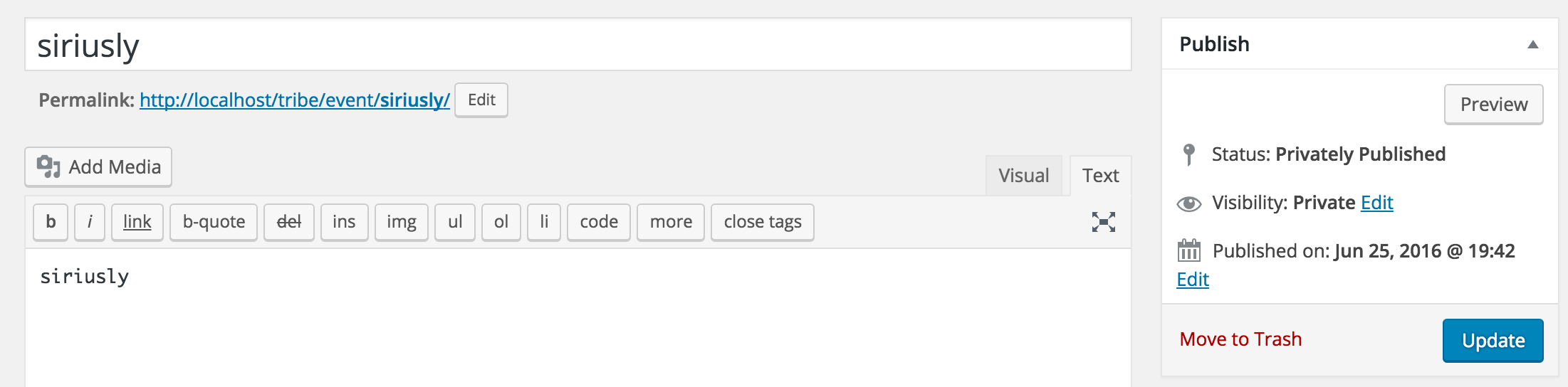
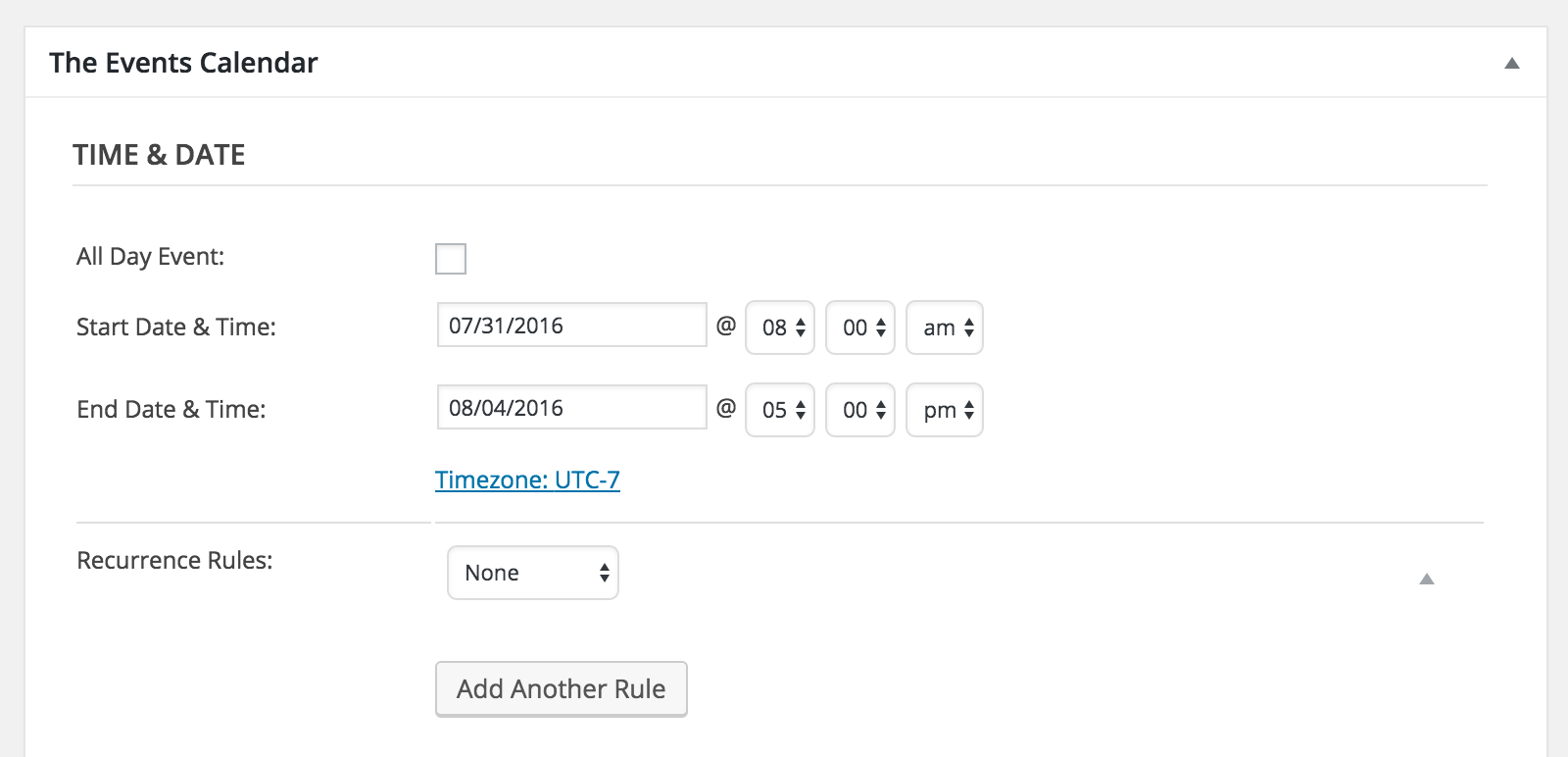
I’ve also attached a screenshot of my Time & Date settings for the test event created:
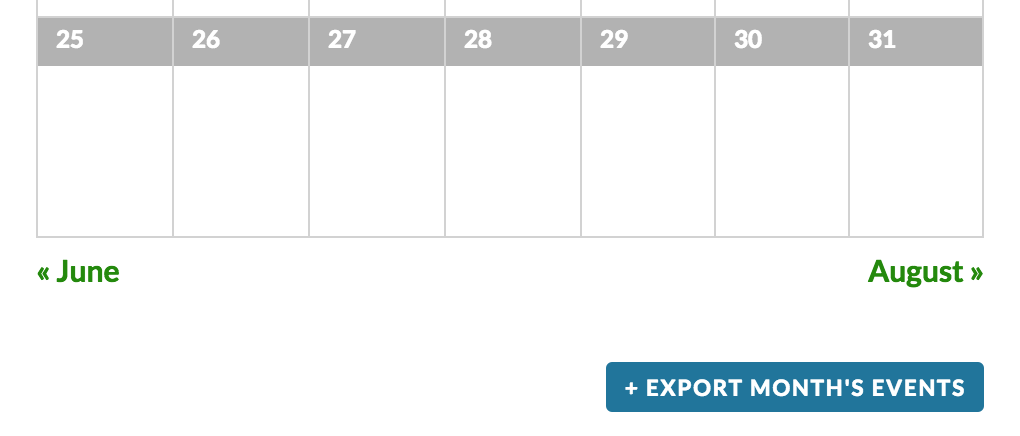
As you can see, the event does not display when logged in as a contributor.
I admittedly don’t have much experience when using future publish dates and setting the status to private, but our plugin adheres to the Roles and Capabilities rules and seems to be working as designed during my testing. If you need to alter the privileges by role, there are free plugins in the repository that can help you out with that.
I’ll bring this thread to the attention of my fellow support team members, but as for now, I can’t identify a conflict through my own testing and we don’t have any logged bugs of users reporting similar issues. With that said, best of luck resolving the conflict and I apologize I can’t be of more assistance. Have a great upcoming weekend!
ModeratorWelcome back 🙂
Check out this Knowledgebase article on how to alter or removing titles on calendar views. If you’re still having troubles, I would recommend checking out one of the aforementioned SEO plugins which can help solve the problem you’re facing.
Let me know how it goes and have a good Thursday.
ModeratorTo: Kevin and Jacob,
Would you both mind opening a new topic about the issue you’re experiencing? I assure you it will help expedite a resolution much quicker for the both of you 🙂
Thank you for understanding and I’ll keep my eye on the queue. Have a great day and thanks for choosing PRO!
-
AuthorPosts