

Forum Replies Created
-
AuthorPosts
-
George
ParticipantHey @Rauno,
If you head into your plugin files for The Events Calendar, you should be able to find the edit-event screen specifically at the following location:
/src/admin-views/events-meta-box.php
I do not recommend editing this file manually, I would recommend writing custom admin-facing CSS and then loading that CSS in the admin with WordPress’ admin_enqueue_scripts hook. You can read more about this hook here → https://codex.wordpress.org/Plugin_API/Action_Reference/admin_enqueue_scripts
I will close up this thread for now since we do not offer any support for customizations – but open a new thread any time if other questions or concerns arise.
Best of luck with your customizing! 😀
– George
ParticipantHey @Matthew,
I want to be clear that I am not saying The Events Calendar is free of any role in this slowing down of things – I hope that my writing didn’t come off that way!
There is likely a combination of things causing all of this.
For what it’s worth, whenever I go to your URL the site loads fine for me. There are some times delays of a few seconds, but for me these happen even on e.g. your site’s homepage which is not an Events Archive or Event view…do you agree with this at all, or find anything similar to what I’m describing? I don’t discount your claims at all! I just mean that I have not been able to recreate them; pages on your site across the board are a tiny bit slow for me, but this is relatively uniform and not unique to Events pages. I do not find anything like the behavior you describe where everything works fine but then the Events pages take a minute to load.
To further investigate if there’s a code-based issue here, one thing that might be very helpful is to see if any errors pop up on your site if you head to your site’s wp-config.php file and change this line of code:
define('WP_DEBUG', false);to this:
define('WP_DEBUG', true);That will display PHP errors if any exist, which might be quite useful here.
Let me know what you think, and what you find if you do the wp-config.php step mentioned above 🙂
Thank you!
GeorgeOctober 19, 2015 at 5:31 pm in reply to: Recurring Events – Exclusion not working (2nd round) #1016049ParticipantI’m sorry to hear this Peter!
We are working hard on a fix for this – to help us test our fixes, can you share exactly what your event recurrence setup was? The easiest method to share might be to just take a screenshot of your event’s recurrence information in the edit-event screen; then, upload this screenshot to a site like Imgur.com and share a link to that image here.
Thank you!
GeorgeParticipantHey Susanne,
The fact that issues persist despite updating is even more evidence that a theme or plugin conflict is at the core of your issues. I would recommend, then, essentially the same steps as in my other reply to your original thread:
First, you should send us your “System Information”, which you can learn to do here → https://theeventscalendar.com/knowledgebase/sharing-sys-info/
Next, I’d recommend running through our complete set of troubleshooting steps here → https://theeventscalendar.com/knowledgebase/testing-for-conflicts/
As noted before, the information from both steps here will be immensely helpful for troubleshooting and finding the cause of these problems.
Let us know what you find!
Thanks,
GeorgeParticipantHey @Alan,
I’m sorry about all the trouble you’ve been having with this!
In your post you wrote this:
Unfortunately, the Events Calendar Pro plugin does not let you edit the actual “events” page so you can designate a themed template file.
Just to be 100% clear, are you talking about the “Events template” option in Events > Settings > Display in your site’s wp-admin?
And if so, do you mean to say that you have tried every single template option for this option and none of them have worked?
If not, I would recommend trying every single available template for this “Events template” option. One provided by your theme should work well here…
If not, then unfortunately the best solution that I can think of would be to create a custom page template in your theme → https://developer.wordpress.org/themes/template-files-section/page-template-files/page-templates/#creating-custom-page-templates-for-global-use
If you base this new template off your theme’s existing template file which includes the featured-image integration you describe here, then you should be able to build something quite close to what you want. Once this template is created, then, you’d choose it as the aforementioned “Events template” option in Events > Settings > Display.
I hope that helps! 😀
George
ParticipantHey @David,
I’m sorry that things haven’t been working as intended!
Can you elaborate on exactly what your goal is here? For example, what’s the whole context for the line of code you shared? If possible, post the entire code in which that line of code resides – I’ll take a look and see what’s going on.
I only ask for elaboration because you use the word “search”, but in your post you also said this:
I have tried a couple of ways to get a list of organizers via a search function
So are you actually dealing with a search form and such, i.e. a site search for users to use; or are you just trying to get a list of Organizers to show up statically on a page?
Finally, for now, you are using outdated versions of the plugins. Your System Information says you’re using Events Calendar Pro and The Events Calendar version 3.10.1 – as of this writing, Events Calendar Pro is at version 3.12.4 and The Events Calendar at 3.12.3.
We do not offer any support for custom code here, but I will do my best to help based on your responses to some of my questions above. I’d also really encourage updating to the most recent versions! 🙂
Cheers,
GeorgeParticipantHey @Mark!
The padding I think you’re referring to unfortunately comes from your theme; I say “unfortunately” because we do not offer support for theme design tweaks, or for the writing of any custom code…
With that being said, however, I took a quick look at your site and would recommend adding the following CSS to the bottom of your theme’s style.css file:
body.post-type-archive-tribe_events div.l-main {

    padding-top: 0 !important;

}
Here’s how that made things look on your site for me when I tested this code:
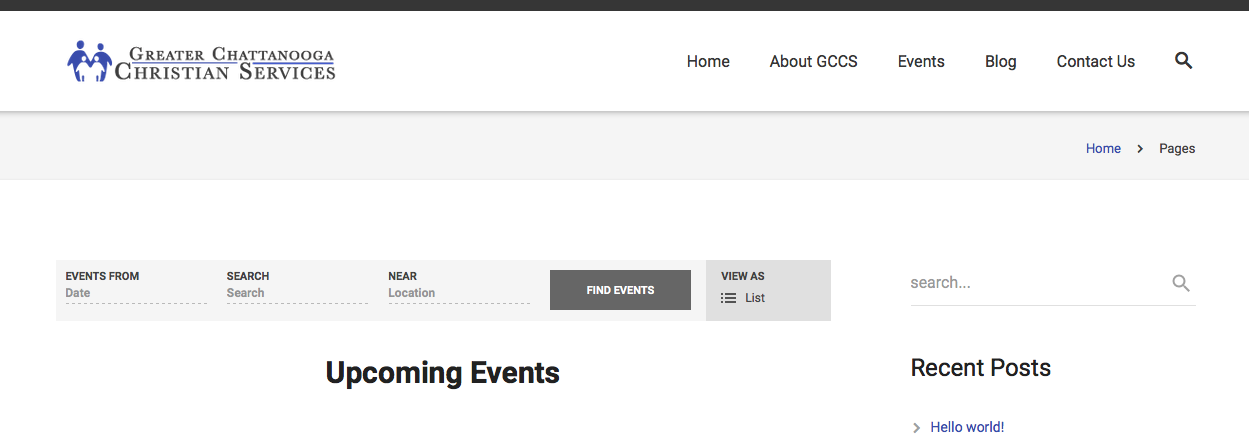
I hope that top-padding is the padding you are referring to, and that this code helps; let me know! 🙂
— George
October 19, 2015 at 4:50 pm in reply to: Deactivated The Events Calendar Pro and Events No Longer Showing? #1016029ParticipantHey @Michael,
I’m really sorry to hear about this; what you describe is definitely not normal behavior, so to get started can you first share your “System Information” with us? Here’s how to do that → https://theeventscalendar.com/knowledgebase/sharing-sys-info/
As for WooCommerce Products, you mention this:
The products are listed within the WooCommerce Products section
Do you mean that Tickets for events are showing up in the WooCommerce Products section? It shouldn’t ever be actual events themselves showing up there; just to be 100% certain about what is happening here.
Finally, for now, if you create a new event and just add a fake ticket for testing purposes, when you publish the event do the event and ticket both appear on the front-end of the site?
Thank you!
GeorgeParticipantHey Emiliano!
It looks like you’re using WooCommerce Tickets, which is good news because we have a snippet that will make a new function available to you for showing the remaining ticket stock.
Basically, you’ll first need to copy and paste the code in this Gist into your theme’s functions.php file → https://gist.github.com/ggwicz/e4d0d46cdf6d3977e5bc
Then, where you currently have this:
<span class=”tickets-in-stock”>

On sale!

</span>
Replace it with this:
<span class=”tickets-in-stock”>

<?php echo example_displaying_stock_information(); ?>

</span>
You can of course change the function name to anything you’d like, and tweak the code however you’d like 🙂
I hope this helps!
Cheers,
GeorgeParticipantHey @Andrea,
There is unfortunately no way to do this by simply dropping the translation files into your child theme or something – you would have to rewrite core code within The Events Calendar, but then that itself would be overwritten with each future update which then nullifies the value of this.
I’m sorry @Andrea! There is no great way to do this at present 🙁
Please let me know what you think and/or if I can help with anything else!
Sincerely,
GeorgeParticipantHey @bolt!
There are two main ways to go about doing this.
The first method is, when creating Tickets on an event, just create two types of tickets. Name one “Adult” or “Normal” or something like that, and have its price be the full price ticket. Then create a second ticket called “Child” or something similar, of course, and make its price whatever discounted price you see fit.
Alternatively, you can use your eCommerce system’s “coupon” functionality to just create a coupon code like youth_discount or something – you seem to be using WooCommerce, so here is WooCommerce’s documentation on its coupon system for more information: https://docs.woothemes.com/document/coupon-management/
This secondary method would allow you to just create one ticket for your events, but then let people get a 20% discount, for example, if they enter that code at checkout.
I hope either option helps – let me know what you think! 🙂
— George
ParticipantHey @Jon,
Really sorry about the odd behavior here. I think this is related to an issue with our “PUE” (“Plugin Update Engine”) instance that we actually didn’t find until this morning, even though it started having issues yesterday!
There’ve been a reports of similar license/account-related issues this morning, but a few short hours ago our developer Daniel fixed things up.
So, while I hate to ask you to do the same steps that you’ve already tried to no avail, can you head back to http://theeventscalendar.com/my-account/license-keys and try the “Disconnect Now” link for the thearc.rangeprojects.com domain name again? Delete the key itself from the wp-admin of this domain, as well.
If that seems to work as expected now, proceed with activating the license on chapters.thearc.org, etc. – let me know how things go!
— George
ParticipantHey Jordi,
Thanks for your interest in our plugins!
There is unfortunately no official back-end demo that you or other customers can log into, but there are two important caveats here worth sharing!
First is that we have a no-questions-asked refund policy if you request your refund within 30 days of purchase. This lets folks “try out” the plugin, so if you’re interested in this it’s a great option. You can buy a license, and fully install and begin using the plugin, and if you like it, just keep your license. If you don’t, all you have to do is request a refund and we’ll issue it immediately!
The second thing to point out is that The Events Calendar itself is free. You can download it here → https://wordpress.org/plugins/the-events-calendar/
Just playing around with the free version, if you haven’t already, might alone give you a really good sense of the plugin. Event creation and most front-end rendering of events is the same whether you have PRO installed or not, so the free core plugin alone might be a good option for you to demo with.
Do these suggestions help? Let me know! 🙂
– George
ParticipantHey John!
This sounds like a permissions issue namely, which in any case is the first place to start here to make sure that permissions are accurately configured.
If you are not familiar with re-setting server permissions on your own, then your best bet is to contact your hosting company support and ask them to reset permissions on your WordPress installation. The permissions should be something like 755 recursively, owned by the webserver.
Let us know if you get in with them, and if they can help here!
Cheers,
GeorgeParticipantHey @ckas,
Can you clarify exactly what you mean by what you wrote in the following quote?
I have a post yr event button on my website whatsoninadelaide.net.au for people to post their events
Do you mean that you have coded a special button and so this button is not working?
Or do you mean that this is just a link that goes to the Community Events Submission URL on your site, and the button works fine but brings people the Community Events submission page URL itself is not working? So the button leads to a 404 page, for example?
I’m sorry that you’ve been frustrated with support so far – I hope you don’t think forums here are a “downgrade” from getting email support, because that is not the case at all. Posting in the forums lets our support team tend to issues more rapidly, and allows support exchanges to be public so that a) we are held accountable for treating users well! and b) other users can search the forums to see if their issue already exists; thus they might be able to use that thread’s solution and have things working much fast than having to start a whole new conversation…
Just some insight into our support process! We’re happy to help and take your issues seriously; let me know about the questions I posed earlier in this reply, and we’ll go from there! 🙂
Sincerely,
George -
AuthorPosts