

Forum Replies Created
-
AuthorPosts
-
October 21, 2015 at 11:41 am in reply to: bulk edit or import 'Sticky in Month View' for multiple events #1016652
George
ParticipantHey @Graphic,
Absolutely! Request features and vote on other requests on our official UserVoice page here → http://tribe.uservoice.com
We pay close attention to the feedback on that page and often incorporate ideas from there, so it’s a great place to make your voice heard 🙂
Thank you!
GeorgeOctober 21, 2015 at 11:07 am in reply to: Deactivated The Events Calendar Pro and Events No Longer Showing? #1016644ParticipantThank you Michael! Keep us posted on the results of your testing. If possible I would recommend our full set of steps here → https://theeventscalendar.com/knowledgebase/testing-for-conflicts/
Let us know what you find!
Sincerely,
GeorgeOctober 21, 2015 at 11:05 am in reply to: Previously entered event name displayed in lists My Venue, My Organizer #1016643ParticipantThanks Jim! I’m really sorry that these issues have arisen right now, as you’re launching your site – take your time and keep us posted on things!
Sincerely,
GeorgeOctober 21, 2015 at 10:49 am in reply to: Recurring Events – Exclusion not working (2nd round) #1016639ParticipantThank you so much for this @Peter!
I have been able to reproduce your problem too, just like I did with Andreas’, so I have made a detailed development report with your guys’ screenshots included as reference. Thank you both so much for sharing your screenshots, that helps more than you might think! 🙂
I’ve set this bug as a “Priority-1” item in our bug tracker, so hopefully we can get some development time on this very, very soon. I will also mention it in our development meeting today, so stay tuned to plugin updates – this is on our radar very prominently now and we’re working on a fix!
Thank you,
GeorgeParticipantHello,
As her developer we have to leave the reins to you with regards to this customization – we do not offer any support for custom code here, so Geoff’s snippet is just a starting point and educational example of how to go about this in a general sense.
Perhaps changing line 52 in Geoff’s snippet will help; i.e. changing this:
$schedule .= tribe_get_end_date( $event, true, $format2ndday );to this:
$schedule .= tribe_get_end_date( $event, true, 'j, Y' );I don’t know if that’s the case specifically, but this should hopefully offer some inspiration for further tinkering here.
I wish you the best of luck with your customizations!
Cheers,
GeorgeParticipantI’m sorry to hear that @emiliano!
Can you leave all of your custom code in place and then check to see if any errors pop up on your site if you head to your site’s wp-config.php file and change this line of code:
define('WP_DEBUG', false);to this:
define('WP_DEBUG', true);If errors display after doing this, let us know what you find!
Thank you,
GeorgeOctober 21, 2015 at 9:59 am in reply to: get the Events landing page title to change to Events – not latest event #1016624ParticipantSorry about the lack of success with the secondary methods David – thanks for trying out my suggestions!
When it comes to your breadcrumbs, these are unfortunately a bit more complicated and theme-specific so you’d unfortunately have to do some more extensive customization than what can be assisted with here on the forums. I’d recommend contacting your theme developer for help with that specifically if possible!
Best of luck with your site 🙂
George
ParticipantAwesome! 😀 Sorry about those original outages, it happened over the weekend so were slow to recognize the problem.
Thank you for patience with that!
Cheers,
GeorgeParticipantNice! Glad to help @Mark 🙂
That’ll bring this specific thread to a close, but if any other questions or concerns arise, open a new thread any time!
Best of luck with your site,
GeorgeParticipantSure thing Carol – if your purchase was made in the last 30 days, we can issue a refund in full immediately. Here’s how to request a refund → https://theeventscalendar.com/knowledgebase/refund-policy/
Cheers!
GeeorgeParticipantThank you for clarifying the nature of your request Karrie! I took some extra time today trying to come up with a code-based solution – we don’t technically offer any customization support. but I felt I could help out a fellow New Englander perhaps more than normal 🙂
Unfortunately it turns out that, though it might seem simple, it’s quite hard to generate the proper URLs for this category-specific functionality. We manage to do it in our premium “Filter Bar” add-on – not trying to sell you on this plugin, I swear! – so it is possible to generate links this, but it’s tricky.
If you’re comfortable with writing code at all, then you might be able to put together your own functions to make this custom pagination happen. Otherwise it would likely require the help of a developer. We have a list of developers here who all are highly-rated and trusted people in the community → http://m.tri.be/18k1, and we also have a Themer’s Guide which, if you’re comfortable with editing code at all, would be a good place to start in terms of actually making the customization → https://theeventscalendar.com/knowledgebase/themers-guide/
I’m really sorry to disappoint on this! I promise you I looked into this personally and tried my hand at a couple different code snippets; I couldn’t get a consistent, truly-working thing regardless of what I tried.
—-
As for the widget/thumbnail issue, I think I can actually be helpful here 🙂 Here’s an example of the thumbnails working in my own test site’s list widget:
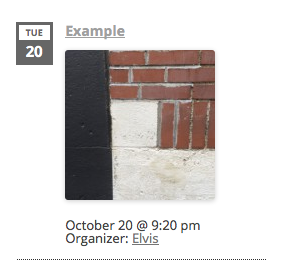
What I did to achieve that was not the code snippet that you shared – that snippet will only work with the free core version of The Events Calendar if Events Calendar Pro is not activated; if Events Calendar Pro is activated, it will not work, which fact was not very clear before but because of your bringing it to our attention I have just fixed! So, thanks for keeping us sharp with our documentation.
But on to the topic of actually fixing that and getting it working: instead of the functions.php snippet, I would recommend using the template-customization methods outlined in our Themer’s Guide here → https://theeventscalendar.com/knowledgebase/themers-guide/
Using those methods, create a new file in your theme or child theme at this file path in your theme:
[your-theme]/tribe-events/pro/widgets/modules/single-event.php
Then add the code from this Gist to that file → http://git.io/vWtyi
And that should work well!
Let me know if that helps 🙂
— George
October 20, 2015 at 11:39 am in reply to: Deactivated The Events Calendar Pro and Events No Longer Showing? #1016334ParticipantHey Michael,
Thank you for all of this information! That WPML issue does indeed seem at play here – can you temporarily deactivate that plugin? If so, do you find this issue is resolved when it’s deactivated?
Thanks!
GeorgeOctober 20, 2015 at 11:38 am in reply to: Fatal Error in daily overview of Events Calendar PRO #1016333ParticipantThank you for the update @atisatis!
Now that you’ve renewed your license, can you run through each of the steps I laid out in my last reply before this one?
If you do those steps, let us know what you find! 🙂
— George
ParticipantHey Christine,
Thanks for reaching out! I’m sorry to bear the fact that this is unfortunately not possible by any means default to our plugins. In other words: you could technically do this, of course, but it would require custom code.
While we don’t offer any support for custom code, we do have a knowledgebase article that covers the process of making custom Events Calendar templates, which is the foundation for many other customization ideas including your own → https://theeventscalendar.com/knowledgebase/themers-guide/
We also have a list of highly-rated developers for hire here, if you need to hire someone to help realize these customizations → http://m.tri.be/18k1
I’m sorry to disappoint! Let me know if I can help with anything else.
Sincerely,
George -
AuthorPosts