

Forum Replies Created
-
AuthorPosts
-
October 22, 2015 at 8:31 am in reply to: Organizer Set as 'Draft' and not attached to event. #1016919
George
ParticipantThanks for the update Matt – I’m glad things have seemingly worked with your recent submissions!
If you’re comfortable with this for now and don’t want to setup a whole other development staging area and all that, that’s totally fine and we can just consider this a weird fluke issue, in which case I’ll close up this thread for now and we can hope the problems stay resolved 🙂
Even in that case, though, if the issue comes back at all just open a new thread and link back to this thread for reference; we’ll pick up right where we left off!
Cheers,
GeorgeOctober 22, 2015 at 8:27 am in reply to: Fatal Error in daily overview of Events Calendar PRO #1016915ParticipantThanks for testing @atisatis – your results indicate that the problem is stemming from your own custom coded in the /tribe-events folder.
We do not support custom code here, but you’ve already pretty much gone through the steps of fixing things like you described in your first post on this thread: go through all of your front-end events views with WP_DEBUG turned on, and note the PHP errors that display there.
For each error, fix it like you mentioned fixing the first one in your original post on this thread; and once you get to the point where there are no errors displaying anymore, you can turn WP_DEBUG back off and proceed with your site from there without any more issues with The Events Calendar.
I’m sure you’re familiar with turning WP_DEBUG on or off, but just in case you are not, you can do so by heading to your site’s wp-config.php file and change this line of code:
define('WP_DEBUG', false);to this:
define('WP_DEBUG', true);That will turn it on – to turn it off, just set the true value back to false.
Best of luck with fixing your custom code, @atisatis! Since we cannot help with that, I will close up this thread for now. If separate issues or other questions arise at any time, come back and open a new thread for that and we’ll help you out from there 🙂
Cheers!
GeorgeOctober 21, 2015 at 2:10 pm in reply to: Event Date and Time integration with MailChimp Auto RSS Campaign #1016722ParticipantHey @Chris!
Thanks for reaching out – this is an interesting question, but unfortunately there’s little we can help with from our side of things 🙁 This is because, as you mentioned, the Events feed on its own will include the start and end dates and times, e.g. in this screenshot:
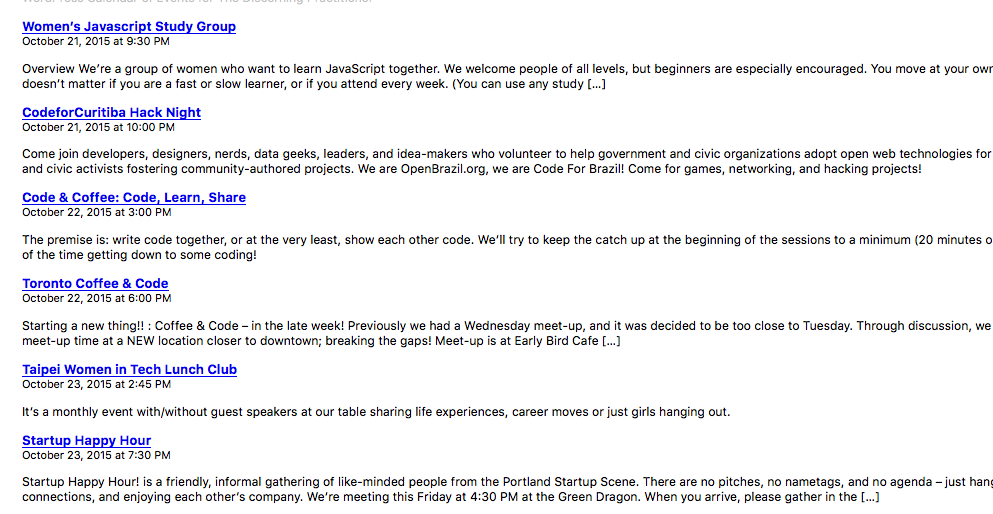
So if Mailchimp is not taking that data and including it in its feeds, then Mailchimp is the location where changes would need to be made to grab that data. I’d recommend contacting Mailchimp about this – there might be something customizable with feeds output that can be done on the plugin side of things.
However, even in that case, you would probably have to get “under the hood” and customize some feed-related code; this, too, is beyond the scope of support we can provide, but there is a Codex page here that is very helpful on that topic → https://codex.wordpress.org/Customizing_Feeds
I hope this all helps!
Cheers,
GeorgeParticipantHey Manfred!
Thanks for your interest in our plugins. At this time we do not have that QR Code support – such support may come soon, in the next few versions of our tickets plugins, but for now only manual check-in support is included (meaning you have someone actually check-in attendees at events, if you want).
I hope this addresses your question clearly; let me know if I can help with anything else!
— George
October 21, 2015 at 1:59 pm in reply to: Woocommerce ticket plugin doesnt show up on frontend #1016714ParticipantI’m sorry to hear about these problems, Jordan!
For starters, can you share your system information with us? Here’s how to do that → https://theeventscalendar.com/knowledgebase/sharing-sys-info/
In the meantime, can you also try activating a default theme on your site like Twenty Twelve or Twenty Fifteen or something similar? And if so: do the tickets finally display when one of these themes is active on your site?
Thank you!
GeorgeOctober 21, 2015 at 1:55 pm in reply to: Events List not displaying properly in JointsWP theme #1016708ParticipantThanks for the kind words about the plugin Susan 🙂 I’m sorry to bear the fact that unfortunately, no, buying a Pro license here will not mean that we can help with the design of the calendar on your site. The problems you described are coming from CSS issues within your theme, so unfortunately to help fix those (regardless of whether you have a license for Events Calendar Pro or not) you would need to either contact your theme’s support team, and/or hire a developer like the ones we have listed here to make the design tweaks for you → http://m.tri.be/18k1
Please let me know if I can help with anything else!
Sincerely,
GeorgeParticipantHey @Brand1111,
You unfortunately cannot use recurring events within Events Calendar Pro to make the exact sort of pattern you listed there 🙁
We’re working on improving this, but it’s just unfortunately not possible – the closest you can do is make the Dec. 19 and 20 events that both occur at 7:30pm a series, and then add the Dec. 20 event @ 2pm as a separate “standalone” event…it sounds like you’re basically doing this already.
I’m sorry to disappoint! Please let me know if I can help with anything else.
Sincerely,
GeorgeParticipantHey @Kiki,
I’m really sorry to hear about this – there unfortunately may not be anything we can do. I see that your Events Calendar Pro license was purchased on October 13, so if worst comes to worst and we can’t get things working, we can issue you a refund (we can only issue refunds within 30 days of purchase).
However, one thing that might help here is to leave both plugins activated, so that the conflict exists, and then to see if any errors pop up on your site if you head to your site’s wp-config.php file and change this line of code:
define('WP_DEBUG', false);to this:
define('WP_DEBUG', true);That will display PHP errors if any exist. Let us know if any errors pop up after doing this!
Thank you,
GeorgeParticipantThanks for the update about your findings Ronald, please keep us posted on what the theme support team says about all this!
Thank you 🙂
GeorgeParticipantI’m sorry to hear about this @Gary!
Do the ticket-creation fields appear in your admin edit screens? In other words, do ticket-related things all seem fine in the admin, and the problems are only that they don’t display on the front-end?
If the answer to this is “yes”, then I’m curious: can you activate a default theme on your site like Twenty Thirteen, or Twenty Fourteen, etc.? If so – do the ticket forms appear on your site in this theme?
Thank you!
GeorgeParticipantHey @rusware,
There is unfortunately no way to do this with our plugins or anything like that – you’d have to use custom coding on your site to make this site 🙁 We don’t offer any support for custom code, but you might also be able to find a menu-related WordPress plugin out there that enables something like this.
I don’t know of such a plugin myself, but if you search wordpress.org you might have some luck.
I’m sorry for the disappointing news here, @rusware! Let me know if I can help with anything else.
Cheers,
GeorgeParticipantThank you for sharing Mike!
ParticipantThanks for the update @David! I’ll close up this thread for now, but if more issues or questions arise after updating open a new thread any time 🙂
Cheers!
GeorgeParticipantThank you for this Ryley! It might not seem like it, but progress is being made here – e.g. I went to the community submission page here:
http://weekender.com.sg/events/community/add
It did not 404 for me – it showed a white screen, of course, so problems persist, but at least it’s not a 404.
Do any errors pop up on your site if you head to your site’s wp-config.php file and change this line of code:
define('WP_DEBUG', false);to this:
define('WP_DEBUG', true);That will display PHP errors if any exist, which might be quite useful here.
ParticipantAh, I’m sorry to hear that search-bar hiding CSS didn’t help, Keith. Try this instead of my original code:
#tribe-bar-form #tribe-bar-views + .tribe-bar-filters {

    display: none !important;

}
-
AuthorPosts