

Forum Replies Created
-
AuthorPosts
-
George
ParticipantHey Steph,
Thanks for sharing this. I unfortunately cannot reproduce this behavior no matter what I try 🙁
With that in mind, then, could you try running through the troubleshooting steps outlined here? → https://theeventscalendar.com/knowledgebase/testing-for-conflicts/
After each step, check on the ticket quantity issue and see if it improves at all.
—
Also, are you aware of the update this week to 4.0 for all of our software? Included in this is an all new ticketing plugin that replaces WooCommerce Tickets, so going through this upgrade process might help too.
You can read about the 4.0 update in general here: https://theeventscalendar.com/release-the-events-calendar-version-4-0-all-add-ons/
And you can read about moving from WooCommerce Tickets to Event Tickets Plus here: https://theeventscalendar.com/knowledgebase/moving-to-event-tickets-plus/
—
I only mention the 4.0 stuff just in case you were unaware, but you do not need to update at this time and we can still just focus on the current issue at hand if you’d like! 😀
Just wanted to mention it.
Cheers!
GeorgeDecember 4, 2015 at 11:07 am in reply to: the events calendar Pro + Weekly view + on homepage #1035668ParticipantHey @bunyaadrugs,
Thanks for chiming in here. It’s not quite clear from your post if you’re referring to the exact same things as @linda or not, but in any case, I will be closing up this thread for now since our code doesn’t support Linda’s original question 🙁
Sorry to disappoint about that limitation!
Best of luck with both of your sites 😀
George
ParticipantHey @Mario!
This is indeed a result of custom coding, unfortunately 🙁
While I admit to not knowing their exact approach, all of that event meta information is generated in our plugin templates with blocks of code that look like this:
<!-- Event meta -->

<?php do_action( 'tribe_events_single_event_before_the_meta' ) ?>

<?php tribe_get_template_part( 'modules/meta' ); ?>

<?php do_action( 'tribe_events_single_event_after_the_meta' ) ?>
So, first check out our Themer’s Guide to learn how to customize event views in general → https://theeventscalendar.com/knowledgebase/themers-guide/
Then, head to src/views/single-event.php in your Events Calendar plugin files and look for the block of code I highlighted above.
Move that around and save your changes, and you should see the changes reflected on the front-end of your site.
That’s the general principle, and so then with some time and CSS tweaks and such you can go from there and build all sorts of interesting layouts 🙂
We are not able to help with custom coding unfortunately, but I hope this information helps! Let me know.
— George
ParticipantHey Antonio,
Do you have Event Tickets and/or Event Tickets Plus activated? If so, then the “Cost” field will no longer show up by design. The “Cost” field is now only there as a fallback if you do not have a ticketing plugin activated.
Let me know if this helps clarify anything here!
Cheers,
GeorgeParticipantHey Clay,
I’m sorry to hear about this! Specific and straightforward language is what I’ll aim for here – work through each step here and let me know things go!
1. The Problem
The problem is not a technical bug in our code. What is happening is that, for some reason, the version files on your installation are mis-matched.
2. The Solution, Generally
The solution is to do “clean installs” of each of the Modern Tribe plugins on your site: The Events Calendar, Events Calendar Pro, and Community Events.
2. The Solution, Specifically: Part One
The “clean install” process involves deleting files from your site, but this WILL NOT erase any event data.
HOWEVER, as a precaution it’s still recommended and deeply, deeply encouraged to make a back up of your site and database before proceeding. If you are not familiar with backing up your website, now is a great time to learn! A simple google search of “how to back up a wordpress site” will yield tons of helpful options, some simple and some complex; choose one that suits you and back up your site.
If you proceed without backing up your site, please note that you are doing so at your own discretion and against my recommendation.
2. The Solution, Specifically: Part Two
Once you have backed up your site, head to the “Plugins” page in your WordPress admin.
Deactivate and then delete each of these plugins:
• The Events Calendar
• Events Calendar Pro
• The Events Calendar: Community Events
2. The Solution, Specifically: Part Three
Once those original versions are delete, do a “fresh” installation of each piece of software anew on your site. Use version 4.0 of each piece of software.
Here is where to get version 4.0 of each piece of software:
• The Events Calendar → http://wordpress.org/plugins/the-events-calendar
• Events Calendar Pro → http://theeventscalendar.com/my-account/downloads
• The Events Calendar: Community Events → http://theeventscalendar.com/my-account/downloads
3. Review
Once these new versions are “freshly installed”, activate each of them starting with The Events Calendar.
Do the problems persist?
Thank you!
GeorgeParticipantHey @David,
Doing this stuff may indeed be possible, though these sorts of customizations and layout tweaks are not something we can help with. In general, however, one really helpful resource is our “Themer’s Guide” here → https://theeventscalendar.com/knowledgebase/themers-guide/
That will show you how to make custom Event Templates, which should be quite helpful.
While I cannot give complete examples (see the “Product Support” section of our official terms and conditions for a distinction about what we can support and cannot support → https://theeventscalendar.com/terms/), if you head to src/views/single-event in your The Events Calendar plugin files, you can see where that “tribe-events-event-meta” DIV is generated.
This DIV is generated by blocks of code that look like this:
			<!-- Event meta -->

			<?php do_action( 'tribe_events_single_event_before_the_meta' ) ?>

			<?php tribe_get_template_part( 'modules/meta' ); ?>

			<?php do_action( 'tribe_events_single_event_after_the_meta' ) ?>
So, if you move these meta-related blocks of code, it will move that “.single-tribe_events .tribe-events-event-meta” div you mentioned in your post 🙂
I hope this helps!
Best of luck with your customizations and project,
GeorgeParticipantHey Arto,
Thanks for considering our software for the job! I took a look through each of your items; the combination of The Events Calendar, Event Tickets, Event Tickets Plus, and WooCommerce would achieve many of the items you listed.
However, unfortunately, these are all the items I picked out that are not currently built-in to the plugins. You could write custom code to enable these features if you are programming-savvy, or hire a programmer to build these features for you, but they are not default parts of our plugins and are not things that we could build ourselves:
 – Book courses without having to sign up (possibly also offering the feature to optionally sign up)

– minimum attendees number per course

 – set course to ‘green’ (course will happen) when there are enough attendees

 – automated email (per course) 1 day after last course day

– PDF invoice

– reminder email 7 days before course

– send payment reminder for attendees using bank transfer

 – waiting list for full courses
Sorry to disappoint about these items! I hope this information helps though 🙂
Cheers,
GeorgeDecember 4, 2015 at 10:22 am in reply to: roll over event boxes cut off & images not resizing when imported #1035645ParticipantHey @Jayson,
Both issues are caused by CSS rules in your theme. For the top-being-cut-off issue, your theme has a blanket rule for all tables that sets their overflow property to hidden! 🙁
You can overwrite that by adding the following CSS to the bottom of your theme’s style.css file:
body table.tribe-events-calendar {

    overflow: visible !important;

}
—
When it comes to the overflowing of the images, try adding this CSS to the bottom of your theme’s style.css file:
.tribe-events-tooltip .tribe-events-event-thumb img {

    max-width: 100% !important;

    width: 100% !important;

}
Cheers!
GeorgeDecember 4, 2015 at 10:16 am in reply to: Fatal Error after upgrading to Event Calendar 4.0 #1035637ParticipantI’m sorry to hear about this! Mike, you said this:
so I had to rename the plugin folder to get it working again.
Can you please clarify exactly what you mean here?
1. What was the plugin folder name before you did this change?
2. What did you change name to?—
Clay, is /wp-admin entirely inaccessible for you? If so, you should be able to at least restore admin access by going to /wp-content/plugins on your site via FTP, and then deleting The Events Calendar’s plugin folder there [which will not delete event data, just the plugin files].
— George
ParticipantHey @Vernon,
This line of yours reveals an issue with your theme:
Additionally when reverting to the twentyfourteen theme it did in fact work
If it works fine in a default theme like Twenty Fourteen, but then simply activating your other theme breaks it, then your best bet here is to contact the theme developers of that theme for support.
I wish you the best of luck with that! If issues arise specific to our plugin, and the issues persist regardless of whether you are using the Twenty Fourteen theme or not, then that is a plugin issue so definitely come back and open a new thread 🙂
Cheers,
GeorgeDecember 4, 2015 at 10:10 am in reply to: Date and price wrong colour, taking two lines, please help #1035632ParticipantHey @ardcgarage,
Sorry to hear about your frustrations! We unfortunately offer no support for customizations or theme design issues, which this is.
With that being said, I’ll still try to help as much as I can and can hopefully recommend some CSS to help resolve these issues 🙂
On that note however, I tried accessing your site at the link you provided and kept meeting a white screen – can you ensure that your site with these CSS issues is totally, publicly visible? I’ll take another look. (And note: I say “publicly” because we cannot log into user site admins for any reason, so please do not share any login credentials here! 😀 )
Thanks,
GeorgeParticipantHey @Barback,
Many of the same methods and structures within Event Tickets / Event Tickets Plus are exactly the same as they are within WooCommerce Tickets; many of the “differences” are simple, like different function names for example.
If you would like to customize the RSVP form or the Attendees Lists, you can definitely do that, although since these are custom coding projects our ability to help with them is extremely minimal.
One important thing to keep in mind regarding the current name field is that the simple “First name” / “Last name” naming convention does not fit for many, many people on this planet, and so for us as the developers of this globally-used plugin we opt for a more accommodating, single-field approach. You can read more about the complexities and varieties of name structures here, for example → http://www.kalzumeus.com/2010/06/17/falsehoods-programmers-believe-about-names/
—
I envision using Easy Digital Downloads combined with RSVP to “sell” tickets to events. Folks who don’t want to use paypal or credit card, could just RSVP and pay at the door. I will want one CSV of attendees with a column I can sort by last name. I don’t see how to get that with the new software.
At this time, for the reasons mentioned above there is not a currently-built-in “Last Name” field and thus no column reflecting it in the Attendees List. So, to have a sortable column of last names you would need to build both the Last Name field and the custom Attendees List columns.
If you’re interested in hiring a professional to help with these customizations, there is a list of highly-rated customizers that we maintain here that might be helpful → http://m.tri.be/18k1
Sincerely,
GeorgeParticipantHey @Christoffer,
This is some odd behavior indeed…can you share your “System Information” with us as described here? → https://theeventscalendar.com/knowledgebase/sharing-sys-info/
I’ll take a look and try to replicate this problem.
Thank you!
GeorgeDecember 4, 2015 at 9:55 am in reply to: Show month view without headeer : ARCHIVES !!!!!! GRGRGR #1035621ParticipantCan i user shortcode for have the possibility to custom the page that will be receive the calendar code ?
No, this is not possible at this time.
IS IT POSSIBLE TO create a custom page for change the header , ELDSE the header is very BAD with the WORD ARCHIVES and a grey in bottom.
Yes, creating a custom header is possible, but you will have to create the custom header unfortunately. We cannot help with theme-related issues which this is, at core.
Now, when I went to your site, it was locked in maintenance mode:
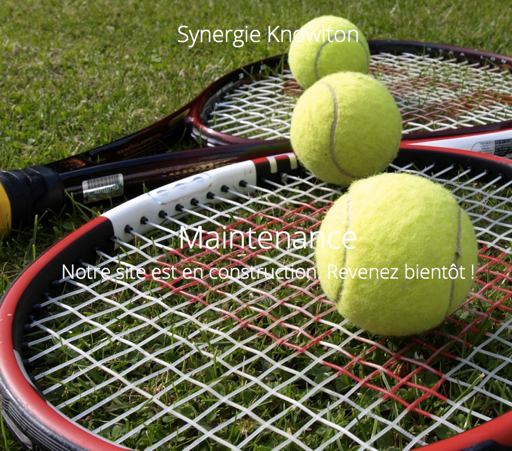
We cannot log into user sites, so please do not post any admin credentials for your site.
However, one thing that might help with your issues is to go to Events > Settings > Display in your wp-admin; find the option called “Events template”, and try out every single template option there.
There may be a template that works much better than the current one, so try it out! 😀
Cheers,
GeorgeDecember 4, 2015 at 9:51 am in reply to: 'View as' options not visible – language questions? #1035617ParticipantHey @Roi,
Just wanted to note that I’m handling your duplicate version of this thread here → http://theeventscalendar.com/support/forums/topic/version-incompability/
So I will close up this thread and keep our conversation in the thread above 🙂
Cheers!
George -
AuthorPosts