

Forum Replies Created
-
AuthorPosts
-
George
ParticipantHey Charlotte,
Thanks for reaching out.
Importing a CSV from Outlook should work fine. To be sure it will work with your specific files and version of Outlook and such, I would recommend that you download The Events Calendar and try out some test imports first. The Events Calendar is totally free, and has the CSV Import feature included in it by default.
You can download The Events Calendar to try this first-hand here: http://wordpress.org/plugins/the-events-calendar
As for private calendar pages, I do not know of any specific conflict with the plugin you mention. As recommended above, I would recommend you try this out with the free version The Events Calendar first.
In closing, one thing I want to clarify is that you mention a “free” and “pro” version of the plugin. However, our plugins do not work this way.
The way our plugins work is that The Events Calendar is the “core” piece of software. It is free, but also the main plugin.
Things like Events Calendar Pro, Community Events, etc. are all add-ons to this core plugin. So you would never have Events Calendar Pro running by itself, for example; it can only run as an add-on to The Events Calendar.
I just wanted to make this clear! 🙂 Because you can get The Events Calendar and play around with it for free to be sure it works how you want/expect.
Then from there you can add premium add-ons like Events Calendar Pro if you are satisfied with the core plugin.
I hope all of this information helps!
Cheers,
GeorgeJanuary 22, 2016 at 11:20 am in reply to: Licensing issue with WooTickets / Event Tickets Plus #1060659ParticipantHey Ben,
Sure thing, sorry for the hassle here. I’ve just checked your records against your claims here, confirmed them, and have re-activated your Event Tickets Plus license. It will remain active now until January 22, 2017, as if you had just bought it today.
I hope this helps! Let me know if so and/or if there’s anything else I can help with.
Cheers,
GeorgeParticipantThank you for supporting our plugins 🙂
Does this mean that the community tickets plugin will automatically send collected ticket funds TO the organizer so that I don’t have to pay all of my organizer’s manually? I hope so!
YES, this will happen automatically based on the settings you choose while configuring Community Tickets.
Let me know if this helps and/or if there’s anything else I can help with!
Cheers,
GeorgeParticipantHey @gpeery,
If you append /ical to your events slug URL, it will generate an iCal import file of the events on that page. This is as close to a proper “feed” that our plugins provide at this time.
So, for example, if your site is example.com and your events are at example.com/events, then heading to example.com/events/ical will generate the iCal import file for those events.
If you have a program that is looking for calendar feeds to auto-import them, then having them listen/subscribe to that URL may work.
There are unfortunately no other iCal export or feed features at this time 🙁
I hope this information helps!
— George
ParticipantHi Cyndi!
Thanks for reaching out. There are unfortunately no printed user manuals for The Events Calendar or our other add-ons 🙁
I’m sorry to disappoint!
— George
ParticipantHey @Paulzz,
Sorry to be flooding your page with all of those files – it’s indeed something we aim to improve in future releases.
Can you share a link to your page with all of the css files? I will take a look just to make sure nothing is loading out-of-place.
There is not a way to concatenate them easily within the plugin or anything at this time. I would recommend a caching plugin, because some of them like W3 Total Cache do include features to minifiy/combine styles and scripts, but these features often break the styles and/or JS. So if you go this route, tread lightly and be sure to test thoroughly!
Unfortunately the only other option here is the “stylesheet” option in Events > Settings > Display in your wp-admin, as shown in this screenshot:
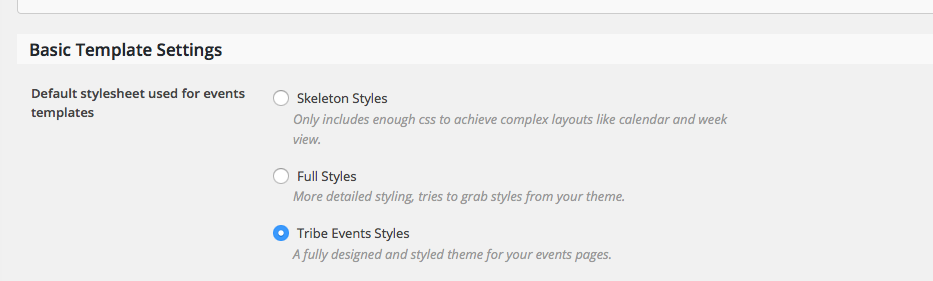
If you do not need or want all of our custom styles, you can disable them by choosing “Skeleton Styles” and then just write your own custom CSS at the bottom of another file that already loads on the page, like your theme’s style.css file.
I’m sorry that there are not more options at this time! Let me know if this information helps at all.
Cheers,
GeorgeParticipantHey @Anthony,
Thanks for reaching out.
Can you share a link to the thread from December that you are referring to? I will check that out and see what’s going on here.
Now, for the record, thank you so much for sharing your event-setup screenshot.
The screenshot reveals that the recurrence configuration for your events is invalid, which I think is the main problem here [though, please do share the thread from December! I will investigate potential bugs here].
For example, your event in the screenshot is on March 5 2016 from 2pm-3pm.
In your recurrence rules, you set the event up to recur monthly, and then weekly, but only until March 6 2016, which is one day after the event itself. Something cannot recur monthly in the span of one day from March 5 to 6, nor weekly, and so the rules do not work.
So, if your event is March 5, and then you have it set to recur monthly, you would need the “End On” date to be at least one full month away from March 5. If recurring weekly, then the “End On” date needs to be at least one full week away from March 5.
I hope this information is clear and helps – let me know!
Thanks,
GeorgeJanuary 22, 2016 at 10:42 am in reply to: Free license of Events Calendar Pro for non-profit. #1060629ParticipantHey Andri!
Sorry for the delay on this. We are delayed and unfortunately may remain delayed into next week because we are overhauling some of our Non-Profits systems in the background.
I really appreciate your patience with us on this.
Thank you,
GeorgeParticipantHey Kyle,
Thanks for reaching out. While this is definitely technically possible, it is unfortunately not anything included in our plugins by default 🙁
The customization required for this is quite extensive and so the amount of custom coding we could help with is quite limited. That being said, I’m curious – when you say “My Account page”, on which the users will see their “ticketing purchase history”, so to speak, can you clarify what you mean?
For example, do you mean the admin-facing “my profile” page that is accessible at the URL [domain.com]/wp-admin/profile.php?
If not, and you mean some other account page, can you clarify which page you mean specifically? Share a screenshot or two if possible, if you don’t mind (you can do so by uploading the screenshot to Imgur.com, Flickr.com, CloudUp.com, or any similar image-hosting site; then just share the links to those images here and I’ll take a look.)
I ask for this detail because that’s the main variable that will determine the simplicity of implementing this, in my opinion. As you mention, much of the “infrastructure” is already there – associations of user-to-ticket and ticket-to-event and such.
So getting the data onto the right page is the trick.
Let me know about the detail I asked about here and I will try to recommend some starter code to get the customization going!
Thanks,
GeorgeParticipantHey @ORIOL!
Thanks for your purchases.
To use the plugins, you will need to install these plugins on your site:
• The Events Calendar – FREE – http://wordpress.org/plugins/the-events-calendar
• Event Tickets – FREE – http://wordpress.org/plugins/event-tickets
• WooCommerce – FREE – http://wordpress.org/plugins/woocommerce
• Event Tickets Plus [which you just bought]
• Events Calendar Pro [which you just bought]Once all of the above plugins are installed and activated on your site, I would recommend reading carefully through the New User Primer for the ticketing plugins: https://theeventscalendar.com/knowledgebase/new-user-primer-event-tickets/
I hope this helps!
Cheers,
GeorgeParticipantHi Heather,
This is our “Pre-Sales Questions” forum, so we cannot field technical support questions here.
I will close this thread.
Also, there is not a license tied to your email address, and we cannot provide support for unlicensed users. For technical support, please log into the account with which your premium license keys are associated and post in a premium support forum. If you do not have a premium license, please post your questions in our free support forums at http://wordpress.org/plugins/the-events-calendar.
Thank you,
GeorgeParticipantHi Heather,
If you mean from the front-end, you would need to write custom CSS to do this. You would place CSS like the following in the bottom of your theme’s style.css file:
#tribe-events .tribe-tickets-remaining {

    display: none !important;

    visibility: hidden !important;

}
I hope this helps!
I will close up this issue because this is our “Pre Sales Questions” forums, and we cannot offer technical support here. Also, there is not a license tied to your email address, and we cannot provide support for unlicensed users. For technical support, please log into the account with which your premium license keys are associated. If you do not have a premium license, please post your questions in our free support at http://wordpress.org/plugins/the-events-calendar.
Thank you!
GeorgeParticipantHey Fabian,
What is the name of the organization you submitted for? Apologies for the delay here – there may unfortunately a few more days of delay here because we have been in the process of changing some of our systems that power the Non-Profit program.
Thank you for your patience!
GeorgeJanuary 22, 2016 at 10:11 am in reply to: Resend Tickets Option and Tickets not Being Emailed #1060608ParticipantThank you for this information!
We may actually have a bug here, which I’m sorry to bear the news about, but I’m curious: if you head to WooCommerce > Settings > Emails in your wp-admin, is there anything in the box next “Tickets” at the bottom of the page? For example, here’s a screenshot of this admin page for me, which shows this box empty:
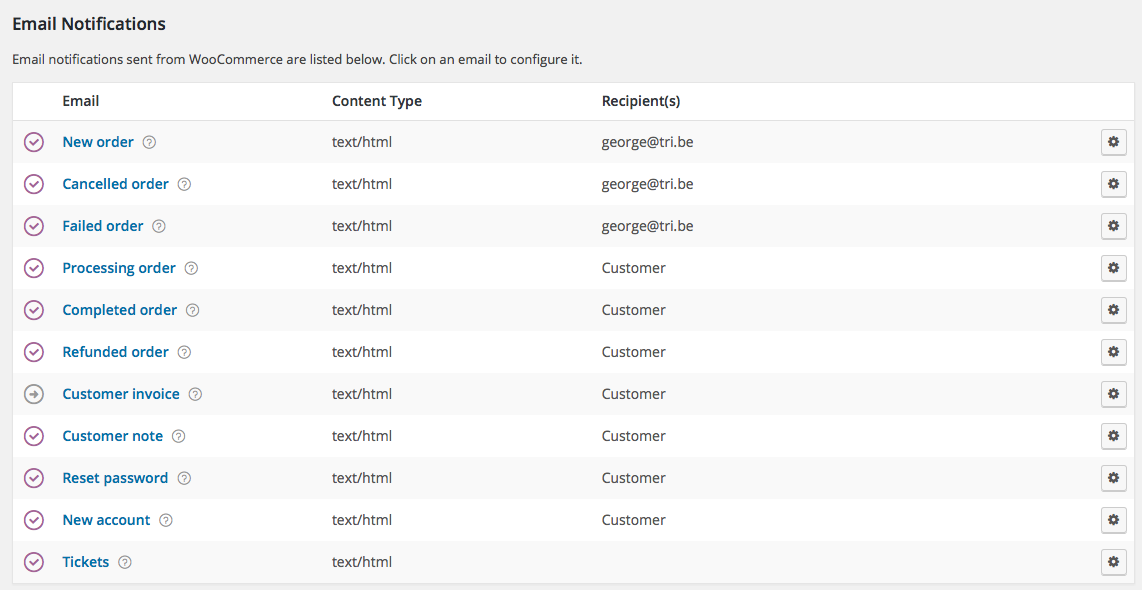
Is that “Tickets” box empty for you, too?
ParticipantThank you for the link!
It unfortunately led me to a 404 error:
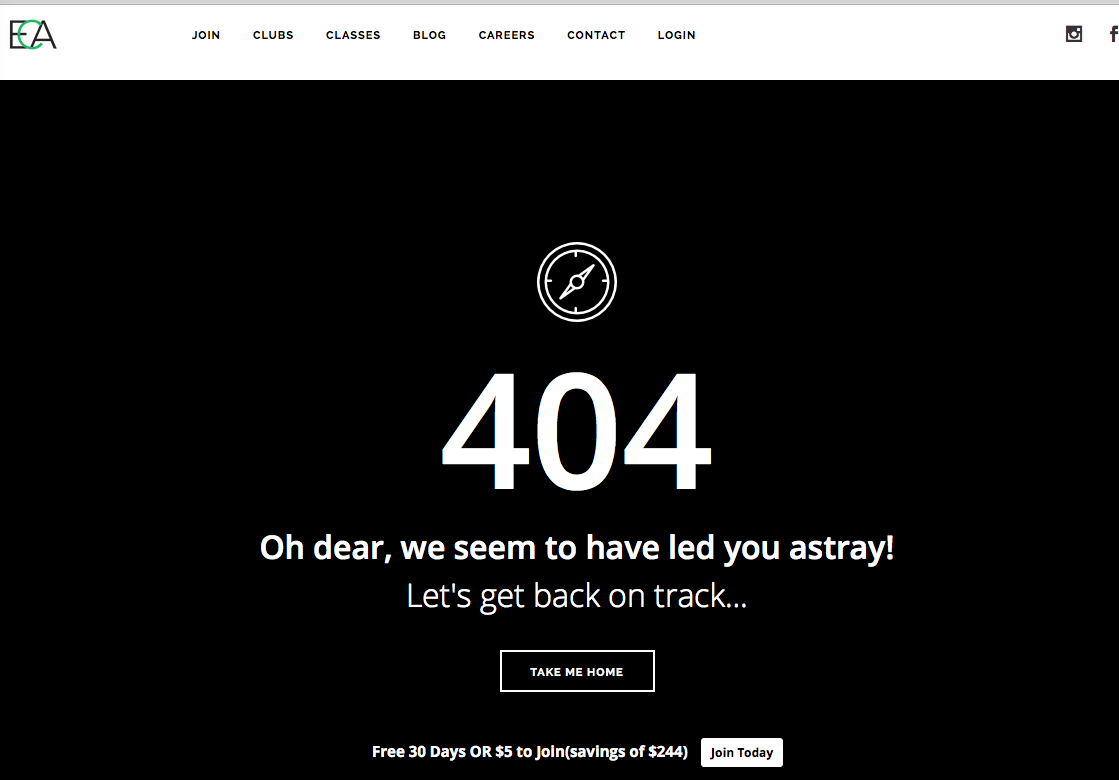
Also, can you be sure to share both of the URLs I mentioned above? To recap:
1. The specific URL where the “mobile layout” calendar is visible on your site? I looked but could not find The Events Calendar on your site.
2. The specific URL that you saw of ours, the one you are referring to when you say, “How would I get my mobile layout to match yours […]”.
Thanks Dillon!
George -
AuthorPosts