

Forum Replies Created
-
AuthorPosts
-
Barry
MemberMy pleasure 🙂
MemberHi Kurt,
Thanks for sharing that!
So in the case of this particular theme, if you include that code in the functions.php file you will need to amend the add_filter() code to read:
add_filter( 'tribe_get_events_title', __NAMESPACE__ . '\strip_events_for_from_titles' );
Or, you could alternatively re-work the snippet to use an anonymous function like so:
add_filter( 'tribe_get_events_title', function( $title ) {
	return str_replace( 'Events for', '', $title );
} );
April 6, 2016 at 7:58 am in reply to: Add venue name and address to WooCommerce completed order email #1098933MemberHi Alex,
You’re right. Theoretically it ought to have worked as it was, but please see the updated code (note the addition of ->id in the first line) and give that a try instead.
This should grab the address for the venue, if set, or else for ordinary products (if you are selling things besides tickets) it should essentially do nothing.
I hope that helps!
MemberThanks Kurt!
So for some reason it is unable to find the strip_events_for_from_titles() function … can you tell me where exactly you added the above snippet? Can you copy and paste the entire file and share it (ideally, using Gist, Pastebin, Dropbox or some similar service rather than by pasting it directly into the forum)?
Thanks!
April 5, 2016 at 7:09 pm in reply to: Add venue name and address to WooCommerce completed order email #1098742MemberHi Alex,
Sorry for the delay.
You could definitely use the woocommerce_order_item_meta_end hook as Josh suggested but if you’re not comfortable with that approach it may be easier for you to instead override WooCommerce’s email-order-items.php template.
Apart from potentially being easier, this approach has the added benefit of targeting only the order email which is the area you are specifically interested in customizing (whereas the above hook is used in a few other places besides the email). To learn more about the process of actually overriding WooCommerce templates, though, you would really have to refer to their own documentation – but in outline you would copy:
plugins/woocommerce/templates/emails/email-order-items.php
To:
themes/YOUR_THEME/woocommerce/emails/email-order-items.php
Of course, swap YOUR_THEME with whatever the correct path is in your case. With that done, you can safely customize the template. Next, locate the following chunk of code (same file):
// File URLs
if ( $show_download_links ) {
	$order->display_item_downloads( $item );
}
Either above or below this, depending on where you want to see the address, you could add a snippet like this:
$event = tribe_events_get_ticket_event( $_product->id );
echo tribe_get_address( $event );
Does that help at all here? You’d probably need to do a few other tweaks to really make it fit nicely but this should give you the general idea.
Remember also that if you get really stuck with customizations like this one there are various folks you can hire (though of course we’ll be happy to try and point you in the right direction first of all) 🙂
MemberHi Matt,
This is indeed related to Avada – the code responsible for adding the fancy plus/minus buttons to the quantity selectors can be found in the following file:
themes/Avada/assets/js/main.min.js
What seems to be happening is that that code runs once the page loads, but never again. When our own views update via ajax the quantity selectors are delivered to the browser in ‘plain form’ and the Avada code doesn’t run again to transform them by adding these extra buttons.
Luckily, for just this kind of reason, when we finish loading in fresh content via ajax we trigger various events: with some custom code you can listen for these events and, potentially, you could then call the relevant Avada function to add those extra buttons to the new content. Here’s an outline of what that code would look like:
jQuery( tribe_ev.events ).on( 'tribe_ev_ajaxSuccess', function() {
    // Of course, you'd replace the following line with a call to the
    // relevant Avada function (or a replacement)
    console.log( 'TEC ajax operation has completed!' );
} );
I’m afraid what I can’t do is fill in the missing gap as to which Avada function you should call, but you can probably check in with their own support team on that count.
For more information on adding custom JS code, as in the above example, please refer the WordPress tech docs which describe how to enqueue scripts and declare dependencies (such as jQuery).
I hope that gets you pointed in the right direction 🙂
MemberStoked to hear that – thanks for confirming, Ajay 🙂
MemberHi Kurt,
Very odd!
It certainly works for me locally, so I’m not too sure why it fails in your case specifically. Can you post a link to your site in case that sheds some light on the situation?
I can’t make any promises, but I’d be happy to take a further look 🙂
MemberHi Deborah,
I’m sorry to hear you are experiencing difficulties though I’m afraid to say I don’t seem able to see the problem (using either IE9 on Windows 7 or with the latest Edge browser in IE9-legacy mode running on Windows 10):
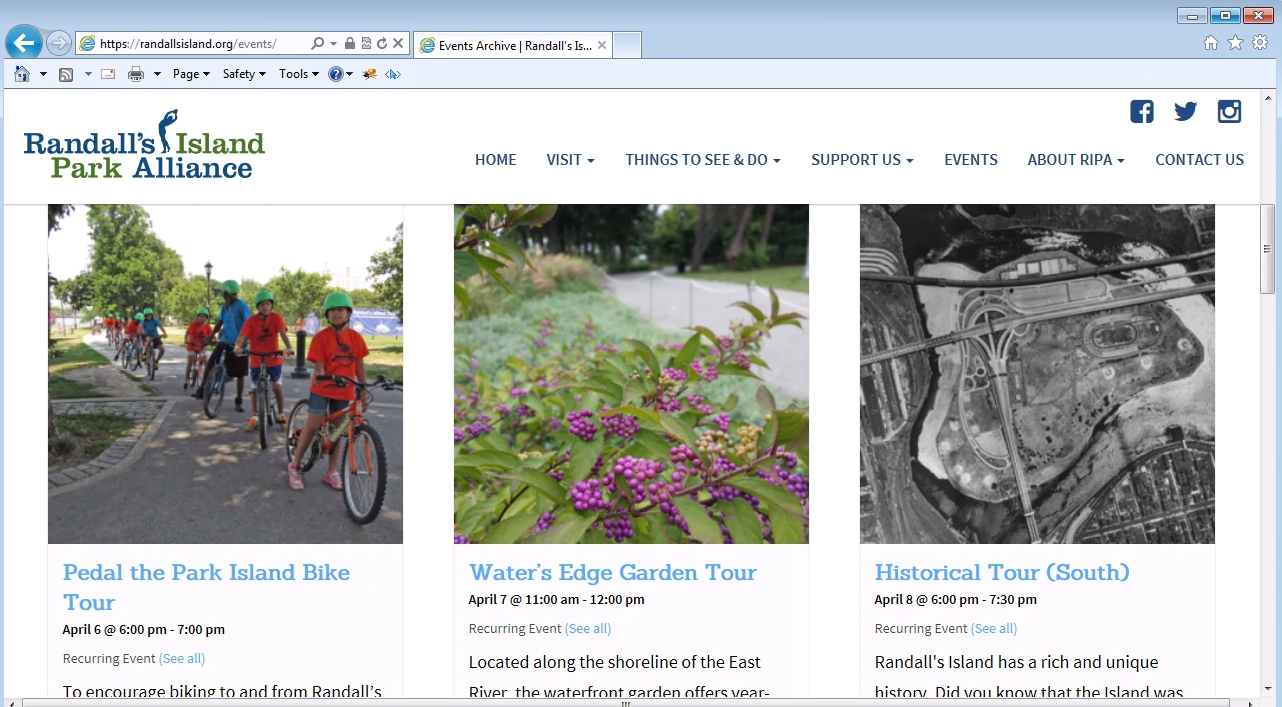
Can you confirm if:
- This is happening on multiple machines or just one specific PC that is running IE9?
- If you see comparable problems when you visit our demo site in the same browser?
Thanks!
MemberHi Kurt,
A small snippet like this one may help:
function strip_events_for_from_titles( $title ) {
	return str_replace( 'Events for', '', $title );
}

add_filter( 'tribe_get_events_title', 'strip_events_for_from_titles' );
This could go in a custom plugin file or just in your theme’s functions.php file if that’s an approach you prefer.
Does that help?
April 5, 2016 at 1:05 pm in reply to: The Google Maps API daily query limit has been reached #1098575MemberHi Charrame,
I’m sorry to hear you’ve hit up against some difficulties here.
The Google Maps API daily query limit has been reached!
To determine the position of a venue we use a service provided by Google. This is free up to a certain limit, however unless you use an API key (learn more about obtaining a key here!) then they will count the total number of requests coming from the same IP address.
That means if your own site is being served from a box that hosts hundreds of other sites, as can be the case in some hosting environments, the chances of all those sites collectively exceeding the number of free requests that can be made is much higher than if you had an isolated server with its own IP address.
So what can you do about this?
- You can ask your host to try switching you to a different server – this might resolve the problem and from your perspective would be relatively free of effort
- You could upgrade to something like a VPS with its own IP address
- You could use an API key
Right now, applying an API key is unfortunately not something that our plugin directly accommodates but we are aware that there is a clear need for this for many users and we hope to implement it sometime soon.
I’m sorry I don’t have better news, but I hope that at least clarifies the position and gives you some avenues you can explore until we are able to roll out more complete support for Google Maps API keys.
March 31, 2016 at 11:52 am in reply to: Critical bug: WooCommerce ticket quantity input resets to zero in 4.1 #1096552MemberHappy to help and thank you for bearing with us while we addressed this 🙂
I’ll go ahead and close out this topic, but please don’t hesitate to create new ones as needed should anything else crop up.
MemberHi John!
Thanks for sharing that tip 🙂
I would highlight though, mostly for the benefits of others hitting this topic, that hiding elements via CSS does not truly remove those elements – so the attendee output would still be discoverable using the solution you’ve suggested. It’s certainly unlikely that ‘lay users’ would realize this but, if privacy is the overriding concern, it’s something to consider.
Remember too that custom CSS can also require onward maintenance, just as can template overrides or custom PHP snippets.
I’ll now go ahead and close this topic: if we can help any one further with this or any other problems please do create a new topic and one of the team will be only too happy to assist.
March 25, 2016 at 8:08 am in reply to: ETickets Split Payments debits test Buyer but Receiver account gets nada. #1094007MemberHi Glenn,
Sorry to hear that but I totally understand (and thanks also for the notes re organizer and category fields not repopulating). I’ll certainly check in with Geoff and whomever is on point to process refunds today and highlight this case.
Sorry it didn’t work out on this occasion.
March 24, 2016 at 6:42 am in reply to: ETickets Split Payments debits test Buyer but Receiver account gets nada. #1093373MemberPlease enter the application ID in the PayPal Client ID field found within Events → Settings → Community:
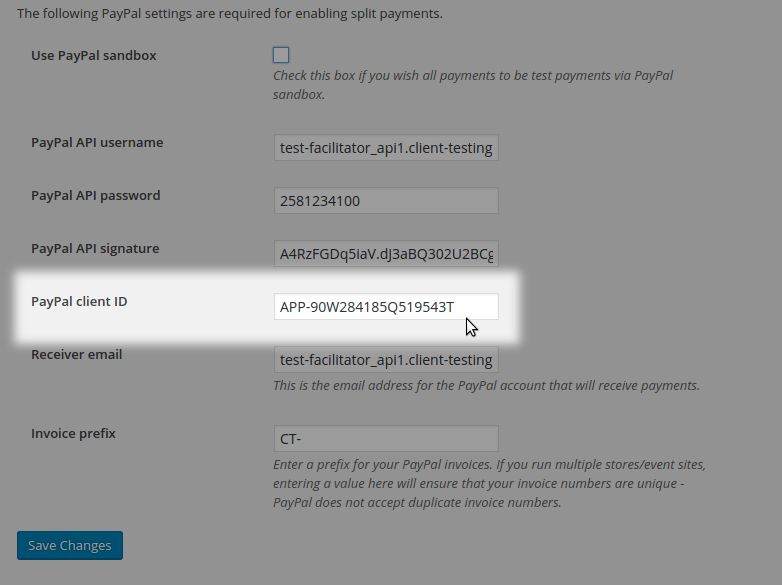
The name of the field isn’t too clear and I’ll be sure to log a bug report for that, too, so we can revise in a future update.
-
AuthorPosts