Strategic Nonprofit Event Planning for Success

Estimated reading time:
1 minute
It’s the night of your nonprofit’s annual fundraiser. The venue looks stunning, the catering smells delicious, and your team is buzzing with excitement. But as the clock ticks closer to start time, you realize with a sinking feeling that ticket sales are lower than expected, and your volunteer coordinator just called in sick. Sound familiar?
For many nonprofit event planners, scenarios like this are all too common. Organizing successful events can feel challenging, unpredictable, and sometimes a bit chaotic. But here’s the good news: it doesn’t have to be this way.
Effective event planning can turn your fundraisers and community gatherings from stress-inducing challenges into smooth, impactful successes. With the right approach, you can boost engagement, maximize donations, and create memorable experiences for your supporters — all while keeping your sanity intact.
In this guide, we’ll walk you through the key steps to strategic nonprofit event planning. We’ll share practical tips, introduce helpful tools, and provide insights to help you overcome common hurdles.
Ready to transform your nonprofit events from potential headaches into powerful opportunities? Let’s dive in.
11 key steps for successful nonprofit event management
1. Assemble a team
Building a strong team is the foundation of any successful event. Start by gathering a group of dedicated individuals who can bring different skills to the table. Clearly define each person’s role and responsibilities to avoid confusion and ensure everyone knows what’s expected of them.
Your team should include a mix of talents. Look for people with experience in event planning and management, marketing, fundraising, and logistics. Don’t forget to involve board members and other colleagues who can contribute valuable insights.
Regular team meetings help keep everyone on the same page. Schedule these check-ins to discuss progress, tackle any issues that come up, and make sure everyone’s efforts are aligned.
To make teamwork smoother, consider using collaboration tools, as they can make a big difference in keeping your team organized and efficient. Trello is great for project management, while Slack can help with quick communication.
2. Set event goals
Before diving into the details, establish clear goals for your event. Start by defining the event’s purpose and type. Are you aiming to raise funds through ticket sales, or is your main goal to raise awareness for your cause?
When setting goals, remember the SMART framework. Make sure your objectives are:
- Specific.
- Measurable.
- Achievable.
- Relevant.
- Time-bound.
This approach will help you create goals that are clear and realistic.
Decide on specific metrics to measure your event’s success. For example, you might aim to attract a certain number of new donors or raise a specific amount of money.
Finally, make sure your event goals align with your nonprofit’s overall mission and long-term objectives. This alignment will ensure that your event contributes meaningfully to your organization’s bigger picture.
3. Fundraising and sponsorship
Start by making a list of potential sponsors who share your values. Think about companies and individuals who might want to support your cause.
Next, create sponsorship packages that offer different perks at various price points. This way, you can attract sponsors with different budgets and interests.
Now, it’s time to reach out! Craft a compelling proposal that showcases the benefits of sponsoring your event. Don’t be shy — pick up the phone, send emails, or set up meetings to connect with potential sponsors.
Here’s a pro tip: Consider using GiveWP, an awesome online fundraising platform made just for nonprofits. It’s packed with tools to help you manage donors, run event fundraisers, and create eye-catching donation pages.
4. Confirm a budget
Creating a solid budget is key to keeping your event on track. Start by listing out every expense you can think of — from the venue and catering to marketing and staff costs. Don’t forget the small stuff — it all adds up!
Here’s a smart move: Set aside some extra cash for unexpected costs. This rainy day fund can be a real lifesaver if surprises pop up.
To keep tabs on your spending, use a budgeting tool. EveryDollar and MoneyMinder are great options, or you can keep it simple with a Microsoft Excel spreadsheet. The important thing is to track every dollar in and out.
Remember, your budget isn’t set in stone. Keep an eye on it and make adjustments as you go. If you’re spending more in one area, you might need to cut back in another. Stay flexible, and you’ll keep your finances in check!
5. Design your event
Time to bring your event to life. Start by picking the perfect date and venue. Look for a place that matches your event’s style, can fit all your guests, and doesn’t break the bank.
P.S. Don’t forget to check if it’s easy for everyone to get to.
Next, decide on your event format. Will it be a fancy gala, an exciting auction, or maybe an interactive workshop? Whatever it is, make sure it fits your goals and what your audience will enjoy.
Now, let’s talk about theme and decor. This is your chance to create a wow factor! Choose colors, decorations, and details that will make your event unforgettable. Did you know that 57% of event planners say creating a memorable experience is super important? Your theme can help make that happen!
Think about the details. Plan out everything from how people will check in to where the speakers will stand. And always have a backup plan for things like medical emergencies — better safe than sorry!
6. Recruit volunteers
Volunteers are the unsung heroes of great events. Start by making a list of all the jobs you’ll need help with. Think about tasks like welcoming guests, setting up decorations, or helping with activities, and then recruit volunteers as follows:
- Write clear descriptions for each volunteer role. This way, people will know exactly what they’re signing up for.
- Post about volunteer opportunities on your website, social media, and anywhere else you can think of. You never know where you might find your next star helper!
Once you’ve got your volunteers, it’s time to get them ready for action. Hold training sessions to teach them everything they need to know. The more prepared they are, the smoother your event will run.
7. Promote the event
It’s time to get the word out about your event! Craft a solid marketing plan that covers all your bases — social media, email campaigns, and even some good old-fashioned flyers or brochures. Storytelling can be a powerful tool to connect with your audience, so don’t be afraid to share your nonprofit’s mission and the impact this event will have.
Create an event calendar where your community can see upcoming events so potential guests can know about them as far in advance as possible. When it comes to email marketing, think strategically. Segment your email lists, craft engaging subject lines, and personalize your content. Consider using a tool like Promoter to streamline your communication and keep attendees engaged. Stay in touch with regular updates and reminders to build excitement as the event approaches.
Social media is a goldmine for event promotion. Create content that people will want to share, and consider using targeted ads to reach a wider audience. Did you know that 32% of donors say social media inspires them to give? That’s closely followed by email at 30%. And here’s yet another interesting tidbit: TikTok audiences for nonprofits grew by 112% in 2023. It might be worth exploring!
Most importantly, don’t underestimate the power of partnerships. Team up with local businesses, media outlets, and influencers to amplify your message. These collaborations can significantly boost your event’s visibility and appeal.
8. Manage registrations
Smooth registration management sets the tone for your entire event. Start by choosing a user-friendly registration platform like Event Tickets, which works flawlessly with WordPress websites for easy ticketing and RSVP management.
Create a registration form that’s straightforward and captures all the necessary info — name, contact details, and any special requirements. Make sure it’s mobile-friendly too; you don’t want to lose potential attendees to a clunky form.
Set up automatic confirmation emails to go out as soon as someone registers. It’s a small touch that goes a long way in making attendees feel valued and informed.
Keep a close eye on your registration numbers and attendee details. This information is gold for planning and logistics. Also, make sure you have a system in place for handling registration questions, whether it’s through email, phone, or an FAQ page on your website.
Before the big day, use the attendee reports from your registration system to prepare name tags, check-in lists, and any other materials you’ll need. A little prep work here will make for a much smoother experience when your attendees start arriving.
9. Host your event
It’s the day of the event — time to put all your planning into action. Make sure everything is in place, and everyone knows their role. Keep in close contact with your vendors, entertainers, and volunteers to ensure everything runs like clockwork.
Your attendees’ experience is key. From the moment they arrive to when they leave, you want them to feel welcome and excited. Speaking of arrivals, set up a smooth check-in process. Whether you’re using printed lists or a digital system, make sure it’s quick and easy.
Here’s another pro tip: Event Tickets Plus offers mobile ticketing with QR codes. It’s a great way to speed up check-ins and add a touch of tech-savvy cool to your event.
Throughout the event, stay connected with your team. Walkie-talkies or a WhatsApp group can be lifesavers for quick communication. Remember, a well-coordinated team means a successful event!
10. Follow up
The event might be over, but your work isn’t done yet! Now’s the time to show your appreciation and gather valuable insights.
Start by sending personalized thank you messages to everyone who made your event special — attendees, donors, sponsors, and volunteers. A heartfelt “thank you” goes a long way in building lasting relationships.
Next, it’s feedback time. Send out post-event surveys to attendees and chat with your team. Their insights are gold for making your next event even better.
Don’t forget to share your success! Let everyone know about the funds raised and the impact achieved. Post updates on social media, send out emails, and add the info to your website. It’s a great way to keep the excitement going and set the stage for future support.
Recognizing contributions publicly builds a sense of community. It’s like planting seeds for your next amazing event.
11. Post-event analysis
Time to grab your calculator and dive into the numbers! Analyzing your event’s performance is important for future success. Here are some tips:
- Look at key metrics like revenue, attendance, engagement, and new donor acquisition. These numbers tell the story of your event’s impact.
- Gather your team for a debriefing meeting. What went well? What could be improved? These discussions often lead to brilliant ideas for your next event.
- Use reporting tools to generate detailed insights. These data-driven nuggets can guide your future planning and help you set realistic goals.
- Compare this event’s performance with previous ones. Are you seeing improvement? This benchmarking helps you track your progress over time.
Finally, document everything you’ve learned. Create a detailed report that captures all your findings and lessons. Think of it as a treasure map for planning even more successful events in the future!
Top tools for nonprofit event planners
Planning events can be a juggling act. The good news is there are some fantastic tools out there that can make your life a whole lot easier. From ticketing systems to volunteer management, we’ve rounded up some tech helpers that’ll have you wondering how you ever managed without them.
The Events Calendar
One of the most popular WordPress calendar plugins, The Events Calendar gives you an easy way to manage events on your WordPress site. It helps you create, display, and organize all types of events, whether they’re virtual, in-person, or hybrid. Besides, it’s simple to use and works flawlessly within WordPress.
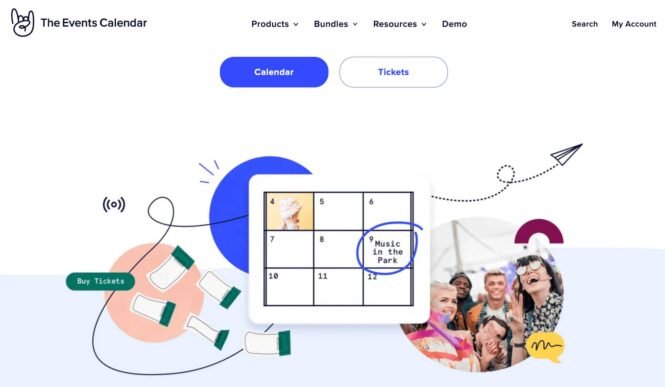
Here are some features that make The Events Calendar a must-have:
- Multiple views: Show your events in different ways — month, list, or day views, giving your visitors flexibility in how they browse.
- Recurring events: Automatically set up events that repeat on a daily, weekly, or monthly basis; perfect for ongoing meetings or classes!
- Responsive design: Your calendar looks great on any device, making it easy for attendees to check events on the go.
- Custom fields: Add personalized details to each event, like location, organizer, or any extra info you need.
- Virtual events: Integrate Zoom, Google Meet, and more to host your virtual or hybrid events.
- Shortcodes: Easily embed your calendar or specific events anywhere on your site with simple shortcodes.
- Automations: Save time by connecting with Zapier or MS Power Automate to streamline your event management.
The Events Calendar makes event planning a breeze, so you can focus on what matters — delivering awesome experiences!
Event Tickets Plus
Looking for a powerful tool to manage your nonprofit events? Meet Event Tickets Plus! This handy plugin works right inside your WordPress website, making it easy to handle tickets, RSVPs, and check-ins all in one place.
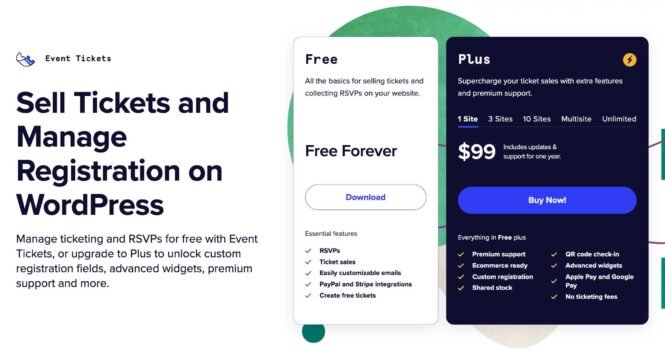
Here are some features that make Event Tickets Plus stand out:
- Custom tickets: Create different types of tickets with unique prices. Perfect for offering VIP experiences or early bird discounts!
- Mobile-friendly: Attendees can show their tickets on their phones. You can scan QR codes for quick check-ins, making lines move faster.
- Keep all your money: Unlike some other ticketing services, Event Tickets Plus doesn’t take a cut of your ticket sales. That means more funds for your cause!
- Safe payments: It works with popular payment systems like PayPal, Braintree, and Stripe, so you can sell tickets securely online.
- Helpful reports: Easily see how many tickets you’ve sold, who’s coming, and how much money you’ve raised.
Event Tickets Plus is super easy to use, even if you’re not a tech whiz. It’s designed to make your life easier, so you can focus on creating amazing events.
Promoter
Promoter is an innovative event marketing tool designed to enhance your nonprofit’s outreach efforts. This comprehensive platform offers a range of features to streamline your event promotion process and boost engagement.
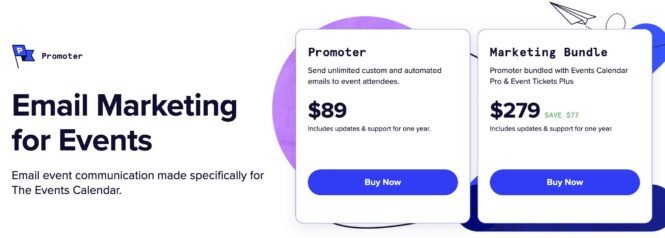
Key features of Promoter include:
- Automated email campaigns: Schedule and send timely reminders and updates.
- Social media integration: Easily share event information across multiple platforms.
- Customizable templates: Create on-brand communications that resonate with your audience.
- Real-time analytics: Track engagement metrics to refine your marketing strategy.
- Time-saving automation: Streamline repetitive tasks to focus on event planning
Promoter excels in simplifying event marketing, allowing even those with limited marketing experience to create impactful campaigns. Its user-friendly interface and powerful features make it a valuable asset for nonprofits looking to increase event visibility and attendance.
While Promoter is a robust marketing tool, it’s important to note that it doesn’t cover all aspects of event management. For comprehensive event planning, you may need to combine Promoter with other specialized tools for ticket sales or volunteer coordination tasks.
GiveWP
GiveWP is a feature-packed fundraising plugin built with nonprofits in mind. It offers a wide array of tools to boost your donation efforts and make fundraising easier than ever.
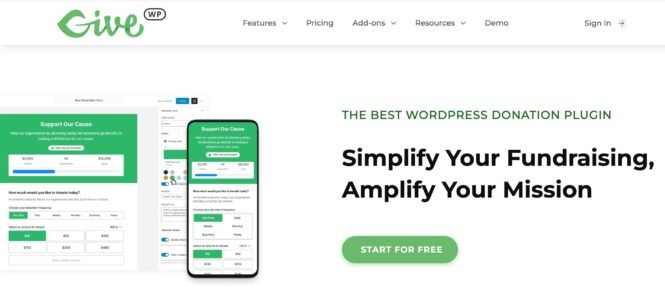
Let’s dive into what makes GiveWP stand out:
- Easy-to-use donation forms: With GiveWP, you can create beautiful donation forms without needing to know how to code. These forms look great on all devices, making it easy for people to donate from their phones or computers.
- Multiple payment options: GiveWP works with many popular payment methods. Your donors can use credit cards, PayPal, Apple Pay, Google Pay, and even Venmo. This flexibility means more people can donate in the way that’s most comfortable for them.
- Recurring donations: GiveWP lets you set up recurring donations. This add-on can help you turn one-time donors into regular supporters, providing a steady stream of funds for your nonprofit.
- Peer-to-peer fundraising: With the peer-to-peer add-on, your supporters can create their own fundraising pages. This allows them to reach out to their friends and family, potentially bringing in new donors for your cause.
- Detailed reports: GiveWP provides comprehensive reports about your donations. These insights can help you understand what’s working well and where you might need to make changes in your fundraising strategy.
One of the best things about GiveWP is how it can work with other tools you might already be using. For instance, it can connect with email services like Mailchimp and customer relationship management (CRM) systems like Salesforce.
While GiveWP offers many features, it’s worth noting that some of the more advanced tools, like peer-to-peer fundraising, are add-ons that may require an additional cost. However, for many nonprofits, the investment can be well worth it, given the potential to boost fundraising efforts significantly.
VolunteerHub
VolunteerHub is designed to make managing volunteers a breeze for nonprofits. It helps you find, organize, and keep in touch with your volunteers all in one place.
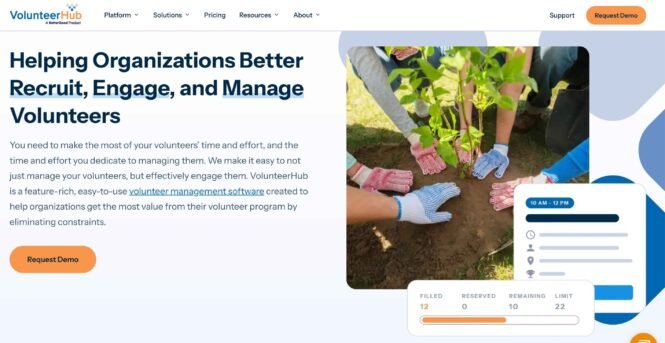
Here’s what makes VolunteerHub special:
- Easy sign-ups: Volunteers can register online and choose when they want to help.
- Automatic reminders: The system sends messages to volunteers about their upcoming shifts.
- Custom profiles: Keep track of each volunteer’s skills and interests.
- Hour tracking: Easily record and report on the time volunteers spend helping out.
- Detailed reports: Get insights into your volunteer program’s performance.
VolunteerHub can save you tons of time and help you build a stronger volunteer community. However, keep in mind that it might take some time to learn all its features. Also, depending on your nonprofit’s size, the cost could be a factor to consider, as VolunteerHub’s base plan, starting at $143/mo, is a bit on the expensive side.
Handbid
Handbid is a fantastic tool for nonprofits looking to run successful fundraising auctions. This mobile bidding platform makes it easy to manage both live and silent auctions, helping you raise more money for your cause.

Here are some of Handbid’s top features:
- Mobile-friendly bidding: Attendees can bid right from their smartphones, making it super convenient and encouraging more participation.
- Real-time updates: Bidders get instant notifications about their bids, keeping them engaged and excited throughout the auction.
- Easy payments: When the auction ends, winners can pay quickly and securely right through the app.
- Detailed reports: After the event, you’ll get clear, helpful reports showing how well your auction did and how much money you raised.
- Works for different auctions: Whether you’re running a live auction with an auctioneer or a silent auction where people bid quietly, Handbid has you covered.
While Handbid offers many great features, it’s worth noting that it might take a little time for your team and attendees to get used to using a mobile platform for auctions. Also, you’ll need to make sure you have a good internet connection at your event for the best experience.
Bonfire
Ever thought of turning T-shirts into a fundraising powerhouse? Enter Bonfire, the platform that transforms your nonprofit’s brand into wearable, sellable art. This innovative tool doesn’t just raise funds — it turns your supporters into walking billboards for your cause.
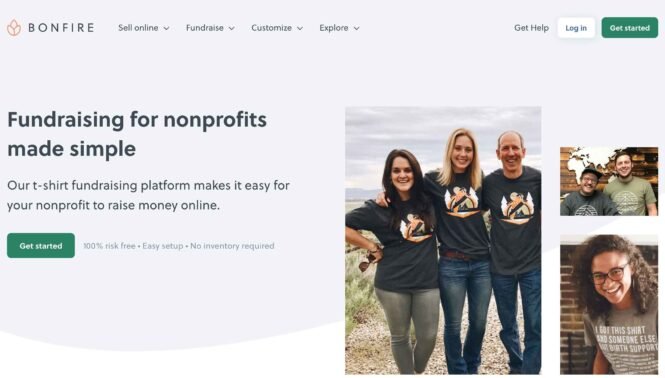
Here are some of Bonfire’s standout features that can make your fundraising efforts sizzle:
- Design and sell custom apparel that aligns with your nonprofit’s branding and mission.
- No upfront costs and reduced processing fees for verified nonprofits, dropping from 8% to 3.5%
- Verified nonprofit badge that lets your supporters know their money will directly benefit your organization.
- Free online store, order fulfillment, and customer support services.
However, it’s important to note that the success of your campaign depends heavily on your promotional efforts. Effective marketing and outreach are crucial to ensure your custom apparel gains visibility and generates sales. Your team will need to actively promote the campaign to maximize its impact and reach.
Take the next step towards nonprofit event excellence
You’re now equipped with the key steps to elevate your nonprofit events. As you know, each step is crucial for success, so don’t skip any! To help you stay on track, we’ve created a handy checklist you can download and use for your next event (opens in a new tab).
But why stop here? The world of nonprofit events is always evolving. Stay ahead of the curve by attending industry conferences like the Nonprofit Marketing Summit. These events are great opportunities to learn about the latest trends and best practices.
And when it’s time to take your events to the next level, consider using Event Tickets Plus for your RSVP and ticketing needs. With zero commission on ticket sales, easy integration, and top-notch support, it’s the plugin of choice for many nonprofits. You can also pair it with Promoter to boost your event marketing efforts and reach more people.
The best part? If you’re a nonprofit, you can get a 25% discount on The Events Calendar Pro, Event Tickets Plus, and our add-ons. It’s our way of supporting the important work you do.
So why wait? Start planning your next successful event today!

Alexis
View author page