Introducing Purchase Rules: Powerful New Ways to Price, Restrict, and Automate Ticket Sales

Estimated reading time:
1 minute
Today we are thrilled to announce the release of Purchase Rules, an advanced ticketing feature for Event Tickets Plus.
This release unlocks new levels of power and flexibility for discounting, ticket restrictions, and automated purchase requirements across your events. You can now offer deals like, “buy 3 get 15% off,” or restrict the sale of children’s tickets if not purchased with at least one adult ticket, and so much more.
Purchase Rules represents one of the most significant ticketing upgrades we’ve ever made. Let’s dive in!
What’s are Purchase Rules?
Purchase Rules is a new feature available for Event Tickets Plus users who also use our built-in Tickets Commerce. Purchase Rules let you define smart, automated logic that applies discounts, minimums, maximums, required combinations, spend thresholds, and more at checkout.
Purchase rules maximizes your ticket management efficiency. They can:
- Apply automatically across multiple events using keyword matching
- Enforce supervision or eligibility requirements
- Support sophisticated promotional campaigns
- Prevent scalping and drive group purchases
- Replace dozens of manual coupons with a single reusable rule
- Give customers clear, custom messages before they check out
Instead of managing discounts one ticket at a time, you can now build strategic pricing models that scale across your entire event catalog.
Who is Purchase Rules for?
Purchase Rules is designed for event organizers who need more than simple ticket sales:
- Theaters offering family bundles or requiring adult supervision
- Festivals needing group pricing and anti-scalping limits
- Conferences selling corporate packages with bulk minimums
- Recreation centers managing age restrictions and sibling discounts
- Universities gating ticket access to students or faculty
- Exclusive venues controlling max ticket counts or total spend
- Nonprofits selling sponsor tables and fundraising packages
If your organization uses complex pricing, bundled tickets, or eligibility requirements, Purchase Rules gives you the power to automate it in Event Tickets Plus.
Types of Purchase Rules Available
There are eight types of purchase rules you can define.
- Order discounts (percentage or flat) based on ticket quantity or amount spent
- E.g. Apply 5% order discount when customer selects $100 or more worth of tickets for this event
- Ticket discounts (percentage or flat) based on the quantity of specific tickets
- E.g. Apply $5 discount per ticket when customer selects 4+ VIP tickets.
- Per-order purchase limits
- E.g. Limit each purchase to 4 tickets per event
- Per-ticket purchase limits
- E.g. Limit each purchase to 4 VIP tickets
- Per-order minimum based on ticket quantity or spend amount
- E.g. Require purchase of at least 4 tickets for an event
- Per-ticket minimum
- E.g. Require purchase of at least 2 Adult tickets
- Limit purchase to specific user roles
- E.g. Restrict ticket purchases to Student or Faculty user roles
- Require tickets to be purchased in specific combinations
- E.g. Child tickets must be purchased with at least one Adult ticket.
How to Create a Purchase Rule
In the WP Admin navigate to Tickets > Purchase Rules and click Add New Rule.
- Choose a rule type
- Define the rule
- Name it
- Set triggers
- Determine rule scope
- Apply rule to tickets based on keywords, event category, event tag, or venue.
- Write promotional copy that will be displayed next to the tickets, such as, “Buy 4 or more tickets and get 10% off!”
For more information on how to use this new feature, check out our knowledgebase.
Real World Examples of Ticket Purchase Rules
Here are a few common use cases that show just how useful this new functionality can be
Family-Friendly Theater Company
Problem: For legal and safety reasons, children cannot attend shows without adult supervision.
Solution: Require adult supervision and offer group/family discounts at checkout.
Purchasing Rules Implementation:
- Rule: “Child tickets must be purchased with at least one adult ticket.”
- Rule: “Buy 3+ tickets, save 15%”—applied across all shows with relevant keywords.
Festival Operations Director
Problem: Large festivals need flexible group pricing while preventing ticket scalping and inflated resale.
Solution: Automatically offer volume discounts and enforce per-order maximums to limit scalping behavior.
Purchase Rules Implementation:
- Rule: “Buy 4+ weekend passes, get $25 off.”
- Rule: “Limit each purchase to a maximum of 6 tickets per order.”
Conference Organizer
Problem: Corporate groups need bulk purchase incentives while organizers need minimum commitments for certain ticket tiers.
Solution: Require minimum quantities for corporate-level tickets and reward companies for registering larger teams.
Purchase Rules Implementation:
- Rule: “Silver-level tickets must be purchased in groups of at least 4.”
- Rule: “Register 5+ attendees from the same company and save 20%.”
Community Rec Center Manager
Problem: Youth programs require age-appropriate supervision, and families need affordable multi-child options.
Solution: Restrict youth tickets to adult purchasers and apply automatic sibling discounts.
Purchase Rules Implementation:
- Rule: Youth program tickets can only be purchased by logged-in adult users.
- Rule: Buy multiple child tickets and automatically receive a sibling discount (keyword-based).
University Events Coordinator
Problem: Campus events must be limited to verified student populations, with special pricing for student organizations.
Solution: Gate ticket access by user role and offer bulk discounts for student groups.
Purchase Rules Implementation:
- Rule: Restrict ticket purchases to Student or Faculty user roles.
- Rule: Registered student organizations purchasing in bulk receive automatic group-rate discounts.
Exclusive Venue Manager
Problem: High-end or limited-seating events require both minimum spend thresholds and purchase limits to maintain exclusivity.
Solution: Set minimum revenue per order and restrict maximum ticket quantities.
Purchase Rules Implementation:
- Rule: “Each purchase must total at least $100.”
- Rule: “Maximum of 4 tickets can be purchased per order.”
Nonprofit Fundraiser Organizer
Problem: Sponsorship packages and table sales must meet fundraising goals while keeping group sizes consistent.
Solution: Require table-level tickets to be purchased in fixed sets.
Purchase Rules Implementation:
- Rule: “Full Table sponsorships must be purchased as a set of 10 tickets.”
- Rule: “Half Table sponsorships must be purchased as a set of 5 tickets.”
Enjoy a Smarter Ticket Selling Experience Today
We hope Purchase Rules will help you set more strategic ticket prices and supercharge your ticket management efficiency.
In Case You Missed It 🔍 👀
We’re always working to make our product suite better for you. Below are just three, recent examples, of new features we’ve released that bring new functionality to our products while making your life easier. To see all major feature and product releases, check out our full news feed. If you’d like to see all product updates, including maintenance and security releases, you can find that information in our release notes.
New Filter Bar Enhancements Are Here!

Filter Bar is one of our most popular add-ons because it helps site visitors cut through the noise of a busy calendar to find just the events they’re interested in. We’re happy to announce that this week, it just got better. Our most recent release includes two new, highly requested filters that will make navigating your calendar easier than ever.
Category Colors Now Included in The Events Calendar!
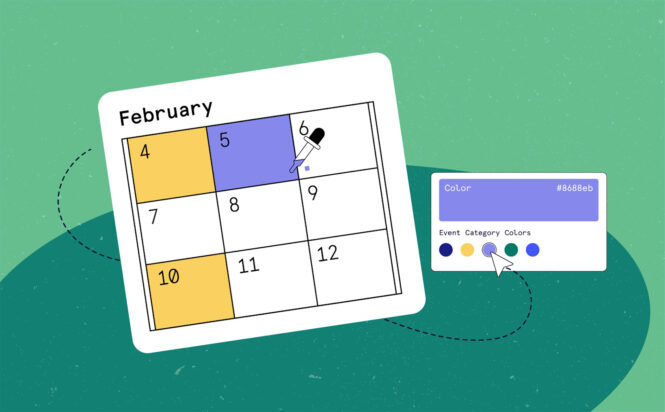
Color-coding is a fundamental aspect of productivity design for a reason, it works. By adding color-coding to event categories, users will discover the events they’re interested in more easily, and you’ll enjoy higher community engagement.
Ticket Presets Have Arrived! Save Time, Reduce Errors, & Improve Consistency with this New Event Tickets Plus Feature
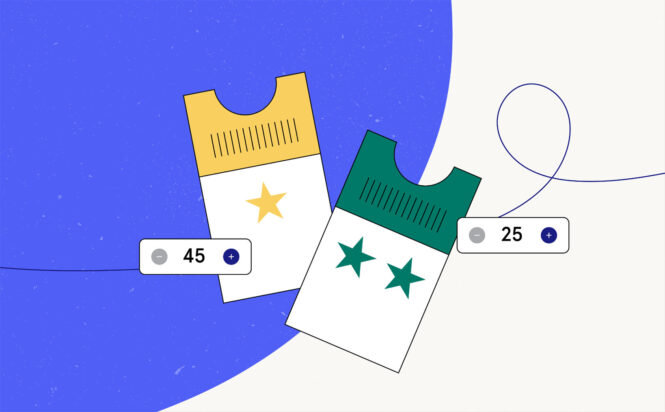
Ticket Presets make it easy to streamline your event setup by letting you save and reuse ticket configurations. Instead of building the same ticket types from scratch every time, you can create presets once and apply them to future events with just a few clicks, ensuring consistency and saving valuable time.

Nathan
View author page