

Forum Replies Created
-
AuthorPosts
-
Hunter
ModeratorHey Bart,
Welcome back to the support forums. I see you checked “Yes” to both reverting back to the default WP theme and deactivating all other plugins, but can you please confirm this? Also, please respond back with your System Information as a private reply.
I did a quick check to see if we have any logged bugs of similar issues but I did not see anything. So please confirm you’re not working with a theme/plugin conflict and we’ll go from there. Thanks and have a good week 🙂
ModeratorHi and welcome back,
Sorry to hear about the troubles. Before I get to testing, please confirm you’ve followed our Testing for conflicts guide to ensure you’re not experiencing a theme and/or plugin conflict. Once we’ve ruled that out, we’ll continue troubleshooting.
Thanks for posting and take care.
ModeratorHey Ben,
That is correct, these types of customizations are outside the scope we’re able to provide. Overriding core files is never recommended, so you would have to make the changes to general.php and back up that file whenever an update is released.
Good luck with the customizing and thanks for understanding. Have a great week.
ModeratorHey Ed,
I apologize if we somehow misled you in our Pre-Sales forum. If you don’t mind, send a link to the Pre-Sales forum thread as a private reply so we can see how we can answer this question better in the future.
Thanks for understanding and again, my sincerest apologies. Good luck with the customizations.
ModeratorHello and welcome back,
What do you have set for your WP Settings > General and Events > Settings > General? Also, can you set up a new set of recurring events with the exact rules I have and let me know if you’re able to get the times working properly?
Thanks for working with me and I look forward to hearing back.
ModeratorWelcome back,
Can you please run through our Testing for conflicts guide? Let me know your findings and we’ll go from there.
ModeratorHey Lars,
Nothing yet, but as recommended, stay tuned to your wp-admin and theeventscalendar.com/blog for fix information. Thanks again for your patience 🙂
April 22, 2016 at 10:24 pm in reply to: Change date and time structure for recurring events #1106219ModeratorHi and welcome back to the forums,
I’m limited on the amount of support I’m able to provide here, but our Themer’s Guide goes into detail on how to create custom templates.
Our Technical Docs section also can help you narrow down specific information so you can apply your PHP changes accordingly.
I hope this information helps and best of luck with the customizations. Thanks for choosing PRO and enjoy the upcoming weekend!
ModeratorHey Matt,
Welcome to the forums and thanks for choosing PRO! Would you mind reviewing our Testing for conflicts to ensure you’re not experiencing a theme/plugin conflict? Let me know how it goes and have a good rest of your weekend!
ModeratorHey Juan,
Welcome back to the forums!
If you have Enable Google Maps checked under Events > Settings > General, your events should display Google Maps by default (see screenshot below).
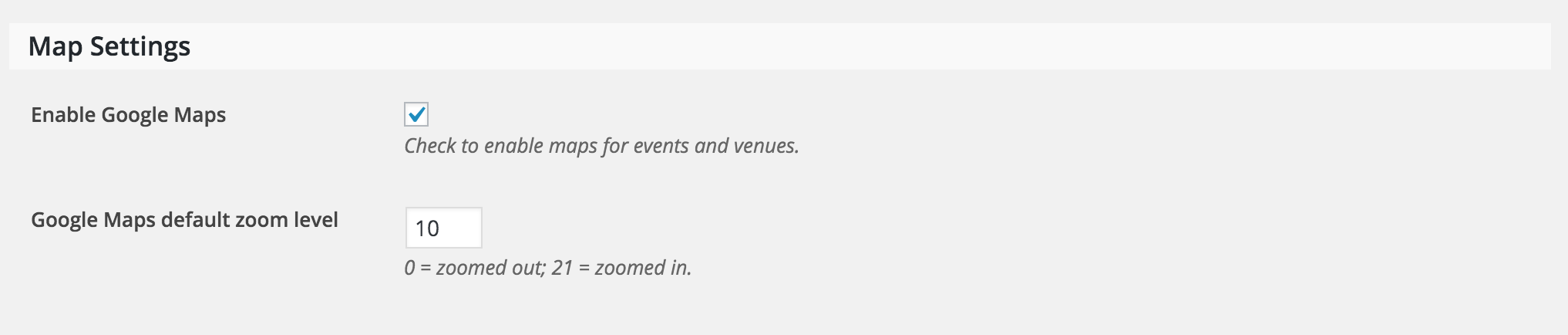
If you need to get a little more fancy, you could use an SQL query to show/hide all maps as you please. The wp_postmeta field is _EventShowMap – meta_value “1” means the map will be shown and “0” means the map will be hidden.
Let me know if this helps answer your question. Have a great weekend and happy Earth Day!
ModeratorHi Roxanne,
We don’t include any custom filters for the wp_login_form, so the only way to go about creating a custom submit event page would be doing a template override as outlined in our Themer’s Guide. I wish I was able to provide more assistance, but these types of requests are outside the scope we’re able to provide.
Thanks for understanding and best of luck with the customizations. Happy Earth Day!
ModeratorHey Christine,
Welcome to the support forums 🙂
To automatically import events, you’ll need to enter the Facebook page ID (example: https://www.facebook.com/LiveNation – you’d grab LiveNation and paste it in the box found under Events > Import > Import Settings (see screenshot below).
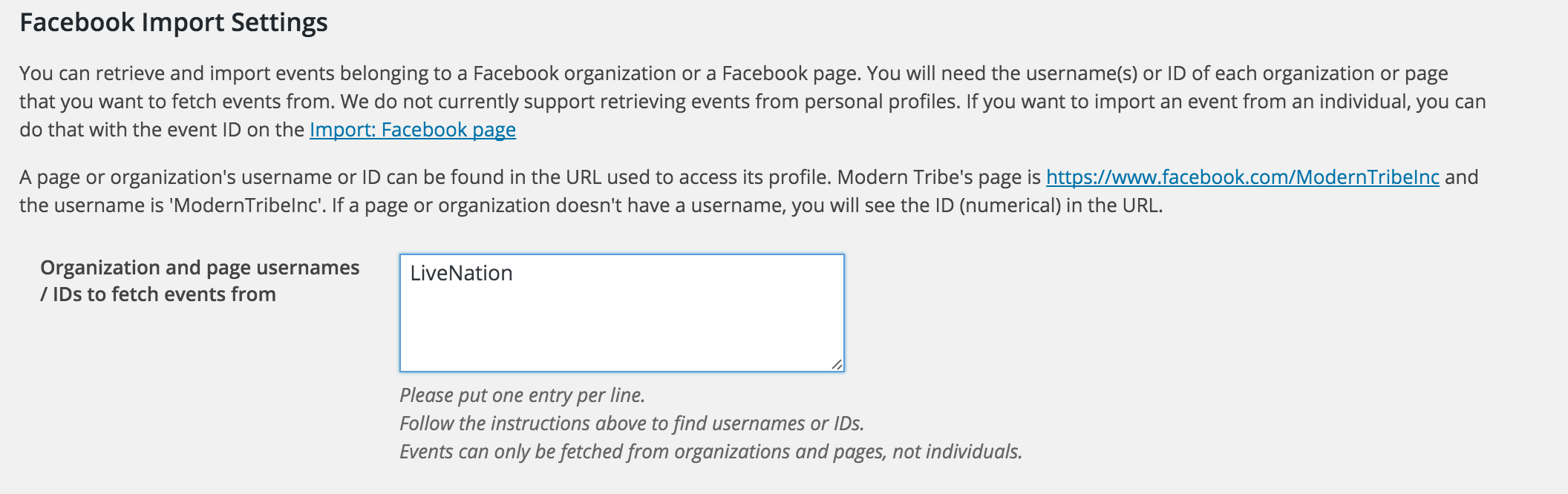
To import individual events, you’ll grab the individual Facebook event ID (example: https://www.facebook.com/events/1701703663378928 – you’d grab 1701703663378928 and paste it under Events > Import > Facebook (see screenshot below).
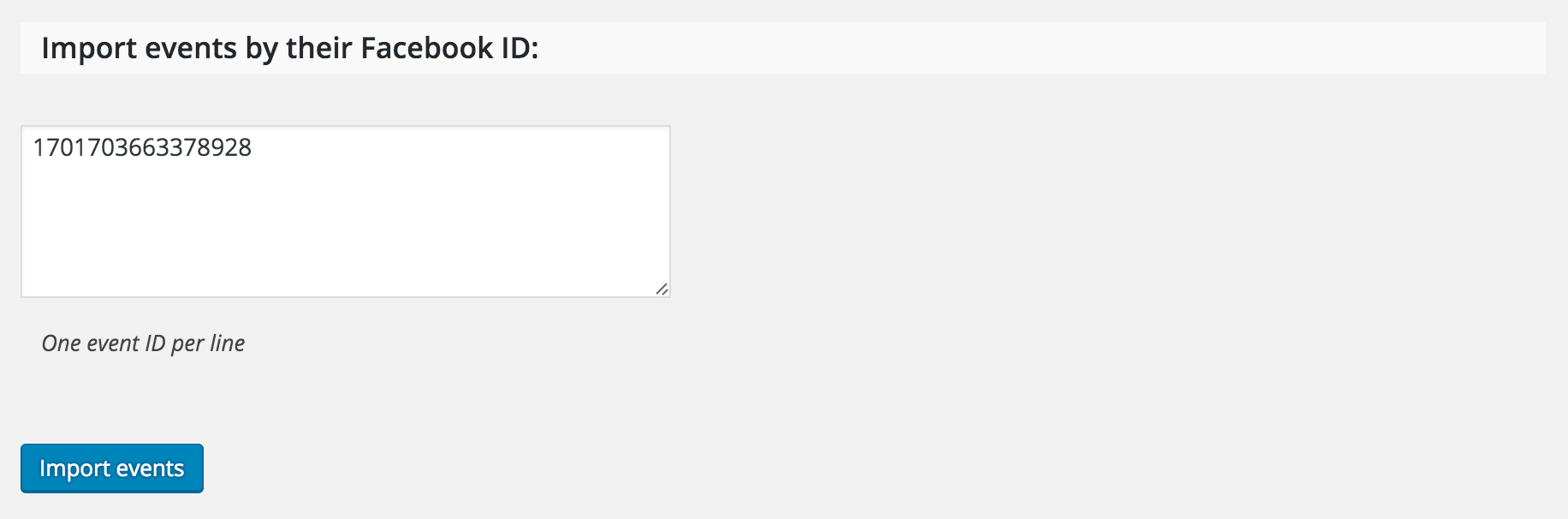
More details can be found here. Let me know if this clears up any confusion you may have.
Have a great upcoming weekend and happy Earth Day!
April 22, 2016 at 8:31 am in reply to: Clicking on recurring event opens all events, not single event. #1105921ModeratorHi cbzen,
Would you mind opening a new thread? It helps expedite the process all around. Thanks and I’ll keep an eye out in the queue. Have a great Earth Day!
ModeratorHi and welcome back!
I was able to successfully set up the series of recurring events with the following recurrence rules. Please see screenshot below:
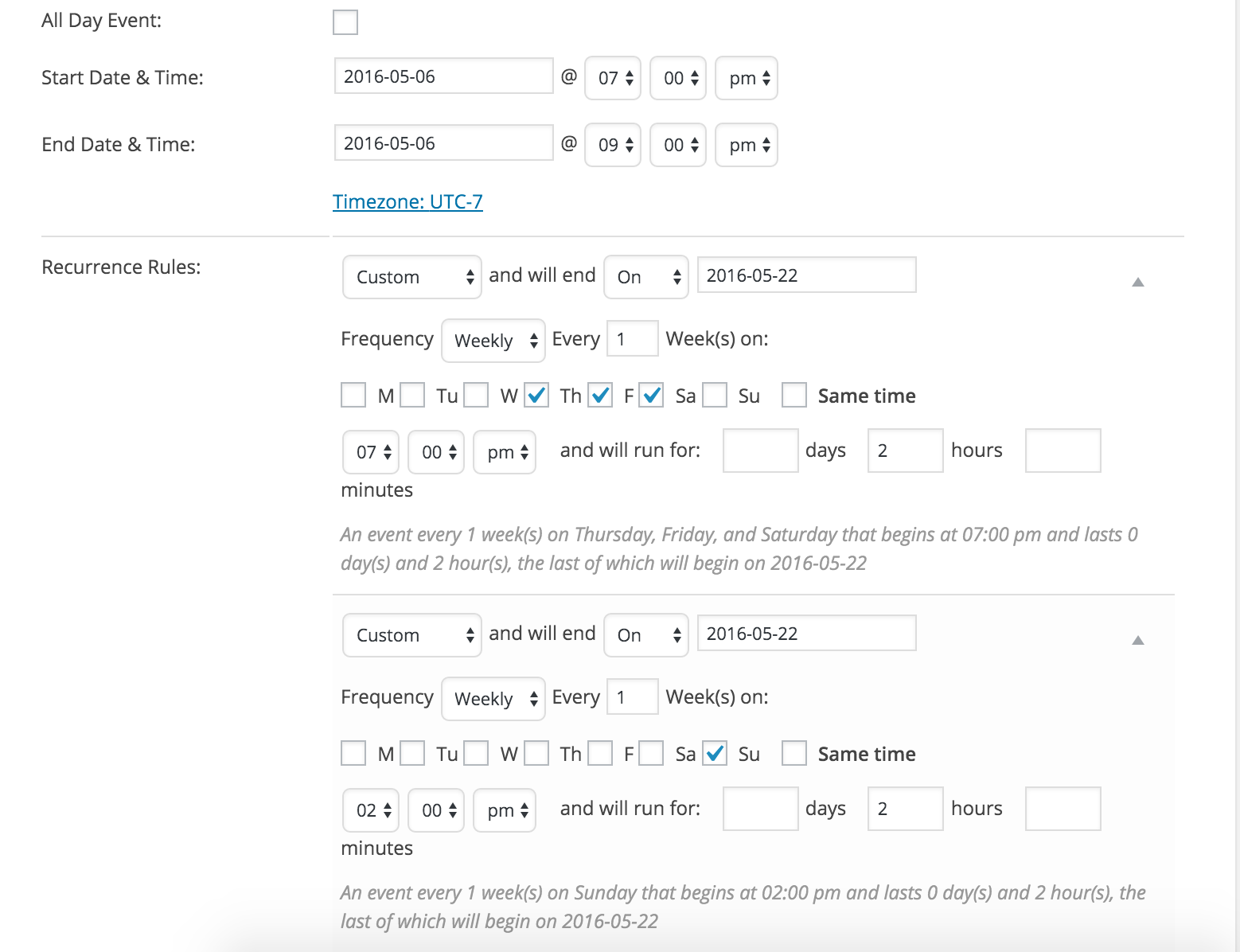
You may want to double-check what you have for your sitewide timezone settings found under your WP Settings > General. Next, you want to check your timezone settings founder under your Events > Settings > General.
Let me know if this helps and happy Earth Day!
April 21, 2016 at 1:21 pm in reply to: Calendar shows # when click on month of date in monthview #1105630ModeratorHey Nico,
Thanks for posting and I’d be happy to help you out. Just to confirm, you’ve reverted back to the default WP theme and deactivated all other plugins besides ours at the same time as recommended in our Testing for conflicts, correct?
We are unfortunately unable to log into customer sites, so please refrain from sending over credentials. Let me know and we’ll go from there.
-
AuthorPosts