

Forum Replies Created
-
AuthorPosts
-
January 4, 2018 at 7:04 pm in reply to: Change behaviour of filterbar – all need to be true #1418523
Crisoforo
KeymasterHi Bram!
I hope you are having a good night and thanks for taking the time to reach out to us, unfortunately there is no simple way to archive this, as by design operates on any of the matches of the filters. You might want to modify the core of the plugin but those changes are going to be lose on next updates of the Add-on.
I’m really sorry for this inconvenience and we appreciate your understanding. Please let me know if you have any other questions about this or if there is anything else I can do for you.
Thanks,
CrisoforoKeymasterHey!
First of all thanks for reaching out. I just tested the latest version of the plugin on a test installation with the default WordPress theme, this is the result.
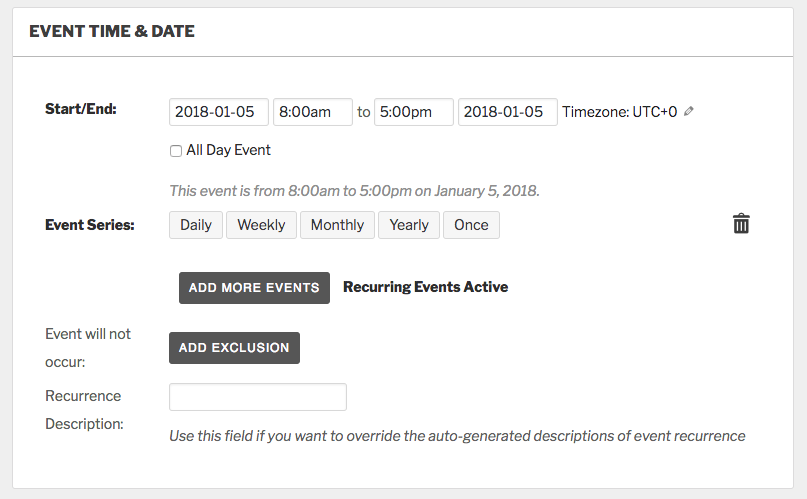
It seems like you are facing a conflict, and some Styles / JS from your theme or plugin is causing the issue, we have a detailed guide about testing for conflicts, let me know if you are still facing this problem after debug the conflict, or if there is anything else I can do for you.
Thanks,
CrisoforoKeymasterHe Steven.
Thanks for reaching out, you are trying to delete a different event when you are creating or editing a new event?
If that’s the case we don’t have a feature at the moment for doing that, but you can always suggest new features on our User Voice site were our Users can vote and suggest for new features to be included in next releases.
Please let me know if you have any other questions about this or if there is anything else I can do for you.
Thanks,
CrisoforoJanuary 4, 2018 at 6:04 pm in reply to: An error occurred while updating The Events Calendar PRO: Download failed. #1418480KeymasterHi Steve!
Thanks for taking your time to report this. At the moment this issue has been added into our backlog in order to fin a solution for this one, for now you can use our manual update process and we have a detailed guide that you can follow along.
I’m really sorry for this inconvenience and we appreciate your patience in the meantime.
Please let me know if you have any other questions about this or if there is anything else I can do for you.
Thanks,
CrisoforoJanuary 4, 2018 at 6:00 pm in reply to: Removing Author & Post Date from Events in WordPress Search Results #1418479KeymasterHey!
Thanks for reaching out.
That’s correct under the hood Events are a custom Post Type but are stored as Post on WordPress. On the other hand you can customize how events or any other post are displayed on the search you can edit the file search.php on your theme to change the output of every item.
On that file you can see a a piece of code like this one:
<?php while ( have_posts() ) : the_post(); ?><?php get_template_part( 'content', 'page' ); ?>
<?php comments_template( '', true ); ?>
<?php endwhile; // end of the loop. ?>
But it might be a slightly different depend on your theme, also depends on your theme it might not have a search.php file it will use the index.php file instead.
Please let me know if you have any other questions about this or if there is anything else I can do for you.
Thanks,
CrisoforoJanuary 4, 2018 at 5:47 pm in reply to: How to check in a theme that event has tickets or not? #1418465KeymasterHi.
I hope you are doing great, this seems to be very similar to a ticket opened in the past by one of our Users, also you can use the solution from Brook this will give you a new function that you can use to test if the Event has tickets or not.
Please let me know if you have any questions about it or if there is anything I can do for you
Thanks,
CrisoforoKeymasterYes is something you can do as well but personally I don’t recommend as will bypass multiple WordPress filters and hooks that will detach other values / fields from the events so my suggestion will be use the bulk editor instead in order to run those automatically by WordPress as well.
Let me know if there is anything else I can do for you.
Best
CrisoforoKeymasterHey Bryan!
I hope you are doing great, at the moment we don’t have a built int functionality to do so but WordPress comes already with a Bulk Edit feature that you can use to do this. We already have a series of steps that you can use in order to do this.
Let me know if you have any other questions about this or if there is anything else I can do for you.
Best
CrisoforoKeymasterThanks for reaching out I’m closing this one so we can follow up on this one:
As this one seems to be a duplicate.
Best
CrisoforoJanuary 4, 2018 at 3:16 pm in reply to: Default Mobile View not working, Yoast SEO conflict #1418408KeymasterHey Paul,
Thank you for reaching out to us!
I have a couple of questions in order to give you a more accurate answers:
- Kind you describe a little bit more as well what the issue is on mobile view as well with sharing a screenshot of your display settings.
- Would you mind describing a little bit more what do you mean by conflict, what sort of problems are you facing exactly.
- The view is displayed on all breakpoints or after a specific breakpoint.
Let me know about this, so I can provide a better answer for your questions or if you have any other particular questions.
Thanks
Crisoforo.January 4, 2018 at 3:06 pm in reply to: [tribe_events category="…"] shortcode causing post meta box callback to break #1418405KeymasterHey!
I was checking on the items we have on our backlog but seems like I did a mistake as I confuse this one with a similar ticket we already have. However the good news is we don’t have any other user experience this problem so we are likely going to find a solution for you.
Would you mind sharing a screenshot or snipped of code where the error is happening so we can take a deeper look and have a clear direction where we should go but in the meantime you can test in your site to avoid any conflict as well, you can use or guide to do this.
Please let me know about this so we can find a solution for you, or if you have any other questions.
Thanks
Crisoforo.January 4, 2018 at 2:34 pm in reply to: Featured Event In Calendar List View Formatting Off #1418383KeymasterHey!
That’s fantastic to know that you found the problem for this one however I’m not familiar with that theme but seems like you can download the manual patches from here, (I’m not really sure if that’s the correct theme), but all premium themes has a similar behavior, what you can do in this case is basically download a version before the patch 416070 was applied and use that instead.
You can communicate of this issue to the theme developers as well as I’m sure they should be able to fix this problem on next release of the theme, in the meantime you can just rollback and download the patch 416063, from Dec 19.
Please let me know if you have any other questions or if there is anything else I can do for you.
Best
CrisoforoJanuary 4, 2018 at 11:54 am in reply to: Featured Event In Calendar List View Formatting Off #1418251KeymasterThanks for this.
I reviewed both sites and seems the production is producing the output of the featured events as a regular events. I suggest to follow the conflict guide, as it seems to be a problem with some of the hooks or templates being used on the production theme.
Jus another set of questions:
- Both environments has same configurations on themes?
- Both environments are using same hooks?
- Can you sync your dev environment from your production environment to see if we can replicate this on dev site as well.
Keep me posted about this so we can find the root cause of this issue.
Thanks
Crisoforo.KeymasterHey!
Sure, let’s breakdown this a little bit more.
Please advise as to whether some of these Plugins may be redundant and conflicting with each other – and if they can be deleted.
The only one redundant seems to be:
- The Events Calendar: WooCommerce Tickets Version 3.11
As Event Tickets Plus provides extra functionalities to the site it really depends on your needs, you can see a more visual comparison of both here.
Deleting The Events Calendar: WooCommerce Tickets Version 3.11 shouldn’t affect your data as you already have the new version which is Event Tickets Plus but before any change like that make sure to backup your site and database in case something goes wrong and you need to rollback any data.
Let me know if there is anything else I can do for you or if you have any other questions.
Best
CrisoforoJanuary 4, 2018 at 10:14 am in reply to: [tribe_events category="…"] shortcode causing post meta box callback to break #1418153KeymasterI agree to set this one as high priority. Let me communicate with the PM team in charge of the maintenance release to see if we can have a date for this one, as soon as I get an update will send you another message over here to let you know.
Thanks
Crisoforo -
AuthorPosts