

Forum Replies Created
-
AuthorPosts
-
January 16, 2018 at 11:24 am in reply to: Remove comma after venue title in tribe_get_venue_details #1427847
Crisoforo
KeymasterThat’s excellent!
Feel free to reach out in the future if you have more questions about this topic or anything related with our plugins.
Have a great day.
Thanks,
CrisoforoJanuary 16, 2018 at 9:04 am in reply to: Remove comma after venue title in tribe_get_venue_details #1427670KeymasterLet see what’s going on here, would you mind adding this line of code and sharing the output so we can see the problem.
var_dump( tribe_get_venue() );
Add this and this will generate another output to inspect the value of the variable, let me know once you have it so we can move forward with this one.
Thanks,
CrisoforoJanuary 16, 2018 at 8:23 am in reply to: Remove comma after venue title in tribe_get_venue_details #1427580KeymasterHey!
Thanks for your reply, based on the code you provided it seems like you are trying to remove the comma from the address? as the venue name does not have any comma added by the plugin. If that’s the case you can replace the following line of code with.
$venue_details['address'] = str_replace( ',', '', $venue_address );
This will remove any comma from the third parameter in the function, you can use this to remove comma for any other variable as well.
Let me know if that helps and if you have any additional questions about this.
Thanks,
CrisoforoKeymasterYou need to set your events as feature as well on the edit page of every event. This option is located on the left side of each event, also make sure the events are future events as past events will not be displayed on the widget.
Let me know if you have more questions or if there’s anything else I can do for you.
Thanks,
CrisoforoKeymasterThat’s great news!
Please feel free to reach out in the future if you have additional questions or if you need extra help on anything.
Remember we are here to help you!
Thanks,
CrisoforoKeymasterThanks I tested and seems to be an issue, is very likely to be generated by any other plugin on your site, as I tested the customizer on the default WordPress theme and with the calendar plugin and Pro version and Customizer is working correctly.
I recommend to set up a local installation or a staging environment, and follow the conflicts guide deactivating plugins one by one and test agains the customizer.
Let me know if you have any particular questions about this issue.
Thanks,
CrisoforoKeymasterThanks a lot I did a check on your site and seems like you don’t have the plugin:
- The Events Calendar
Active, even if you have a PRO version you still need the free version of most of our plugins as PRO are additions to the free versions.
Let me know if that helps to solve your problem.
On your other question that’s fantastic! and shouldn’t affect anything.
Let me know if you have more questions about this.
Thanks,
CrisoforoKeymasterThis reply is private.
KeymasterThanks for the updates I checked the homepage of your site:
And the calendar is working as expected on the homepage (see next image).
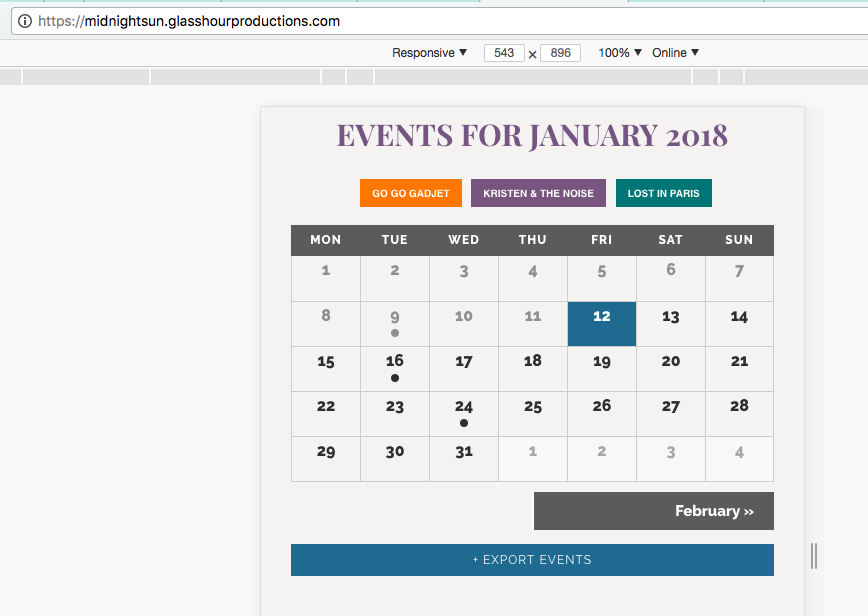
Did you make sure to clean up your caches if any on your site to make sure all changes are reflected correctly or on what URL are you facing this problem, also I did an inspection on the console and seems like you are missing your Google Map Key as well, you can use this article to set that one correctly.
Let me know if you have more questions and also let me know about your answers.
Thanks,
CrisoforoKeymasterHi!
Thanks for the update on this one, if you want to remove the display of the prices everywhere you can add the following filter in your functions.php file from your current active theme.
add_filter( 'tribe_get_cost', '__return_empty_string' );
On the other side you can still continue with hiding the blocks of price with CSS with the following snippet of code.
.tribe-events-schedule h3 + .tribe-events-divider {
 display: none !important;
}

.tribe-events-event-cost {
 display: none;
}
Please let me know if you have any other questions about this issue or if there’s anything else I can do for you.
Thanks,
CrisoforoKeymasterHey!
There thanks for reaching out and it seems like you have a deprecated function on your file single-event.php. And look for:
echo tribe_events_single_event_meta();
And replace it with
tribe_get_template_part( 'modules/meta' );
Please let me know if you have any other questions about this issue or if there’s anything else I can do for you.
Thanks,
CrisoforoKeymasterThat’s fantastic!
Feel free to reach out again if you face any other problem.
Thanks,
CrisoforoKeymasterHey!
Thank you for reaching out to us!
When we try to make the site compatible with all themes and plugins sometimes is not possible due the large number, but we are going to see if we can find the problem you are facing on your site.
I did a check on it and seems like on the events page THÈMES, button is not displayed but it’s on the first link so that might be a hint on your theme by looking on how this button is being added to the menu.
One thing you can do as well is, play around with the different type of settings of display of the Events Calendar Plugin to test if any is causing the issue you can change the settings at:
Events > Settings > Display
And look for ‘Default stylesheet used for events templates‘, The plugin does not add any new menu items on menus so it shouldn’t be a problem there.
Another useful link might be to take a look at the guides for conflicts, to see if this is not being caused by any other plugin.
Please let me know if you have any other questions about this issue or if there’s anything else I can do for you.
Thanks,
CrisoforoKeymasterHi!
Thanks for taking your time to report this. I’m really sorry for this inconvenience.
Based on what you are describing it seems like you need to Flush your permalinks, on the admin of your site.
Also on the same article (shared above), there might be other advices in how to deal with 404 problems. Another thing to double check as well is make sure if there’s any cache plugin active to remove all the caches.
If all of the above does not work, try to install the Transient Manager plugin then go to:
Tools > Transients
And click on Delete Expired Transients, and on Delete Transients with an Expiration.
Please let me know if you have any other questions about this issue or if there’s anything else I can do for you.
Thanks,
CrisoforoKeymasterHey!
Thanks for reaching out to the support forums.
By default the plugins does not contain a specific view for search results as this is something that comes with the theme as some themes might have a different layouts for each result based on the type of post.
You can change how this is displayed in your theme by looking for the file called search.php or index.php, once in the file you need to change the layout inside of the loop based on the type of post.
There’s a very similar topic opened here in our forums as well, that might be useful for you to provide a better idea about this.
Please let me know if you have any other questions about this issue or if there’s anything else I can do for you.
Thanks,
Crisoforo -
AuthorPosts