

Forum Replies Created
-
AuthorPosts
-
Brook
ParticipantHowdy Mike,
You could definitely refund it. We allow refunds up to 30 days after purchase, for any reason. 30 days is our max though, because our credit card processor will not accept refunds after that.
Is that long enough for you?
Cheers!
– Brook
ParticipantHowdy Tommy,
That email is sent by WooCommerce, and the template is part of Woo’s email templates. It can still be overriden and include more detail.
- How to override woo templates
- I believe the template you’re looking for is the “Customer: Completed order” one: woocommerce/templates/emails/customer-completed-order.php
You will notice that the details themselves are in the separate order details template, which is shared with a few other email templates. Inside of that template is yet another template, order items.
- woocommerce/templates/emails/email-order-details.php
- woocommerce/templates/emails/email-order-items.php
One of those is the template you wish to modify. It really depends on where you want the title. Likely it is in the order-items.php one.
If you wish to modify only the title, and do not mind modifying it in the email orders as well as the checkout screen, have a gander at this snippet:
https://gist.github.com/elimn/9352efba6accd9dc21a1
You could simply replace the usage of $event_start_date with $event_title. However, worth mentioning that there is a bug in the current version of Event Tickets Plus where tribe_events_get_ticket_event() does not actually work. 🙁 This is fixed in our next version 4.1. Or, you can fix it yourself by modifyingline 859 of /plugins/event-tickets-plus/src/Tribe/Commerce/WooCommerce/Main.php and swapping this:
if ( in_array( get_post_type( $event ), Tribe__Tickets__Main::instance()->post_types ) ) {For this:
if ( in_array( get_post_type( $event ), Tribe__Tickets__Main::instance()->post_types() ) ) {Does that all make sense? Does that answer your question? Please let me know.
Cheers!
– Brook
ParticipantHowdy Shelby,
The previous month link does not appear when there are no previous events. If your site has no events older than the current month, no link appears. If you wish to alter this behavior checkout this article: https://theeventscalendar.com/knowledgebase/add-nextprevious-links/
If you need further assistance, would you mind logging in before responding so I can verify your support access? Or, if you don’t have/want a license (which includes a year of support) you should checkout the volunteer community on WordPress.org: The Events Calendar. It’s not the same level of support, but it’s free! We even check those forums once each week and help to the extent we can.
Cheers!
– Brook
ParticipantThank you for clarifying Dave. You could definitely do this. WooCommerce essentially has a pay at the door payment gateway. And there is nothing stopping your employee from purchasing a ticket on behalf of someone standing there. Here are the steps they would go through for every ticket:
- Open event URL. Select amount, click Add to Cart.
- Click Proceed to Checkout. (If you are interested in making this as fast as possible, and know PHP or can hire someone who does, this step can be skipped by your employees.)
- Input the purchasers info, such as name and address. Fields can be made optional at your discretion. Select Cash on Delivery as payment option. Click “Place Order”.
- Visit the backend order’s URL, click approve order. (This step is optional, you can set orders for tickets to auto approve. Many people do this, but still prefer manually approving. Or, with a PHP dev you could make it autoapprove only for employees.)
Each step will take about 2s for the page to load. Step 3 will take the longest, as the employee will need to type in the purchasers name and any other details you want on record.
The tickets themselves will be emailed to the purchaser’s email address. If you are using a barcode scanner at the entrance and the customer has a smartphone, this is perfect. They can walk up with their email open, you scan the screen of their phone and check them in. If you’re not using the scanner, or the customer doesn’t have a phone on them, you might input a shared employee inbox as the purchasers address. The ticket will be emailed to this inbox and you can print it out. Or, to make this process even faster and truly seamless you could setup a printer with an email address. Many modern wireless printers have this capability. If you type in the printers email address as the purchaser email, the printer will automatically print out the tickets as soon as it gets the email. Thus, it will nearly instantly print the ticket once you hit step 4 of the above.
Or, depending on your venue is setup you might not even need to check the user in after purchase. If there is no lobby area, and they go direct from purchasing a ticket to being inside the venue, then you might not even need to hand the user a ticket.
Best case scenario you could trim this down to a ~30 second process. You will need printer with an email address, a fast web server, and a few hours of dev time from a PHP dev.
Does that clarify everything? Does it sound like it would work?
Cheers!
– Brook
ParticipantHello Marcel,
Thank you for sharing the link! I view your site, and am not seeing that issue at all. In Chrome, Firefox, and Internet Explorer it looks like this:
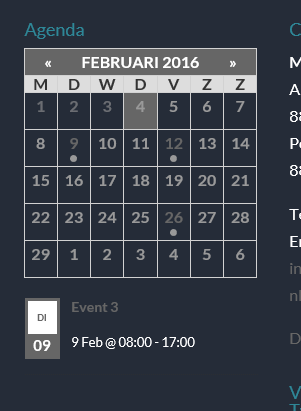
What browser are you using? Do you have any addons, like an addblocker or noscript running?
Cheers!
– Brook
February 4, 2016 at 2:03 pm in reply to: Personal License ($89) for one plugin or more than one plugin? #1067878ParticipantI am happy to help! Let us know if you ever need anything else.
Cheers!
– Brook
ParticipantHowdy Oni!
I would love to help you with this. There is not builtin way to show no list under the minical, because that would of course break most of the builtin functionality. But, a small modification could do this if you really only want the Minical and don’t want people to be able to view what events are on a given day.
Simply add this CSS to any CSS file in your theme:
body .tribe-mini-calendar-list-wrapper { display: none; }From there the list will be hidden completely from view.
Does that all make sense? Will that work for you? Please let me know.
Cheers!
– Brook
ParticipantHowdy Dave,
I would love to help you with this.
As I understand it you want a terminal setup at the door for walkins to purchase tickets quickly. Will an employee be using the terminal, or will customers be directly using it? Are you planning on having them enter CC details into the site, or using a POS terminal you have there?
Cheers!
– Brook
February 3, 2016 at 10:00 pm in reply to: Update to The Events Calendar Plugin Causes Website to Go Down #1067368ParticipantHowdy Rhonda,
I’m sorry this is giving you such trouble. I would love to help you with this.
I noticed you are running Community Events 4.0.1rc1 on your site. Could you try updating that one first to 4.0.4. Then try upgrading The Events Calendar?
If you continue to see an issue, could you try temporarily disabling all of your other plugins then updating The Events Calendar. I’m guessing it should should update fine. Then try reenabling the other plugins one at a time. Eventually the error will likely crop up again. Which plugin did you enable that caused the error to crop up?
Cheers!
– Brook
ParticipantHowdy Marcel,
I would love to help you with this.
Do you have a link to the widget itself, rather than a photo of it? I would like to inspect the source code with my browser’s inspector.
This is very likely a conflict between your theme and the plugin. It would be a good idea to double check that this is the cause, that way we know where to look for a fix. This guide walks you through how to test for a conflict, and then identify what is conflicting. What’s the result of following that procedure?
Cheers!
– Brook
ParticipantHowdy Dennis,
Would you mind logging in so I can verify your support access? Or, if you don’t have/want a license (which includes a year of support) you should checkout the volunteer community on WordPress.org: The Events Calendar. It’s not the same level of support, but it’s free! We even check those forums once each week and help to the extent we can.
Once you’ve logged in, would you mind answering the following questions?
- Do you have any customizations on your site, perhaps a snippet we provided in our Knowledgebase?
- Have you tried testing if a “conflict” is happening? This guide walks you through how to test for a conflict, and then identify what is conflicting.
This is definitely a new one to mean. Never seen that before.
Cheers!
– Brook
ParticipantHowdy again,
I just wanted to check back. Are you still having issues? If so, have you had a chance to grab a copy of your functions.php file, so you can share it here? We might be able to help you figure out what error your facing, but will need a copy of that file for diagnosing. That’s why I requested it in my last comment. It would also likely help us to know the error is that you’re seeing, since a white screen can be caused by almost anything. Can you check your error logs?
Cheers!
– BrookFebruary 3, 2016 at 5:09 am in reply to: Personal License ($89) for one plugin or more than one plugin? #1066765ParticipantHello Andre Morrissey,
I would love to help you clarify this. You are correct, it is $89 forEvents Calendar Pro, + $89 forEvent Tickets Plus, $178 total for both.
It’s worth mentioning some of simpler plugins are cheaper. For example, Facebook Events is only $49 for a personal license.
Does that answer your question?
- Brook
ParticipantWunderbar! It was my pleasure.
- Brook
February 1, 2016 at 1:01 pm in reply to: Checkout quantity field is zero can it default to 1 #1065946ParticipantExcellent! Happy I could help. I appreciate you getting back.
- Brook
-
AuthorPosts