Under the Hood: Filtering Excerpts in The Events Calendar

Estimated reading time:
1 minute
The Events Calendar and its suite of add-ons use a single function to generate content excerpts: tribe_events_get_the_excerpt(). There’s long been no way to alter the content that this function generates, but in version 4.2 of The Events Calendar, we introduced a filter to make it easy to add things to, remove things from, or otherwise modify event excerpts.
The filter has the same name of the function itself, tribe_events_get_the_excerpt. For a quick example of how it might be used, let’s say you wanted every excerpt to be prefaced with a “View Event” link. You could make this a reality by adding a snippet like the following to your theme’s functions.php file:
add_filter( 'tribe_events_get_the_excerpt', 'tribe_add_view_event_link_before_excerpt', 10, 2 );

function tribe_add_view_event_link_before_excerpt( $excerpt, $post ) {

$permalink = esc_url( get_permalink( $post->ID ) );

return sprintf( '<href="%s">View Event</a> %s', $permalink, $excerpt );

}
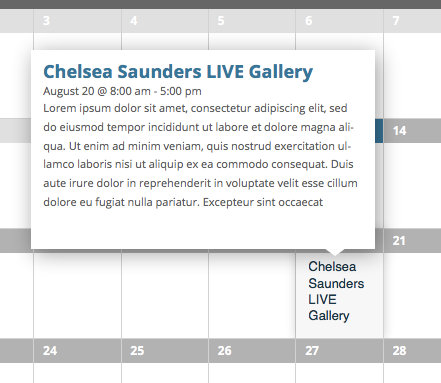
Below are two screenshots that show how this example function works. The first screenshot (on the left) shows an excerpt in The Events Calendar’s month view before the function is added to the site; the second (on the right) shows the same excerpt with a “View Event” link before it:

In our post The Trouble with Excerpts, we highlighted how difficult excerpts can be to work with, and how time-consuming they can be to manage. Hopefully this filter makes them a bit more flexible.

Jaime
View author page