

Forum Replies Created
-
AuthorPosts
-
Brook
ParticipantAhh yes. Thanks for providing the link. That is a very cool layout on your homepage. That layout is designed entirely by the theme author, not our plugin. In order to adjust the data it outputs you will need to contact the theme author. I honestly have no idea how to modify that or which lines of code you will need to change, or else I would be happy to walk you through it!
Does the above make sense and sound like a plan?
Cheers!
– Brook
ParticipantYou are welcome! Thanks for elaborating.
This should be fairly straight forward to do, it will require a little bit of comfort with modifying your theme files. I’ll break down each step:
- Familiarize yourself with the Themer’s Guide
- Create a theme override for /the-events-calendar/src/views/single-event.php
- Copy/paste the following code into that override:
 <?php
echo tribe_get_event_categories(
get_the_id(), array(
'before' => '',
'sep' => ', ',
'after' => '',
'label' => null, // An appropriate plural/singular label will be provided
'label_before' => '<dt>',
'label_after' => '</dt>',
'wrap_before' => '<dd class="tribe-events-event-categories">',
'wrap_after' => '</dd>',
)
);
?>
That code shows the event categories. It wraps each category in the css class .tribe-events-event-categories so you can style it from there. You can paste that code anywhere you want in the theme override, perhaps right underneath the title?
Does that all make sense? Will that work for you? Please let me know.
Cheers!
– Brook
April 6, 2016 at 4:28 am in reply to: Calendar shows # when click on month of date in monthview #1098843ParticipantAhh thank you for clarifying. I can see that issue as well with your Mini Cal widget.
I am noticing the following JavaScript Error in your theme:
functions.js line 149 Uncaught TypeError: Cannot read property 'top' of undefinedI am wondering if this might be related. Could you try switching to the Twenty Fifteen theme and seeing if the problem temporarily goes away? I know you are currently using a modified Twenty Sixteen theme, but I am keen to see if the other one which is presumably unmodified works. If so we have narrowed down where the conflict is happening.
Cheers!
– Brook
ParticipantHowdy again,
Thank you for giving that a whirl! It is working now terrific in my tests. No 403 forbidden errors, and paging back and forth is loading most every month perfectly. Before it was literally no month at all that was working except the current one. Any visitor to your site who was not from your IP would be facing the same issue I was.
Now we are finally seeing the same problem, only some months don’t work. When I try to visit May I get a 500 (Internal Server Error). December and November work great for me, whether I use the Events In or I simply click Previous Month 5 times.
Also, if I use the “Events In” Next to the Month View (in the upper right) I can load the November and December calendars. So if it requires AJAX and AJAX is broken or inaccessible why would we be able to load Nov/Dec?
You just fixed Ajax by disabling the lockout, it makes sense that those two would load unless I’m missing something.
About the 500 server error on May, what do your sever logs show regarding the error message? Usually when you see that message the details for why its being shown are in the logs. Is there any helpful details in there? You can reproduce this separate issue without needing the ajax selector, this can be replicated by visiting May’s page here: http://www.winrivercasino.com/events-calendar/2016-05/
Thanks again for walking through this with me. We are halfway there now.
- Brook
ParticipantExcellent! It’s been my pleasure. Let us know if ever you need anything else.
Cheers!
– Brook
ParticipantHowdy Bill,
I am happy you are enjoying the plugin thus far!
Our Pro widget actually does use a different stylesheet, and probably will look much better in your current calendar. There is a somewhat common issue with the headers being a different font size in the free version that the pro one does not experience.
However, that is not quite intentional. We do not mean for people to upgrade to Pro just because the fonts aren’t perfect. In fact we’d like to eventually update the free one a bit to make it look a little nicer. The free version is not intended to be a “trial” of our plugin, many organizations large and small use only the free version and with great success. The Pro version is simply available if you need the extra features or want access to the premium support area.
If you are familiar with CSS it should be pretty easy to alter those headings. If you’re not familiar you might checkout WordPress.org: The Events Calendar. There is a large volunteer community there who can assist. Or, if you were already considering Pro it might be a good time to buy a license. It will likely fix this issue in addition to adding tons of features, and you’d have 30 days to return it if you’re not satisfied.
Does that all make sense? Will that work for you? Please let me know.
Cheers!
– Brook
April 4, 2016 at 11:38 pm in reply to: List of hook transitions Wootickets to Events Tickets #1098211ParticipantHowdy Kyle,
Good question. Most all of the hooks should be completely identical between the two. When we first released Event Tickets Plus they basically were identical. One of our goals was to make the switchover no harder than the average plugin update. But since that’s been 8 months ago I could see them have very slowly diverged a small bit since the initial release. Have you tried your current custom code with the new plugin? Is there any specific hooks that aren’t working anymore, I could help you with those.
Cheers!
– Brook
ParticipantHowdy Krystyn,
I would love to help you with this.
By default the entire description does show. You can see an example of the default here. However some themes opt to show the excerpt instead, or some don’t show anything at all. Sometimes this can be altered by going to WP-Admin > Events > Settings > Display and changing the Template, but sometimes it can’t.
You mentioned the homepage of your site, are you using a widget to display upcoming events? If so that widget is not designed to show the entire event details, just the highlights. You’d need to modify it to show more, which could be done with a theme override (Themer’s Guide ).
Id you need further help would you mind logging in so I can verify your support access? Or, if you don’t have/want a license (which includes a year of support) you should checkout the volunteer community on WordPress.org: The Events Calendar. It’s not the same level of support, but it’s free! We even check those forums once each week and help to the extent we can.
Cheers!
– Brook
ParticipantHowdy Corey,
Good question. There definitely is a setting. If you go to WP-Admin > Events > Settings > Display and scroll down to “Date without year” format, you can adjust here. There is a tutorial above that field on how to use it, it’s the same way you adjust the settings elsewhere in WordPress:
The following three fields accept the date format options available to the php date() function. Learn how to make your own date format here.
Once you’ve got to the setting field there and opened the above tutorial, does that all make sense? Cheers!
– Brook
April 4, 2016 at 11:12 pm in reply to: Calendar shows # when click on month of date in monthview #1098205ParticipantHowdy Nico,
I would love to help you with this.
I tried recreating your problem. These are the steps I went through:
- Select Month from the calendar Views
- Tried click on the blue See All link as picture here:
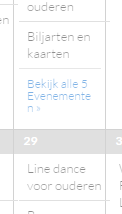
- And it showed all events for that day.
- I then tried paging back and forth in Month view, as you mentioned that. Then I click on a blue link again, and it showed all events for that day not a #.
Were you able to fix this problem? If not, am I doing the above steps correct? What browser and OS are you using?
Cheers!
– Brook
ParticipantHowdy Caleb,
Sorry this is giving you trouble. Have you tried the Bulk Delete plugin? If you delete everthing with the Custom Post Type “deleted_event” it should erase any memory your site has of past events. Does that work?
- Brook
ParticipantHowdy Deena,
That sounds very doable. But there are a few ways to understand what you’re request, would you mind clarifying a bit for me so I can give you specific instructions?
You will notice that by default the event categories do display for each individual event. For instance go here and scroll down, you will see the labe “Event Categories” and underneath the category that its filed under. Is your theme not showing this? Do you have a link to it? Or are you trying to show the categories on a different page?
Cheers!
– Brook
ParticipantHowdy Greg,
Thanks for elaborating. We have not seen anyone experiencing issues specifically like this except when the venue data is missing. However I have an idea that might fix it. Could you try going to WP-Admin > Events > Settings > Add-Ons APIs and clicking Get Authorization? Did that fix it? If not, could you share a screenshot of your venue’s information as it stands in the WP Admin? I wonder if I can get the same error by recreating your exact venue?
Cheers!
– Brook
ParticipantHowdy Carly,
Thanks for waiting over the weekend! We try to answer any posts form the weekend by EOD of Monday PST.
I just double checked all of our logs and am not seeing anyone experiencing a similar issue. This is likely the result of a “conflict”. In order to proceed we will need to test if a conflict is happening, and if so narrow it down so we can find a fix for it. This guide walks you through how to test for a conflict, and then identify what is conflicting. When testing for the conflict try adding a new ticket to an event and see if that one gets duplicated, it is probable that existing duplicates will remain but new tickets should not have duplicates during the conflict test.
Does that all make sense? What did that test reveal? Please let me know.
Cheers!
– Brook
ParticipantExactly, our microformats do not support that and never have. Adding support for it would be a new feature to us. I definitely appreciate you bringing the possibility to our attention though, and if you do make it an official feature suggestion thanks too for that!
I appreciate you getting back. Cheers!
– Brook
-
AuthorPosts