Top 5 WordPress Event Plugins Compared

Estimated reading time:
1 minute
If you’re running events on your WordPress site, you’ve probably realized there’s no shortage of event plugins to choose from. Some focus purely on calendar displays, while others offer advanced features like ticketing, registration, and marketing automation. Depending on your needs, you need a plugin that fits your workflow, scales with your events, and integrates with your existing tools.
We’ve taken a consumer-insights-driven approach to compare five of the most popular WordPress event plugins. Instead of just listing features, we’ll evaluate each plugin based on core management capabilities, potential for scalability, add-ons support, integration capacity, and performance impact.
To be clearer, we’re exploring event management as a whole rather than just focusing on calendar displays.
🚨If you’re looking for a comparison of just calendar plugins, we recommend taking a look at our WordPress calendar plugins comparison article instead.
What to look for in a WordPress event management plugin
The primary expectation from any event plugin is that it should meet your specific event management needs, both now and as your events scale. Let’s explore a bit about what makes an event management plugin truly worth your investment.
Core features
This sounds obvious, but a good event plugin should have a full complement of essential management tools. Managing even the simplest event can become a logistical nightmare if you don’t have the right tools. Here’s your essential checklist:
- Quick and flexible event creation, whether it’s a one-time workshop or a monthly meetup series.
- Smart attendee management to track RSVPs and registrations without breaking a sweat.
- Versatile ticketing options, from free RSVPs to VIP packages, with hassle-free payment processing.
- A user-friendly integrated calendar interface that helps your audience find and filter events effortlessly.
- Automated communication to keep your attendees in the loop with timely updates and reminders.
- Comprehensive analytics to gather insights from attendance patterns to ticket sales.
Scalability for long-term reliability
Success brings growth, and your plugin needs to keep up. Here’s what a truly scalable solution will offer:
- Rock-solid performance, irrespective of whether it handles hundreds or thousands of attendees.
- Multi-event mastery to run concurrent events smoothly, from virtual workshops to in-person conferences.
- Room to grow, including premium features and add-ons that expand your capabilities when you need them.
- Continuous improvement with regular updates that keep your events secure and feature-rich.
- Smart automation that saves time with bulk operations for events, tickets, and attendee management.
If a plugin cannot scale effectively, it may require frequent workarounds, leading to inefficiencies as your event requirements expand.
User experience, considering both organizers and attendees
Your event plugin should be a joy to use — not just for you but for everyone involved. A confusing interface can send potential attendees running for the exit faster than anything else. Here’s what to look for:
- Mobile-first design, because, let’s face it, most people will register on their phones.
- Easy event registration process so potential attendees can sign up without getting a headache and having to fill out long-winded forms..
- Crystal-clear dashboard to manage your events without needing a PhD.
- Flexible customization that makes your events look and feel exactly how you want them.
Integration capabilities
Without strong integrations, managing events across multiple platforms can become cumbersome. Here are some integration features your event plugin needs to be a team player.
- Developer-friendly API to build custom solutions and connections when you need them.
- Virtual event readiness with connection options to Zoom, WebEx, and other online platforms.
- Flexible payments, from PayPal to Stripe, give your attendees payment options they trust.
- Calendar sync to let attendees add your events to their preferred calendar with one click.
- SEO-ready and plugin-friendly code so that it works smoothly with your favorite WordPress tools and page builders.
Performance and security
Slow website? Security concerns? You might as well say goodbye to registrations now if that is the case. A slow or insecure plugin can negatively impact both user experience and trust. Your event plugin should have:
- Lightning-fast loading that keeps your event pages snappy and your visitors happy.
- Smart caching support to maximize performance without sacrificing functionality.
- Top-grade security to protect payment transactions with robust SSL support.
- Strong data protection for keeping your attendees’ information safe and secure.
- Peace of mind backups so you never have to worry about losing your event data.
If your event plugin is poorly optimized, it can slow down the entire website, affecting user engagement and search rankings. Security vulnerabilities can also put sensitive attendee information at risk, which can be really bad for an event manager’s reputation.
Support and documentation
Even the best plugin needs a strong support system. When you’re stuck at 2 AM before your big event, here’s what you’ll be thankful for:
- Quick support response so you get help when you need it, not days later.
- Comprehensive learning resources, from quick-start guides to detailed tutorials.
- Active community to tap into the collective wisdom of fellow event organizers.
- Up-to-date documentation that is always aligned with the latest features and updates.
The Events Calendar Suite: A complete solution for WordPress events
The Events Calendar plugin suite is a modular, scalable event management system that adapts to different event types and business needs. From small meetups to large-scale corporate events, it provides the flexibility to start with a basic calendar and expand with premium add-ons for ticketing, scheduling, virtual event hosting, and automation.

Unlike standalone plugins that only handle event listings, The Events Calendar suite offers a complete event ecosystem built specifically for WordPress. It integrates with your site, ensuring smooth performance without compatibility issues. Plus, its developer-friendly architecture allows advanced users to customize and extend functionality as needed.
The Events Calendar Suite can empower you to
- Create event listings and display them on your website with the #1 calendar plugin for WordPress–The Events Calendar. Extend it with powerful tools like cross-platform event aggregation, advanced filtering for calendars with lots of events, and more.
- Collect RSVPs and sell tickets to your events with Event Tickets. Including assigned seating via an interactive seating map.
- Market your events and engage your community with automated email marketing using Promoter.
- Accept and manage user-submitted events with Community.
- Create and publish complex (or simple!) event schedules so attendees know what’s going on at any given time using Event Schedule Manager.
In the sections below we’ll dig a little deeper into some of the key capabilities this suite has to offer.
Advanced calendar views and mobile-friendly design
Event managers need flexibility in how they display events. Events Calendar Pro provides advanced calendar views, making it easier for attendees to browse and discover upcoming events.
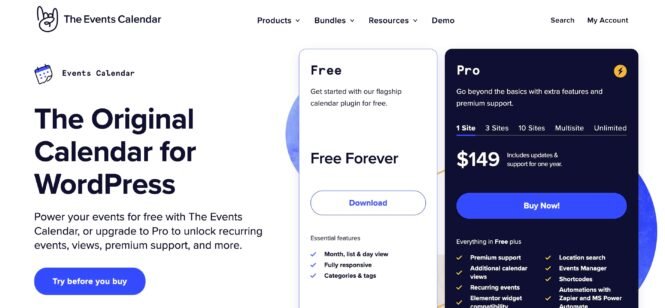
Available calendar views include:
- Month, list, and day views: Included in the free version for basic event browsing.
- Additional Pro views: More display options tailored for different event types.
Performance and compatibility features:
- AJAX loading system: Ensures fast, responsive calendar navigation.
- Theme compatibility: Works seamlessly with popular themes like Avada, Divi, Enfold, and Genesis.
- Gutenberg block integration: Allows easy event customization in the WordPress block editor.
- SEO-friendly URLs with JSON-LD structured data: Helps events rank better in search engines.
Customization options:
- Multiple stylesheets, template tags, hooks, and filters: Provides developers with greater control over event display.
- Filter Bar (Pro feature): Allows users to search and filter events by category, tag, day of the week, time of day, venue, organizer, and price.
These advanced features ensure that events are easy to find, navigate, and engage with, all while maintaining strong performance and mobile accessibility.
Event ticketing and registration capabilities
Managing ticket sales and registrations efficiently is crucial for any event. Event Tickets Plus extends The Events Calendar suite with a robust ticketing system that works for everything from free RSVPs to paid ticketed events.

This includes flexible ticketing and attendee management options such as:
- Event Tickets (free): Allows users to create RSVPs for events without additional costs.
- Event Tickets Plus: Integration with WooCommerce, enabling direct ticket sales on your WordPress site.
- Dashboard tracking: Monitor ticket sales, attendee check-ins, and event capacity in real time.
- Custom confirmation emails: Send personalized emails with event details and branding.
- Automated waitlist management: Ensures fair ticket distribution for high-demand events.
Interactive seating maps (Seating add-on)
For larger venues and assigned seating events, the Seating add-on provides:
- Custom seat maps: Design unlimited seating layouts.
- Adjustable pricing: Charge different prices for VIP, general, or discounted seating.
- Dynamic inventory: Seat availability updates automatically based on purchases.
- Time-locked selection: Holds seats for a limited time to prevent double bookings.
For added flexibility, shortcodes allow ticketing forms to be embedded anywhere on your site, making it easy to sell tickets from event pages, blog posts, or landing pages.
Event marketing and attendee management features
A successful event requires strong marketing and engagement tools to keep attendees informed and excited. The Events Calendar Suite includes Promoter, an integrated email marketing tool, and other attendee management features designed to simplify communication and increase participation.

Some of Promoter’s best features include:
- Scheduled email campaigns: Set up emails to send before, during, and after events.
- Customizable templates: Use dynamic content to personalize messaging.
- One-click attendee messaging: Quickly send important updates or reminders.
- Live updates on ticket sales and registrations: Monitor attendance trends.
- Detailed attendee lists: Export and organize attendee data for better event coordination.
Encouraging community participation
For events that thrive on user-generated content, the Community submissions plugin allows attendees to submit their own events while maintaining administrative control. Features include:
- Frontend event submissions: Control who can post events.
- Publishing approval: Moderate and approve events before they go live.
- Spam protection: Filters to prevent unwanted or low-quality submissions.
These tools make sure event organizers can engage with attendees, manage registrations efficiently, and maximize event participation with minimal effort.
Integration ecosystem and virtual events support
Managing events across multiple platforms can be time-consuming, but The Events Calendar Suite simplifies the process with powerful third-party integrations and automated event imports.
For those selling tickets through Eventbrite, Eventbrite Tickets allows you to create and manage Eventbrite events directly from WordPress. The two-way sync feature ensures that event details and ticket availability remain updated in both systems.
Virtual event support
Hosting online events? The suite makes it easy to embed virtual event links directly into event pages. It also integrates seamlessly with video conferencing tools like Zoom, making it simple to manage registrations for webinars, hybrid events, and live-streamed conferences.
Alternative solutions for specific event needs
While The Events Calendar Suite is a powerful all-in-one event management solution, some users may have specialized needs that require a different approach. Depending on your event type, budget, or preferred features, other WordPress event plugins might be a better fit.
In this section, we’ll explore four alternative plugins, each with its own strengths, that stand out in specific scenarios. If your event setup has unique requirements, one of these alternatives might be the right tool for you. Let’s take a closer look at what they offer.
1. Events Manager
Events Manager is designed for users who need detailed control over event organization, bookings, and attendee management. It offers a comprehensive set of features, making it ideal for businesses, developers, and organizations that manage multiple events or require advanced booking systems.
The free version provides essential tools like custom event creation, calendar views, front-end submissions, and location management. For those needing recurring events, automated email reminders, and advanced ticketing features, the Pro version expands the plugin’s capabilities.
| Pros | Cons |
|---|---|
| Supports multiple ticket types (RSVP tracking, capacity management). | Steep learning curve for beginners due to its advanced features. |
| Custom booking forms to collect attendee details. | Premium features behind a paywall (e.g., PDF tickets, SMS notifications, automated reminders). |
| QR code check-ins, waitlists, and automated booking confirmations for efficient event management. | WooCommerce integration is sold separately, unlike some competitors that include it in Pro. |
| Flexible recurring events (daily, weekly, monthly, or custom) with submission limits and restrictions. | |
| Google Maps integration for easy navigation. | |
| Zoom sync for virtual events and webinars. | |
| Zapier and webhook support for custom automation. |
2. WP Event Manager
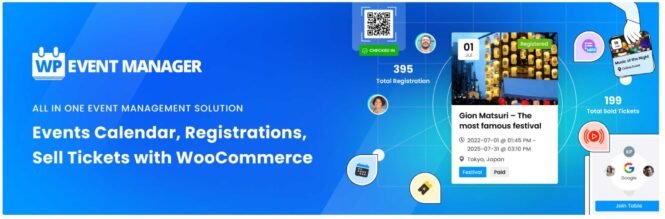
WP Event Manager is a streamlined, beginner-friendly WordPress event plugin designed for users who need a lightweight yet powerful way to manage events. It provides a modular system, meaning you can start with the free version for basic event listings and expand functionality with premium add-ons like ticketing, Google Maps, calendar views, and CRM integrations.
This plugin is ideal for small businesses, bloggers, and website owners looking for a fast, easy-to-use solution without unnecessary complexity. Its minimalist architecture ensures fast loading times, making it a great choice for performance-conscious websites.
| Pros | Cons |
|---|---|
| Customizable calendar view with filters for easy event browsing. | Limited free features, with only the basic event listings; most advanced features require paid add-ons. |
| Google Maps integration for location-based searches. | Basic calendar display as it lacks advanced views and customization options compared to competitors. |
| Google Calendar and iCal sync for better scheduling. | Learning curve for modular add-ons. Since features are sold separately, users may need to purchase multiple add-ons for full functionality. |
| Sell tickets via the Sell Tickets add-on. | |
| Stripe-split payments to divide revenue between organizers and site owners. | |
| Custom registration forms and WooCommerce Paid Listings for attendee management. | |
| Manage speaker schedules and session details directly within WordPress. |
3. Modern Events Calendar
Modern Events Calendar (MEC) is a design-focused WordPress event plugin that combines aesthetic appeal with powerful functionality. It is particularly well-suited for users who want a visually stunning event calendar while still having access to advanced scheduling, ticketing, and booking features.
MEC is a comprehensive event management tool, offering recurring events, front-end event submissions, multiple pricing tiers, and WooCommerce integration for ticket sales. However, due to its extensive feature set, it requires more server resources than lighter event plugins, making performance optimization an important consideration.
| Pros | Cons |
|---|---|
| Edit individual occurrences of recurring events for more flexibility. | Higher server resource usage and advanced features may slow down websites if not properly optimized. |
| Timezone-specific scheduling and countdown timers for global events. | Complex setup for beginners requires more configuration time than simpler event plugins. |
| Customizable ticket pricing per date to set different rates on specific days. | Many features require premium upgrades, including advanced booking tools, WooCommerce integration, and customization options. |
| User-specific event listings with personalized shortcodes. | |
| Supports multiple event organizers, making co-hosted events easier. | |
| Compatible with page builders like Elementor, Divi, and WPBakery. | |
| Custom archive skins for event categories and pages. | |
| Built-in schema markup to enhance SEO visibility. |
4. Event Espresso
Need an event plugin for professional event organizers? That’s that me, Event Espresso!
Built for managing conferences, workshops, and ticketed events where precise attendee data and payment processing are essential, this is a premium-only plugin, meaning users must purchase a license to access its features.
However, it offers a wide range of event registration and ticketing tools, making it one of the best options for organizations that prioritize automation, detailed attendee management, and revenue tracking.
| Pros | Cons |
|---|---|
| Sell multiple ticket types with quantity limits and pricing tiers. | Premium-only plugin. No free version available, making it a significant investment. |
| Group registrations allow one person to register multiple attendees. | Complex setup for new users with extensive features requires time to configure. |
| One-time purchases for all event occurrences in multi-day events. | Limited design flexibility, as calendar and event pages require additional coding for full customization. |
| Custom tax settings (VAT, GST) for ticket sales. Automatic payment reminders for unpaid invoices. | |
| Real-time attendee reports to track registrations and revenue. | |
| Detailed income and financial reporting from the WordPress dashboard. |
Choosing your ideal WordPress event plugin: Decision guide and next steps
With so many WordPress event plugins available, choosing the right one depends on your specific needs, budget, and event management goals. Whether you need a simple calendar, a full-featured ticketing system, or a plugin optimized for virtual events, each of the five plugins we’ve covered offers something unique.
Below is a comparison of their core free features, premium upgrades, integrations, performance, pricing, and documentation to help you make an informed decision.
| Plugin | Core Free Features | Key Premium Features | Performance | Documentation & Support |
|---|---|---|---|---|
| The Events Calendar Suite | Basic event calendar, month/list/day views, categories & tags, Google Maps integration, RSVP collection and ticket sales. | Recurring events, advanced ticketing, virtual event support, event marketing, user-submitted events, cross-platform event aggregation, assigned seating, and more. | Optimized for large sites, minimal impact with caching support. | Extensive documentation, user forums, dedicated support. |
| Events Manager | Event creation, flexible calendar views, categories, front-end submissions. | Recurring events, advanced booking system, BuddyPress integration, user permissions. | Moderate performance, scales with proper optimization. | Comprehensive guides, community forums, pro support. |
| WP Event Manager | Lightweight event listings, front-end submissions, basic calendar. | Google Maps, ticketing, CRM integrations, email marketing tools. | Lightweight, fast-loading, minimal impact. | Detailed documentation, 24/7 support, beginner-friendly. |
| Modern Events Calendar | Visually appealing calendar, recurring events, front-end submissions. | Custom repeat patterns, multiple pricing tiers, WooCommerce integration. | Feature-heavy, requires server resources. | Well-documented, requires more setup knowledge. |
| Event Espresso | Premium-only, no free version. | Advanced ticketing, attendee tracking, payment automation, event analytics. | Requires strong hosting due to extensive features. | Strong support with in-app guidance, but learning curve for setup. |
For most users looking for a complete event management system, The Events Calendar Suite offers the best balance of core features, scalability, and ease of use. It provides a free version to test the essential functions, and users can upgrade to Pro for advanced features like recurring events, ticketing, and virtual event management.
If you’re still unsure, start with The Events Calendar’s free version to explore its capabilities and upgrade as your needs grow.

Nathan
View author page