Top 5 WordPress Calendar Plugins for Scheduling Ease
Estimated reading time:
1 minute
“How can I make sure people don’t miss our events?”
If you’re an event organizer, this question probably keeps you up at night. You’ve poured your heart and soul into planning an amazing lineup of activities, but what good is it if your audience can’t keep track of them all?
This is where WordPress calendar plugins come to the rescue.
But here’s the thing: not all calendar plugins are created equal. Some are simple and straightforward, perfect for a small number of events. Others are packed with features that can handle even the most complex scheduling needs. And, of course, they come at different price points, from free options to premium powerhouses.
With so many choices out there, finding the right plugin for your needs can feel… overwhelming. That’s why we’ve done the heavy lifting for you and narrowed it down to the top five WordPress calendar plugins on the market, weighing their features, pros and cons, and pricing.
And the first one is…
The Events Calendar: A feature-rich solution for event management
The number one WordPress events calendar based on active installations and reviews, The Events Calendar stands out from the crowd. With over 800,000 active installations, it’s the go-to choice for event organizers and website owners who need a robust, flexible solution.
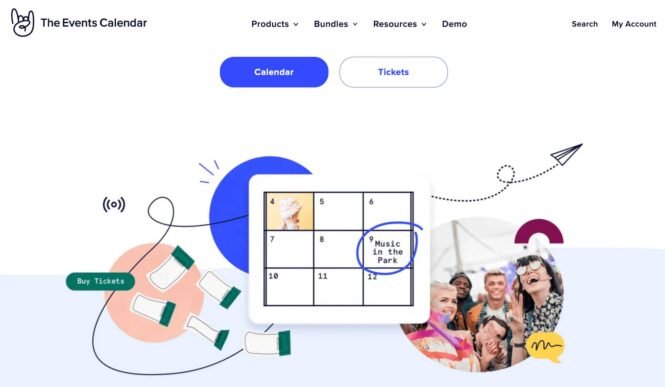
What makes The Events Calendar so popular? Let’s start with the basics. The free version packs a punch with features that cover all your essential event management needs, including:
- An intuitive interface for creating and managing events.
- Multiple calendar views (month, list, and day).
- Event categories and tags for easy organization.
- Customizable calendars that blend in effortlessly with your site’s design.
- Mobile-responsive layouts that look great on any device.
- Integration with popular calendar apps like Apple Calendar and Google Calendar.
- A calendar block to showcase your events anywhere on your site.
But that’s just the tip of the iceberg. Events Calendar Pro takes things to the next level with advanced features like:
- Recurring events: Perfect for those weekly meetups or monthly workshops.
- Additional views: Week and Map views, for even more flexibility.
- Calendar embed block: Place a customizable calendar anywhere you can add WordPress blocks.
- Shortcodes and widgets: Includes integration with Elementor.
- Premium support: So you can get help when you need it most.
Beyond its extensive feature set, The Events Calendar also offers powerful integrations with multiple other tools to enhance your event management capabilities.
Need ticketing and RSVPs? Check out Event Tickets.
Want to boost your email marketing? Try Promoter.
Run a venue and want to sell assigned seats from an interactive map? Use Seating.
Looking to import events from other platforms? Event Aggregator has got you covered.
Don’t think The Events Calendar is just for big organizations, though. It’s equally at home powering a small business’s workshop schedule or a freelancer’s speaking engagements.
The Events Calendar has a free version to start with, and the premium version is also priced comfortably at $149 per site for an annual license. Packed with a blend of user-friendly features and powerful capabilities, it offers a scalable solution that grows with your needs, helping you plan everything from a neighborhood block party to a multi-day conference.
Top 4 alternative WordPress calendar plugins: In-depth comparison
The Events Calendar plugin has literally everything you need to organize a kick-ass event. But, because we know you want to explore options, here’s a look at four other WordPress calendar plugins that have proven their mettle to event organizers and website owners over time.
TL;DR? Let’s give you a quick overview first:
| Plugin Name | Key Features | Strengths | Weaknesses | Pricing |
| The Events Calendar | – Multiple calendar views – Event categories and tags – Automatically adopts theme styles in most cases – Mobile-responsive – Integration with Google and Apple Calendar – Recurring events (Pro) | – Feature-rich for both small and large events – Easy to use – Integration with Event Aggregator, Event Tickets | – Free version has great features, but not booking capabilities – Premium version required for more flexibility | Starts at $149/year per site |
| Events Manager | – Recurring and multi-day events – Guest submissions – Multisite support – Built-in booking system | – Strong free version – Custom event attributes – Integrated booking system | – Basic styling – Event organizers not supported in free version | Starts at $89/year for a single site |
| Timely All-in-One Events Calendar | – Customizable themes – Event locations and organizer info – Multiple views (month, week, day) – Event importing from other sources | – Excellent for aggregating events from multiple sources – Wide range of views and themes | – Complex import options for beginners | Free with optional premium upgrades |
| My Calendar | – Recurring events – Multisite support – User-submitted events – Highly customizable | – Perfect for multisite environments – Extensive customization options | – Steeper learning curve – Lacks some advanced features like ticketing or analytics | Starts at $69/year for 3 site licenses |
| EventON | – Recurring and multi-day events – Multiple display layouts – Support for multiple event organizers – Location manager | – Visually stunning design – Great for branding-focused businesses | – No free version – Costs can add up with add-ons | Starts at $29, add-ons extra |
Let’s dive in and explore these alternatives in more detail.
1. Events Manager
Events Manager is a feature-rich and user-friendly WordPress calendar plugin, even in its free version. It’s designed to handle a wide range of event management needs, from simple meetups to complex multi-day conferences.

Key features include:
- Recurring and multi-day events.
- Guest and member event submissions.
- Custom event attributes.
- Multisite support.
- BuddyPress integration.
- Add to Apple or Google Calendar buttons.
- Built-in booking functionality.
One of Events Manager’s standout features is its booking system. This makes it a great choice for conference organizers, event venues, and community groups that need to manage registrations. Imagine running a local theater and being able to handle show listings and ticket sales all in one place!
The plugin also offers plenty of flexibility. You can create custom event attributes, perfect for adding details like dress codes or equipment requirements. Plus, with guest submissions, you can turn your site into a community event hub.
For more advanced features, pricing starts at $89 per year for a single site.
While Events Manager is powerful, it does have a few drawbacks. The default styling is basic, so you might need to roll up your sleeves for some customization. Also, the free version doesn’t support adding event organizers.
Compared to The Events Calendar, Events Manager offers more built-in booking features in its free version. However, The Events Calendar edges ahead with its polished design and premium features like advanced views and Elementor integration.
2. Timely All-in-One Events Calendar
Timely All-in-One Events Calendar offers a wide range of features that cater to various event management needs, making it a popular choice for many WordPress users.

Key features include:
- Customizable calendar themes.
- Recurring events.
- Event locations and organizer information.
- Responsive design for mobile devices.
- Multiple calendar views (month, week, day, agenda).
In addition, the plugin lets you import events from external sources. This can be a handy feature for organizations that need to aggregate events from multiple platforms. For example, a city tourism board could use this feature to pull in events from local businesses, museums, and community groups, creating a comprehensive city-wide events calendar.
While All-in-One Event Calendar shines in many areas, it’s not without its challenges. The import options, while powerful, can be a bit complex for beginners to navigate. You might need to spend some time getting familiar with the system to make the most of it.
If you compare The Events Calendar and Timely All-in-One Events Calendar, the former generally offers more intuitive event management and better out-of-the-box customization options. Plus, if you’re looking for advanced event import capabilities, The Events Calendar’s premium add-on, Event Aggregator, provides a more streamlined experience.
3. My Calendar
My Calendar is a highly customizable WordPress calendar plugin that offers a robust set of features for event management. It’s particularly well-suited for users who need flexibility and have multiple WordPress sites.

Key features include:
- Multiple calendar views (month, week, day).
- Recurring events.
- Location manager for venues.
- Event importing.
- User-submitted events.
- Multisite support.
- Category, location, and author filters.
One of My Calendar’s strengths is its customization options. You can tweak almost every aspect of the calendar to fit your site’s design and functionality needs. This makes it a great choice for web developers or site owners who want precise control over their calendar’s appearance and behavior.
Secondly, the plugin is particularly well-suited to multisite environments. If you’re managing events across several WordPress sites, My Calendar’s multisite support can be a real time-saver. Imagine running a university website where each department needs its own calendar — My Calendar can handle that with ease.
My Calendar’s Pro version starts at $69 per year for three site licenses.
On the flip side, My Calendar has a definite learning curve. The interface can be overwhelming for beginners, with lots of options and settings to navigate. It also lacks some advanced features you might find in premium plugins, like ticketing or advanced analytics.
Compared to The Events Calendar, My Calendar offers more extensive customization options out of the box. However, The Events Calendar generally provides a more user-friendly interface and additional premium features like advanced widgets and dedicated support.
4. EventON
EventON stands out for its modern, eye-catching designs. It’s a great choice for users who want their event calendar to be as visually appealing as it is functional.

Key features include:
- Featured event support.
- Multiple calendar display layouts.
- Recurring and multi-day events.
- Support for multiple event organizers.
- Location manager.
- Event searching and filtering.
EventON has a variety of calendar themes and layouts. You can choose from several stylish designs to make events pop on your website, which is great for businesses or organizations where visual branding is a top priority, such as art galleries, fashion brands, or trendy restaurants.
The plugin also excels at handling complex event schedules. Its support for recurring events and multi-day events means it can handle everything from weekly classes to weekend-long festivals with ease.
However, EventON doesn’t offer a free version. The basic plugin starts at $29, with additional costs for extra features. This pricing model can add up quickly if you need multiple add-ons.
Compared to The Events Calendar, EventON offers more visually striking designs. Remember, though, that while looks are important, they shouldn’t come at the expense of functionality.
The Events Calendar provides a more comprehensive feature set in its free version and offers better overall value when you factor in its premium options.
Choosing the perfect calendar plugin for your WordPress site
So, you’ve made it through our plugin parade, and now you’re wondering, “How on earth do I pick just one?” Don’t worry; we’ve broken down this decision-making process into bite-sized pieces.
- First things first — what’s your calendar’s main job? Is it just showing off events, or are you looking to sell tickets and take bookings, too? Knowing this will help you narrow down your options faster than you can say “double-booked.”
- Next up, features. Make a list of your must-haves. Recurring events? Check. Multiple views? Check. Google Calendar integration? Double-check. Mobile-friendly? Triple-check (because, tbh, we’re all constantly on our phones).
- Let’s talk looks — your calendar should fit your site like a glove. Can you tweak colors, fonts, and layouts without breaking into a cold sweat? If not, maybe keep looking.
- Compatibility is key. Your new calendar plugin should integrate well with your theme and other plugins. It’s like introducing a new friend to your old crew — you want everyone to get along.
- Ask yourself, how’s your relationship with speed? A sluggish site is about as popular as a Monday morning meeting. Look for plugins that won’t turn your speedy site into a snail.
- When things go wrong (and they will, because…technology), you’ll want a plugin with great support and documentation.
- Finally, let’s talk money. Free is great, but sometimes you get what you pay for. Consider what features you’re willing to shell out for.
Now, if you’re looking for a plugin that ticks most of these boxes, The Events Calendar is a solid bet. It’s versatile, reliable, and works well with others (hello, WooCommerce and Elementor).
Elevate your event management with The Events Calendar today
Well, we’ve covered a lot of ground, haven’t we? By now, you’re probably itching to get your hands on a calendar plugin and start organizing those events like a pro.
So, why not give The Events Calendar a spin? It might just be the event management superhero your WordPress site has been waiting for.
Want to show off your events in style? The Events Calendar has got you covered with its slick calendar views. Dealing with recurring events? No sweat. Need to customize things to match your site’s vibe? You can do that too.
The best part? You can start small with the free version and level up as your event game grows. And when you’re ready to take things to the next level, there’s a whole family of add-ons waiting for you.
Go ahead — take The Events Calendar for a test drive!

Alexis
View author page