Featured Calendar: The Eclectic Chic Boutique
Estimated reading time:
1 minute
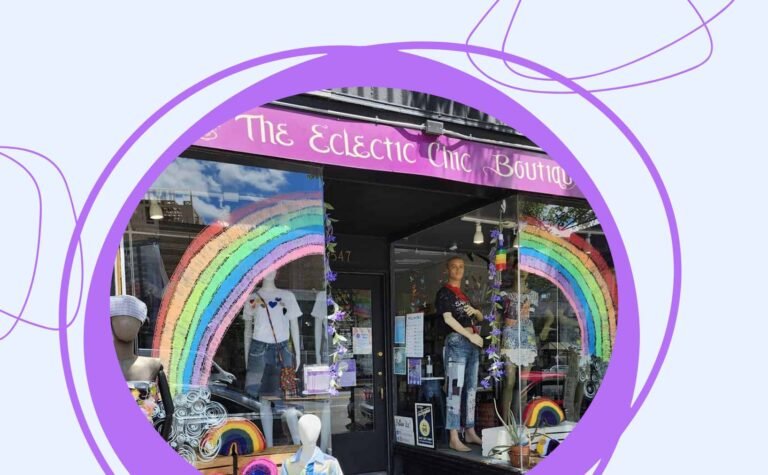
The Eclectic Chic Boutique is a New Jersey based shop selling handmade, locally sourced, and small batch goods. They function as a sort of marketplace for local artists, a single physical (and digital) location where the artists’ products are part of a curated shop. They also use their store as an event space for workshops, classes, parties, and pop-up shops. As you can imagine, their events calendar plays a central role in engaging their community of artists, creatives, and customers.
In this post, we’ll take a look at how The Eclectic Chic Boutique has implemented The Events Calendar, Filter Bar, and Event Tickets to create a vibrant calendar of community events. Their event calendar drives foot traffic to their store, promotes local art and artists, and even promotes events their community is hosting at other venues. We’ll discuss what their implementation is doing well and where there may be room for improvement.
What’s on their Calendar?
This calendar is a great example of how a business can turn events into their primary marketing channel. By hosting events that bring ideal customers into their store, they’re not only giving those folks a great experience to associate with the store and its brand, but they’re directly marketing the goods that surround those folks while they’re in the shop. Let’s take a look at the types of events they host:
- Workshops
- Classes
- Game Nights
- Pop-up Shops
- Presentations/Discussions
- Crafting
This model could work well for a wide variety of local brick and mortar businesses. If you’ve got a space, you’ve got an event venue! Just figure out the types of events your ideal customers would be interested and put them on.
Main Events Calendar Overview
Let’s take a look at how The Eclectic Chic Boutique uses The Events Calendar, Filter Bar, and Event Tickets on their website. We’ll highight what we think they’re doing well and a couple minor improvements they could make.
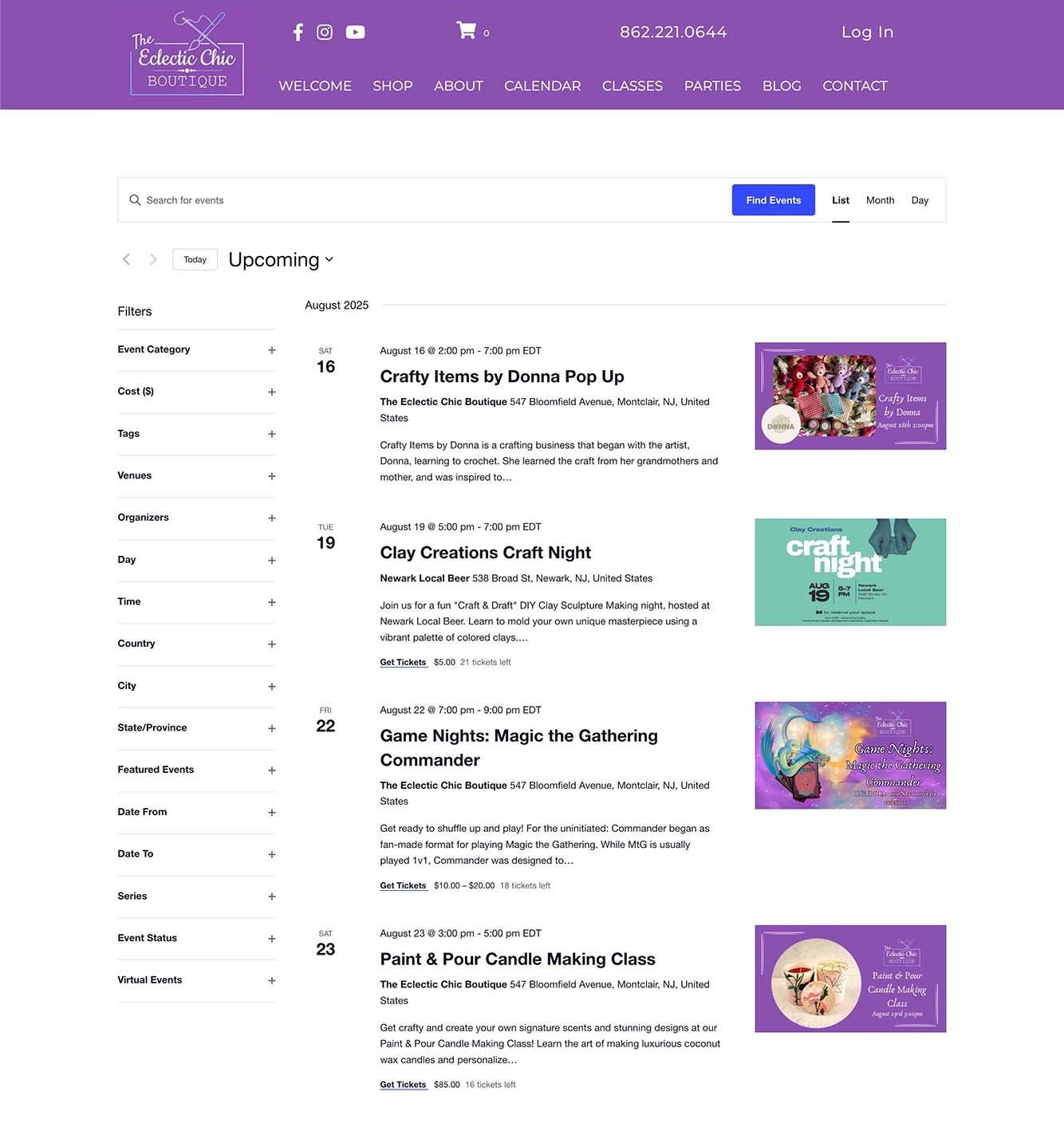
Design
Overall, they’ve done a great job matching their website’s look and feel. The fonts are complimentary, the graphics using brand colors, and all featured images use the same dimensions. All of these things together add up to a professional looking calendar that’s easy to browse.. The only change we would recommend is to update the accent color of the calendar so that links and buttons use a brand color instead of the default blue. Thankfully, this is an easy fix. Simply go to the site Customizer > The Events Calendar > Global Elements. At the bottom of this settings panel you’re able to set the accent color, which is used for buttons.
Navigation
The Eclectic Chic Boutique has also done a great job providing a wide variety of search filters. These filters help their site visitors discover the events they’re most interested in, fast. The only suggestion we’d make is to consider removing the “country” and “state/province” if there aren’t events outsiide of NJ, United States. This too, is a really easy fix. Filber Bar users can go to WP admin > Events > Settings > Filters and simply deselect the country option.
Views
The free version of The Events Calendar, which The Eclectic Chic Boutique is using, has three views: List, Month, and Day. Each of these views look great on their site. The default List view is a great choice for their use case, too.
Single Event Page Overview
Now let’s take a look at one of their individual event pages. There’s a lot to like here so we’ll go through it element by element.
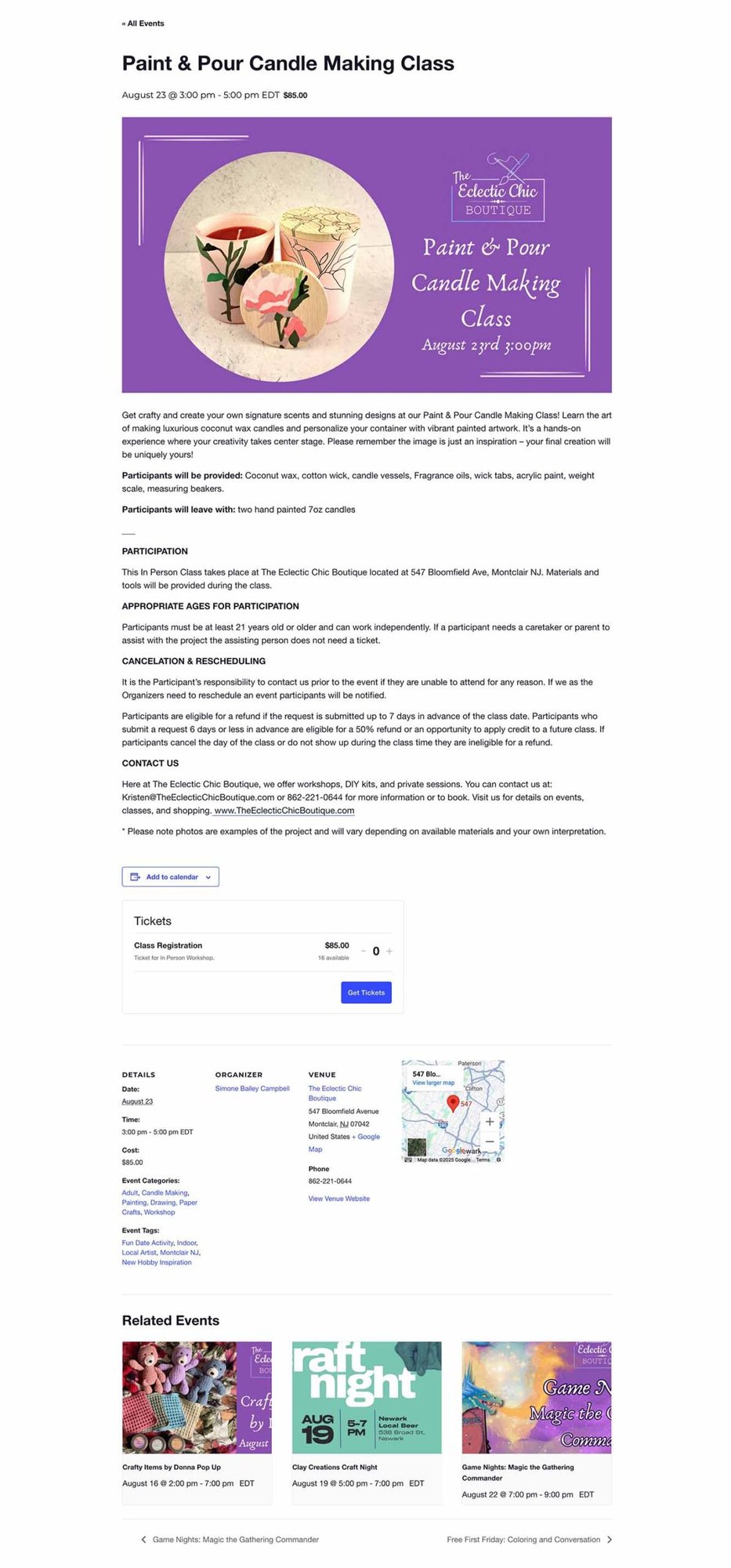
Layout and Design
This page uses the default template for single events and it works wonderfully. The page layout is simple but effective, including all necessary information and design elements. One of the strongest visual elements on the page is the featured image. It matches their brand wonderfuly while filling the entire width of the content container it’s in. The only recommendation we’d make is editing the ticket button’s style to match the other buttons on the website.
Content
The screenshot above is a great example of a well-written event description. Not only does it describe the event, but it provides important information about participation in the event in a well-formatted write-up. This is one of the most common issues we find with many implementations of The Events Calendar–no, or a very short, event descriptions. If people are going to attend, let alone buy a ticket to an event, they will likely want to know more about it than just when and where it is. This event description anticipates what attendees want to know and provides it. Our only recommendations in this instance would be to consider adding a splash of color and personality with emojies or more images. They may also want to optimize their page title, permalink, and text for search engines and AIs.
Tickets
Ticketing for this event is simple and straightforward. There’s a single ticket type for all with a clear all to action. Love it!
Building Community, Supporting Local Art, and Sharing Unique Experiences
We’re really pleased to see this awesome example of our products being used to build community. Thank you to The Eclectic Chic Boutique for submitting their calendar for this blog post series. We hope you found their website and community calendar inspiring. If you’d like us to spotlight your calendar, use this form to submit your site for consideration.

Nathan
View author page