Embed Your Events Calendar on Any External Website
Estimated reading time:
1 minute
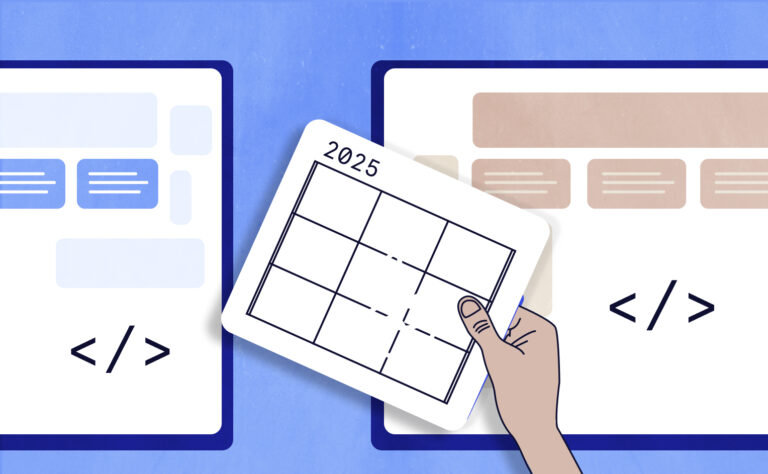
Our newest release is here, and you’re going to love it! It’s a free feature that lets you embed your Events Calendar on any external website through an iframe. You heard that right: your calendar, anywhere, with just a few clicks! This is a groundbreaking update for us, as it’s the first time you can share your calendar on any platform, not just WordPress.
You can confidently embed your events calendar on any platform, whether you’re displaying it across your own channels or enabling partners to share it on their own sites. Let’s talk about the details!
A Look Into Customizable Calendar Embeds
Our External Calendar Embed feature allows you to embed your events across any platform. Whether a site is built on WordPress, Wix, Squarespace, or any other platform, this embedding feature works across all of them. This feature is completely free for all users and requires no activation. It’s already available for you in your WordPress dashboard!
How to Set Up the External Calendar Embed
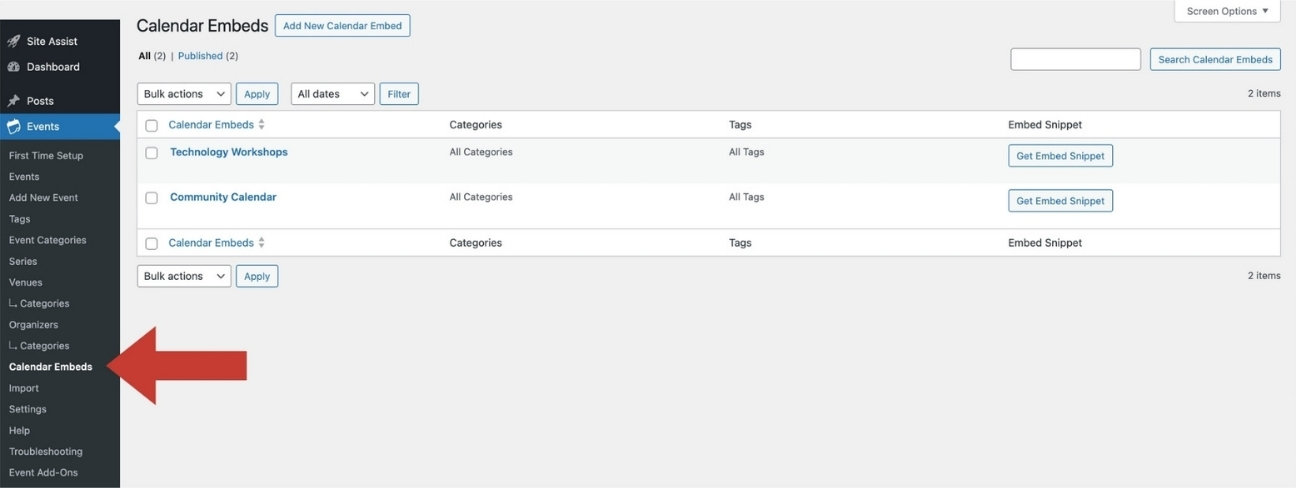
To find this feature, navigate to Events → Calendar Embeds.
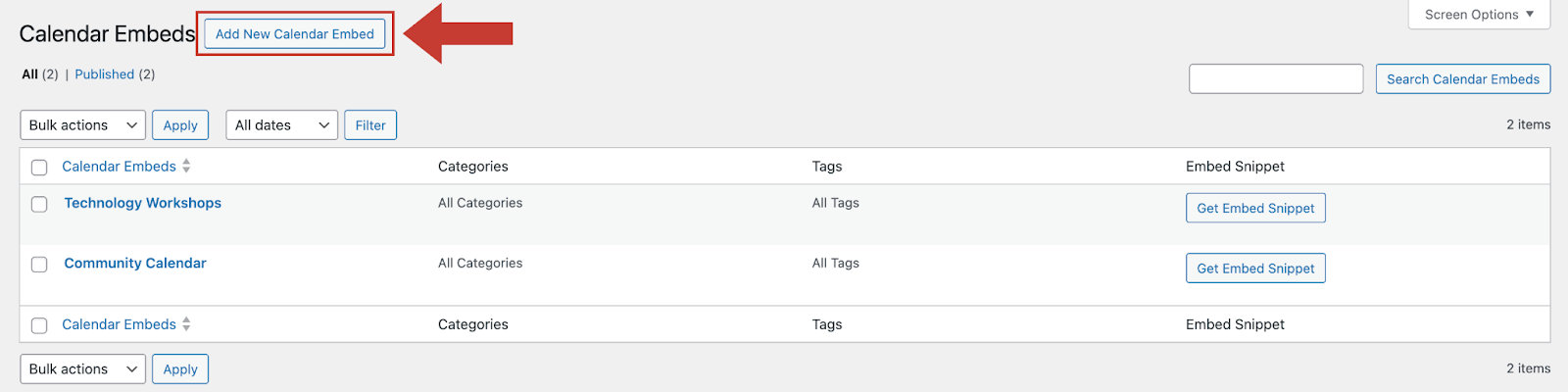
To create an embed, select the button Add New Calendar Embed.
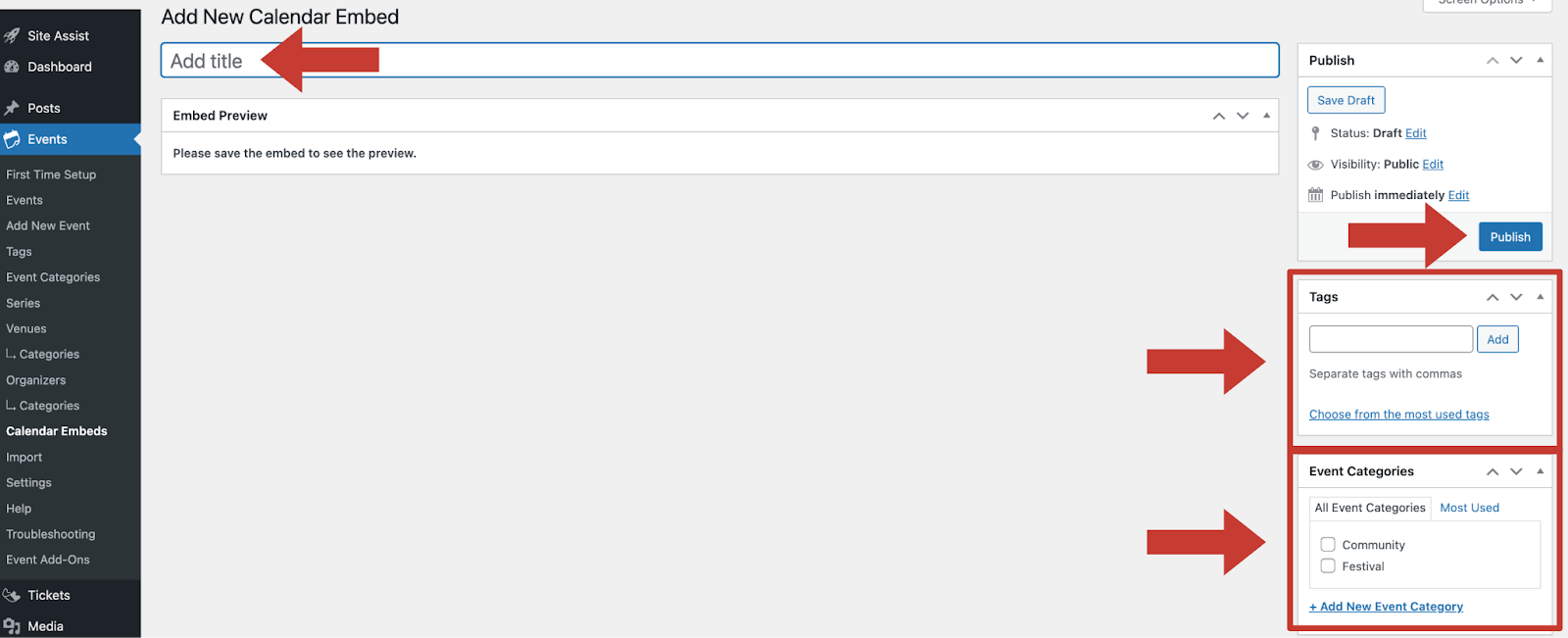
Creating an embed is easy. Add the title of the embed. Then, select the tags or event categories desired (if any). The tags and event categories you’ll see here are the same ones you’ve set up for the events on your calendars. By selecting one, you’ll filter the events shown on the embedded calendar.
Once you hit Publish, you’ll see the embedded calendar preview. And best of all, you’ll be able to edit and update at any time.
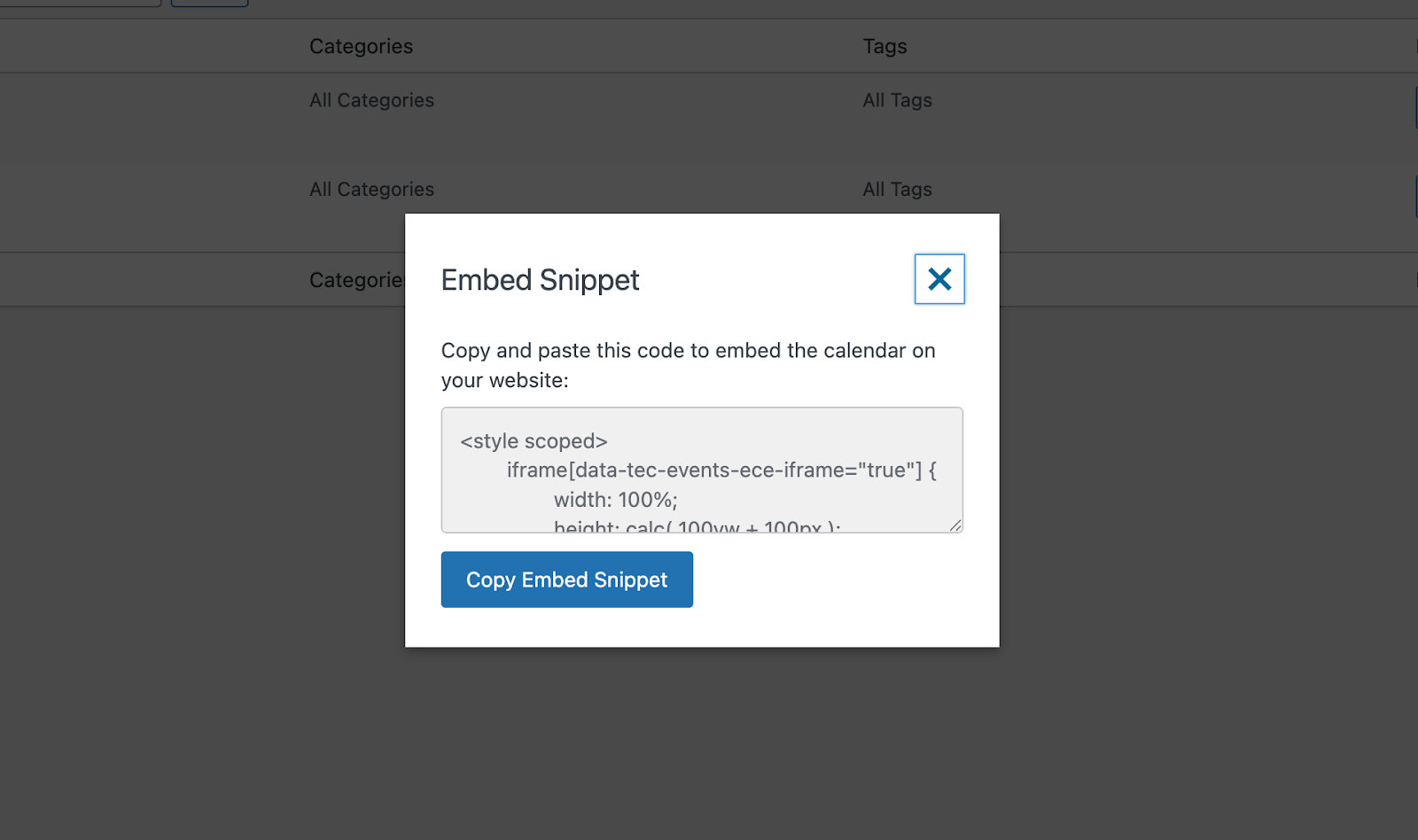
By selecting Get Embed Snippet, you can effortlessly copy the embed code and paste it onto other websites.
By pasting the code onto a different website, your events calendar will be displayed perfectly. See the example below!
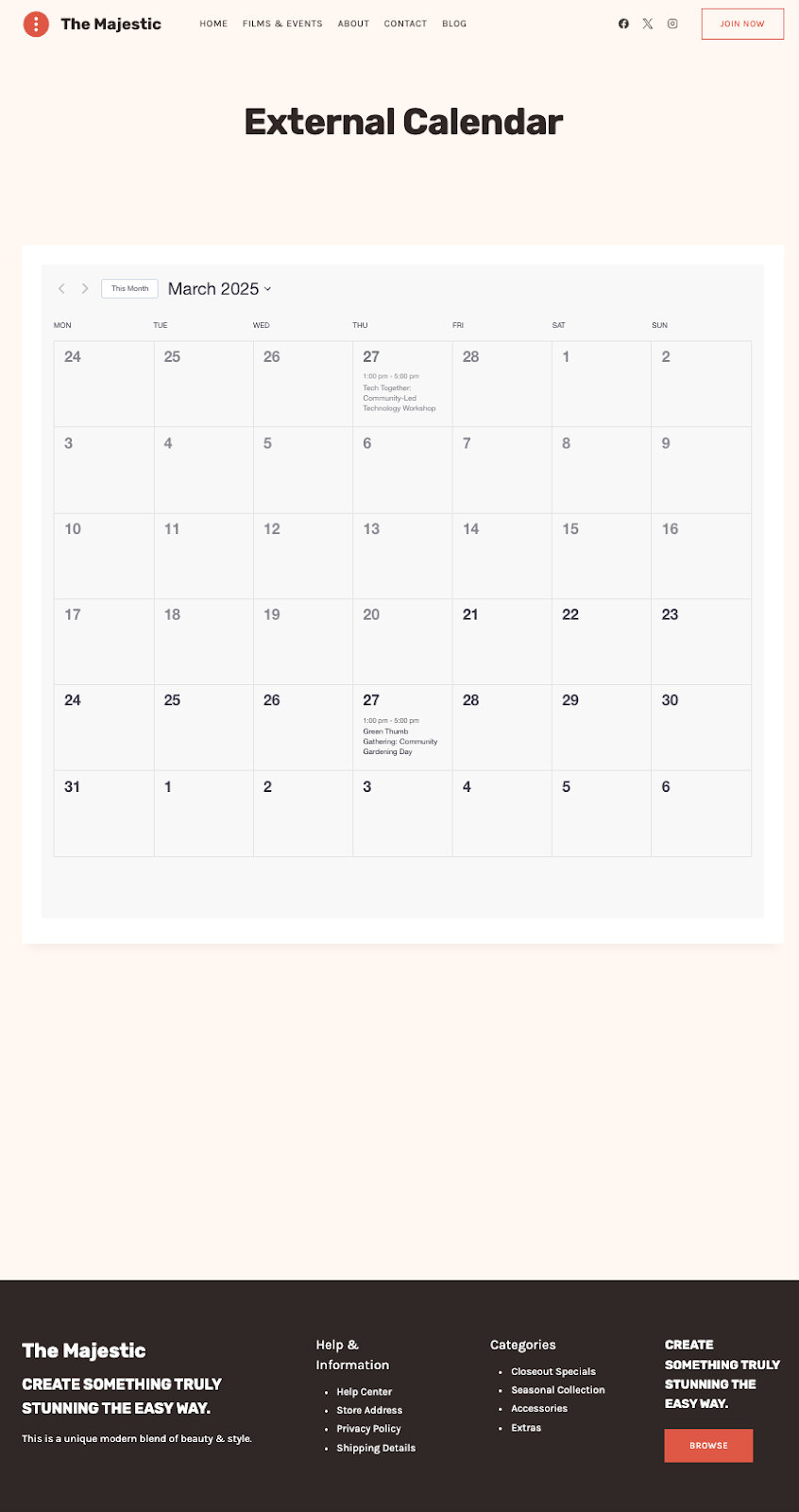
For a more detailed guide on how to use this feature, head over to our knowledgebase. You’ll find comprehensive and helpful tips to guide you through every step.
Details On This Feature
We’ve designed this feature with precision to ensure it works seamlessly. You have the ability to create multiple customized calendar embeds, each tailored to different needs. Just keep creating more! You can filter each one by event categories and tags to fit whatever you’re working on.
One of the best aspects of this feature is that any updates made to your calendar will automatically sync across all platforms where it’s embedded. Managing your calendar is simple through the embed calendar menu, and the embed code is provided which makes copy and pasting effortless. You can rest easy knowing the embedded calendar delivers the full power of our robust system.
The Transformative Impact on Your Events Calendar
This feature is designed to save you time, increase efficiency, and broaden your reach. Here’s how it’s going to transform the way you do things:
- Easy setup and management: Set it and forget it! You can manage everything from the WordPress admin panel and know that your calendar stays updated wherever you’ve embedded it. With one quick update on WordPress, your calendar refreshes across all platforms—no extra work needed.
- Simplify cross-platform display: Got your event website on WordPress but your business website on Wix or Squarespace? No worries! With a simple embedded code, your events calendar can appear across all your platforms (no matter the website!)
- Create custom views for sponsors, clients, departments, or vendors: With the option to customize an embedded calendar by event categories and tags, you can filter the calendar to best fit the needs of each stakeholder. For example, if you’re a festival organizer, you can provide sponsors with a tailored calendar, keeping them informed about the specific events that directly impact them. Similarly, as a university admin managing multiple departments, you can embed individual department calendars across various platforms, ensuring each department gets its own specialized view.
- Streamline communication with partner organizations: We’ve got your back when it comes to clearer communication! You can share custom calendars with your partner organizations, allowing them to add the calendar to their site. It’s a hassle-free way to keep everyone aligned and on the same page.
With the embedding feature, event management got a whole lot smoother. We hope you’re ready to revolutionize your calendars!
Sharing Your Calendar Across Multiple Websites
Use this latest feature to make event sharing and management even easier. Embedding your calendar across multiple platforms has never been simpler! Display your calendar anywhere, customize it for specific audiences, and keep everything synced without breaking a sweat. Just by copy and pasting, your calendar can shine across all platforms. We can’t wait to see how you use the External Calendar Embed!
Need more help getting started? We got you! Check out our knowledgebase article to walk you through this feature. Or, feel free to contact us!
And stay tuned! Even more releases are coming soon.

Sarah
View author page