

Forum Replies Created
-
AuthorPosts
-
George
ParticipantHey Derek,
Sorry to hear about the troubles here!
1. First, you posted a truncated version of your site’s system information. It is missing a lot of information…can you please post your COMPLETE, UN-EDITED system information to this thread so that we can best help out? Here’s how to do it! → https://theeventscalendar.com/knowledgebase/sharing-sys-info/
2. Next, I tried importing that event and found now issues and no missing data. To share my findings, here is a screenshot of the event after it has been imported to my site (click for a larger-sized image):
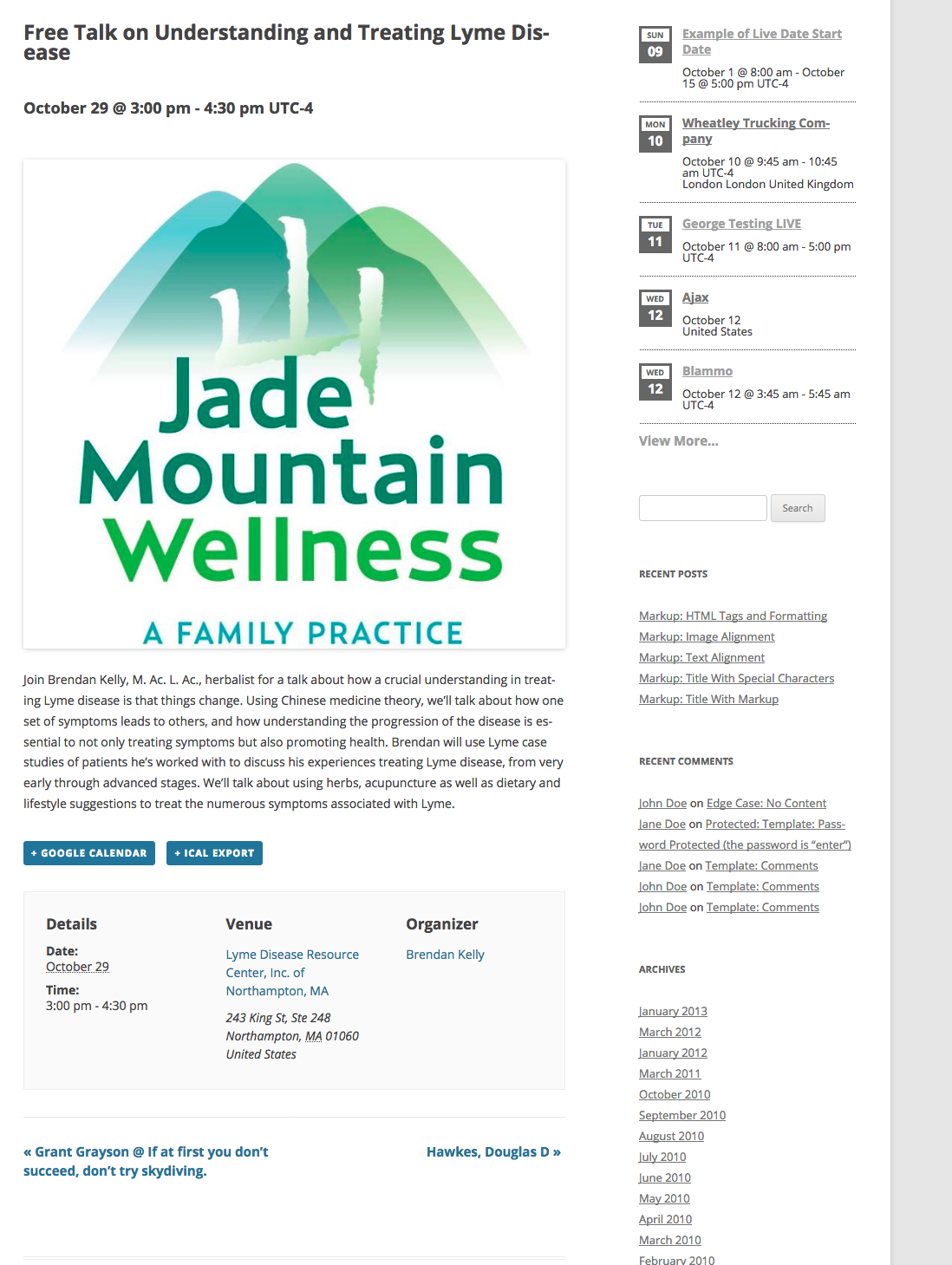
Please note that the venue information is imported accurately; the event start and end times; the organizer of the event; event description; etc…
3. If you are looking for any event information to be imported that is NOT visible in the screenshot I shared above, then what specific other information are you hoping to see imported? If possible please share a screenshot of where this information is visible on the Facebook.com version of the event itself. You can do so by uploading the screenshots to this thread. If you have issues with that, you can upload to Imgur.com, Flickr.com, CloudUp.com, or any similar image-hosting site; then just share the links to those images here and I’ll take a look.
Thank you!
GeorgeOctober 9, 2016 at 4:59 pm in reply to: get_terms() with tribe_events_cat returning WP_Error in functions.php #1174355ParticipantHey James,
We unfortunately cannot troubleshoot custom code, per our support policy which you can read here.
With that being said, though, can you please copy the FULL, UN-EDITED contents of your functions.php file when it is in the state where that error message arises?
Once you’ve copied the complete, un-edited contents, paste them into a Gist here → http://gist.github.com
Then, share a link to that Gist and I will take a closer look at what might be happening here.
Thanks!
GeorgeParticipantThis reply is private.
ParticipantHey Josh,
Thanks for reaching out. We unfortunately cannot help with writing custom code, nor with troubleshooting custom code you have written. Please see our support policy here for more information → https://theeventscalendar.com/knowledgebase/what-support-is-provided-for-license-holders/
With that being said, in your first reply you wrote, “I added some JavaScript that resizes the tiles when the screen resizes, as this was not happening automatically.”
1. Can you clarify what you mean by this? Are you saying the Photo View is not at all responsive?
2. Can you temporarily REMOVE ANY CUSTOM CODE YOU HAVE WRITTEN, and then compare the behavior of your site’s Photo View in different browser sizes to the behavior of the Photo View on our official demo site here? → http://wpshindig.com/events/photo/
☝️ Do you find that both Photo Views behave exactly the same? Or do you find that the demo site’s Photo View adapts to smaller viewport sizes, while your site’s Photo View does not?
Just curious about the core issue here, as in my experience the Photo View does adapt to the size of the viewport.
Thanks,
GeorgeParticipantHey Kristen,
Thanks for reaching out. We unfortunately don’t recommend any specific themes out there, though in general I would recommend the theme shop arraythemes.com — they make themes of excellent quality.
As for the specific layout you describe, I’m not sure about this. I’ve some folks use the Avada theme with this sort of layout to great success, so that may be worth looking into.
If your main concern is having 100%-width, you may actually be able to find this in most themes out there. The default WordPress themes, for example, include a “full width template” which you can use as the “Events template” for the “Events template” option in your site’s wp-admin. Many other themes out there include a full-width template; I would recommend inquiring about this from a given theme’s support team if you find a theme out there that you like.
Sorry that we don’t have many specific themes to recommend. I hope the information I’ve shared here helps you move forward in your search nonetheless.
Let me know if there’s anything else I can try to help with!
Sincerely,
GeorgeOctober 9, 2016 at 4:40 pm in reply to: Keep to calendar drop-down View As menu always open #1174347ParticipantHey David,
Thanks for reaching out.
This should be possible with a bit of custom code. I wrote a custom code snippet for you in a Gist here → https://git.io/vPB5B
☝️ Copy and paste the contents of that Gist into your theme’s functions.php file; it should force the “View As” selector to always be open on page load.
Cheers,
GeorgeParticipantHi there,
Thank you for reaching out. These forums here are our “Pre-sales Questions” forums, so we unfortunately cannot field technical support questions here.
It doesn’t currently appear that you have a premium license with us. If this is wrong, and you do have a premium license with us, then apologies for my misunderstanding!
However, in that case please log into the account on this site that has your premium license, and then post this question in a premium support forum.
If you indeed do not have a premium license, then please post your question in our free support forums here → http://wordpress.org/plugins/the-events-calendar
We check those forums a bit more than once per week, so hopefully we will be able to get to your question there.
Thank you,
GeorgeParticipantHi there,
Thank you for reaching out. These forums here are our “Pre-sales Questions” forums, so we unfortunately cannot field technical support questions here.
It doesn’t currently appear that you have a premium license with us. If this is wrong, and you do have a premium license with us, then apologies for my misunderstanding!
However, in that case please log into the account on this site that has your premium license, and then post this question in a premium support forum.
If you indeed do not have a premium license, then please post your question in our free support forums here → http://wordpress.org/plugins/the-events-calendar
We check those forums a bit more than once per week, so hopefully we will be able to get to your question there.
Thank you,
GeorgeParticipantHi there,
Thank you for reaching out. These forums here are our “Pre-sales Questions” forums, so we unfortunately cannot field technical support questions here.
It doesn’t currently appear that you have a premium license with us. If this is wrong, and you do have a premium license with us, then apologies for my misunderstanding!
However, in that case please log into the account on this site that has your premium license, and then post this question in a premium support forum.
If you indeed do not have a premium license, then please post your question in our free support forums here → http://wordpress.org/plugins/the-events-calendar
We check those forums a bit more than once per week, so hopefully we will be able to get to your question there.
Thank you,
GeorgeParticipantIf that proposal ends up being a reality, and the REST API arrives in WordPress Core, then yes, after it arrives in Core we will start the process of integration with the REST API. Though the integration process itself will take some considerable time.
Just to set your expectations, Michael, we’re talking a timeline of several months to a year here, if all goes to plan and arrives on time and such.
Again: sorry to disappoint! I hope this information is clear and helps you proceed nonetheless.
Sincerely,
GeorgeOctober 9, 2016 at 4:19 pm in reply to: Event Tickets Plus not in dashboard, and event pages gone #1174338ParticipantThis reply is private.
October 9, 2016 at 2:17 pm in reply to: Custom fields: formatting URL without changing the type to "text" #1174322ParticipantGlad to hear it, Dinah!
ParticipantThis reply is private.
ParticipantHey Phil,
One additional word here: I really appreciate your patience on this issue. We’re finding different results and so this issue is requiring some close investigation and the requisite back-and-forth that entails. 🙁 I’m sorry there’s not been a quick answer thus far, but am determined to help figure out if there is a bug going on here so that we can best proceed with fixing it.
Thanks,
GeorgeParticipantHey @Anders,
Sorry for the delayed response here. Geoff had to tend to an urgent personal matter so I’ll be taking over this thread for now! 😀
Thanks for your patience.
In regards to these issues, I first want to comment on WP Shindig. There are no events on the site that are occurring the UK, so that is why UK locations are not being recommended.
On my own testing site, I added the University of Manchester as a venue and added an event to it, just as Geoff describes doing above. Before I added this to my site, I only saw the US instances of Manchester as you find on your site and on wpshindig.com. However, once I added this to my site, the UK Manchester was recommended fine. Here is a screenshot of that on my local site (click for a larger-sized image):
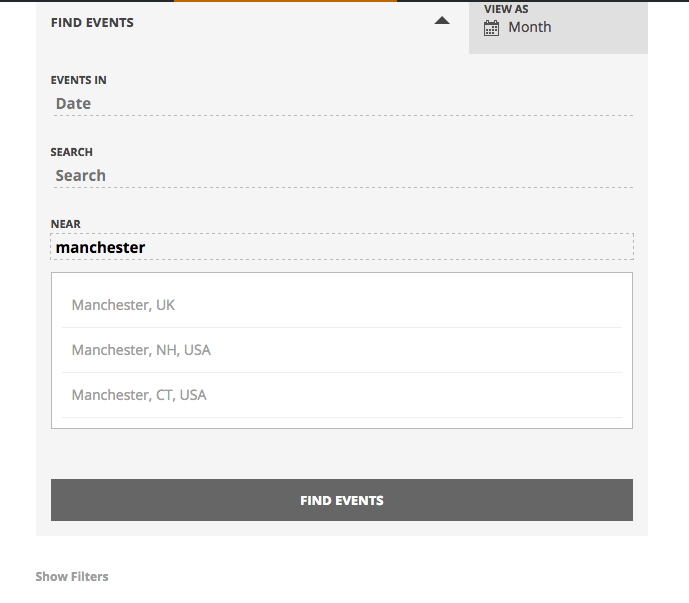
1. Can you go to an event that is occurring at your Manchester venue, take a screenshot of as much of the edit screen for that event as possible, and then share the screenshot here?
2. Can you also go to the Venue edit screen for that Manchester venue, and post a screenshot of as much of the edit screen as possible?
☝️ For both things above, you may be able to take “full-screen” screenshots of the edit pages which would be immensely helpful. I would recommend seeing if this is possible on Google and searching for how to do it specifically—it’s usually just a few clicks to do it!
Thanks,
George -
AuthorPosts