7 Types of Seating Arrangements for Better Interaction
Estimated reading time:
1 minute
Creating meaningful interactions between your attendees begins with an important yet often overlooked decision: how you arrange your seating.
In fact, did you know that the very placement of chairs and tables can shape your attendees’ ability to connect, collaborate, and network?
Of course, the challenge doesn’t stop at merely setting out chairs. It’s about choosing a configuration that maximizes engagement and meaningful dialogue. Naturally, as an event organizer, your goal is to design spaces where attendees don’t feel forced to interact but rather network and collaborate organically.
In this guide, we discuss seven distinct seating arrangements that suit different types of engagement. Each configuration has its applications, from brainstorming meetings and workshops to more formal events like auctions or conferences.
Why seating arrangements make or break your event experience
Research shows that physical proximity strongly influences emotional connections. Even something as simple as moving students from the front of the classroom to the back can lead to a sharp decline of 62.5% in participation frequency. Seating someone too far away or in an isolated area might stifle interaction and engagement, but placing them strategically among peers or around natural interaction hubs can drive meaningful networking and connections.
Well-thought-out seating designs directly affect measurable outcomes like networking quality, engagement rates, and even attendee retention. Here’s how strategically planned seating can impact multiple facets of your event’s success:
- Networking quality: The positioning of chairs and tables creates controlled interaction points that encourage organic conversations.
- Information retention: Proper arrangements optimize sightlines and acoustics to ensure every attendee can focus on the important details without distractions.
- Event ROI: Events with thoughtfully planned interactions show higher participation, translating to tangible returns for organizers. For example, a workshop using cabaret seating, where small round tables foster group discussions, can see higher collaboration rates than lecture-style rows that often discourage interaction. Similarly, in a business mixer, scattered seating clusters create natural zones for introductions, leading to more contact exchanges and post-event partnerships.
- Hybrid event success: Camera-conscious layouts make hybrid formats more effective, with remote and in-person attendees engaging smoothly.
Successful seating strategies align directly with your event goals, whether that means creating better networking moments, ensuring a speaker’s message connects with the audience, or encouraging deal-making opportunities.
The 7 most effective seating layouts for maximum engagement
When it comes to event planning, seating arrangements need to cater to aesthetics as well as optimize attendee interaction and focus. In this section, we’ll explore seven proven seating configurations designed to boost engagement and improve the event experience while ensuring they remain fully ADA-compliant.
1. Theater and auditorium style: Perfect for presentations
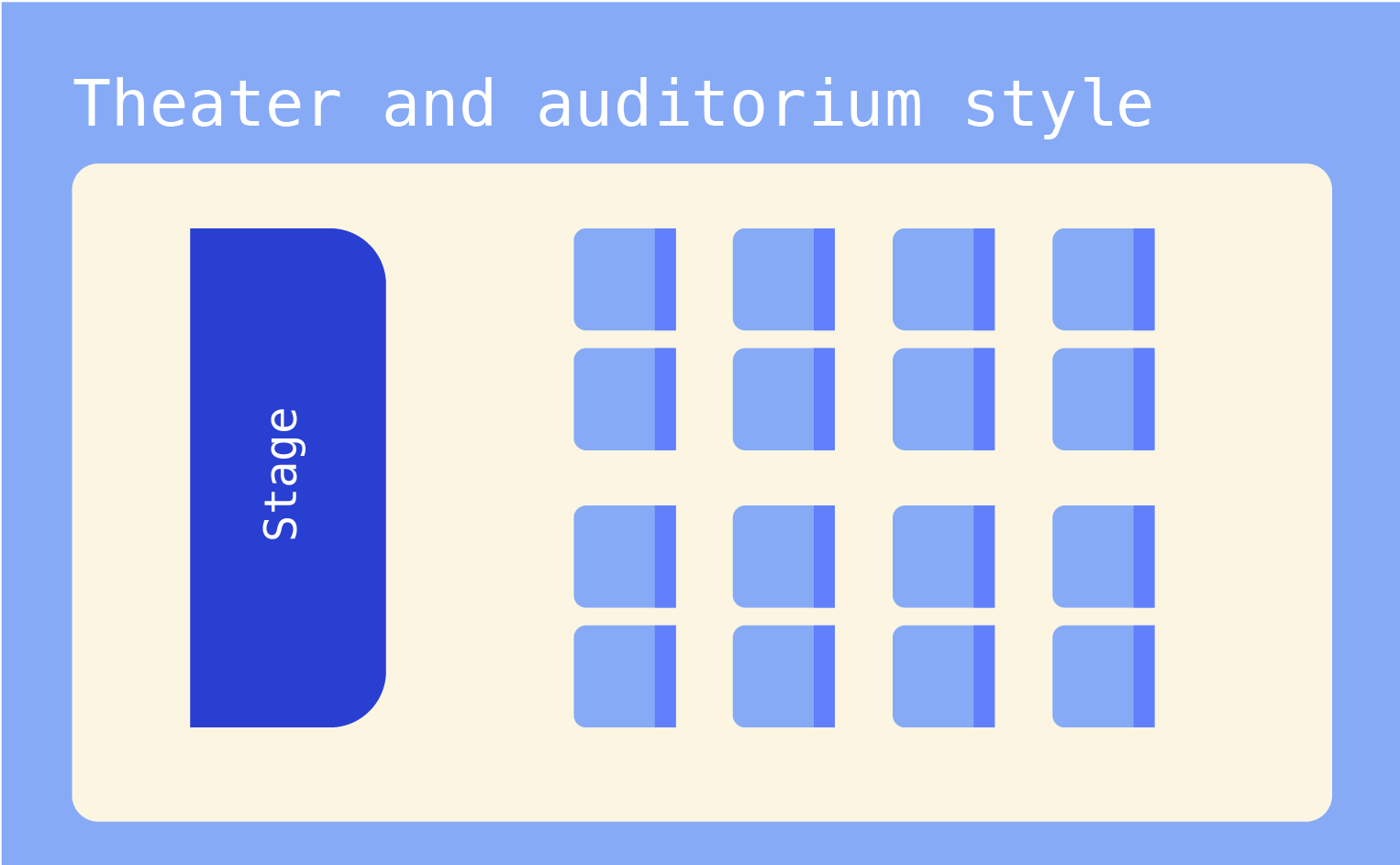
The classic theater-style arrangement — rows of chairs facing a stage or podium — remains a go-to choice for presentations and keynote speeches. To maximize its effectiveness, consider staggering seats so attendees can see between the heads in front of them. Creating wider aisles every 14–16 seats helps with both traffic flow and emergency exits while maintaining clear sight lines to the stage.
For larger venues, this layout naturally supports tiered pricing zones — premium seats in the center-front sections, standard seating in the middle, and budget-friendly options toward the back. When planning these sections, remember to reserve easily accessible areas near aisles for ADA compliance.
While this arrangement limits casual interaction, you can boost engagement by incorporating designated Q&A spots with floor microphones in the aisles. Position cameras strategically at these points for hybrid events to capture speakers as well as audience participation.
|
Advantages |
Drawbacks |
|---|---|
|
|
2. Classroom setup: Ideal for learning and note-taking
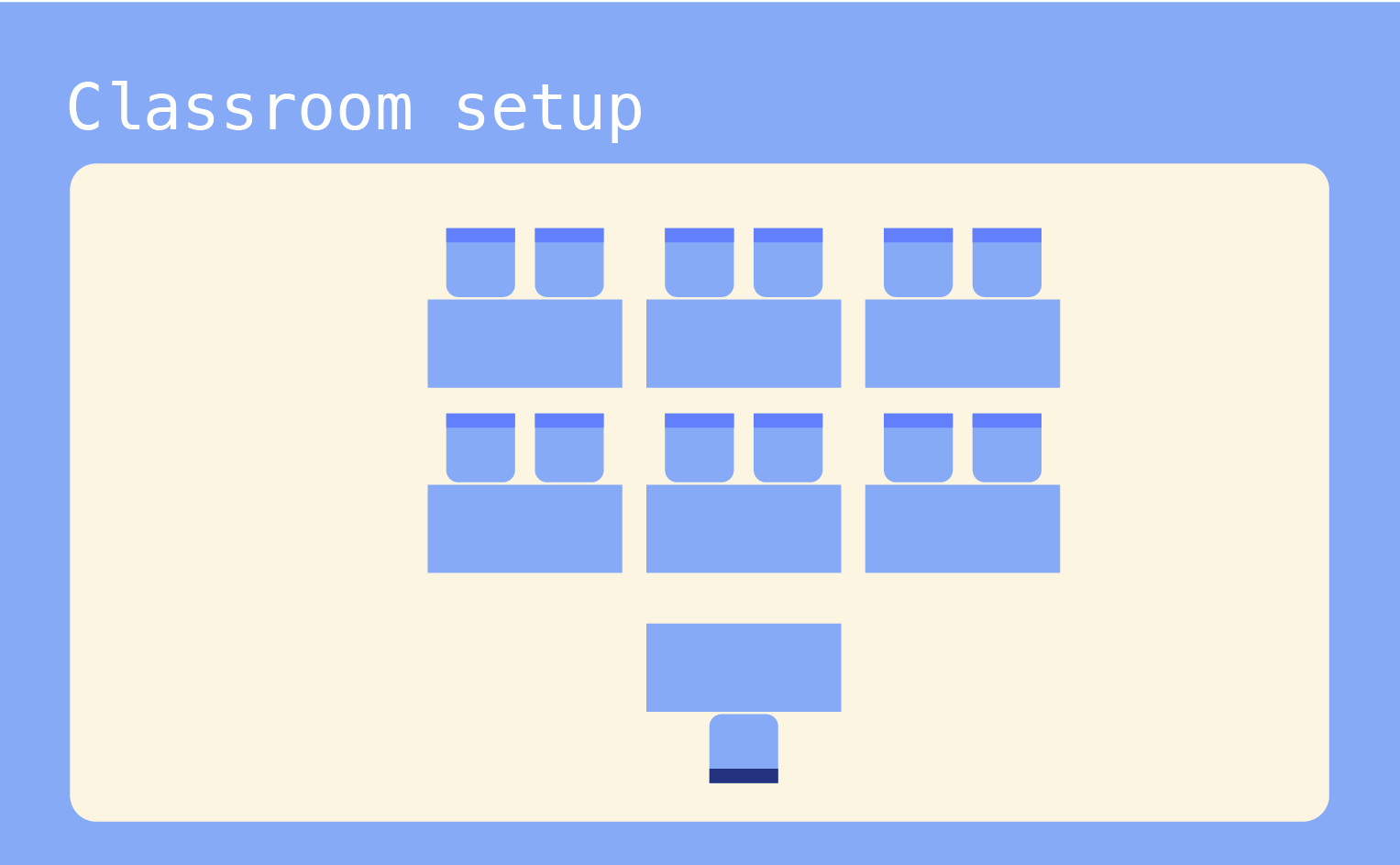
The classroom setup takes the traditional theater layout up a notch by adding tables, creating the perfect environment for active learning and engagement. This arrangement features rows of tables with chairs, all facing the presenter’s area, giving attendees a stable surface for laptops, notebooks, and materials.
To modernize this classic layout, consider incorporating power strips along table rows and USB charging stations; essential amenities for today’s tech-savvy attendees.
✨Pro tip: arrange tables in a slight chevron pattern (angled slightly inward) to encourage natural small-group discussions without requiring furniture moves.
You can also create mini-collaborative zones by leaving strategic gaps between every third or fourth table. These natural breakout spaces allow for quick partner discussions or group activities without disrupting the overall setup. For maximum flexibility, use tables that can easily connect or separate, letting you switch between individual work and team activities.
|
Advantages |
Drawbacks |
|---|---|
|
|
3. U-shape: Encouraging discussion and participation
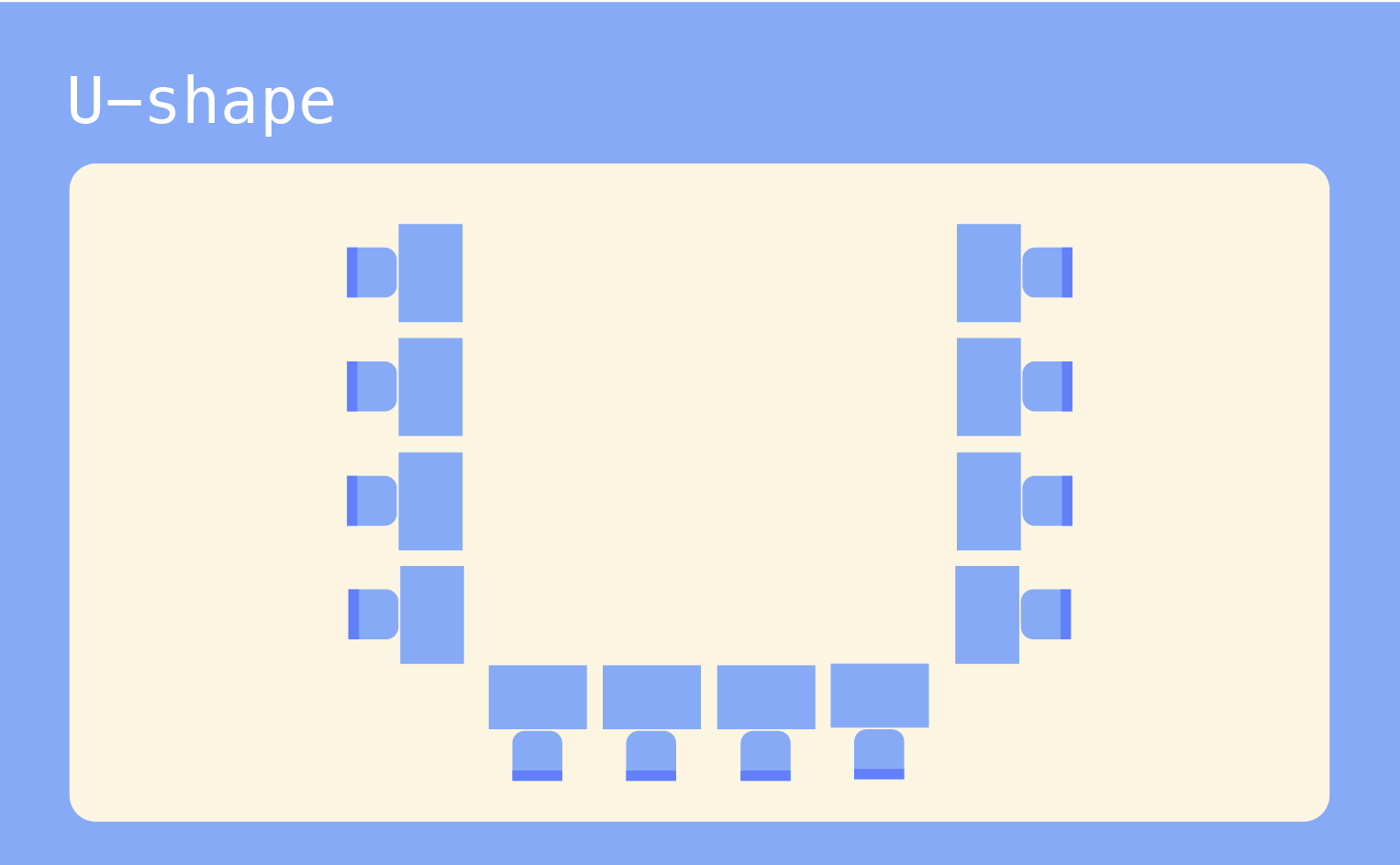
Want to create an environment where everyone feels part of the conversation? The U-shape layout, where tables form a horseshoe with attendees seated around the outer edge, might be your solution. This arrangement creates a natural focal point at the open end, where presenters can move freely and maintain eye contact with every participant.
To maximize this layout’s effectiveness, position your main screen or whiteboard at the open end, but keep it slightly off-center. This creates a clear presentation space while letting the presenter step aside without blocking anyone’s view. For hybrid events, place cameras at both ends of the U to capture natural conversations between in-person and remote participants.
In larger groups (more than 20 people), consider a double-U setup, creating an inner and outer U, to maintain intimacy while accommodating more attendees. Add mobile microphones at strategic points to ensure everyone can contribute to discussions, regardless of their position.
|
Advantages |
Drawbacks |
|---|---|
|
|
4. Banquet style: Fostering social interaction
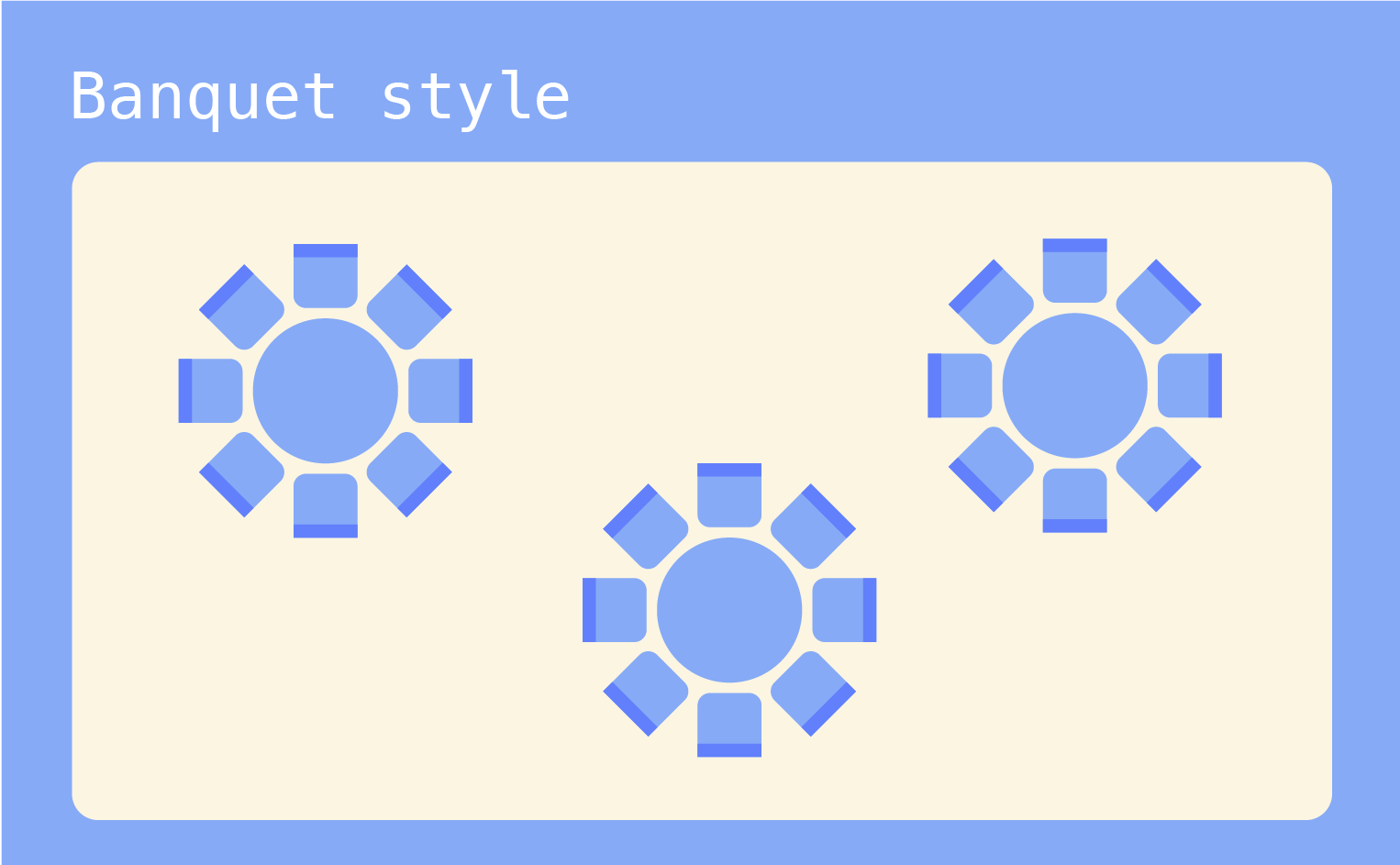
Banquet-style seating features round tables spread throughout the space, creating perfect hubs for networking and conversation. This layout facilitates a comfortable, social atmosphere and is most useful at events where relationship-building matters as much as content delivery.
As a general rule of thumb, 60-inch (5ft) round tables typically seat 8–10 people comfortably, while 72-inch (6ft) tables accommodate up to 12. Keep tables at least 6 feet apart to allow easy movement and conversation without overwhelming cross-table noise.
For events featuring presentations, angle tables in a herringbone pattern toward the stage, leaving no guest with their back completely turned to the speakers.
To boost networking potential, try the “social engineering” approach: place conversation starter cards at each table, or use numbered seats to mix up attendee groups between sessions.
|
Advantages |
Drawbacks |
|---|---|
|
|
5. Boardroom: Facilitating decision-making
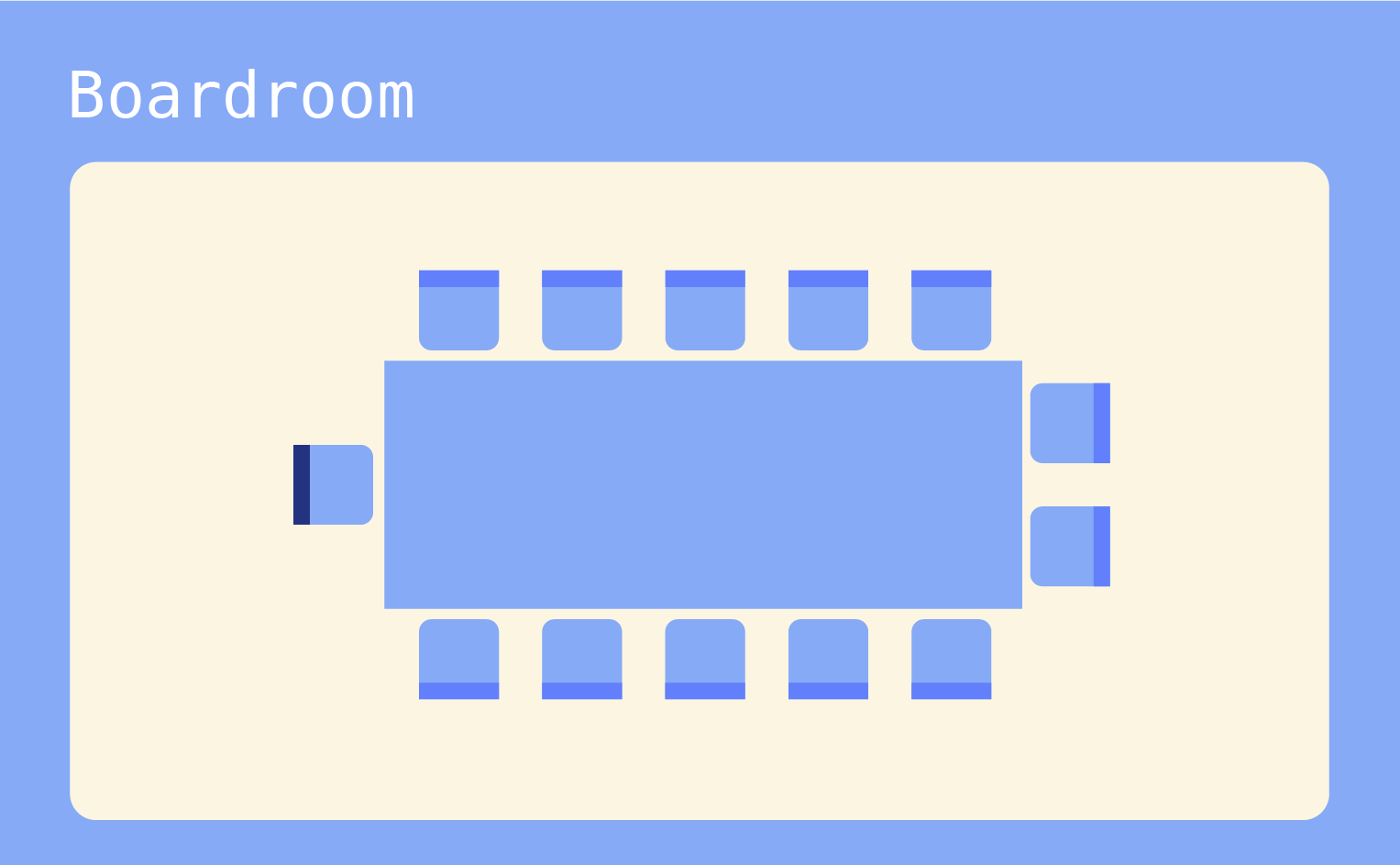
When it comes to high-stakes discussions and strategic planning, the boardroom setup reigns supreme. This configuration centers around a single rectangular or boat-shaped table, placing everyone within direct eye contact — perfect for those moments when every voice needs equal weight.
Smart placement matters here. While the ends of the table traditionally signal authority, consider rotating leadership positions around the table to democratize participation. For hybrid meetings, mount displays at both ends and position cameras at eye level to help remote participants feel naturally integrated into the conversation.
Keep the tech low-profile by embedding power outlets and cable management systems into the table itself. Better yet, opt for a table with a recessed center channel for laptops and documents, maintaining clear sight lines across the surface.
For presentations, you can use retractable screens or smart glass walls that transform from clear to projection surfaces as required.
|
Advantages |
Drawbacks |
|---|---|
|
|
6. Hollow square: Promoting equal participation
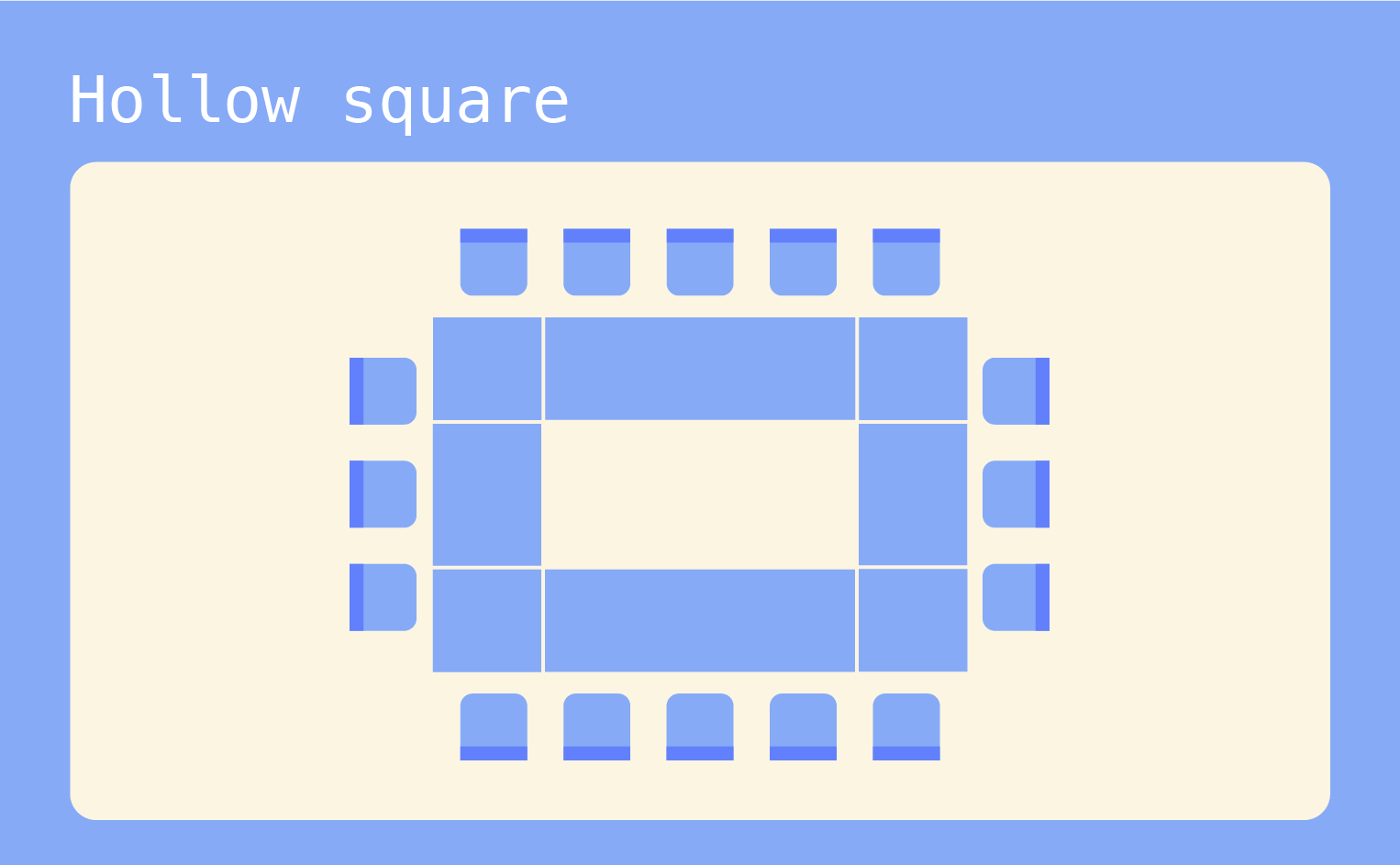
Think of the hollow square as democracy in action, as a setup where every seat carries equal importance. This arrangement creates a continuous rectangle of tables with participants seated around the outer edge, leaving the center open. It’s particularly effective for committee meetings, collaborative planning sessions, and workshops where hierarchy takes a backseat to collective input.
To keep everyone engaged, use portable screens on rolling stands that can be positioned at corners, making visuals accessible from any angle.
For document reviews, try the “round-robin” approach: materials move clockwise around the square, ensuring everyone gets an equal chance to contribute. Break larger discussions into smaller ones by having participants turn to their immediate neighbors, then bring insights back to the full group.
Success with this layout hinges on strong facilitation. You should use a rotating moderator system to maintain focus while preserving the equal-status atmosphere. Consider placing shared resources like reference materials or refreshments in the open center, creating natural opportunities for interaction.
|
Advantages |
Drawbacks |
|---|---|
|
|
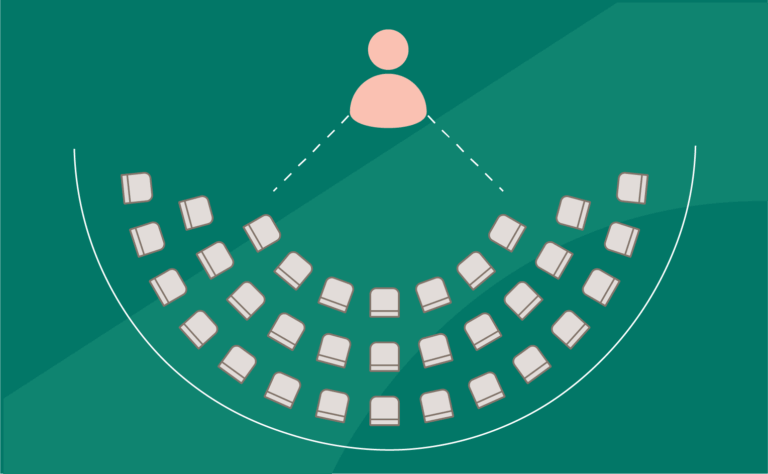
7. Cabaret: Combining comfort with collaboration
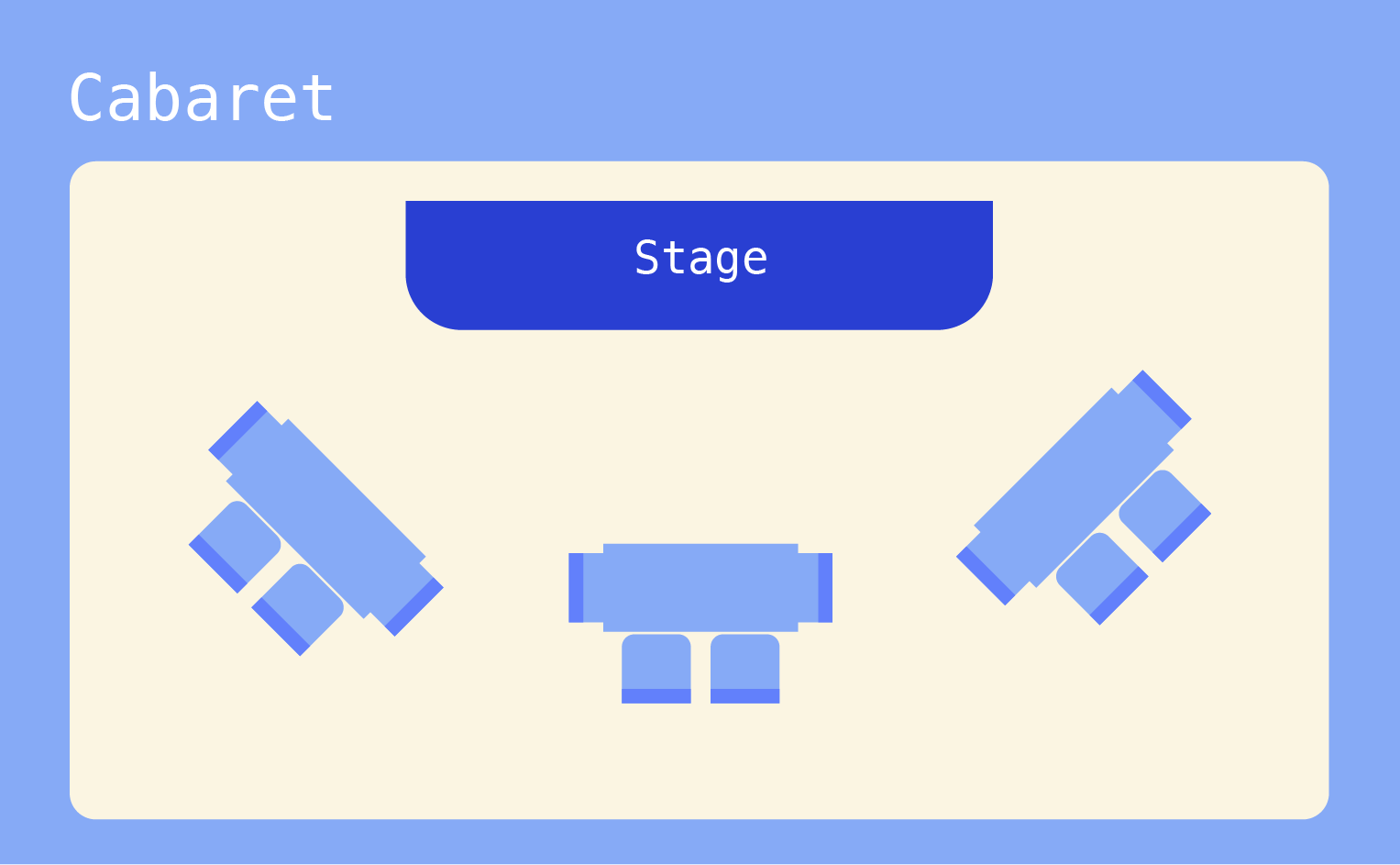
Cabaret-style seating offers a clever compromise between theater and banquet layouts. Picture tables with chairs arranged in a half-moon, leaving one side open so everyone naturally faces the presentation area. It’s like giving your attendees a front-row seat while keeping the social benefits of small-group seating.
You can position tables at 45-degree angles to the stage for optimal viewing and leave about 4–5 seats per table to keep conversation groups intimate yet dynamic.
For maximum engagement, designate each table as a mini-breakout space during interactive sessions. When it’s time for full-group activities, attendees can simply pivot their chairs toward the front — no furniture shuffling required. This flexibility makes cabaret style perfect for day-long events where you’re mixing presentations with group work.
|
Advantages |
Drawbacks |
|---|---|
|
|
Virtual and hybrid events: Modern seating considerations
With the evolution of hybrid events, event managers often need to accommodate both in-person and virtual attendees. Just as you’d never want physical attendees stuck behind a pillar, virtual participants deserve equally thoughtful “seating” arrangements that keep them fully engaged in the action.
The key to success lies in strategic technology integration with your seating layout.
- Position physical seats at 45-degree angles to multiple camera positions, ensuring both in-person and remote attendees have clear views of presentations and each other.
- Consider creating “virtual attendee walls” using large displays integrated naturally into the room’s layout, making remote participants feel like they’re truly part of the audience.
- Increase engagement by installing bidirectional microphone arrays throughout seating zones and placing networked tablets at designated seats. This creates interactive zones where in-person and virtual attendees can easily collaborate.
- For networking sessions, consider setting up dedicated tech-enabled seats with built-in connectivity, allowing seamless communication between physical and virtual participants during breakout discussions.
Ideally, virtual breakout rooms should mirror your physical seating arrangements, creating parallel experiences that allow both audiences to participate equally in all activities, regardless of how they join.
Hybrid layouts: Combining arrangements for maximum interaction
Why stick to just one seating style when you can create a dynamic event space that does it all? Hybrid layouts blend multiple seating arrangements into distinct zones, each optimized for different activities. This approach transforms your venue into a versatile environment where presentations, networking, and collaboration can happen simultaneously.
Start by creating clearly defined areas for specific purposes:
- Set up theater-style seating with clear sightlines and integrated screens for presentation zones.
- Design intimate networking pods using cabaret-style setups, separated by decorative acoustic panels for private conversations.
- Establish collaborative spaces with mobile furniture that can switch from U-shaped to small group configurations.
The important part is to have thoughtful transitions between zones. Use different flooring materials or lighting styles to naturally guide traffic flow and maintain wide pathways (at least 8 feet) between areas to prevent bottlenecks. You can even use digital signage or color-coding to help attendees navigate between spaces.
To manage larger crowds, stagger session times between zones and use mobile apps to send real-time updates about space availability. Maintain consistent branding and design elements across all areas. These different zones should feel distinct but connected, like neighborhoods in a well-planned city.
How to choose the right seating arrangement for your event
Your choice of seating arrangement actively shapes how people interact and engage during your event. The UBC School of Business found that circular layouts naturally encourage social bonding and collaboration, while rectangular arrangements tend to spark more competitive engagement. Understanding these dynamics helps you create an environment that supports your event’s goals.
Start by matching your seating to your core objectives:
- For knowledge transfer, choose layouts that direct attention to presenters.
- For relationship building, opt for arrangements that encourage natural conversation.
- For collaborative work, select configurations that support team interaction.
Here’s a quick guide to choosing the perfect layout:
- Choose theater-style when your focus is on presentations, but add interactive elements like designated Q&A spots to boost engagement.
- Pick U-shape or hollow square layouts for workshops and strategy sessions where every voice matters.
- Use modular seating pods for hands-on activities that require frequent group work.
- Select cabaret or banquet style when networking is your priority.
Don’t forget the power of assigned seating. Strategic placement of attendees based on their roles, interests, or potential synergies can dramatically boost networking and productivity. It also simplifies practical aspects like catering and technical support while ensuring everyone, especially those with accessibility needs, has a designated space that works for them.
For WordPress users, The Events Calendar’s Seating add-on makes it very easy to create interactive seating maps, integrate with ticketing systems, and manage reserved seating options. This helps you turn these seating strategies into reality while maintaining a smooth registration process for your attendees.
Transform your seating management
Success in event planning often comes down to the details, and your seating strategy plays a vital role in creating memorable experiences. While we’ve explored seven distinct arrangements, remember that the best choice depends on your unique situation.
Modern event managers are also embracing creative approaches to seating that go beyond basic functionality, such as eco-friendly furniture options, recyclable materials, and energy-efficient designs, to align with sustainability goals.
Others are experimenting with adaptable layouts that transform throughout the day, starting with a formal presentation setup before shifting into networking zones for afternoon sessions.
The most successful events often blend different arrangements with assigned seating to create dynamic spaces that keep attendees engaged while proactively resolving any seating-related confusion.
So, the next time you plan an event, start with seating in mind — it might just be the X-factor that makes your event a success!

Nathan
View author page