Featured Calendar: Upright Citizens Brigade
Estimated reading time:
1 minute
This month we’re spotlighting The Upright Citizens Brigade (UCB), a comedy powerhouse and training hub established by Amy Poehler, Matt Besser, Ian Roberts, and Matt Walsh. Known for some of the best live comedy around, UCB has theaters in both New York City and Los Angeles. And, this feature is extra special for me, as I’ve had the chance to attend one of their shows!
We’re thrilled to support organizations like UCB, who not only deliver amazing performances but also cultivate an environment where people can learn, grow, and share in the joy of live comedy. It’s this sense of community that inspires us to continually enhance our tools, making it easier for organizations to build, promote, and manage events that bring people together.
To promote and sell tickets, UCB uses The Events Calendar, giving them the tools to create a custom calendar that bursts with variety and personality. We’ll have fun exploring their calendar!
A Look at Their Main Events Page
General Design and Branding
One thing that immediately stands out? Their branding! Everything on their website – from the images to the design to the fonts – is unmistakably their brand. We love how, as soon as you hit the event page, it feels like you’re still immersed in their world, navigating through events with that signature UCB style. It’s branding at its finest!
Finding the Main Events Page
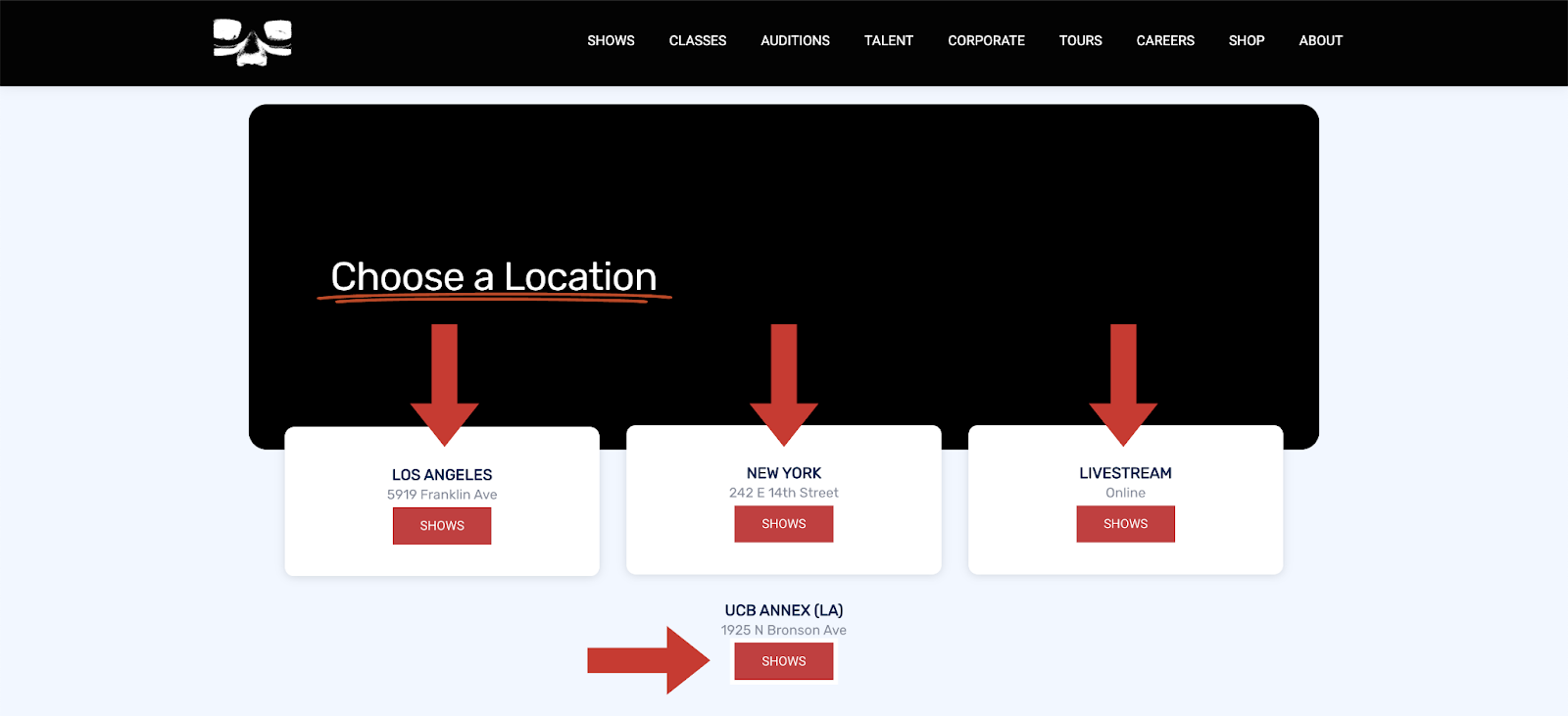
UCB organizes their calendars by location, allowing users to select a venue before exploring the events page. This approach makes sense for a few reasons. Firstly, the majority of people purchasing tickets already know which location they want to attend. Whether it’s New York or Los Angeles, the decision is known ahead of time. By splitting up the calendars, UCB minimizes confusion and makes it easier for users to find events in the right location. With so many shows to choose from, this simple step ensures a smoother, more streamlined experience for attendees—because who has time for confusion when there’s comedy to be seen?
We did notice that because of its position and design, the UCB Annex shows get lost on the page. Adding a white box around the location, like the other ones, would help it stand out.
Default View and Featured Images
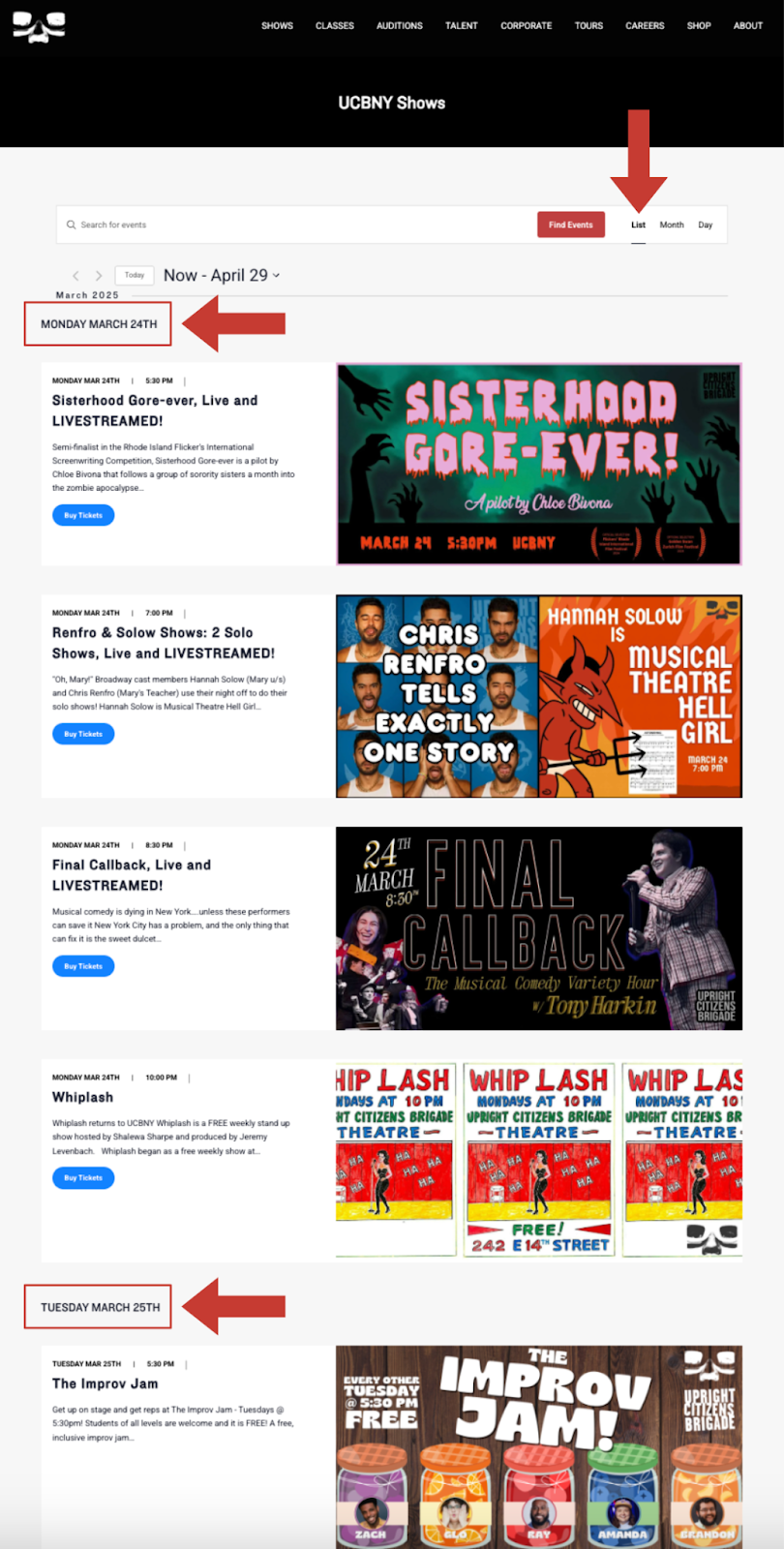
The default view is set to a list, which is very long as you scroll down the page. But, what makes it more manageable is that the events are broken down by individual dates, as shown below. This not only gives the page a nice visual break between each event but also makes it easier to see exactly when each event is taking place.
All the featured images are the same ratio, making the page feel super smooth with no awkward sizing. Plus, the images fit their brand!
Navigation
They utilize a search bar at the top of their event page, making it super easy for visitors to find exactly what they’re looking for. Whether you’re hunting for a specific actor or trying to track down a show you loved in the past, you’re able to find what you’re looking for.
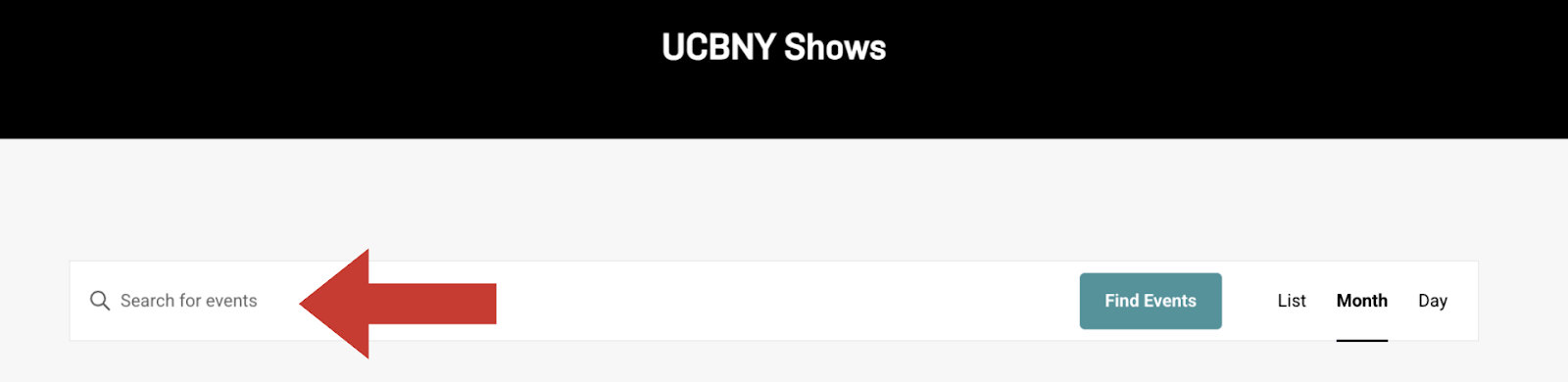
Pro tip: Adding Filter Bar could make finding events even easier!
Our Favorite Parts of the Main Events Page
There’s so much we can learn from their main events page. Our favorite features are:
- Their branding: The strongest event calendars feel cohesive to the brand. UCB is consistent with their brand, creating a sense of joy and energy throughout the entire site.
- The up-to-date and dynamic list of shows: This calendar is packed with a constant flow of shows, offering a wide range of performances to keep excitement going.
- The easy-to-find calendar: Whether you’re on the homepage, the site’s main menu, or down at the footer, the calendar is just a click away.
Single Event Page
Let’s click on an event and check out what the single event page looks like. It was surprisingly difficult to choose just one event to feature– their branding makes me want to choose every one!
The Key Details
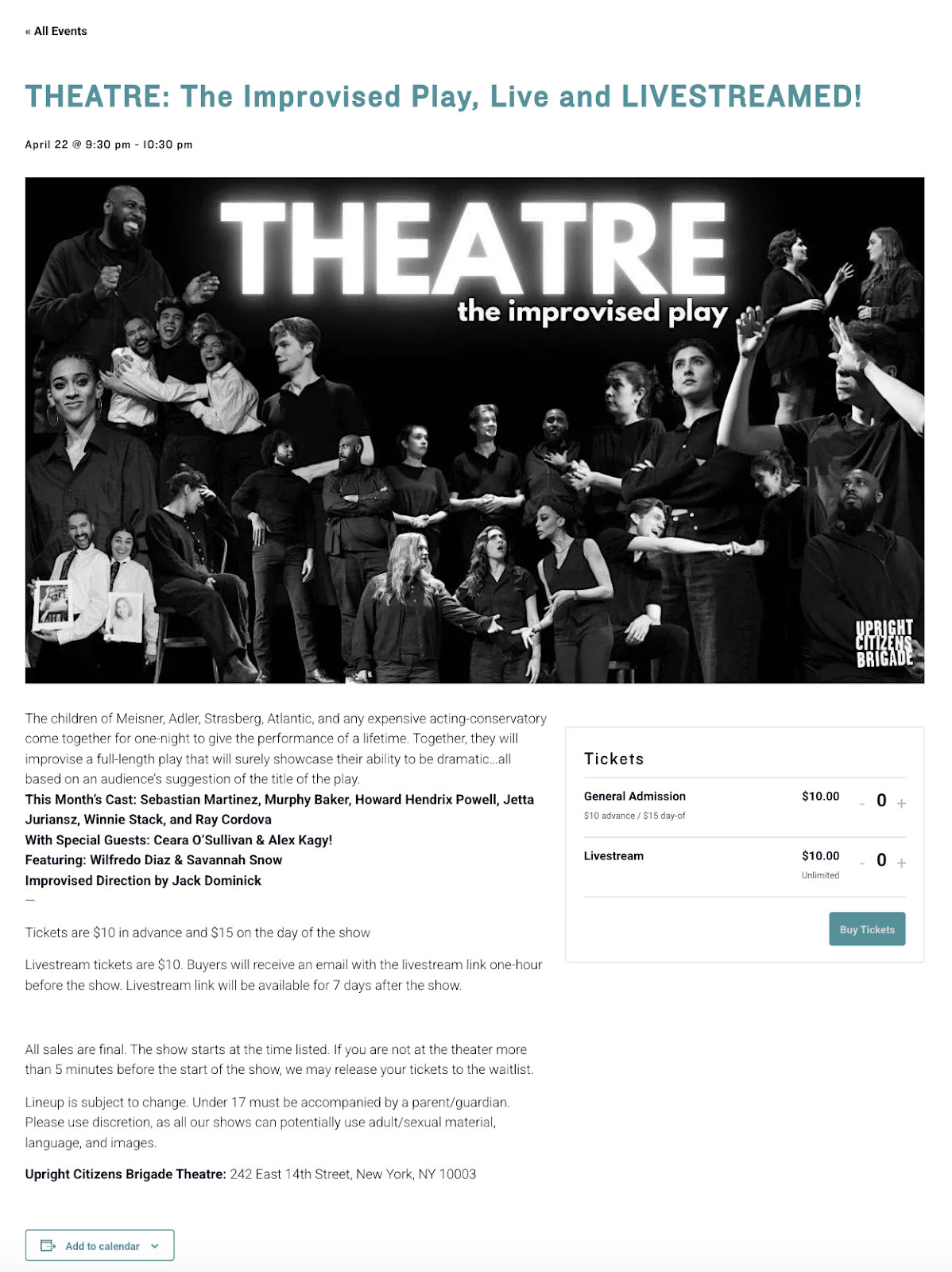
When looking at the single event page, I’m immediately greeted with the title, date, time, and graphic. Then comes the description, which gives a quick peek at what the show’s all about—super helpful! The cast is also listed, which is key for this kind of calendar. Pricing info is included (okay, maybe not the most exciting, but totally necessary!) And at the bottom, there’s a disclaimer and the venue address. Everything you need, all in one place!
To improve the readability of the event description, they could use emojis or bolded titles to break up the different sections. Emojis add a visual element that helps guide the reader’s eye, making key details stand out in a fun and engaging way. Bolded titles or headers would allow users to easily scan the page and quickly identify the most important information, like event times, locations, or special highlights. These small tweaks would not only make the page more visually appealing but also improve the overall user experience by making it easier to navigate through the details.
Ticketing with Event Tickets Plus
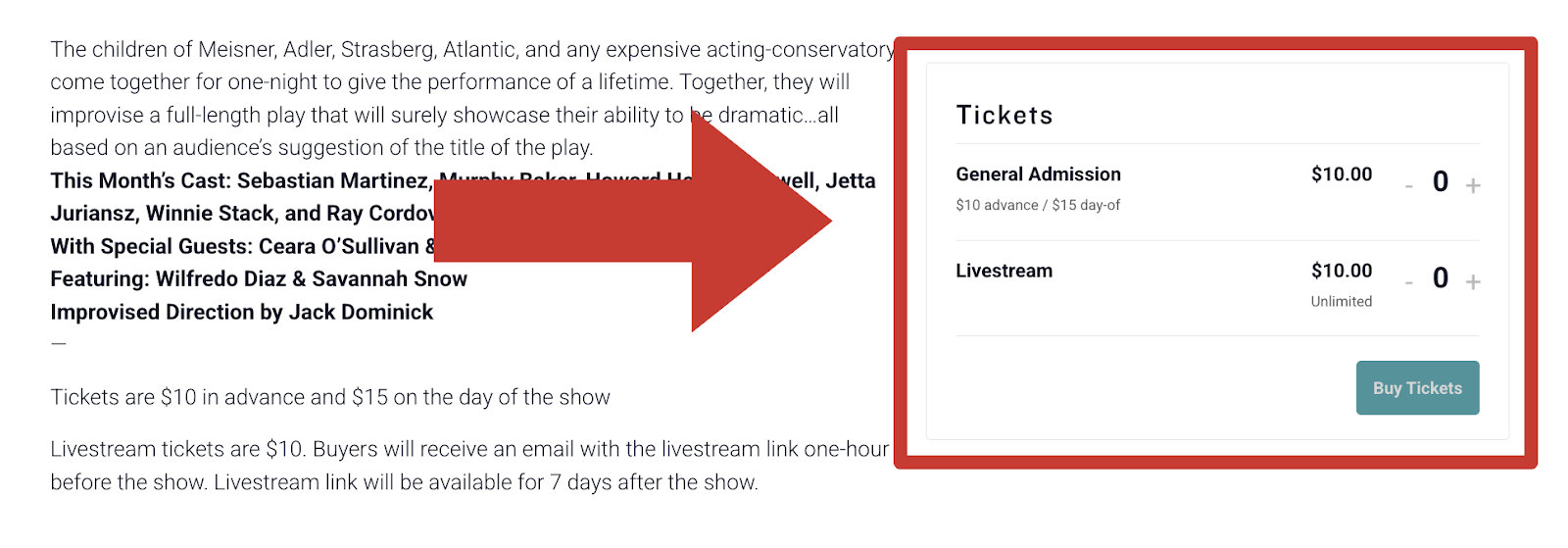
On the right side of the event page, you’ll see the ticket section, with prices clearly listed and a prominent button to make your purchase. It’s cohesive with the rest of the page, and the “buy tickets” call-to-action is right there, making it easy to take the next step.
When you click to buy tickets, you’re taken to the checkout page. Purchasing tickets is friction-free as users simply need to enter their name, email, and card number. The easier the checkout experience, the better. The checkout page also lists disclaimers and email contacts with any questions, helping to reduce and streamline questions.
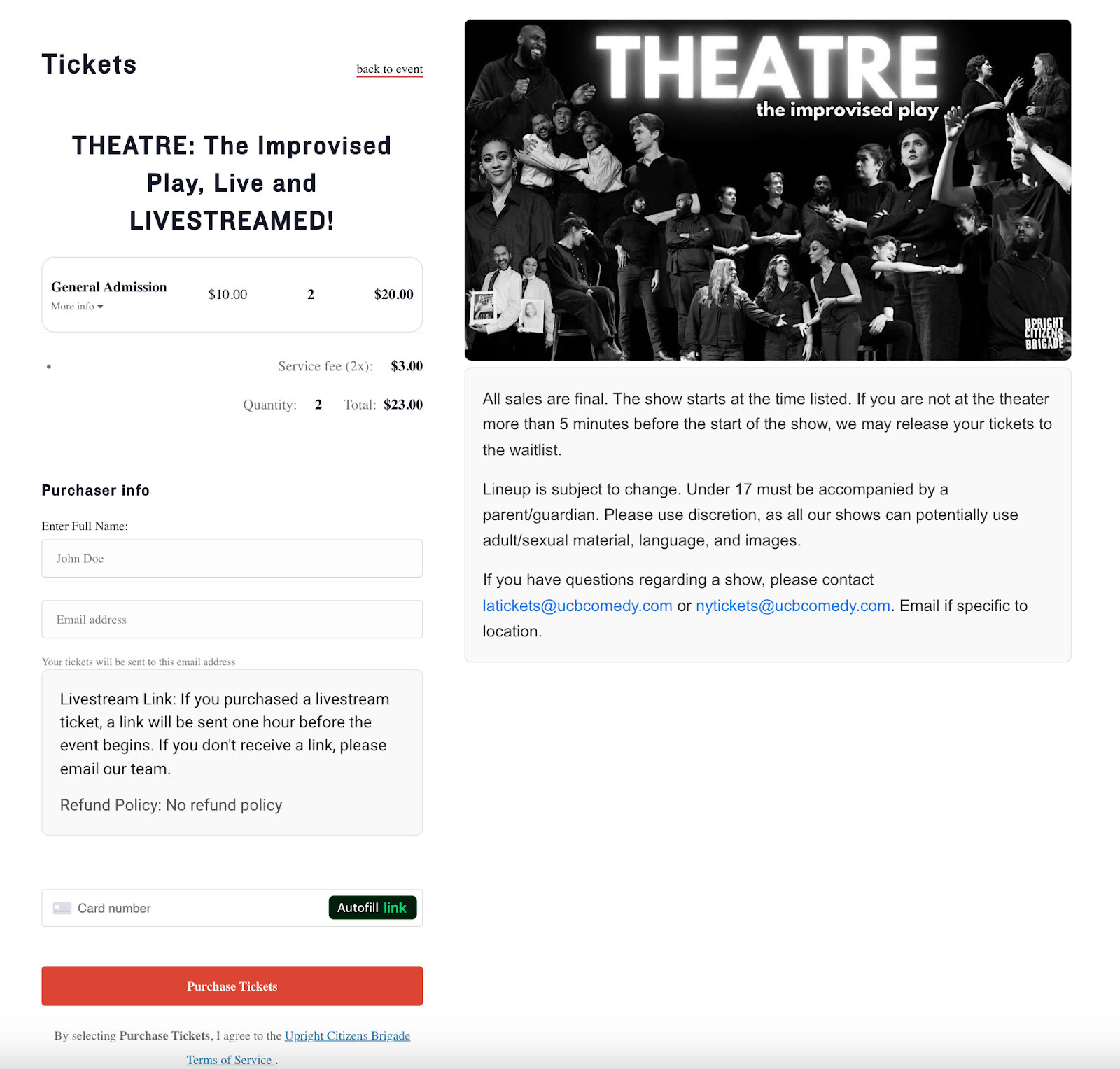
To make ticketing easy, they use Event Tickets Plus (which we obviously recommend!). Using our Event Tickets plugin gives you ticket management, custom ticket types, purchasing insights, customized email confirmations, virtual event options, and more. It also integrates perfectly with The Events Calendar, which is why UCB’s purchasing flow feels so smooth and effortless.
Headshots and Bios of the Talent
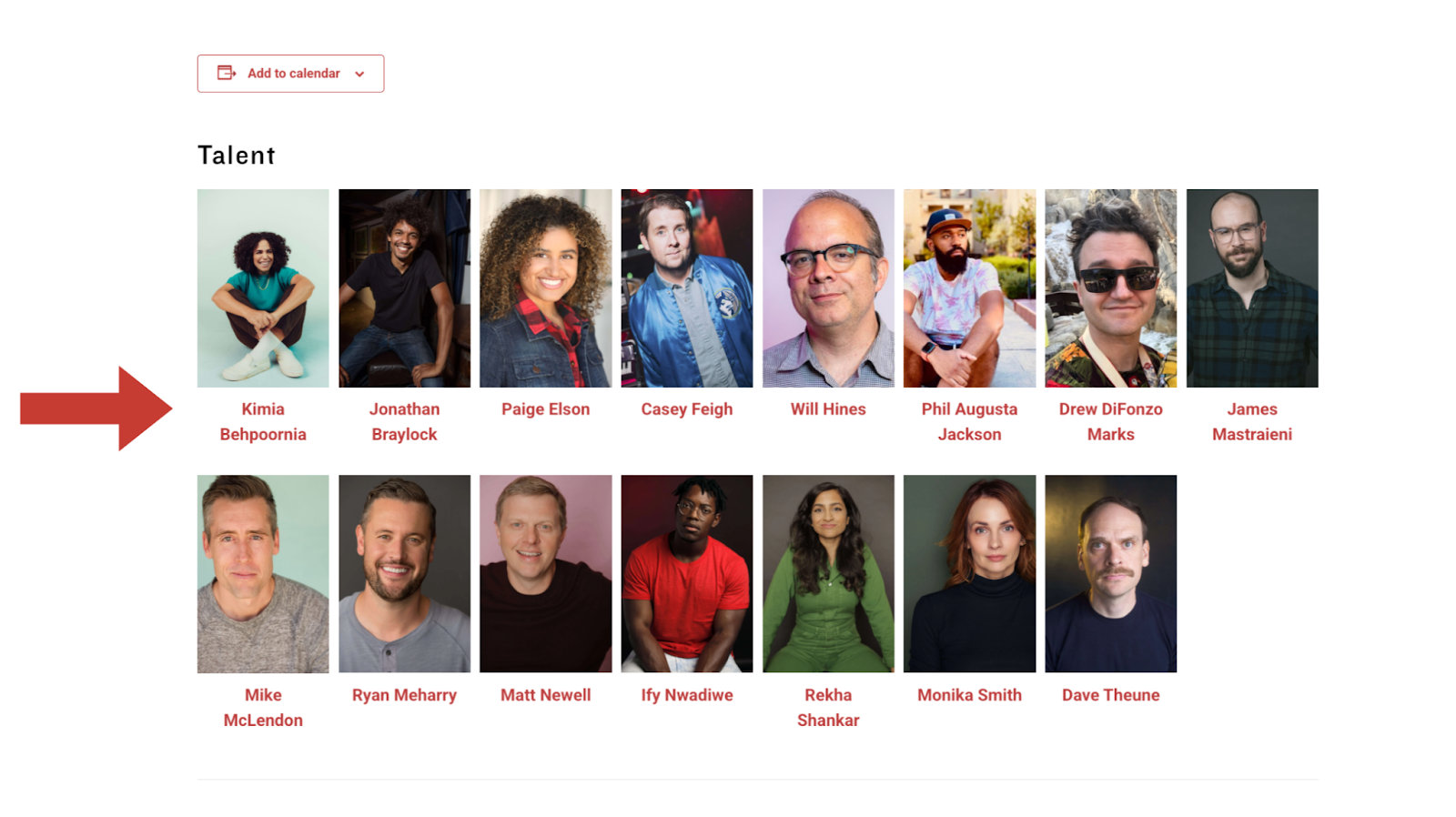
Another fun feature of their pages? Many of their listings have headshots of the performers! By clicking on a headshot, you’re taken to the performer’s biography. It’s a great way to highlight the talent and give fans a chance to learn more about them.
Main Takeaways from the Single Events Page
Overall, they’ve crafted a descriptive and user-friendly single event page. What we love about it:
- All the essential information is clearly displayed.
- Seamless ticketing that aligns with their brand, is straightforward, and easy to navigate.
- A dedicated headshot and bio section right within the event details.
Mastering Both Comedy and Creating an Engaging Calendar
UCB has truly mastered the art of an engaging calendar. From their dynamic calendar to their user-friendly single event pages, every detail is designed to keep visitors both informed and excited. Their strong branding creates a fun and immersive atmosphere, while the ticketing system ensures a smooth process from start to finish.
We can’t wait to see how they continue evolving their calendar with Events Calendar Pro and Event Tickets Plus! We’re cheering them on, and I’m personally excited for the next time I can see one of their shows.
Check out our products if you’re interested in creating your own events calendar. You can even set up your own demo site to try them out. Your own branded events calendar is just a few clicks away!

Sarah
View author page