Featured Calendar: Carnegie Library

Estimated reading time:
1 minute
In this month’s customer spotlight, we’re shining a light on the Carnegie Library and their community-focused events calendar. There’s always something happening at this library—from enriching educational workshops to engaging community events. With such a vibrant range of activities, keeping track of it all can be a challenge. That’s why they use The Events Calendar to manage events.
This calendar is a powerful tool that helps the library promote its offerings while ensuring no one misses out on a program. We’ll get into what makes the Carnegie Library’s calendar stand out, along with some suggestions to make it even better!
The Main Events Page
General Design
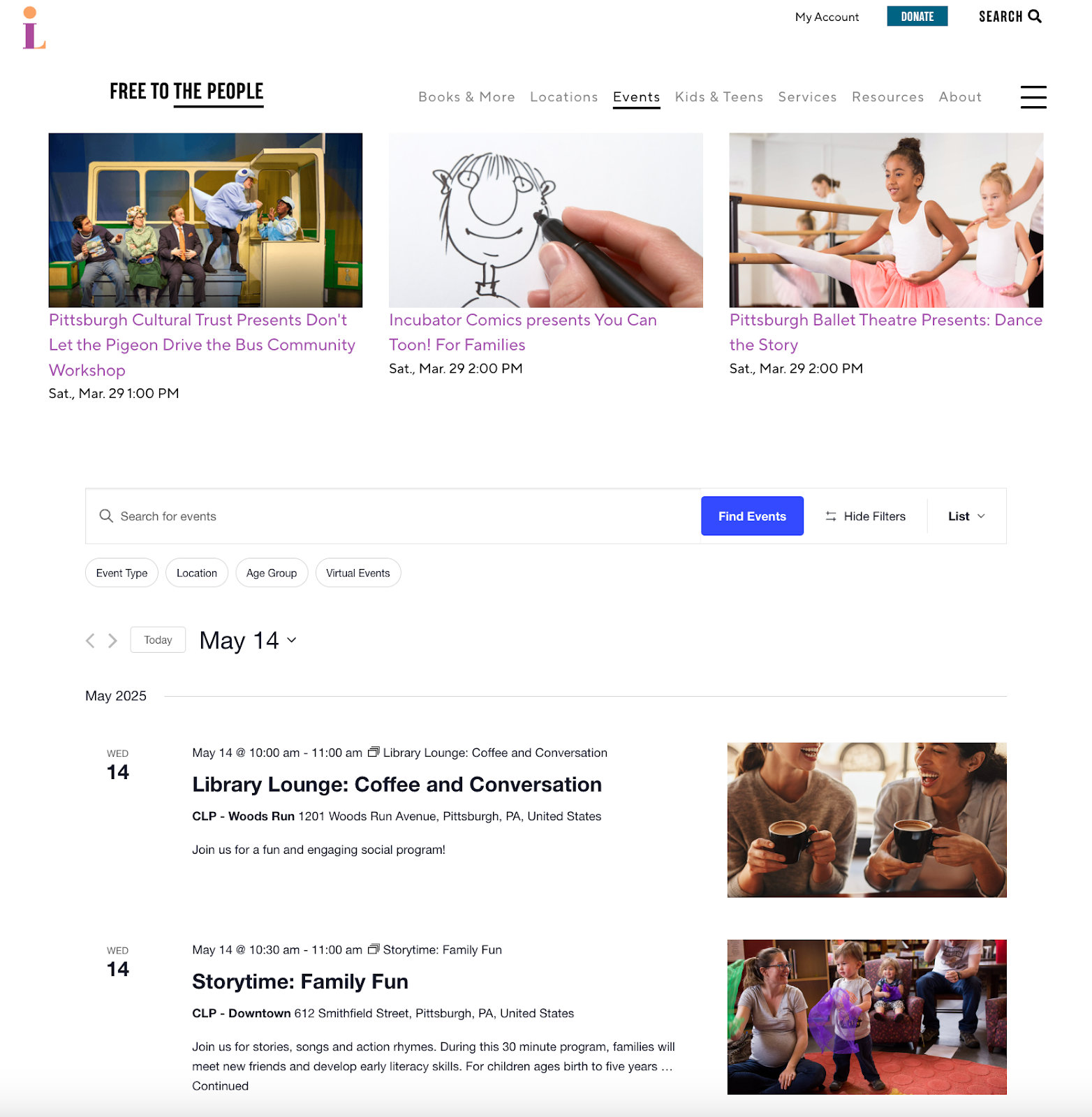
The general design of the Carnegie Library of Pittsburgh’s Events Calendar is both functional and consistent to the brand. Here are some key design elements we noticed on the page:
- Clean and user-friendly layout: The calendar features a clean and straightforward layout, ensuring that visitors can quickly navigate and find events. The design prioritizes usability, with clear headings and descriptions, minimal distractions, and logical organization by date.
- Responsive design: The calendar adapts well to all devices, whether it’s a desktop, tablet, or mobile phone. The responsive design ensures that users have a seamless experience, regardless of the device they use to access the calendar.
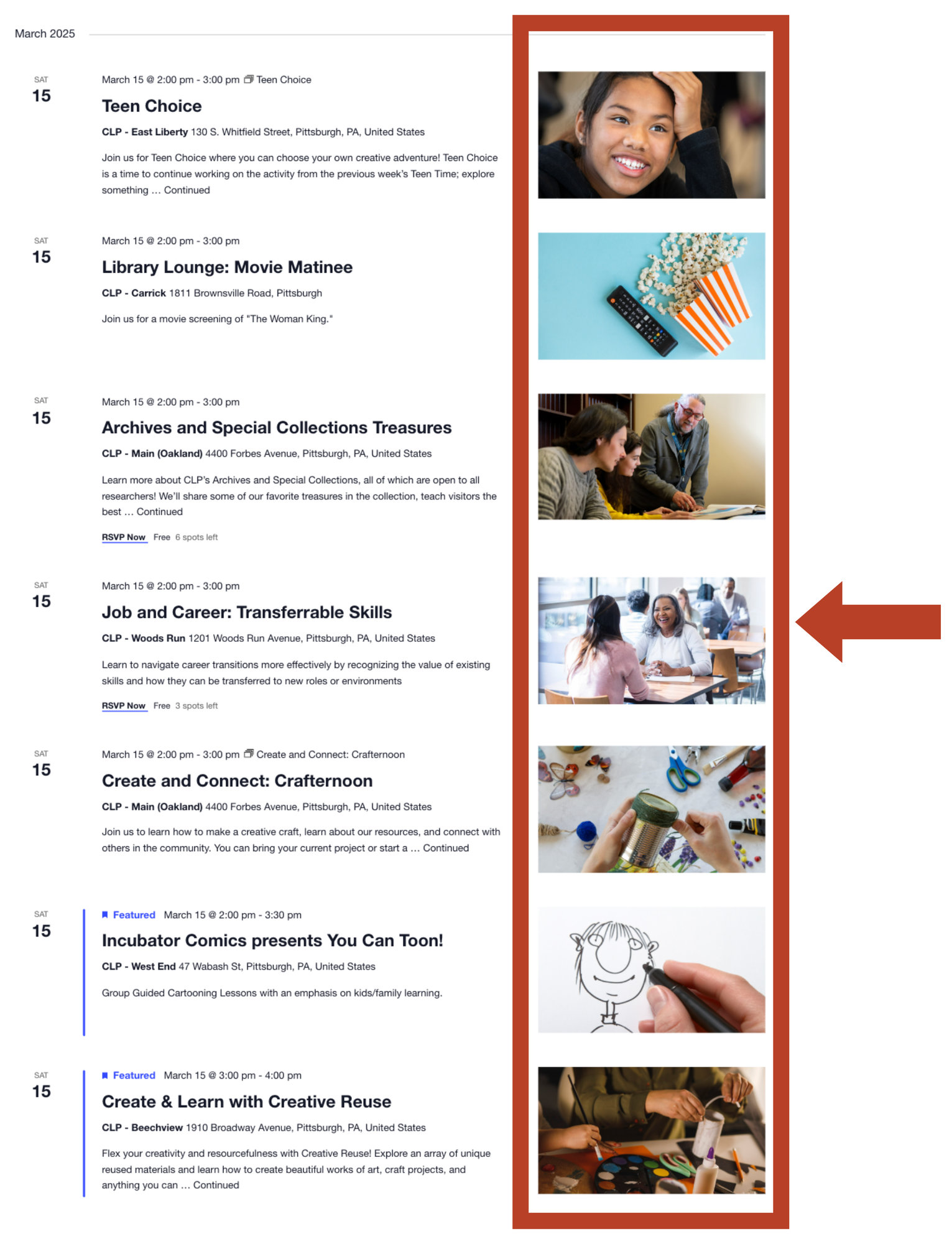
- Use of visual elements: The selected featured images and bright colors align with their brand. The featured images do a great job getting an accurate preview of each event, adding an element of interest and aiding users in quickly identifying events of interest. (More on this later!)
- Legible typography: The typography is clear, legible, and appropriately sized per element, ensuring that event details are easy to read on any device. This helps improve the overall accessibility and ensures users can engage with the content without straining their eyes.
- Three featured events: They put three featured events above the calendar. Although it’s an effective way to draw attention to events you want to showcase, the placement of these featured events could be improved, perhaps by adding more space between them and their main menu.
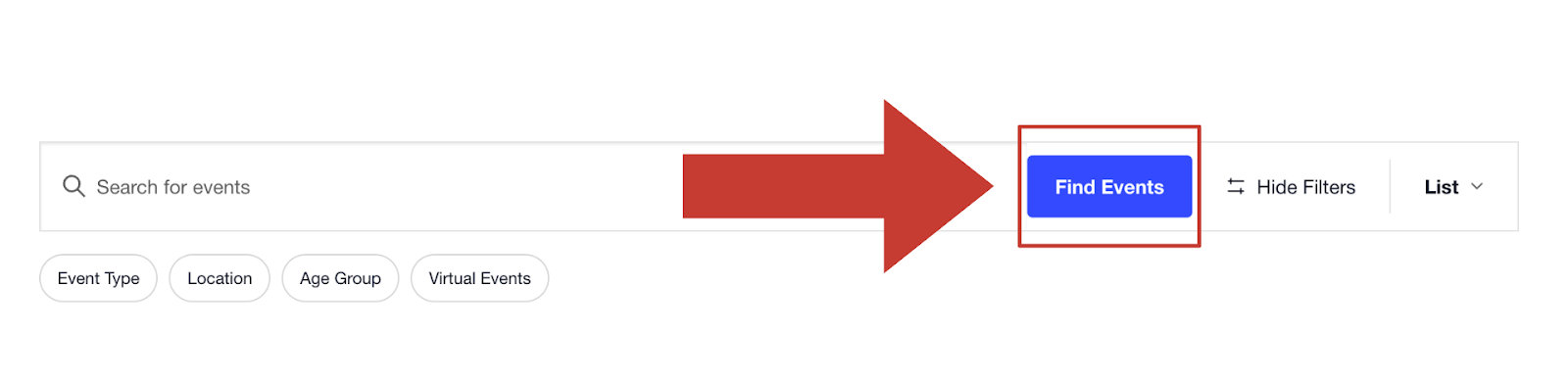
- Colors: The Carnegie Library’s purple and yellow brand colors are present on the calendar page, which is great! However, there’s potential to use their colors more throughout the calendar. For instance, the Find Events button could be updated to match their purple or yellow brand colors.
Views
The calendar’s default layout is the list view. It is easy to navigate, making it simple for users to find exactly what they’re looking for, whether they’re interested in a book club, a youth program, or a special event.
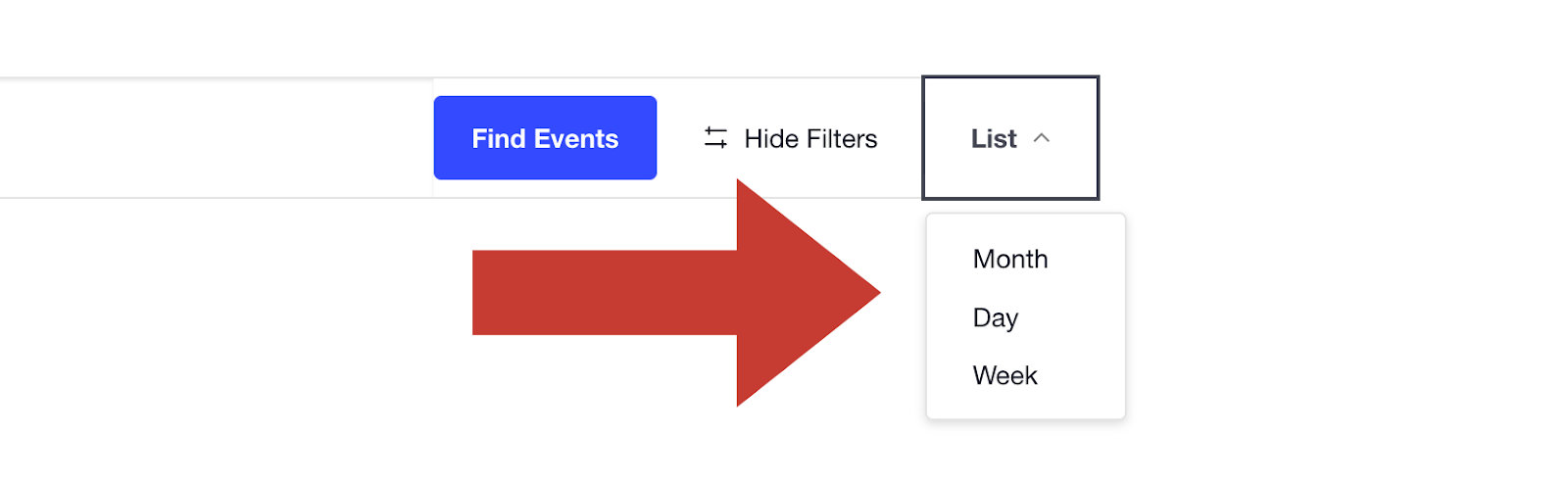
Users can switch between different calendar views, such as month, day, and week. This feature is useful for those who prefer to view the calendar in a different format.
Navigation
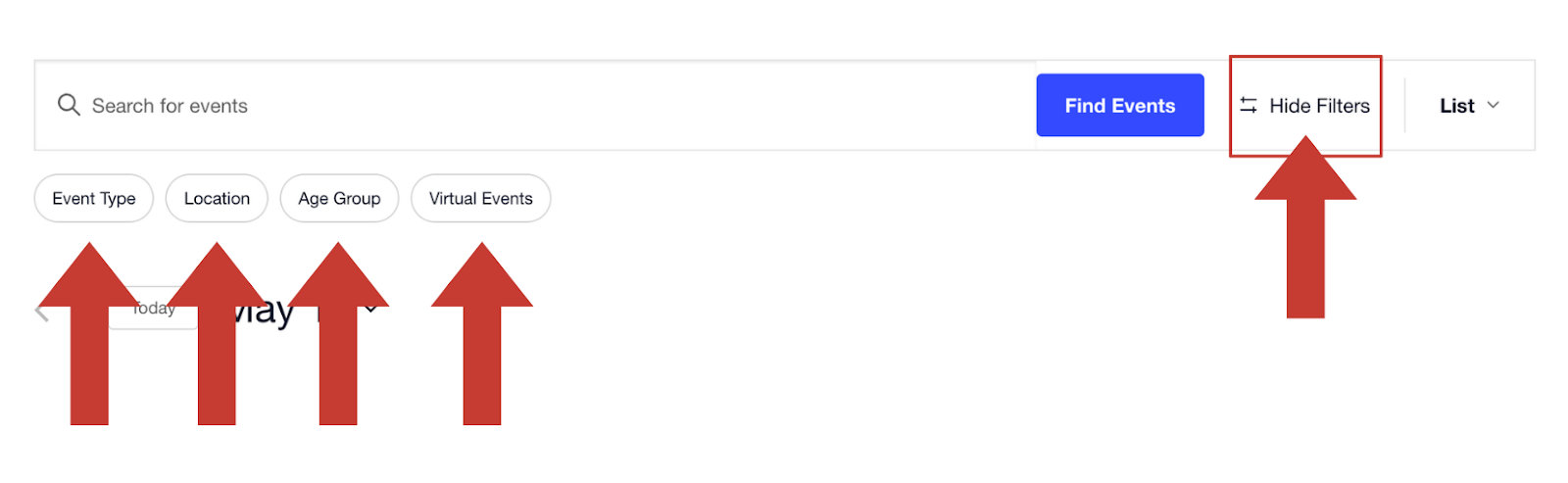
One of the standout features is the ability to filter events based on categories, dates, or locations, offering personalized browsing that suits each individual’s needs. This is available with Filter Bar!
The filters available on this calendar are event type, location, age group, and virtual events. Users also have the option to hide filters and search for events using the search bar. Whether a patron is looking for an online program or a hands-on workshop at one of the library’s branches, they can find events quickly.
Recurring Events
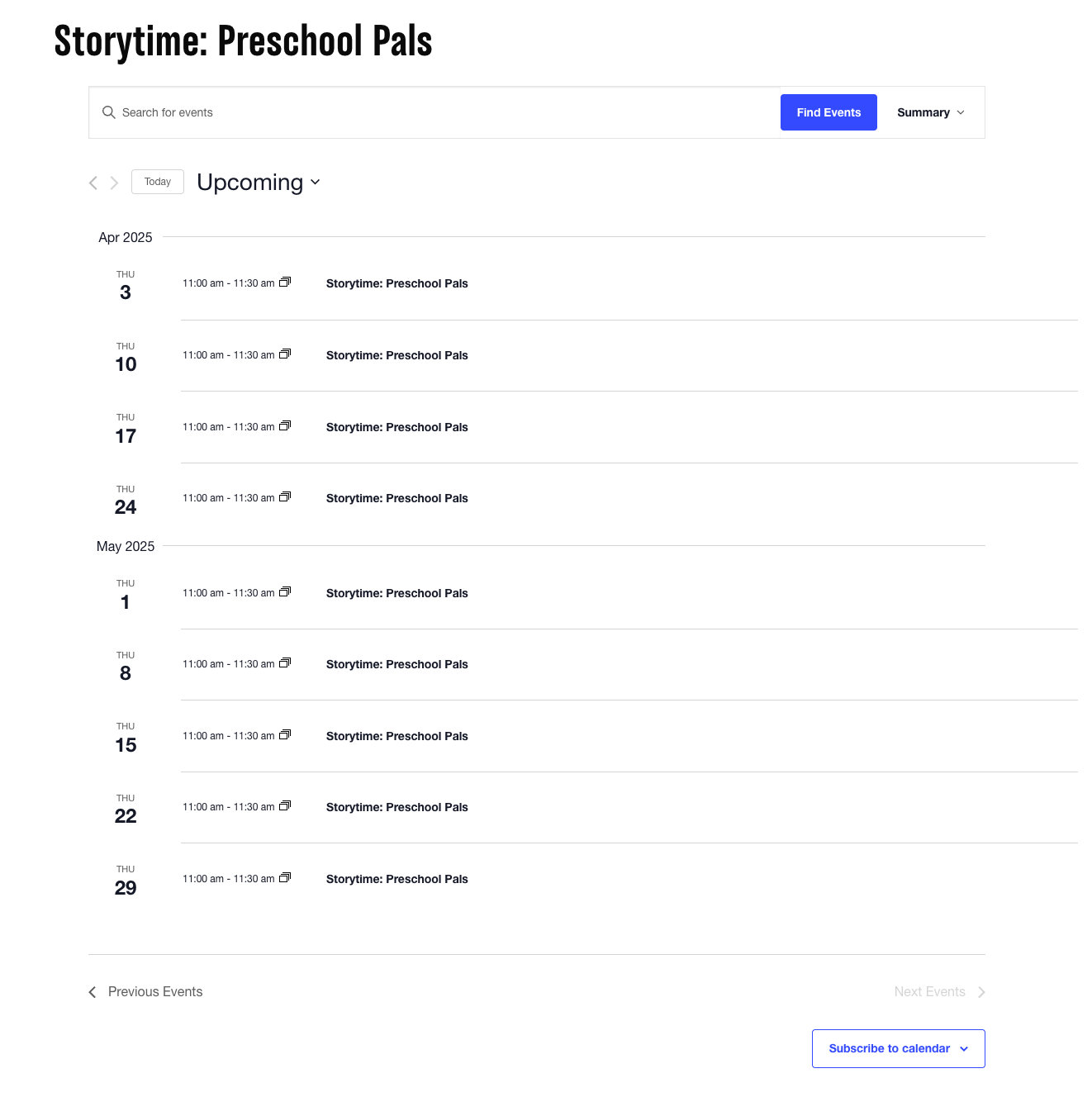
Another fantastic feature is the integration of recurring events. For programs that happen regularly—like weekly storytimes or monthly author readings—the calendar automatically generates recurring entries, making it effortless to showcase these ongoing events. This reduces administrative workload while ensuring consistency in the events listing. And, it makes it easier for website visitors to catch the next dates and times!
Featured Images
Featured images are a consistent ratio, which we love to see! The images also are branded very well. They choose images that give a preview into the event, adding an element of interest, aiding users to know about the events at a glance. The best images help users navigate through the calendar quickly while limiting distractions. In that way, this calendar gets it right!
Single Event Page
Clear and Concise Information
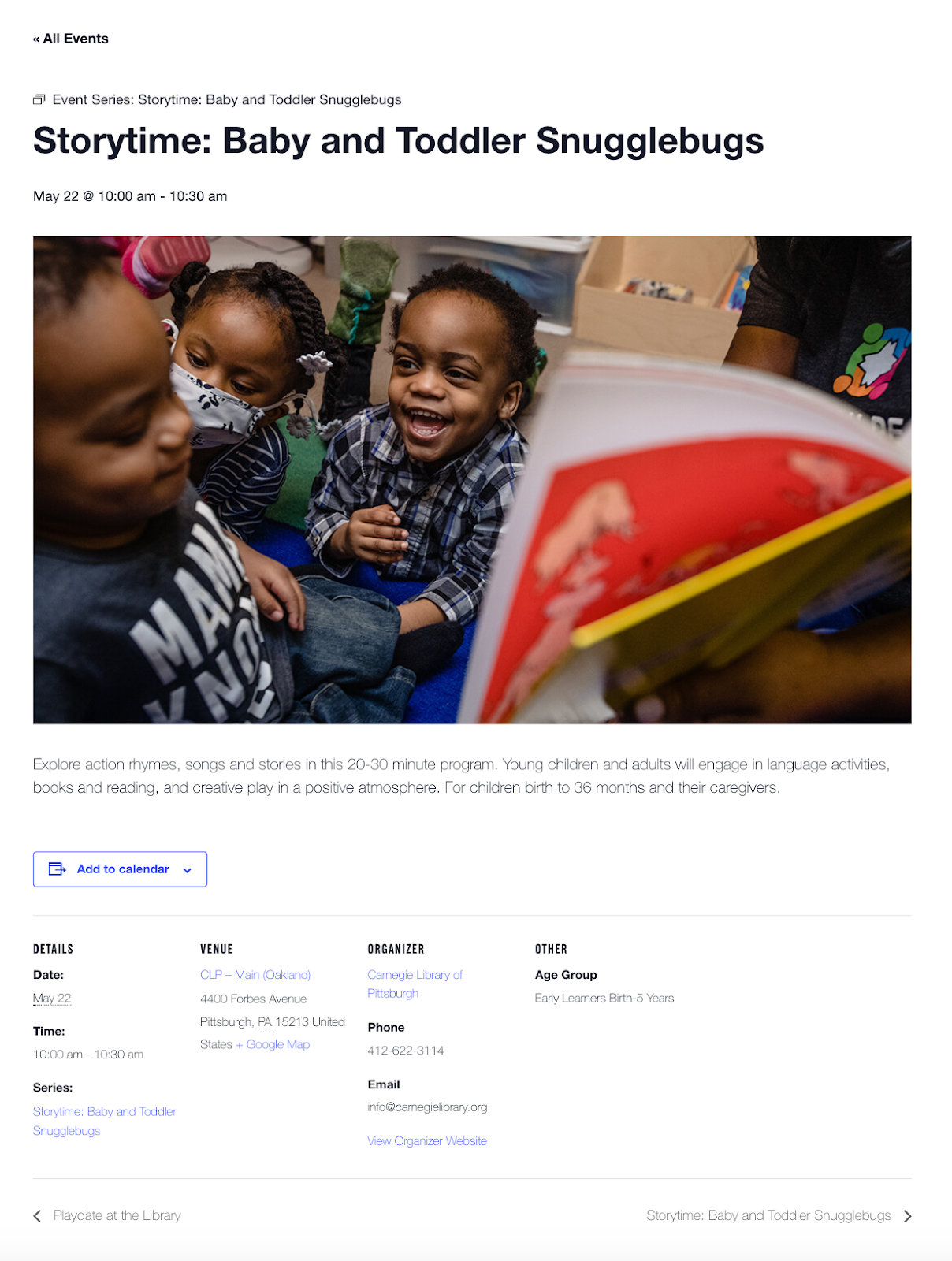
The title and description are straightforward and easily understandable, making it clear what the program is about. This clarity lets users know exactly what to expect. Additionally, the date and time are prominently displayed, reducing confusion and making it easy to plan ahead.
Recurring Event
If the event is recurring, such as the one above, that is indicated above the title. Users can then view the other scheduled times for that event. Easy and convenient!
Navigation
The page is also easy to navigate, with clear links to other events and the ability to return to the main events calendar. This makes browsing other events convenient if a visitor is looking for more activities to attend.
All in all, it’s a well-designed, easy-to-navigate experience with clear, engaging information, all of which are key for making the event more accessible and appealing to its target audience.
Highlights of Carnegie Library’s Calendar
The Carnegie Library of Pittsburgh’s Events Calendar is the ultimate go-to guide for everything happening at the library! My favorite parts of the calendar are:
- Effective and useful event images: These branded images offer a sneak peek into the event, making them engaging and helping users spot events quickly.
- Concise and clear single event pages: Each event page is clear, concise, and clutter-free—making it super easy for parents to get all the details they need.
- Filter bar: The real magic comes with the ability to filter events by category, date, or location—so you can quickly find that perfect program, whether it’s a cozy storytime or a hands-on workshop.
- Recurring events: Recurring events simplify browsing because you can see the future sessions on a single page.
Serving the Community with an Events Calendar
The Carnegie Library’s event calendar is flowing with events. From its easy-to-navigate design and responsive layout to its vibrant event images and handy filtering options, the calendar makes it simple for users to discover and engage with library offerings. The library’s calendar is a shining example of how technology can enhance the community experience. With a few tweaks, it could be even more powerful, but as it stands, it’s already a key resource for anyone looking to explore all the wonderful things happening at the Carnegie Library!
It’s time to join The Carnegie Library and hundreds of others in creating event calendars. If you’re a nonprofit, we also offer a discount for you! Check it out.

Sarah
View author page