

Forum Replies Created
-
AuthorPosts
-
Courtney
MemberHi Douglas
You could use a shortcode on any page you create to limit to the category. It’d look like this:
[tribe_events view=”list” category=”barbecue”]
Or you could add a link in your menu, etc. like this:
http://wpshindig.com/events/category/learning/
Would either of those work for you?
Thanks
Courtney 🙂MemberHi Dave
When you use your Pro license on multisite, you are still covered for support and updates. Each sub-site would count toward one of the activations within your Pro license. The only drawback to this is that the updates will have to be done manually for now. I hope this bug gets resolved soon.
Is there anything else I can do to help you?
Thanks
Courtney 🙂May 2, 2017 at 9:21 am in reply to: Events Calendar Pro no longer working – not showing events #1277323MemberHello Thierry
Can you run through the Testing for Conflicts guide and let me know if you discover a plugin or theme conflict? If so, I’d like to know which it is.
I’ll keep a close eye on this issue. I see you’ve got our most recent update rolled out yesterday, so I want to watch for any new bugs.
Let me know what you find please.
Thanks
Courtney 🙂MemberHi Matt
I’ve recorded a quick video to show you this in action:
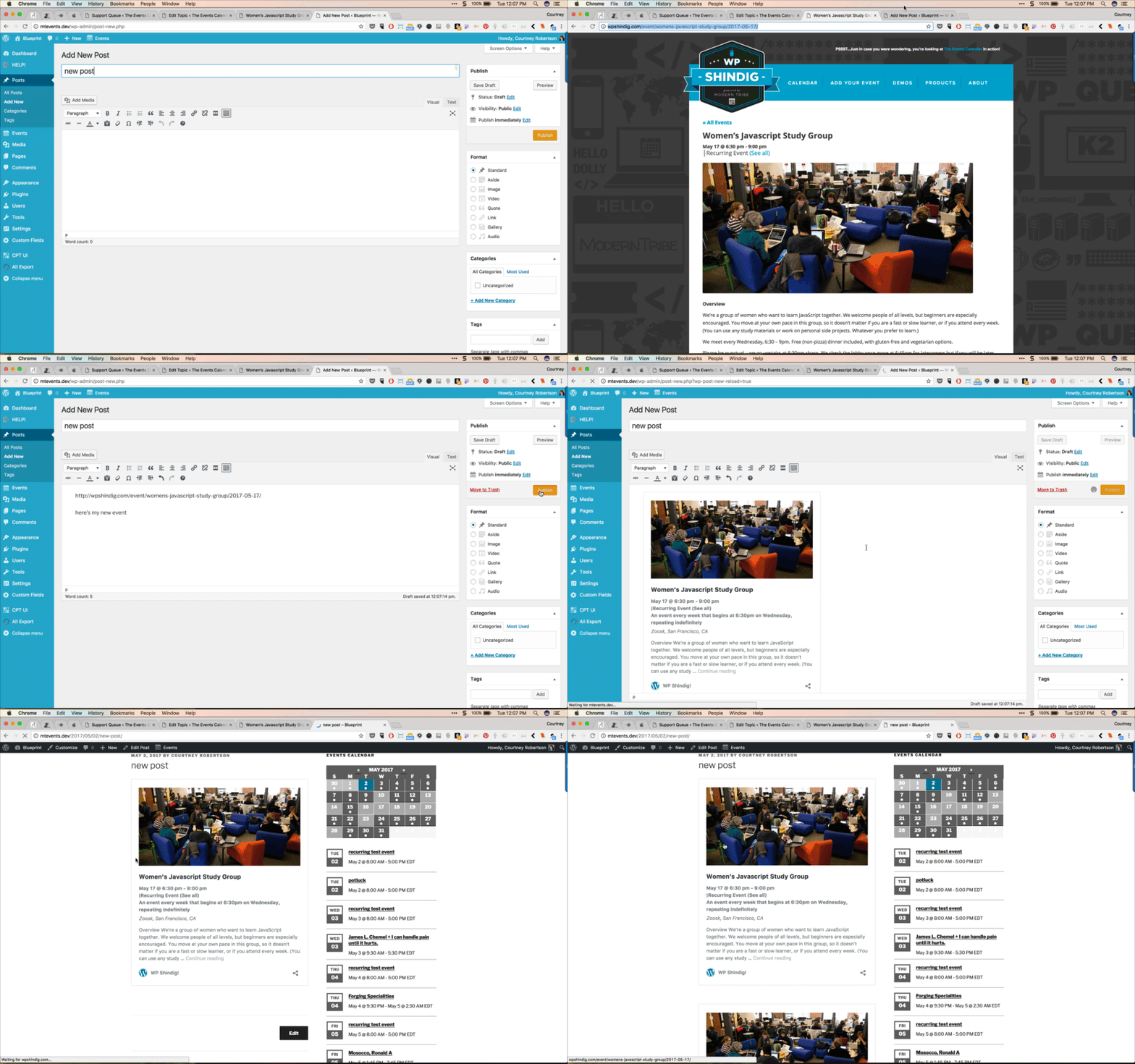
Are you doing the same thing? Is it working now for you?
Thanks
Courtney 🙂MemberHi Micah
We’d be happy to help sort that out for you.
Please send an email to
support [at] theeventscalendar [.] com
Thanks
Courtney 🙂MemberHi Barb
Have you tried using the [tribe_mini_calendar] in your sidebar? This might be what you are looking for.
Let me know if this works for you.
Thanks
Courtney 🙂May 2, 2017 at 7:19 am in reply to: Can I convert my single site license into a multi-site license? #1277241MemberHi Tracey
We’d be happy to help sort that out for you.
Please send an email to
support [at] theeventscalendar [.] com
Include with it the account name that the original purchase was made with.
Thanks
Courtney 🙂MemberHi Monty
We’d be happy to help sort that out for you.
Please send an email to
support [at] theeventscalendar [.] com.
Thanks
Courtney 🙂MemberHi Simon
That does sound like a real pain!
Can you run through our Testing for Conflicts guide? Disable all other plugins, and even try using a default WordPress theme, such as Twenty Seventeen. Then upload the pro plugin and see if that works.
I hope it’s just a simple conflict. That is usually easy to resolve.
Thanks
Courtney 🙂MemberHi Luis
You can edit the recurring events by going to WP-Admin Dashboard » Events and mousing over the intended event. Select “Edit this event”.
The downside is that edited events will not display in the recurring series on the front end of the site. They will appear as single events this way.
Is there anything else I can do for you?
Thanks
Courtney 🙂MemberHi Sean
At this time, our Event Tickets plugins do not offer the options you’ve displayed above.
Is there anything else I can help you with?
Thanks
Courtney 🙂MemberSorry about that Nick, Eventbrite is not included in our non-profit program.
Thanks
Courtney 🙂MemberHi Joe
You can showcase a featured event by also using the Featured Event filter in a shortcode.
What view are you trying to use?
Thanks
Courtney 🙂MemberHi Heather
Do you have a way to make a staging site that I don’t have to log in to see?
The best way to provide the CSS code to resolve this issue is by looking at the page’s CSS code.
Thanks
Courtney 🙂MemberThanks Taryn 🙂
-
AuthorPosts