Forum Replies Created
-
AuthorPosts
-
Janice Palmer
ParticipantHi George,
The ampersand doesn’t seem to be the issue:
– the actual ‘tickets’ are starting at the number 1 (as in BB-1)
– the invoice starts with the correct number as indicated in the Woo Sequential Numbers extension (as in BB-10001)So I have created a workaround as follows:
– I will start my Woo numbering system to match what the Tickets Plus plugin is displayingJanice
ParticipantThank you George,
It had no effect.
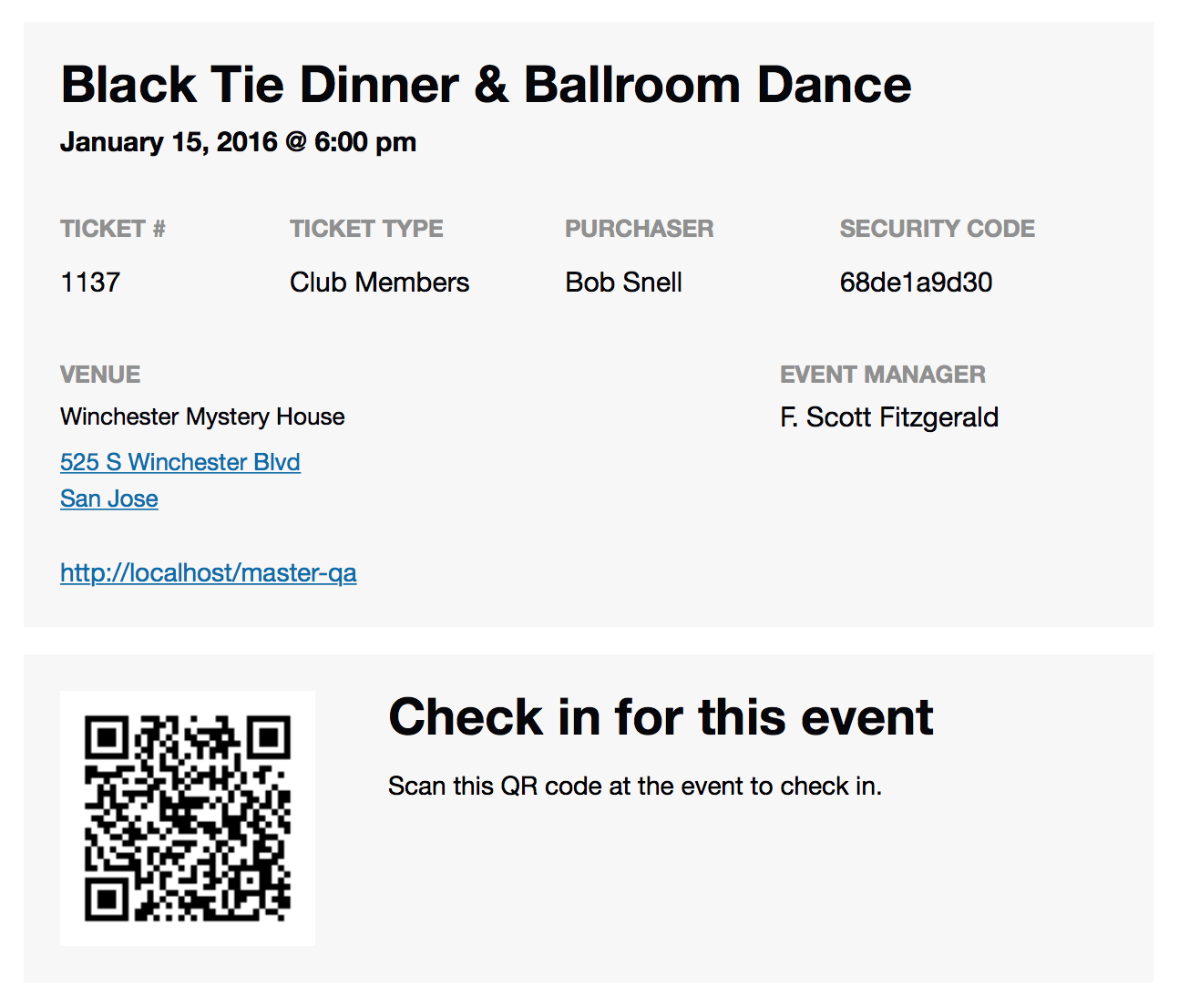
Looking more closely at the code now and I was actually referring to the security code not the QR code. For example, in the row containing the ticket details it says:
TICKET # TICKET TYPE PURCHASER and then SECURITY CODE 1938a45722I want to remove the security code but keep the QR code.
Janice
ParticipantThank you George, that seems to be the only issue.
It looks like the use of the ampersand is not supported (although the woo documentation indicates that any character can be used) so it’s likely a conflict (the &-sign typically gets converted to & on the web). I can try changing the B&B to BB and see if that allows the numbering to work correctly.
The ticket numbering is really important – is there a way of altering the ticket numbers using the Tickets Plus plugin?
Thank you,
JaniceParticipantParticipantThank you !
ParticipantThank you, yes, that would be helpful.
We tried hiding the date but it didn’t work; that would be an option too, if you can tell me how to hide the date.
We would like the one-day ticket to have the option of attending either day.
Janice
ParticipantHello Geoff,
Apologies for a late response, crazy week, lol.
As per your steps, I saved the timezone settings and created a test recurring event.During my testing, I then noticed something odd.
– when I created the event, set it to private and try to view, it came up as 404
– when i set it to public however, I could then view it
– this was when I was still logged inIn other words, if the event is set to private, the /all/ goes to 404
but if the test event is set to public, it works.Hopefully, this makes sense.
I’ve enclosed an updated DB if this helps in the same Dropbox link.
Pat
ParticipantHello Geoff,
we’ll try the steps as soon as we can and let you know.ParticipantThis reply is private.
ParticipantHmmmm …. I had not noticed this before …
Event Settings >> General
Timezone Settings
Enable timezone support Update Timezone Data
Click this button to update your database and take advantage of additional timezone capabilities. Please configure WordPress to use the correct timezone before clicking this button!ParticipantUnfortunately it didn’t help the recurring events problem.
Will send a copy of the DB tomorrow.
Thank you
Janice
ParticipantThanks Geoff, I haven’t had a chance to test the recurring events again, however, I did notice that the clock on the wp-page-editor was 7 hours off; e.g. I was editing the text on a page and decided to restore a previous edit and it said the edit was completed 7 hours ago – and as soon as I changed to UTC-7 it changed to the correct time.
Autosave by aolevents
7 hours ago (11 Jan @ 08:58)Janice
ParticipantYou are welcome to do whatever testing you would like on the TEST site, not the live site:
http://test.totallyairdrie.com/I will be interesting to see what happens on March-13-2016 when the clock moves forward; if will I need to change my time zone mode again…
I see that some places have different dates for the clock change:
http://www.timeanddate.com/time/dst/2016.htmlThanks again for all your help.
Janice
ParticipantWe also noticed the following:
– Setting the recurring event to a past start date will show 404 for all the duration period.
– However, if we set the start date to today or to a future date, all the recurring events work.ParticipantOK, so we’ve decided that we are going to use CSS to hide the (See all) links.
-
AuthorPosts