
Home › Forums › Ticket Products › Event Tickets Plus › Hide Security Code on Tickets
- This topic has 9 replies, 3 voices, and was last updated 10 years, 4 months ago by
Janice Palmer.
-
AuthorPosts
-
June 8, 2016 at 7:14 pm #1124247
Janice Palmer
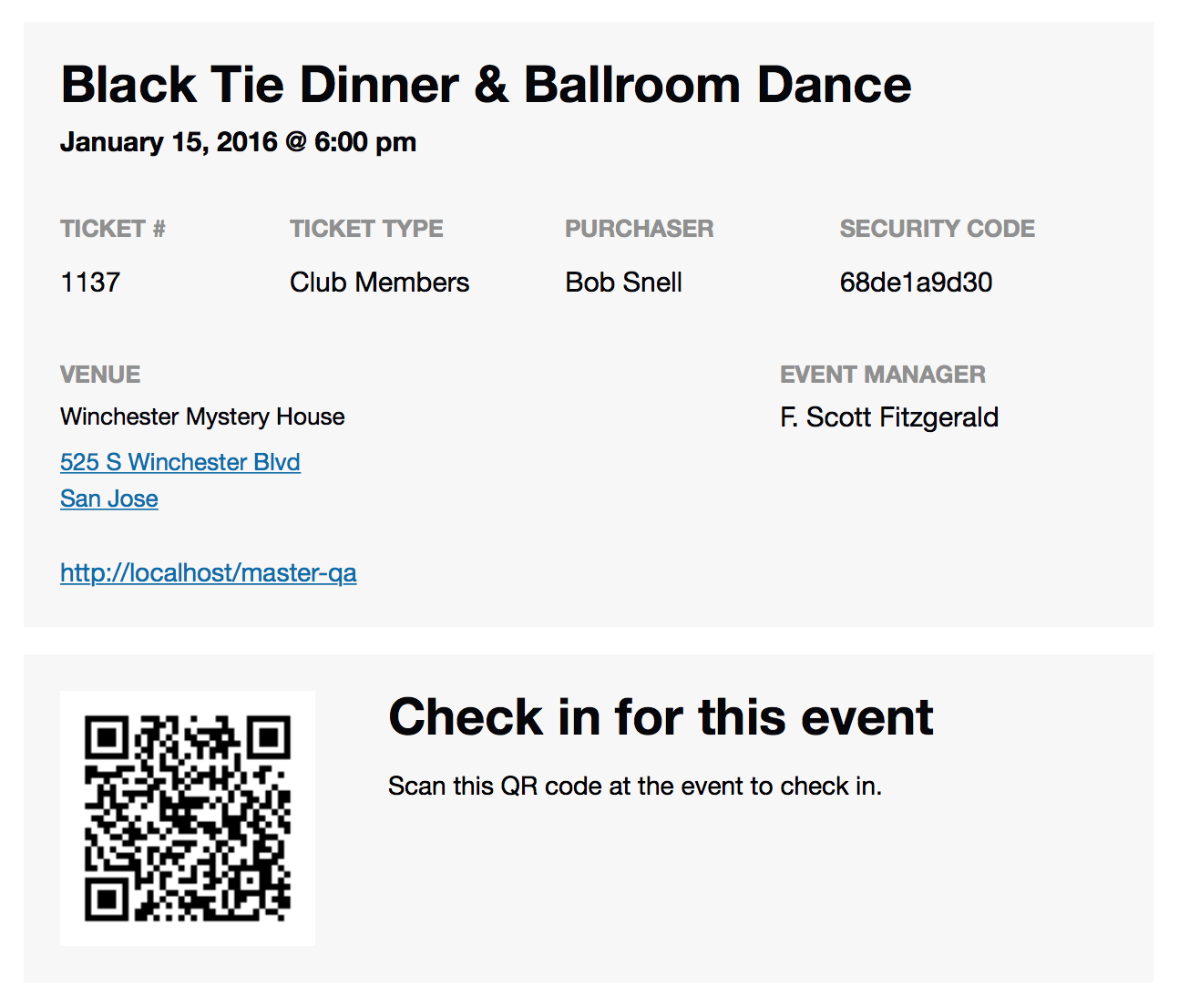
ParticipantIs it possible to hide the SECURITY CODE on the Ticket that is emailed to the purchaser?
Thank you,
Janice Palmer
Airdrie Web Design Ltd.June 8, 2016 at 7:14 pm #1124248ParticipantJune 9, 2016 at 7:04 am #1124443George
ParticipantHey @Janice,
Thanks for reaching out. This is possible, but unfortunately only with a bit of custom coding.
Try heading into your theme’s functions.php file, and add this bit of code there:
add_action( 'init', 'tribe_remove_qr_from_email' );

add_action( 'admin_init', 'tribe_remove_qr_from_email' );
function tribe_remove_qr_from_email() {
remove_action( 'tribe_tickets_ticket_email_ticket_bottom', array( 'Tribe__Tickets_Plus__QR', 'inject_qr' ) );
}
☝️ Let us know if that helps!
— George
June 9, 2016 at 7:18 am #1124453ParticipantThank you George,
It had no effect.
Looking more closely at the code now and I was actually referring to the security code not the QR code. For example, in the row containing the ticket details it says:
TICKET # TICKET TYPE PURCHASER and then SECURITY CODE 1938a45722I want to remove the security code but keep the QR code.
Janice
June 9, 2016 at 7:54 am #1124478ParticipantSorry for misunderstanding that, Janice!
Unfortunately, removing the Security Code is a bit more tricky. To do this, you have to make a custom template file in your theme.
To learn how to do that, first check out the guide here ? https://theeventscalendar.com/knowledgebase/themers-guide/
Override the default template in your theme by creating a file at:
[your-theme]/tribe-events/tickets/email.phpThen, find the original file in Event Tickets. It is located here within Event Tickets:
event-tickets/src/views/tickets/email.phpCopy and paste the WHOLE original file into the custom theme template version.
Then, look for the line of code around line 343 or so. This is where the security code is echoed out into the file. I have highlighted this line of code in this Gist for you as an example ? https://git.io/voOVc
You can then remove this code, or make it invisible, or anything else to satisfactorily modify your email template….
Best of luck with your customizing!
GeorgeJune 9, 2016 at 8:09 am #1124492ParticipantThank you George, would I also be able to add text using the custom template file method described above?
Janice
June 9, 2016 at 4:22 pm #1124824ParticipantHey Janice,
Yes! You can indeed add any text, or other code, that you’d like.
— George
June 10, 2016 at 6:06 am #1125012ParticipantThank you George, very helpful!
June 10, 2016 at 8:26 am #1125079Participant😀
-
AuthorPosts
- The topic ‘Hide Security Code on Tickets’ is closed to new replies.