

Forum Replies Created
-
AuthorPosts
-
Courtney
MemberHi Millie
https://theeventscalendar.com/knowledgebase/configuring-the-calendar-widget/ shows what parts are available to the free The Events Calendar plugin, as well as what features are different for Events Calendar Pro.
Using this as a shortcode is limited to Events Calendar Pro.
https://theeventscalendar.com/knowledgebase/pro-widget-shortcodes/
Is there anything else I can help you with?
Thanks
Courtney 🙂MemberHey there
The good news is that this using The Events Calendar on that events page. However, their theme highly customizes the look of the calendar beyond what we offer.
You can read about doing this in our Themer’s Guide. Lots of themes on CodeCanyon are pre-built with customizations, or a few page builders like Beaver Builder/Theme/Themer make it possible to create a layout like this without much coding.
Is there anything else I can help you with?
Thanks
Courtney 🙂MemberHey Shane
Good news for you, all the features in Events Calendar Pro build upon The Events Calendar.
You’ll need to keep The Events Calendar activated to install/active Events Calendar Pro as well.
All your work at hiding this will remain intact.
Thanks
Courtney 🙂MemberHi Karissa
Event Tickets at this time only connects with Paypal.
Event Tickets Plus requires use of an e-commerce plugin to connect with various payment gateways, including Stripe. We currently support WooCommerce or Easy Digital Downloads.Read more about each option’s features and payment gateways.
Is there anything else I can help you with?
Thanks
Courtney 🙂MemberHi there Gregory
If your events should appear in a series, Events Calendar Pro does have recurring events.
https://theeventscalendar.com/knowledgebase/pro-recurring-events/
If you prefer to just duplicate events and need to manually change the dates, check out a 3rd party plugin we do not own/maintain:
Is there anything else I can help you with?
Thanks
Courtney 🙂MemberHey Wayne
It looks like your issue relates to pins on a map from a specific category. I see your ticket is flagged to be notified as soon as we have that available. That is a different issue than the main map view not seeing results.
Charl
Can you test a few venues by switching them to Latitude & Longitude coordinates? https://theeventscalendar.com/knowledgebase/troubleshooting-google-maps/#coordinates
Thanks
Courtney 🙂MemberHi Jane
Can you privately share the email address of the client?
The client needs to add their own license in the email that we sent or to visit https://theeventscalendar.com/license-keys/ in their own account to retrieve that information and add it to the site manually.
When the client has activated their own license, it will stop activating your license.
The license is also contained in the plugin download, which is why it keeps reactivating. They need to only manually change the license at Events » Settings » Licenses.
Please keep me posted how this progresses for you.
Thanks
Courtney 🙂MemberHey Cherie
Unfortunately, we have no record of receiving your application. I’m terribly sorry about that. Can you resubmit the form?
non-profit discount by completing the form at https://theeventscalendar.com/apply-for-npp
Is there anything else I can help you with?
Thanks
Courtney 🙂MemberHi there
We’ve got a few examples on our demo site: WP Shindig Demo Site https://wpshindig.com/events/. You can test out adding an event using our community plugin at https://wpshindig.com/events/community/add by creating an account there.
The ticketing element would still add in tickets to be maintained by Event Tickets Plus, and appear to visitors the same way.
Is there anything else I can help you with?
Thanks
Courtney 🙂MemberHey there
When I load the page, I do see maps as expected.
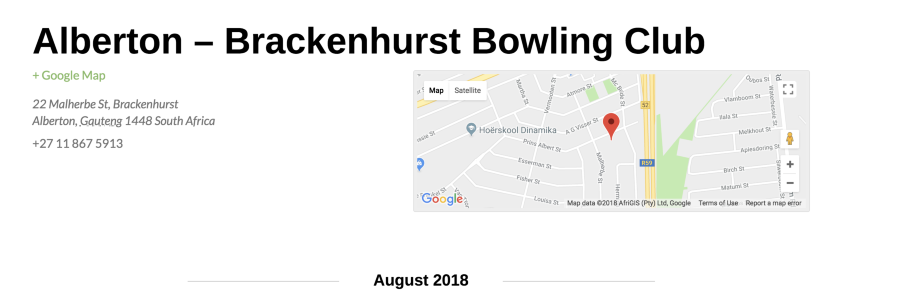
Can you clear your browser cache and see if you also see maps?
Thanks
Courtney 🙂MemberHi Simon
Our plugins are a 1 year subscription. However, when the license expires, all of our products except Event Aggregator and http://loxi.io would continue to work without updates.
Our non-profit program applies for just one site. You can find more licensing options on https://theeventscalendar.com/product/wordpress-events-calendar-pro/ to cover more than 1 domain.
Thanks
Courtney 🙂July 26, 2018 at 7:49 am in reply to: Single Events Not Displaying in Chronological Order in Photo View #1584004MemberHi Christopher
It is a request we’ve heard a few times before. Definitely leave some suggestions in our Uservoice about this. I’d love to see some improvements there.
You might find another tool to help you achieve the precise look you want. Our “Events” are actually “custom post types” in WordPress. I know that the Beaver Builder tools have a masonry layout that can display events in a grid like this. There are other page builder tools available as well that are more precise in the layout.
Thanks
Courtney 🙂MemberHey Rob
We’re a bit limited in helping with much customization, but a few tips to help you carry this further include:
- Start by modifying what you can at Appearance » Customize » The Events Calendar.
- You can add additional settings to Appearance » Customize » The Events Calendar. by installing our Customize Calendar extension https://theeventscalendar.com/extensions/calendar-customizer/.
- We generally don’t recommend that you change the theme or plugin’s CSS files directly, as they will be overwritten. To avoid this, follow the steps outlined in Themer’s Guide
- Use overriding CSS files, or add CSS to your site using Appearance » Customize » Additional CSS.
- Use !important before a semicolon to override every css rule. It’s a brute force method, but works for quick fixes.
- Please check out this Customizing WordPress #2 – Using Chrome Developers Tools YouTube video in addition to our Using Chrome Developer Tools tutorial on how to easily make changes using CSS.
Thanks
Courtney 🙂MemberHi there
So sorry this is happening for you. We’ve made a free plugin available for you that will resolve this.
Check out Advanced Post Manager.
Learn more about how to use features like saving filters for faster sorting in our guide: Filter and sort events with Advanced Post Manager.
Let me know if this resolves the issue for you.
Thanks
Courtney 🙂MemberHi Jane
Has the client reactivated the plugin using their own license yet? My Account » Licenses https://theeventscalendar.com/license-keys/
Can you direct them that way?
Thanks
Courtney 🙂 -
AuthorPosts