

Forum Replies Created
-
AuthorPosts
-
October 5, 2017 at 12:08 pm in reply to: "The ticket with ID XXXXXX has already been checked in." #1359862
Robert Rainbow
ParticipantSeptember 5, 2017 at 2:57 pm in reply to: Can't see 'attendees' or 'sales reports' on the front-end after creating event #1345193ParticipantHey there, I’ve just purchased a new license for Events Tickets Plus and updated the plugin. Unfortunately I’m still unable to see the Attendees or Sales buttons links on the front-end. However if I go directly to the attendees page via URL, I can see that two test tickets have been purchased.
Attached are a few screenshots detailing the problem, hopefully you can help us figure this out!
Thanks again
September 5, 2017 at 2:24 pm in reply to: Can't see 'attendees' or 'sales reports' on the front-end after creating event #1345179ParticipantHi there,
Can you please clarify whether Events Tickets Plus is a prerequisite for Community Tickets? We won’t be creating tickets ourselves, just other users on the front-end via Community Tickets. Do we still need to renew Events Tickets Plus?
The event we have created does have tickets available for purchase, and the attendees list is accessible by going directly to the URL
Thanks
February 25, 2017 at 8:15 am in reply to: "The ticket with ID XXXXXX has already been checked in." #1245795ParticipantThis reply is private.
October 22, 2016 at 9:25 pm in reply to: "The ticket with ID XXXXXX has already been checked in." #1181454ParticipantHi András,
Just wanted to say thanks so much for all your help in this and for providing a solution so quickly. Fortunately our site is not yet live so we should be ok to hold out for the next release.
You guys seem to offer some of the best support (and products) out there.Go easy
October 20, 2016 at 9:46 pm in reply to: "The ticket with ID XXXXXX has already been checked in." #1180366ParticipantHey András!
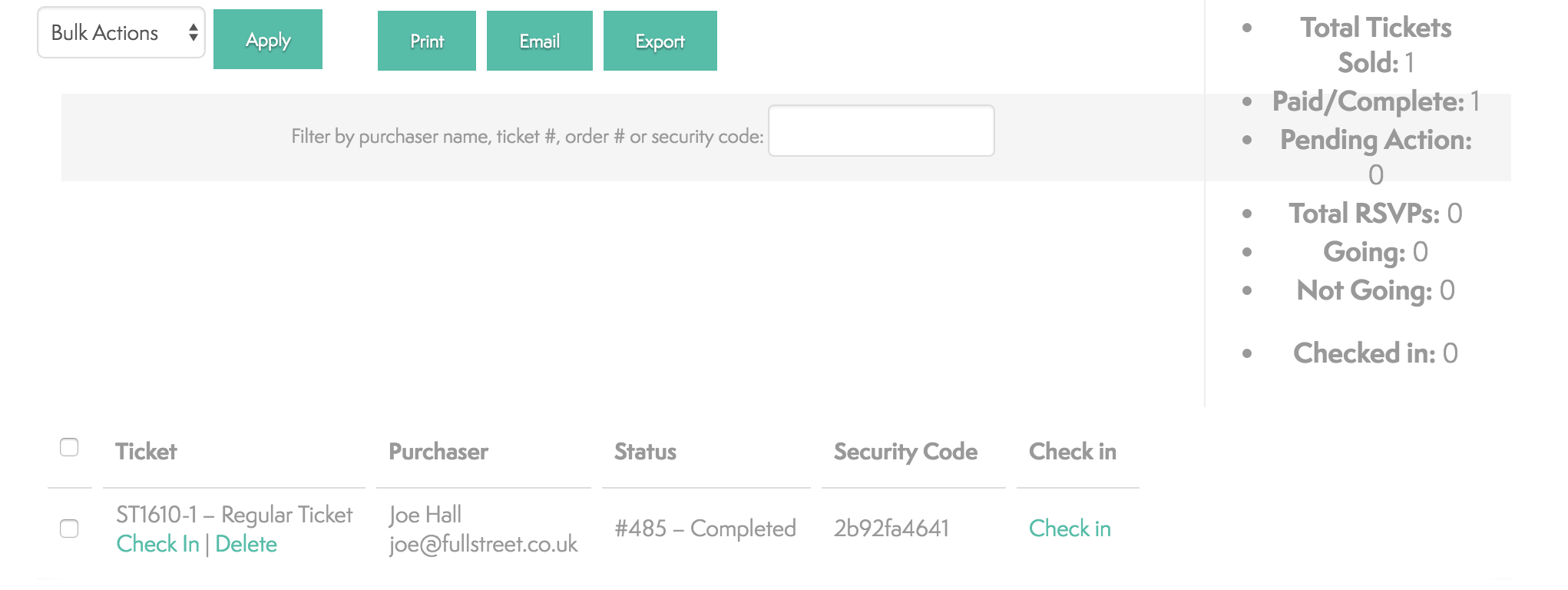
Yes, that is 100% correct. I can check people in on the back-end, but QR codes links still give the “The ticket with ID XXXXXX has already been checked in.” error.
The event organiser can also check people in using the right-hand button on the front-end panel, but not using the left-hand buttons.
Thanks,
October 19, 2016 at 3:06 am in reply to: "The ticket with ID XXXXXX has already been checked in." #1178965ParticipantThis reply is private.
October 19, 2016 at 3:01 am in reply to: "The ticket with ID XXXXXX has already been checked in." #1178959ParticipantHey András,
I can confirm that this setting is turned on and that clicking ‘check-in’ does indeed check in user, however when I use QR codes, the site is still giving the same error. 🙁
Thanks,
October 18, 2016 at 12:27 am in reply to: "The ticket with ID XXXXXX has already been checked in." #1178172ParticipantHi András, thank you for the quick response! There seems to be a bit on an inconsistency between our installations – on my website, once a ticket has been purchased and payment completed, the order is immediately set to ‘completed’ within WooCommerce and the tickets sent via email, so I am not able to set them to ‘completed’ manually from a ‘pending’ status. Even though these orders are completed, I am not able to check-in a user.
Thanks!
Joe
October 15, 2016 at 11:19 pm in reply to: "The ticket with ID XXXXXX has already been checked in." #1177384Participant…
October 15, 2016 at 11:10 pm in reply to: "The ticket with ID XXXXXX has already been checked in." #1177380Participant(This image did not upload with the original post)
-
AuthorPosts