
Home › Forums › Calendar Products › Events Calendar PRO › Using Avada, Calendar Pro and widget
- This topic has 6 replies, 4 voices, and was last updated 10 years, 2 months ago by
Astrid Garcia.
-
AuthorPosts
-
July 8, 2016 at 12:50 pm #1137514
Astrid Garcia
ParticipantHello,
After purchasing and installing and stylizing the plug in, I find that I am unable to integrate it into the design of my existing site. I am referencing the same issue as in this topic:
I did install and attempted to use the Widget to add content above and below the TEC. As you can see in my test page, I have some issue with spacing and a bullet point (on Chrome at least). Any ideas or is this something that I have to move over to the themer’s guide to fix?
I have to say, the calendar itself is wonderful and beautiful, full of options etc. But the fact that you can’t drop the fully-functioning calendar into a pre-designed page is really a drawback. Other free plugins let you do this, granted they do not have some of the other features TEC has, but dropping in a fully-functioning calendar (not widgets or minis) without having to completely go the themer’s route, should be a basic option. It’s disappointing. Here is the url in reference:
http://covalime3.com/thirdstreetsouth.com/events/
Thank you,
AstridJuly 8, 2016 at 1:54 pm #1137550Hunter
ModeratorHi Astrid,
Welcome to the support forums and thanks for choosing PRO! I’d also like to thank you for your well-written post, praises about our product, and the constructive criticism 🙂
From what I’ve gathered, we have the feature allowing you to insert the main events calendar on any page with a shortcode planned in an upcoming feature release. I can’t give you an exact timeframe on when it will come out, but it is on our roadmap!
In response to the issue you’re experiencing, we try our very best to build and design our plugins so they’ll jive with every theme and plugin, but it’s essentially impossible. With different code/features/functions going on, the chance for conflict is high and ultimately it comes down to the site owner/manager to resolve issues and come up with viable solutions to necessary customizations.
If trying different options included under Events > Settings > Display doesn’t do the trick, then creating the custom template via the Themer’s Guide is probably your best bet to achieve what you need/want.
I know this isn’t the most ideal answer but at this time, it is the situation we’re in. Also – I took a quick look at your site and I didn’t see anything that looked too “off”. Please feel free to respond with any feedback and if you’d like, provide screenshots of the exact issues you need help with and maybe I can provide some CSS that will help.
Take care, enjoy your weekend, and thanks again for choosing PRO.
Cheers!July 9, 2016 at 8:01 am #1137736ParticipantSorry about that. We had removed the widget that added the slider above the calendar. The link is correct now. I also attached a PNG that that shows the area in question. I circled the stray bullet point it’s causing in black. Thanks.
-
This reply was modified 10 years, 3 months ago by
July 9, 2016 at 8:04 am #1137740ParticipantForgot the attachment….here it is. Astrid
July 9, 2016 at 3:30 pm #1137853ModeratorHi Astrid,
Thanks for the update and also sending over the screenshot. I took a look but I’m really not sure where that dot is coming from. It appears there is there is a ‘list’ (Example:
) somewhere in your events template (see screenshot below). The dots you see are an example of ‘list-style-type’ CSS:
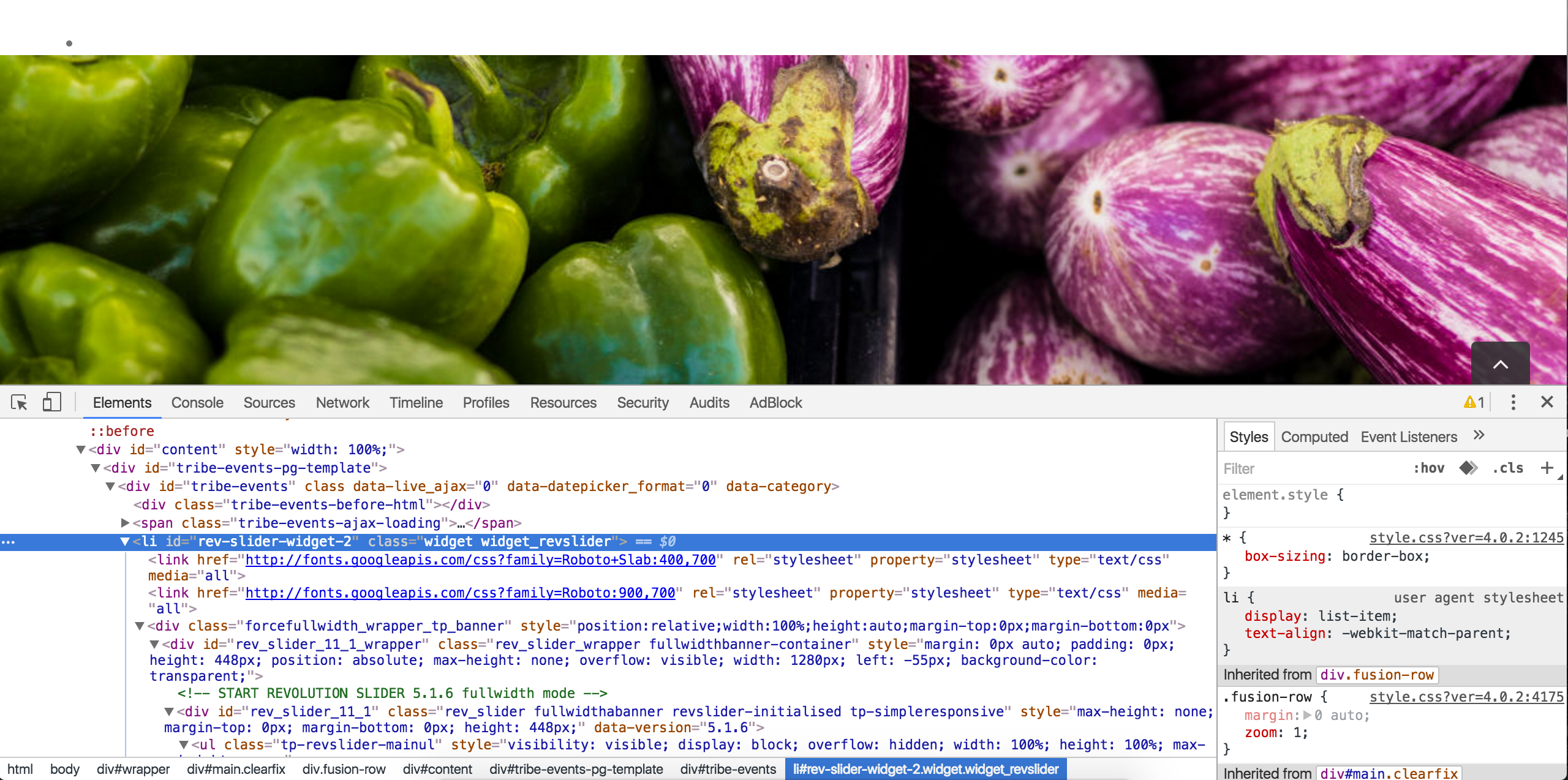
This is unfortunately something that you’re need to going to handle. Without having access to your site (which we’re unable to do), I wouldn’t be able to give you the right answer. You might want to try contacting your theme author, but they may give you the same response.
I understand this isn’t the most ideal situation, so if you exhaust all resources, check out our list of customizers and hopefully one of them can help.
Take care and have a great rest of your weekend!
July 24, 2016 at 9:35 am #1143521Support Droid
KeymasterThis topic has not been active for quite some time and will now be closed.
If you still need assistance please simply open a new topic (linking to this one if necessary)
and one of the team will be only too happy to help. -
This reply was modified 10 years, 3 months ago by
-
AuthorPosts
- The topic ‘Using Avada, Calendar Pro and widget’ is closed to new replies.