
Home › Forums › Welcome! › Pre-Sales Questions › User submissions edit rights
- This topic has 4 replies, 2 voices, and was last updated 9 years, 10 months ago by
Support Droid.
-
AuthorPosts
-
October 13, 2016 at 4:40 pm #1176329
Tom Claffy
GuestI took a good look at this just a month or so ago and rhe lack of shortcodes was a killer. Since you have addressed that my nexr issue is going to user submitted events. I am building a community calendar but with the climate in Ferguson there are some users I would allow full conttol5and other users I would need to moderate both their submissions and their edits. Is your security this granular for user-submitted events.
October 13, 2016 at 8:46 pm #1176372Geoff B.
MemberGood evening Tom and welcome to the Events Calendar forum!
Thank you for your interest in our products.
We’ll be glad to answer your question.The short answer is yes, you can control things to your liking.
It will all come down to using the appropriate role for the right user.You can read a bit more on permissions here: https://theeventscalendar.com/knowledgebase/admin-roles-and-permissions/
Basically, you can set up the default status of your choice for new posts when using our Community Events premium add-on :
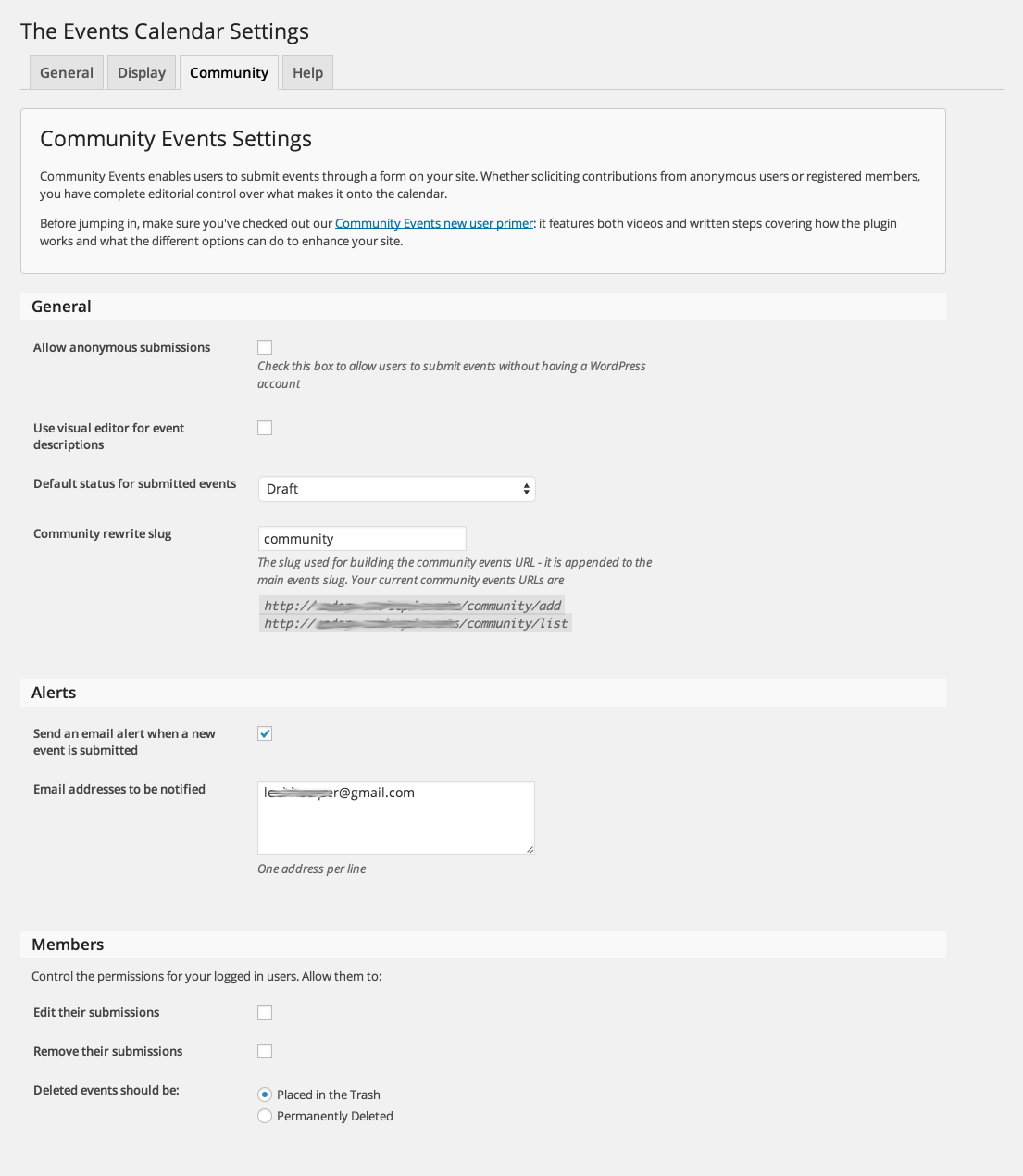
You can simply use a role similar to the built-in WordPress author role for trusted users.
Let me know if that helps.
Have a great day!
Geoff B.
October 17, 2016 at 10:59 am #1177787GuestOK, so I am still confused about how to place the calendar as my main page. Your big release note says that you added shortcodes for this. I just want the page to open to the calendar; not just a list but a full-fledged calendar with filters, options, etc. Is your product doing this now? I attempted the redirect route and that did not work for me. Just the calendar as if the events page was my home page. Simple or you cannot do it?
It looks like the Pro version does this now with the [tribe_events] shortcode but I am a still a little snake bitten after the last go around but really want to take another look. Can you really not offer me a free 30 trail period? I am being pressed to get this up and running but it seems like you are asking an awful lot for me to spend hundreds of dollars just to look.
Thanks. I would really like to get this project working with your product but I need some help here.
October 17, 2016 at 10:39 pm #1178153MemberGood evening Tom,
Thank you for writing back.
Here are some answers that should help clarify things:I just want the page to open to the calendar; not just a list but a full-fledged calendar with filters, options, etc. Is your product doing this now?
Yes, our products can do exactly what you are describing. The month view of our full calendar is what you will want to use.
Since you are looking to use this as your main page, you will need the our Pro premium add-on: https://theeventscalendar.com/product/wordpress-events-calendar-pro/
With that in hand, take a look at the following shortcode guide: https://theeventscalendar.com/knowledgebase/embedding-calendar-views-tribe_events-shortcode/This will turn your home page in a calendar super easily.
As for filters, if you want more than filter by date or location, you might be interested in our Filter Bar add-on: https://theeventscalendar.com/product/wordpress-events-filterbar/
I am sorry that you did not like your previous experience with our plugins.
However, please note that you are fully entitled to a refund if you want one as long as you are within 30 days of your purchase. To obtain the refund, you just need to follow the procedure described here.
So in other words, you should have plenty of time to test things out to your liking.
As per the price, please keep in mind you are also receiving access to our premium support forums where we will absolutely be happy to help you set things up.
Let me know if that helps.
Have a great day!
Geoff B.
November 8, 2016 at 8:35 am #1189242KeymasterHey there! This thread has been pretty quiet for the last three weeks, so we’re going to go ahead and close it to avoid confusion with other topics. If you’re still looking for help with this, please do open a new thread, reference this one and we’d be more than happy to continue the conversation over there.
Thanks so much!
The Events Calendar Support Team -
AuthorPosts
- The topic ‘User submissions edit rights’ is closed to new replies.