
Home › Forums › Calendar Products › Event Aggregator › Unable to import public group events or apply a Facebook app ID
- This topic has 3 replies, 4 voices, and was last updated 9 years, 8 months ago by
Neesha.
-
AuthorPosts
-
January 2, 2017 at 10:26 am #1212307
Neesha
ParticipantHello,
I have the Events Aggregator plugin installed but when I try to import events from a public Facebook group I get the following error:
Events cannot be imported because Facebook has returned an error. This could mean that the event ID does not exist, the event or source is marked as Private, or the event or source has been otherwise restricted by Facebook. You can read more about Facebook restrictions in our knowledgebase.
I am guessing I may need to set up a Facebook App ID and apply it to the site, however I don’t see the place to add such an ID (Events → Settings → Add-On APIs) based on this tutorial (which may just apply to the older Facebook Importer plugin): https://theeventscalendar.com/knowledgebase/configuring-facebook-events/
Is there a place to insert an App ID in Event Aggregator? Or is this no longer needed? I am able to import individual events.
January 2, 2017 at 9:04 pm #1212412Hunter
ModeratorHi Neesha,
Welcome back and I hope your New Year is off to a great start! To make sure your WordPress site is connected to Facebook, visit Events > Settings > APIs and make sure the screen looks identical to the screenshot below:

If you see the screen below rather than the one above, go ahead and hit the ‘Connect to Facebook‘ button to ensure you can properly import events from Facebook. If you have any issues connecting, please review the Testing for conflicts guide and attempt to connect to Facebook after reading the guide.

You should see the following screen if your site successfully connects to Facebook:

If you get the site connected to Facebook, the next step is to review the Testing for conflicts guide to make sure there aren’t any theme and/or plugin conflicts occurring while you’re attempting to import events from Facebook. Our New User Primer: Event Aggregator is another helpful article.
If you’re still seeing the message you shared with me, then unfortunately the events you’re attempting to import are not going to import due to the Facebook API restrictions. You might be able to import events individually by copying the URL from Facebook and entering it into the URL field when import an event via Events > Import > Facebook. (see screenshot below)
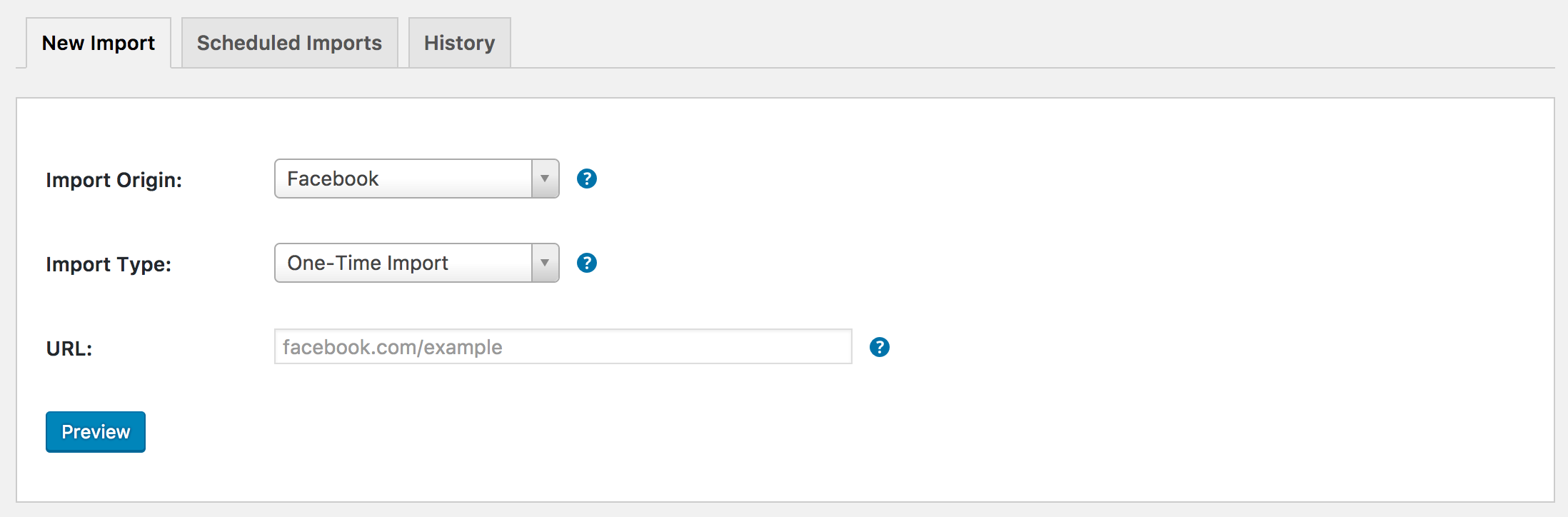
I hope this helps clarify how the plugin connects to Facebook and how to use Event Aggregator properly. Let me know if you have any more questions and take care!
January 24, 2017 at 8:35 am #1223006Support Droid
KeymasterHey there! This thread has been pretty quiet for the last three weeks, so we’re going to go ahead and close it to avoid confusion with other topics. If you’re still looking for help with this, please do open a new thread, reference this one and we’d be more than happy to continue the conversation over there.
Thanks so much!
The Events Calendar Support Team -
AuthorPosts
- The topic ‘Unable to import public group events or apply a Facebook app ID’ is closed to new replies.