
Home › Forums › Calendar Products › Events Calendar PRO › Recurring Events Displaying on Incorrect Day of Week
- This topic has 3 replies, 1 voice, and was last updated 9 years, 5 months ago by
Craig.
-
AuthorPosts
-
March 28, 2017 at 6:23 pm #1261212
Craig
ParticipantHi there!
I created a new event for Monday 4/3. I then edited this event and added a recurring event. You can see the screenshot of how that is set up. (Attached screenshot) Problem is, the recurring event displays on Tuesdays when it should display on Mondays like the original event.
You can see the public-facing calendar here:
http://65.110.95.127/events/2017-04/
Is this a bug? Any work-around for this?
Thanks for your help!
March 29, 2017 at 11:10 pm #1261867Hunter
ModeratorHowdy, Craig 🙂
Thank you for picking up Events Calendar PRO and welcome to the premium plugin forums! I went ahead and mimicked the ‘Time & Date‘ settings seen in the screenshot you shared with me (thanks for that, by the way!):
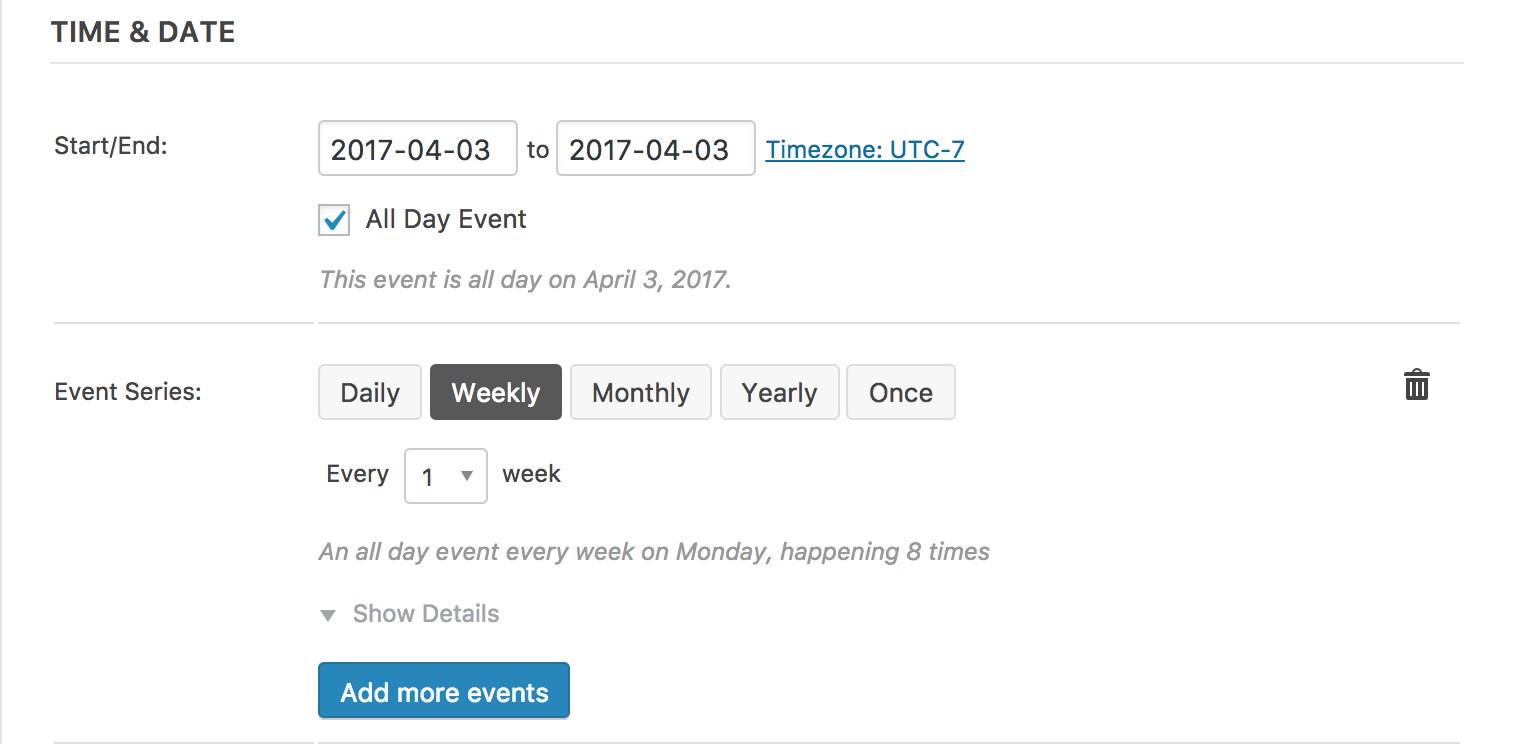
As you can see, my events are set for Mondays rather than Tuesdays as is the case on your site:
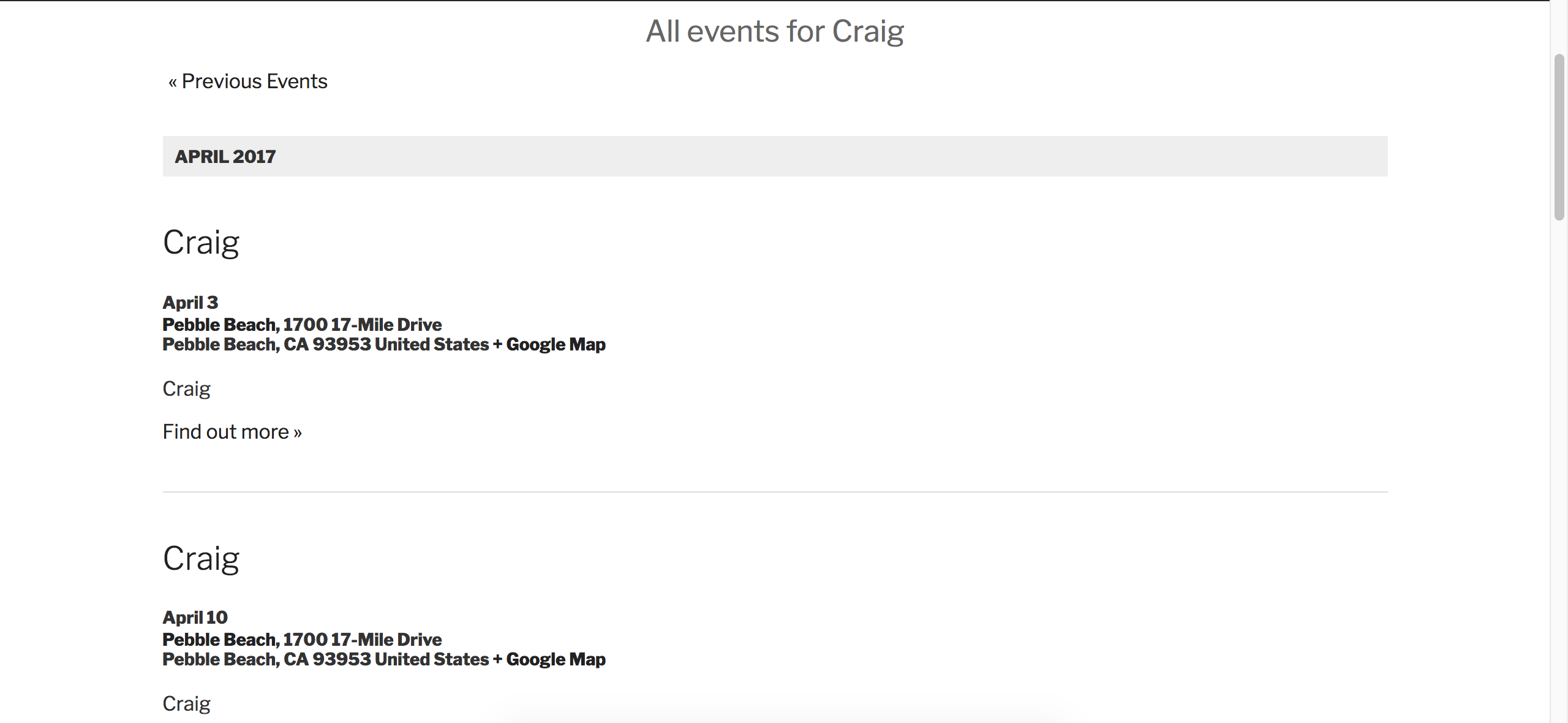
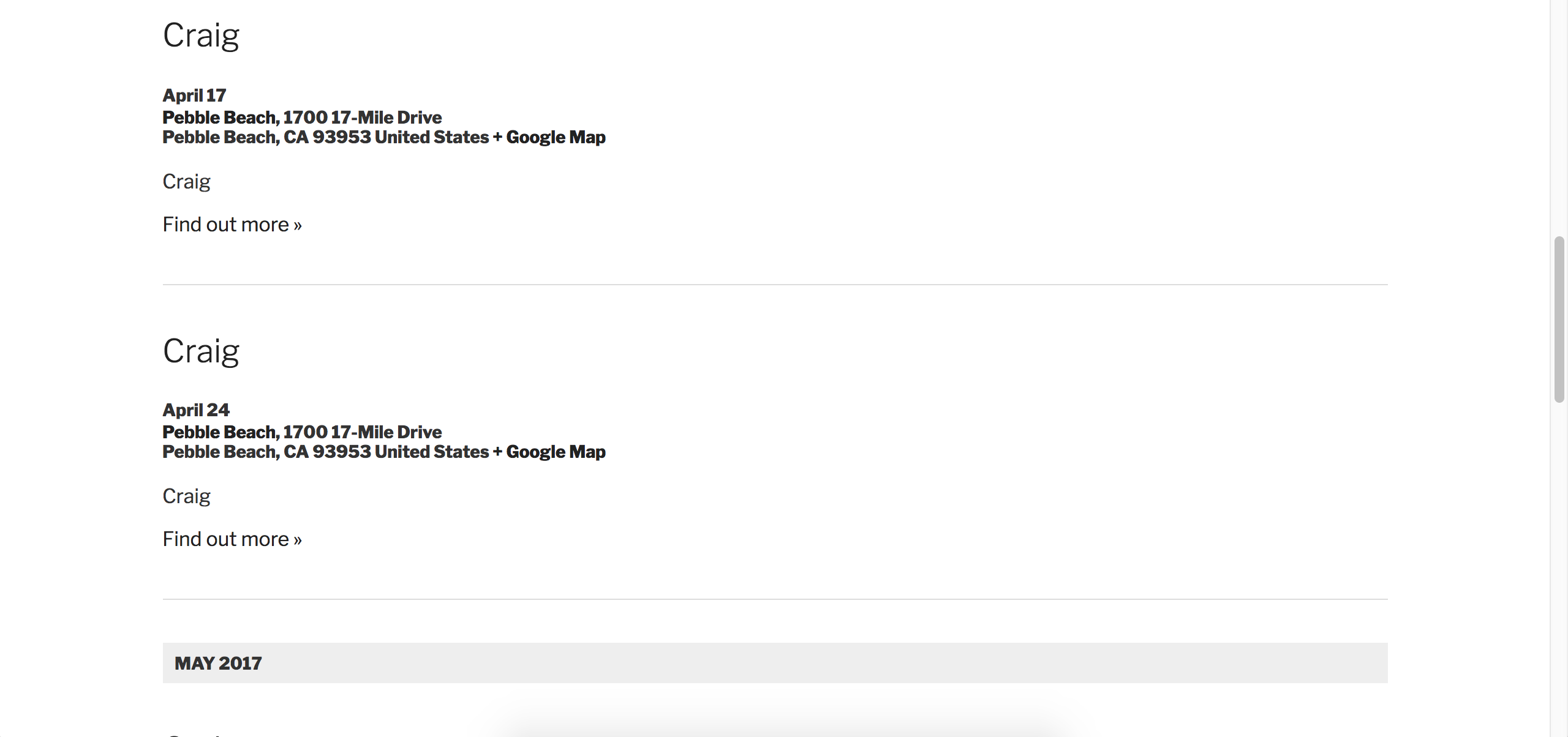
April 3rd, 10th, 17th, and 24th are all Mondays. Can you send screenshots of your WordPress Settings > General > Timezone settings screen (capture all the time/date related settings on that screen if you can) and also send a screenshot of your Events > Settings > Display > Date Format Settings screen.
• What do you have set for the End of day cutoff option in Events > Settings > General? Can you adjust that to 12:00am?
• What is your Events > Settings > Display > Datepicker Date Format setting set to? Can you set it to what I have in the screenshot below, then review our Testing for conflicts guide?

While you have the default WP theme active and all plugins TEC and PRO deactivated, try creating another event with the same ‘Time & Date‘ rules as seen in the screenshot and let me know what the results are.
Lastly, since you’re using recurring events, it might be best to familiarize yourself and bookmark our PRO Recurring Events Knowledgebase article.
Please send over your System Information as a private reply. Thanks again for your purchase and rest assured we’ll get things squared away ASAP. Cheers!
April 20, 2017 at 9:35 am #1272283Support Droid
KeymasterHey there! This thread has been pretty quiet for the last three weeks, so we’re going to go ahead and close it to avoid confusion with other topics. If you’re still looking for help with this, please do open a new thread, reference this one and we’d be more than happy to continue the conversation over there.
Thanks so much!
The Events Calendar Support Team -
AuthorPosts
- The topic ‘Recurring Events Displaying on Incorrect Day of Week’ is closed to new replies.