
Home › Forums › Calendar Products › Community Events › Events Dates are not loading properly
- This topic has 9 replies, 4 voices, and was last updated 9 years, 9 months ago by
Clara Morris.
-
AuthorPosts
-
December 6, 2016 at 7:26 am #1201989
Clara Morris
ParticipantHello there, My events calendar dates are not loading properly. They are loading for one second and then gone the next.
The website is http://www.bkreader.com and the events calendar is on the side of the page. Please help as soon as possible.
Thanks.December 7, 2016 at 2:59 am #1202517Andras
KeymasterHello Mike,
Thanks for reaching out and I’m sorry about the issue with the dates.
I checked your site and didn’t see anything unusual. Here’s a screenshot of the whole page:
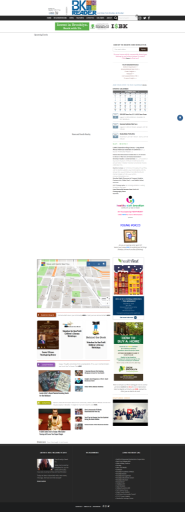
Can you point out where the issue is or better, send me a screen shot as well?
Also, please share with me your system information to be able to provide you better support.
Thanks and cheers,
AndrasDecember 8, 2016 at 6:56 am #1203097ParticipantHello, The events calendar is on the side of the page. When you click on a date, the date on the bottom disappears.
December 9, 2016 at 7:31 am #1203827KeymasterHi Mike,
Thanks for clarifying that. I was testing it on Windows in FireFox (50.0.2) and Chrome (54.0.2840.99) and there I have another issue. When you click on a day, then the page jumps to the top but the events for that day are not shown. Also the content for the sliders are somehow hidden. Here’s a screenshot from Firefox.
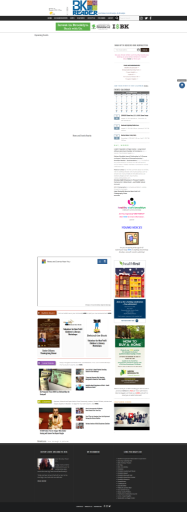
You might want to investigate this as well.
I also tested in Safari, where the page loads properly and where I can see your issue.
As a first I would like to ask you to test this with a default them like twentysixteen, set up the same widget, and check if the issue is still there.
Also what would be helpful in finding the source of the issue is running a full test for conflicts based on this guides. https://theeventscalendar.com/knowledgebase/testing-for-conflicts/
Please let me know what you find out. I’ll be waiting for your answer.
Thanks and cheers,
AndrasDecember 10, 2016 at 3:32 pm #1204435ParticipantHi, I’ve noticed there is a overload of plugins. This is what is causing the problem. How can I fix this by not deleting all of the plugins (because they are important for the site)?
ThanksDecember 12, 2016 at 7:58 am #1204717KeymasterHi Mike,
First you need to narrow it down to which are the plugins that are conflicting with each other. Once you have that, you contact the plugin developers and check if they can give an advice or help with a fix.
Alternatively, you can try to look for an alternative plugin to replace the conflicting one. Or one plugin that could potentially replace more.
Or rethink which plugins you really need and remove (deactivate or even delete) the ones not needed.
If you think you found a plugin that is conflicting with The Events Calendar (or its addons), then deactivate all plugins and leave only 1) the calendar ones and 2) the one causing the issue, to re-check if it is really that one. Then let us know and we’ll see what can be done about it.
I hope this helps.
Please also share your system information with me, so I can check if there’s anything standing out.
Cheers,
AndrasDecember 15, 2016 at 7:47 am #1206428ParticipantThis reply is private.
December 16, 2016 at 8:16 am #1207064KeymasterHello Mike,
Thanks for sharing that. I don’t see anything that should be concerning in your setup.
All there is left is to narrow it down to which are the plugins that are conflicting with each other. Once you have that, let me know and I’ll see if we can do something about that. It is also worth reaching out to the other plugin developers then.
Waiting for your results.
Cheers,
AndrasJanuary 7, 2017 at 8:35 am #1214714Support Droid
KeymasterHey there! This thread has been pretty quiet for the last three weeks, so we’re going to go ahead and close it to avoid confusion with other topics. If you’re still looking for help with this, please do open a new thread, reference this one and we’d be more than happy to continue the conversation over there.
Thanks so much!
The Events Calendar Support Team -
AuthorPosts
- The topic ‘Events Dates are not loading properly’ is closed to new replies.