
Home › Forums › Calendar Products › Events Calendar PRO › Confused about Event Templates and Page Templates – can't find setting to select
- This topic has 4 replies, 3 voices, and was last updated 9 years, 9 months ago by
Hunter.
-
AuthorPosts
-
January 16, 2017 at 6:19 am #1218945
Carolin
ParticipantHi!
I am trying to see whether there are some other page layout options for a single event built into the plugin rather than the default “event date/cost/venue/organiser info in the left column and event content info in the right columns” layout that I am getting as default.
On this page https://theeventscalendar.com/knowledgebase/stylesheets-and-page-templates/ you are talking about selecting some templates:
Your first stop should be the Events → Settings → Display admin screen, where you should take a look at the Events template setting. By default you should be able to choose between these options:
Default Events Template
Default Page TemplateHowever, I cannot find these selectors in my Display settings.
Also, in the Themer’s Guide, you mention:
All of the other Events Template options will use one of your available theme page templates (page.php, full-width.php, etc.), which you can also edit.
But I also cannot find the page.php, full-width.php etc. pages in my /wp-content/plugins/the-events-calendar/src/views/ folder or my /wp-content/plugins/events-calendar-pro/src/views/ folder.
I am obviously garbling something up. Can anyone help please? I am basically trying to see if there is a page layout that does not break the events info into 2 columns. Or is that driven automatically by my Enfold theme?? Thanks!
-
This topic was modified 9 years, 9 months ago by
January 16, 2017 at 4:01 pm #1219313ModeratorHi and welcome back 🙂
Sorry to hear you’re having troubles.
…I cannot find these selectors in my Display settings.
Do these options display when you revert back to the default WordPress theme and deactivate all plugins other than ours? Please review our Testing for conflicts guide and let me know what you learn. Please include your System Information as a private reply.
All of the other Events Template options will use one of your available theme page templates (page.php, full-width.php, etc.), which you can also edit.
What this essentially means is whatever files your theme author has included are also available to use for event templates. These files will be included in your theme’s folder rather than our plugin folders. For example, if you’re using the Avada theme, you would have the option to use the files they’ve included in their theme as the event template. If you look at their Page Templates, you’ll see which files they’ve included.
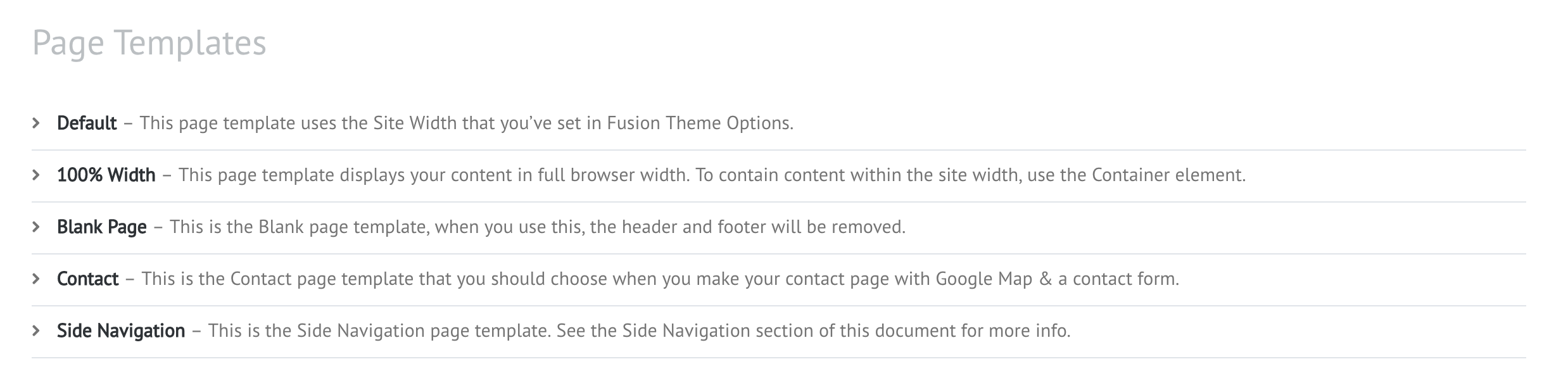
I recommend reviewing our Themer’s Guide. It is a great resource on explaining templates in greater detail.
Please let me know what you find out from your testing and if my explanation clears up any confusion you have. Once you are able to access the settings and further test, it should make more sense.
Thanks and have a great evening!
January 17, 2017 at 11:45 am #1219758ParticipantThanks. Looks like my theme (Enfold) overrides the plugin’s options. Have found the theme’s files for editing as much as I can. Thanks!
January 17, 2017 at 7:07 pm #1220038ModeratorThank you for letting me know the issue has been resolved and please feel free to create a new thread if you have any more questions or comments. Take care!
-
This topic was modified 9 years, 9 months ago by
-
AuthorPosts
- The topic ‘Confused about Event Templates and Page Templates – can't find setting to select’ is closed to new replies.