
Event Tickets and Event Tickets Plus provide four shortcodes for embedding ticketing-related content outside the event page itself. Which one to use depends on what you want to show:
For a specific event (ticket forms, RSVP forms, or public attendee lists):
[tribe_tickets]— the ticket form for an event[tribe_tickets_rsvp]— the RSVP form for an event[tribe_tickets_attendees]— the public attendees list for an event
For the currently logged-in user (a personal list of events they’re attending):
[tribe-user-event-confirmations]— a list of upcoming events the logged-in user has tickets for or has RSVP’d to
Finding the Post ID
The first three shortcodes all embed ticketing content for a specific event, page, or post. They share the same requirements and use the same post_id parameter to identify which event to display.
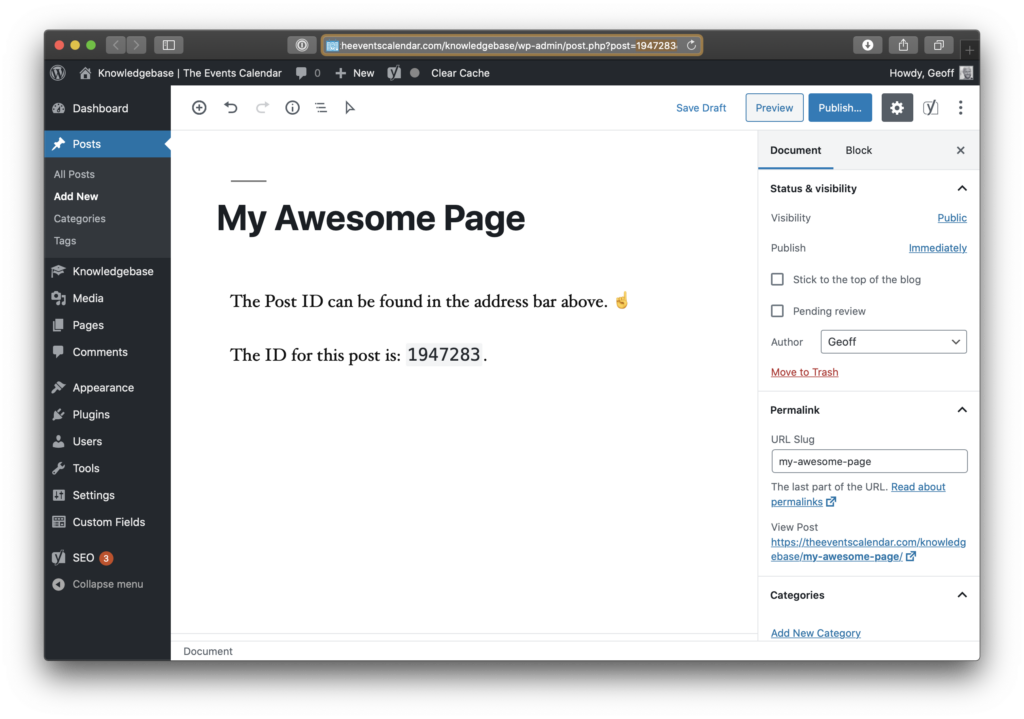
All three event-oriented shortcodes accept a post_id parameter — the ID of the event (or page or post) that owns the tickets, RSVPs, or attendees you want to embed. You can find this ID in two ways.
From the editor: open the event for editing and look at the browser address bar. The auto-generated post ID appears in the URL.
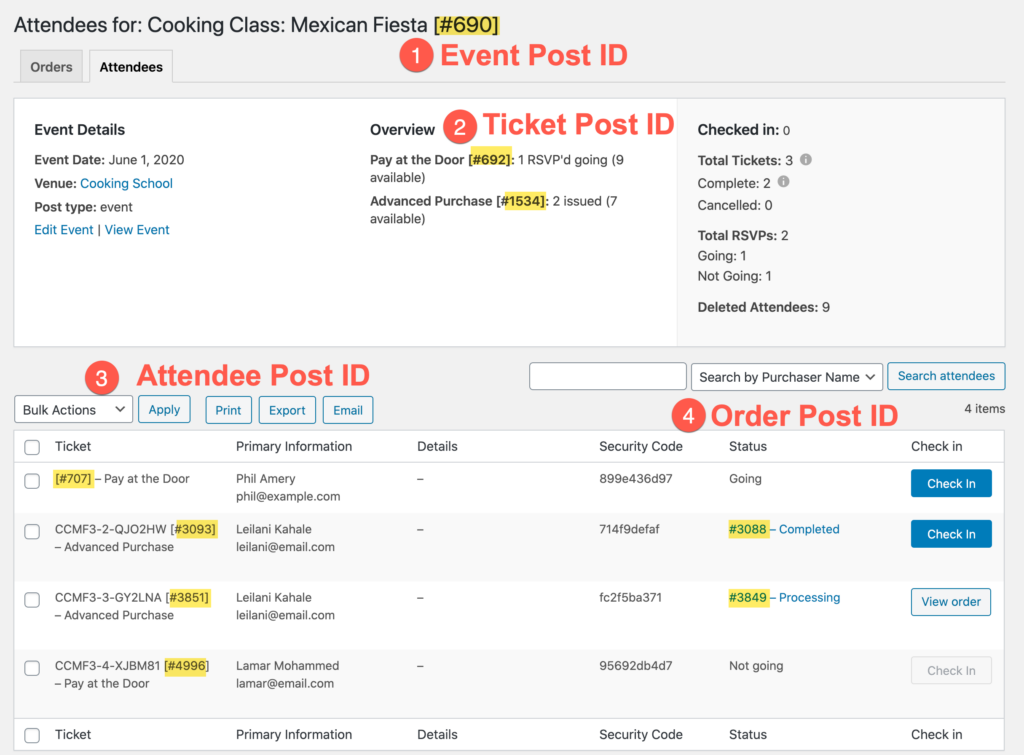
From the attendee report: the event’s post ID is displayed on that page as well.
Using Shortcodes with Pagebuilders
In some cases — building dynamic templates with a page builder like Elementor or Avada, or manually rendering content with do_shortcode() — you can omit the post_id parameter entirely. If no post_id is provided, these two shortcodes automatically detect and use the ID of the current post. This only works when the shortcode is rendered in the context of a specific post or event.
Display Tickets
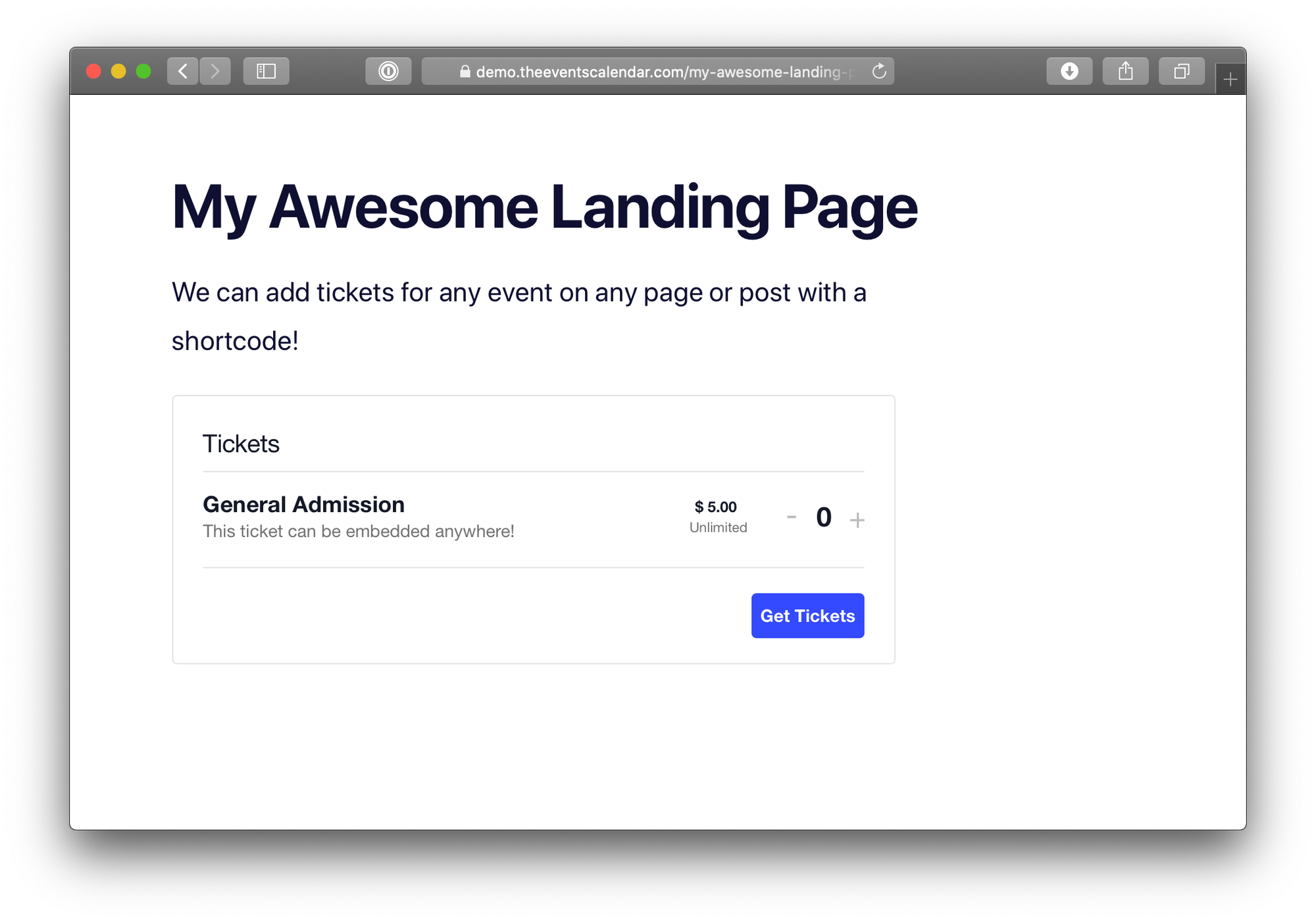
[tribe_tickets post_id="123"]This shortcode displays the tickets block when used on a WordPress page or post. To embed a single specific ticket rather than the whole block, add a ticket_id parameter:
[tribe_tickets post_id="12" ticket_id="29"]You can find ticket IDs in the attendee report alongside the event’s post ID.
Display RSVPs
[tribe_tickets_rsvp post_id="123"]This shortcode displays the RSVP form for the event identified by post_id. Like [tribe_tickets], it also accepts a ticket_id parameter to embed a specific RSVP:
[tribe_tickets_rsvp post_id="13" ticket_id="30"]Display Attendees List
[tribe_tickets_attendees post_id="123"]This shortcode displays the public attendees list for the specified event. It accepts two parameters:
post_id(required) — the ID of the event whose attendees you want to display.title(optional) — a heading to display above the attendees list.
For example, this embeds the public attendee list for an event with ID 123 and displays “Here’s who else is going!” above it:
[tribe_tickets_attendees post_id="123" title="Here's who else is going!"]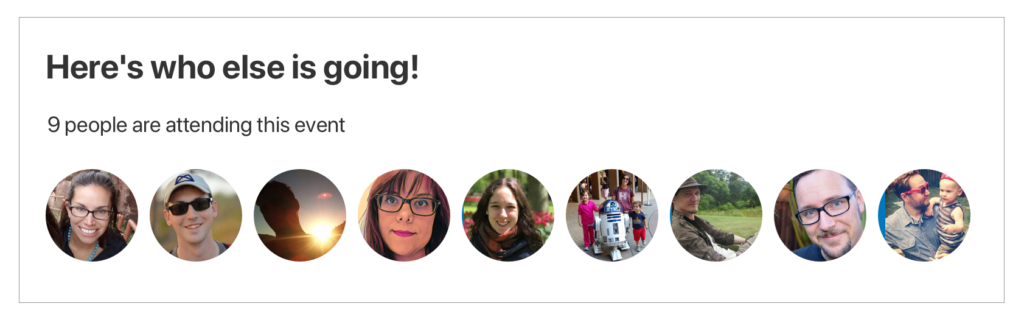
Display an Attendee’s Events
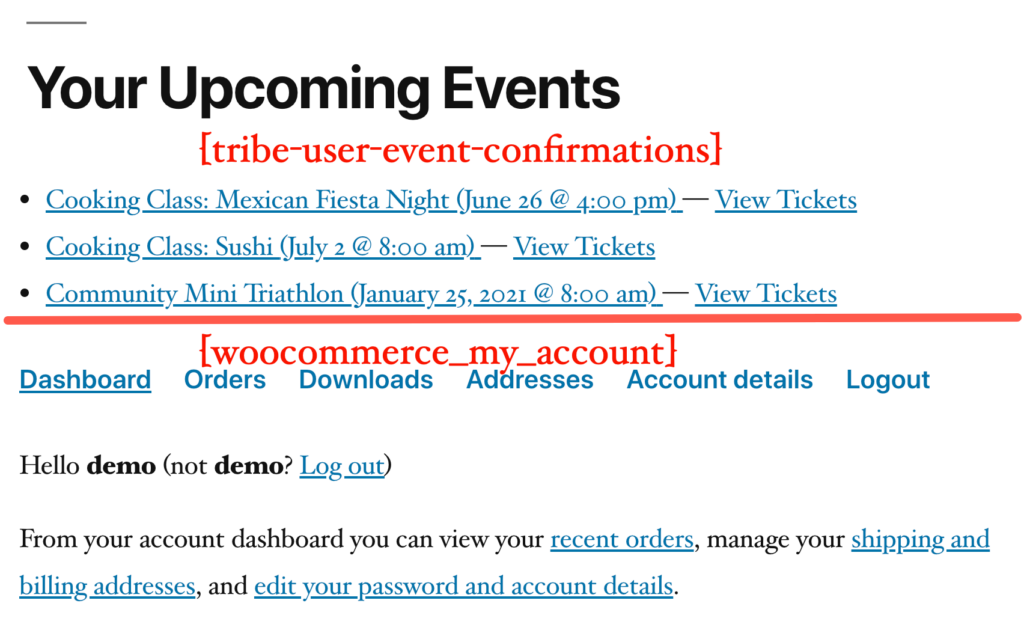
This shortcode displays a list of upcoming events that the currently logged-in user has tickets for or has RSVP’d to. It’s a great fit for a “My Account” page, user dashboard, or any other place where users manage their own activity on your site.
Unlike the event-oriented shortcodes above, this one takes no parameters — it automatically looks up the currently logged-in user and shows their event confirmations.
[tribe-user-event-confirmations]⚠️ Requirement: This shortcode only works if your site requires users to be logged in before buying tickets or submitting RSVPs. Enable this under Tickets → Settings → General. Without that setting, ticket purchases and RSVPs aren’t linked to user accounts, so there’s nothing for the shortcode to display.
⚠️ Note: The shortcode shows only upcoming events. Past event confirmations are not included in the list.
Display States
The shortcode renders differently depending on the viewer’s login status and whether they have any upcoming confirmations:
Logged-in user with event confirmations: the shortcode displays a list of their upcoming events.
Logged-in user with no confirmations: the shortcode displays a “no upcoming events” message.

Not logged in: the shortcode renders nothing. Pair it with a login prompt on the same page if the page is accessible to anonymous visitors.