Forum Replies Created
-
AuthorPosts
-
Suzanne Huebsch
ParticipantHello Hunter
I have no tribe-events folder in my child theme, though after this experience I see it is by far the best way to make modifications.I looked at plugins/the-events-calendar/src/views/list.php
It is just a short file, no blurb hiding in there.I looked at about 100 php and css other files while in there, nope.
Cleared the cache many times.
I uploaded some pictures so you can see the Calendar with the blurb:
http://www.friendsofholbrookpalmerpark.org/wp-content/uploads/2016/03/events-cal-shot2.pngWithout the blurb (killed with some CSS):
http://www.friendsofholbrookpalmerpark.org/wp-content/uploads/2016/03/events-cal-shot3.pngScreen shot of firebug showing the blurb and CSS to hide it:
http://www.friendsofholbrookpalmerpark.org/wp-content/uploads/2016/03/events-cal-shot.pngThis is not a huge deal as I can hide it, just very irritating that it is still there and I can’t find it.
And I acknowledge this is totally self inflicted, Events Calendar has been solid for us on this and other sites.Looking at old emails from 2013 I found this:
http://tri.be/alter-or-remove-heading/
but that support thread goes 404 now.Any other ideas you have of where to look would be appreciated.
ThanksParticipantThanks Barry, the calendar is now updated and working great, as it was before updating.
The Events Calendar has nothing to do with my WP auto updates not working by the way. I have another site on the same server – without the Events Calendar – and it is having the exact same auto update issue.ParticipantFIXED!
Excellent, Casey
I added the code you posted at gist to my child theme’s functions.php file. I changed ‘new-template.php’ to ‘page.php’ as suggested. Worked first try. If interested, my updated functions.php file is here: http://pastebin.com/fewycAfc
JohnParticipantHi Casey
Went to Events->Settings->Display.
It was at ‘Default Events Template.’
Changed it to ‘Default Page Template.’
Saved.
This corrected all the issues I reported above (Hooray!)
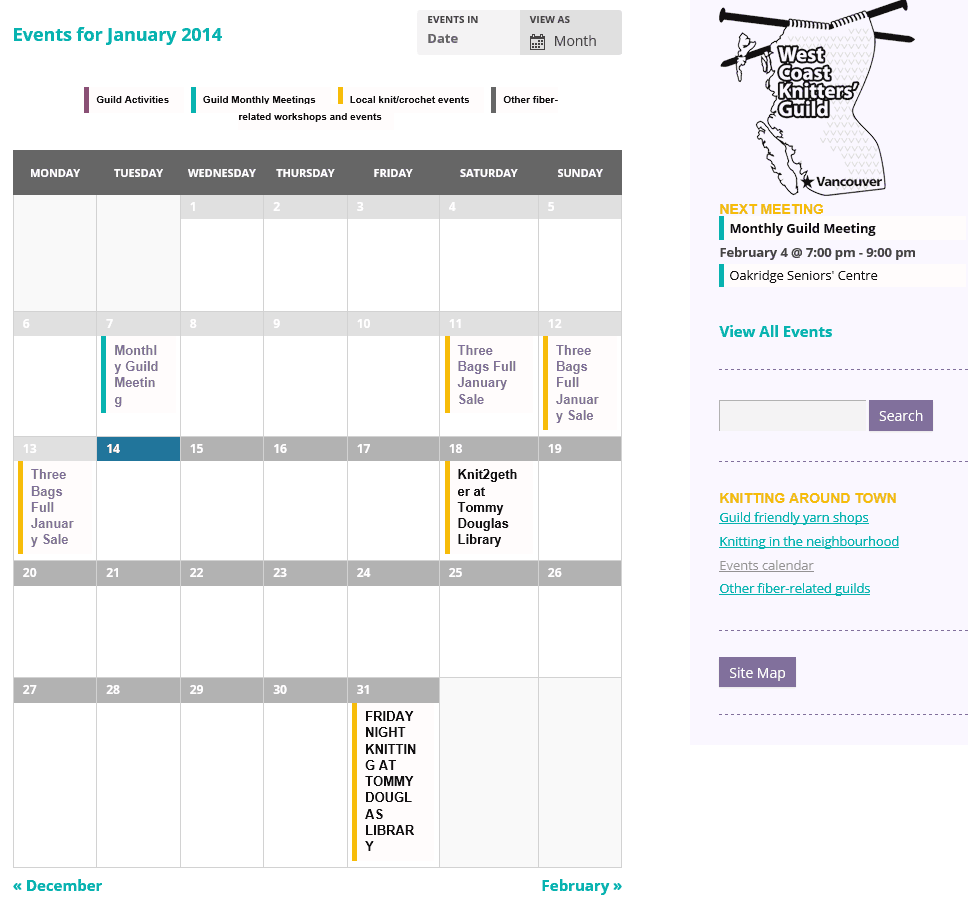
However the knitters want their calendar to be full page width, as it was with the ‘Default Events Template.’
With the ‘Default Page Template’ the calendar displays with the side bar, which makes the calendar smaller and causes text wrapping.
Screen shot here: http://westcoastknitters.org/wp-content/uploads/2014/01/small-calendar.png
So I reverted back to ‘Default Events Template’ for now.
I want to stress for anyone reading, the Calendar seems to be functioning perfectly either way, this is just an annoying display issue on some inserted preamble text, by using some extra php, while using the ‘Default Events Template.’
JohnParticipantThanks for responding Casey.
If you meant the php creating the preamble, I got it from
https://theeventscalendar.com/add-html-above-community-events-submission-form/
and made a functions.php for it in the child theme, it is not in the 2012 functions.php
See it here http://pastebin.com/cZ9M44NuIf you meant the style sheet, I uploaded the child theme’s (of 2012) CSS to
http://pastebin.com/t2WLCJfx for you to see.
To create the child theme CSS I just copied the 2012 style sheet to the child and modified it as needed.
JohnAugust 24, 2013 at 5:11 pm in reply to: modifying one recurring event only creates hundreds of copies #62715ParticipantI have a similar problem where modifying one recurring event generates one new non-recurring event and leaves the recurring one I was editing as is. Should I start a new thread with all my details?
-
AuthorPosts