

Forum Replies Created
-
AuthorPosts
-
March 15, 2015 at 9:42 am in reply to: Added TECP to the Main RSS Feed – now RSS feed is blank #948422
Jen Russo
Participant(This is Jon)
Geoff – I understand the code works on a clean 2014 install, but with what size data set? Do you have 1000’s of events and 1000’s of recurring events?
The code isn’t throwing PHP errors, I think MySQL is just timing out because that query would take minutes to run and would return thousands of results.
March 13, 2015 at 1:38 pm in reply to: Added TECP to the Main RSS Feed – now RSS feed is blank #948230ParticipantFYI.
On staging with all plugins disabled _except_:
1) that code to add events to RSS (in a core functionality plugin)
2) all TEC pluginsThe feed still fails to generate 🙁
On staging with all plugins disabled _except:
1) all TEC plugins
ie. that code to add events to RSS (in the core functionality plugin) is commented outThe feed generate just fine for posts.
Hence, that code _is_ causing the problem.
March 13, 2015 at 1:28 pm in reply to: Added TECP to the Main RSS Feed – now RSS feed is blank #948228ParticipantThis reply is private.
March 11, 2015 at 4:38 pm in reply to: Added TECP to the Main RSS Feed – now RSS feed is blank #947769ParticipantGeoff – This is Jon, one of Jen’s developers. Just to clarify, are you saying you’re seeing JS console errors on the RSS feed? Maybe I’m missing something but there is no JS loaded on the XML feed URL, it’s just an XML doc.
All I see is: https://cloudup.com/cfXr3Rv7nLx
Participantqustavo, thanks for the vid. I set mine up accordingly. just one more question on the topic. If I want to quick edit data in my new admin columns that i have added – for example now i can see any mistakes in zip code or street address from the admin screen – what is the correct setting in admin columns to be able to edit these fields from the admin screen using quick edit?
thanks
Jen
Participanteventscalendar: fyi i sent this email out to admincolumns –
Aloha Tobias – I am connecting you to my support thread at TheEventsCalendar.com, and vice versa. I would love to purchase the pro version of your plugin, as I have done w TheEventsCalendar but I need to make sure it works with the venue module.
Gustavo- I know there is a free version of events calendar, but I dont think it has the venue module. Is there anyway for you and Tobias to figure out if your pro versions play nice together?
also – tobias – if it helps I can give you admin access to my backend to take a look at the pro version of eventscalendar plugin if that is what it might take.
Please let me know. I really want to use them together.
best,
Jen Russo
@jenrussoParticipantGustavo – I got this from admin columns
Admin Columns <[email protected]>
12:28 AM (8 hours ago)to me
Tobias replied
Feb 17, 11:28
Hi Jen,Could you send me a copy of that plugin? Then I will have a look and get back to you on that.
Best,
Tobias Schutter
—
Tobias Schutter
[email protected]Jen Russo sent a message
Feb 17, 6:08Aloha, I am working on a site that uses the Events Calendar Pro. I want to add some columns to the venue admin section like address, phone website. Do you know if your plugin will work with their custom fields?
ParticipantAloha Gustavo
I checked out the plugin and you are right, it looks like it might be helpful. However the free version doesnt contain the custom fields like address, and website, etc found in a venue post. The paid version supports ACF. Do you know if you created these as Advanced Custom Fields? If not have you used the the paid version of the plugin before? Do you know if it works TECP?
Participant(this is Jon logged in a Jen).
FYI,
I disabled global.js (it was an empty placeholder anyway). The console message is gone.However, I didn’t get a white screen loading any of these pages before disabling it beyond them loading extremely slowly. (10s+)
There are multiple very slow queries happening on that page.
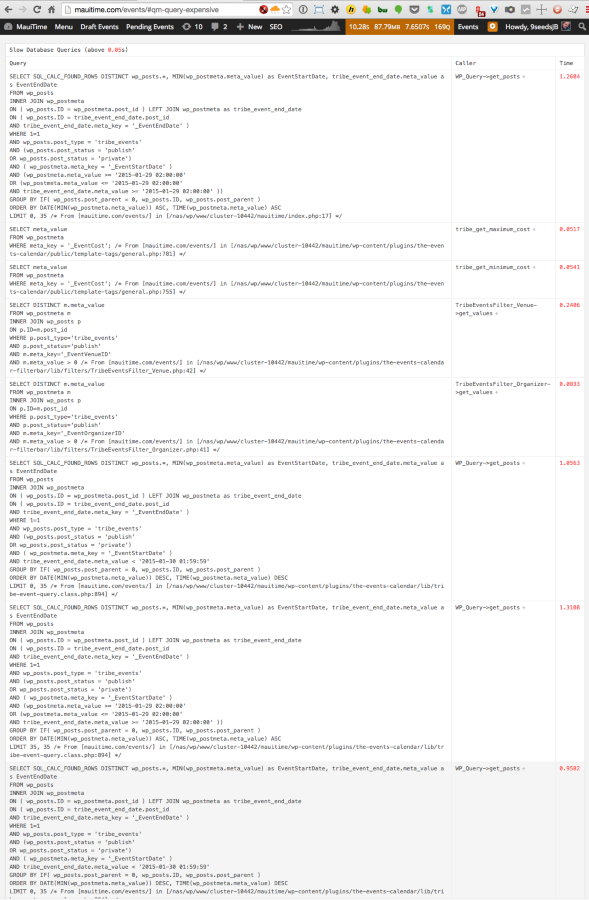
I thought Tribe was working on new code to speed that up, but I think that was a release or two away. That may or may not be related…
I did get a few pages that would fail to load content (see screenshot below), but it looks like isotope.js is failing to initialize, and that’s being loaded by TEC Pro.
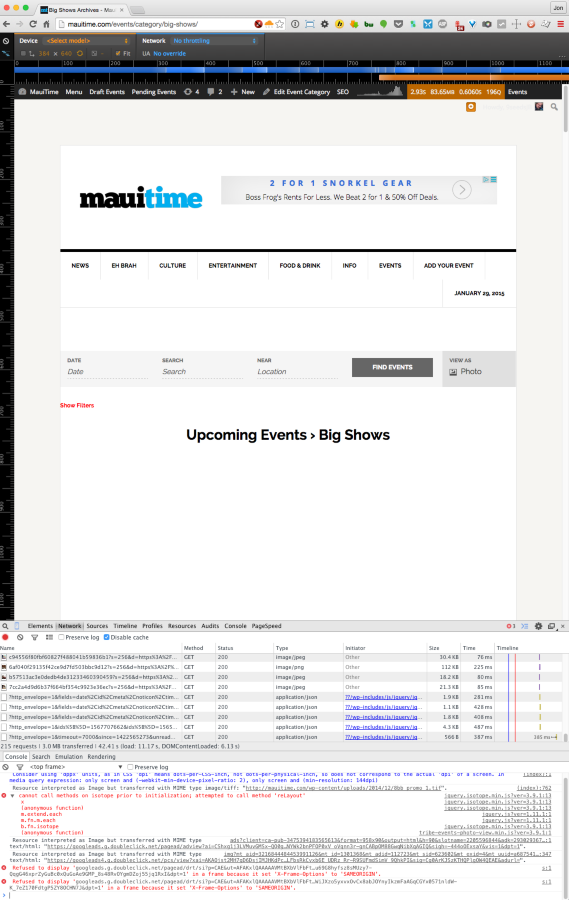
I reset permissions and reinstalled core. The isotope.js error went away, but it still seems to not be working for logged in users.
It does however seem to be working fine for logged out users (perhaps because those pages are better cached)
Jen – Not sure how much farther you want me to go with it, so I’m pressing pause for now.
ParticipantGustavo
maybe then can you explain a little better to me how ECP is serving the posts? Is it always basically starting with the all day events alphabetical, then chronological, alphabetical?
what if I wanted to show the main feed by certain event categories first? could we do that with a snippet?
thanks for helping understand how this works.
Jen
MauitimeParticipantthanks gustavo. right now i am using photo view.
We have it here http://mauitime.com/events
but because i have so many daily recurring events, almost in every instance in the main feed and categories I would like them to see the new one time events before the daily / recurring events. Otherwise its hard to see the one time events, nobody knows they are there.
thanks for your insight.
Jen
ParticipantGustavo – this worked perfectly. thank you
ParticipantHere are some links:
right now i cannot get anything to load. I know its there though (plus it loads the header and filters), because if i click into the white screen I get taken to an single event page
http://mauitime.com/events/category/art/
http://mauitime.com/events/category/big-shows/
http://mauitime.com/events/category/classes/
etc. If you go to the nav menu at the top all of these are under event
September 24, 2014 at 2:24 pm in reply to: Paging on "Events" in WP-Admin doesn't work when Event Category filter active #764504ParticipantThis reply is private.
-
AuthorPosts