
Home › Forums › Calendar Products › Events Calendar PRO › photo view is loading to a white screen
- This topic has 6 replies, 2 voices, and was last updated 11 years, 7 months ago by
Brian.
-
AuthorPosts
-
January 28, 2015 at 10:44 am #938570
Jen Russo
Participantfor some reason its fine in some categories than others
mauitime.com/events loads the events are all just a white screen
mauitime.com/events/ however if i use the filter bar to select some category then i see the events.
what is / could be preventing the mauitime.com/events from working in photo view?
Jen Russo
January 28, 2015 at 11:03 am #938582MemberHi,
Sorry for the issues you are having. I can help troubleshoot them with you.
Usually issues with the Photo View are related to Javascript errors.
Which categories are not working for you?
Can you provide some links that do work and some do not and we can go from there.
Thanks
January 28, 2015 at 11:29 am #938603ParticipantHere are some links:
right now i cannot get anything to load. I know its there though (plus it loads the header and filters), because if i click into the white screen I get taken to an single event page
http://mauitime.com/events/category/art/
http://mauitime.com/events/category/big-shows/
http://mauitime.com/events/category/classes/
etc. If you go to the nav menu at the top all of these are under event
January 28, 2015 at 11:41 am #938611MemberThank you for the links.
What browser are you using to visit the site?
I looked at them in Firefox and could see all the content.
However, I see a javascript error in the console:
SyntaxError: missing ) after argument list

http://mauitime.com/wp-content/themes/mauitime/js/global.js?ver=1415293665

Line 2
Looks like the error is coming from a script in your theme. Not sure how to fix that, but the theme developer maybe have a solution for it.
If that issue gets resolved that may fix the Photo View.
Let me know if the Photo View works after fixing that error.
Thanks
January 30, 2015 at 12:58 am #938959Participant(this is Jon logged in a Jen).
FYI,
I disabled global.js (it was an empty placeholder anyway). The console message is gone.However, I didn’t get a white screen loading any of these pages before disabling it beyond them loading extremely slowly. (10s+)
There are multiple very slow queries happening on that page.
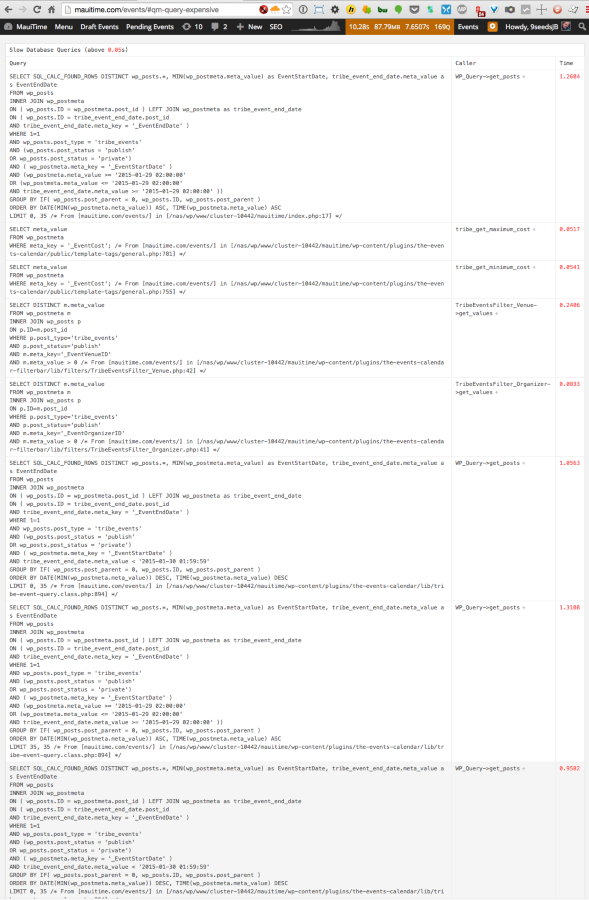
I thought Tribe was working on new code to speed that up, but I think that was a release or two away. That may or may not be related…
I did get a few pages that would fail to load content (see screenshot below), but it looks like isotope.js is failing to initialize, and that’s being loaded by TEC Pro.
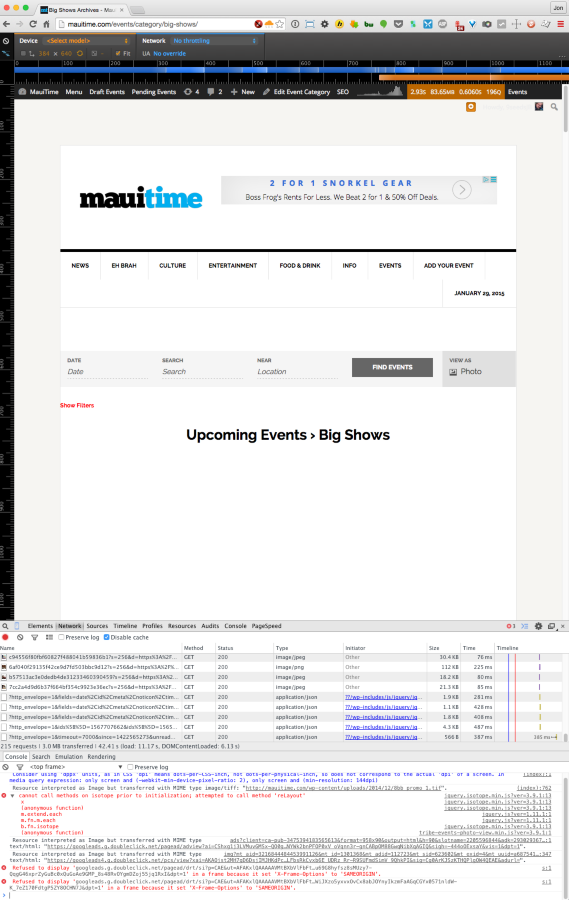
I reset permissions and reinstalled core. The isotope.js error went away, but it still seems to not be working for logged in users.
It does however seem to be working fine for logged out users (perhaps because those pages are better cached)
Jen – Not sure how much farther you want me to go with it, so I’m pressing pause for now.
January 30, 2015 at 8:19 am #939030MemberHello Everyone,
Thanks for the information.
We have been working on improving the performance of the Events Calendar and we do a little each release.
In our next release we are improving all the queries in all the views so that will help once it is released. I cannot say how much it help you due to the large amount of events you have, but it should improve.
As you guys do have a large amount events, do you think you be able to cache all the event pages even for logged in users?
No matter how much we improve the plugin it is always going to be a large process to go through so many events to get only the queried ones.
Let me know if you have any follow up questions.
Thanks
March 10, 2015 at 2:17 pm #947415MemberSince I haven’t heard back from you here, I’m going to go ahead and close out this thread. Feel free to start a new thread if you have further issues. Thanks! 🙂
-
AuthorPosts
- The topic ‘photo view is loading to a white screen’ is closed to new replies.