Forum Replies Created
-
AuthorPosts
-
September 18, 2017 at 11:10 am in reply to: Recurring Event Series not displaying correct days when existing event edited #1350797
Adam
ParticipantThis reply is private.
February 4, 2017 at 3:12 am in reply to: Export Events button intermittently exporting incorrect months data #1229384ParticipantThis reply is private.
January 25, 2017 at 8:19 am in reply to: Export Events button intermittently exporting incorrect months data #1223608ParticipantHi Nico,
Thanks for the info regarding the extended time frame. However, this is not what I am experiencing. Please try the export events button several times on different months on my sites calendar. Sometimes you get just that month in the ical file and other times you only get data from far in the future such as 2020!
Best regards,
Adam.ParticipantHi Cliff,
I added the code to the functions.php file and the new “Export 2016’s events “button has appeared on the calendar page – many thanks.
A few questions though.
1. If I do a search of the calendar so it only shows me specific entries that I’m interested in and then export only the month, I only get the entries I’m interested in for that month -this is great and the desired behavior. Is this possible to achieve this with the year export button, since it appears to always export all entries for the entire year ignoring any search that may have been carried out first.
2. Is it possible to resize the new button so that it matches that of the “export month’s events” (see screen shot).
3. If I view the calendar for any year in the future for example 2017, then the button still says 2016 and exports 2016 data. How can I change this so that it exports the year currently being viewed.Many thanks,
Adam.ParticipantHi Cliff,
I’ve installed the plugin and would like to add a second button, something like in the attached screen shot that I marked up. To add the second button, do I add it in the functions.php file? If so what code to I need to add or is it defined elsewhere?
Thanks,
Adam.
ParticipantHi Cliff,
Thanks for coming back with that. I’ll have a look at this and if I have any questions get back to you with maybe some screen shots.
Many thanks,
Adam.
ParticipantThis reply is private.
ParticipantThis reply is private.
ParticipantHi Nico,
Thanks for getting back to me.
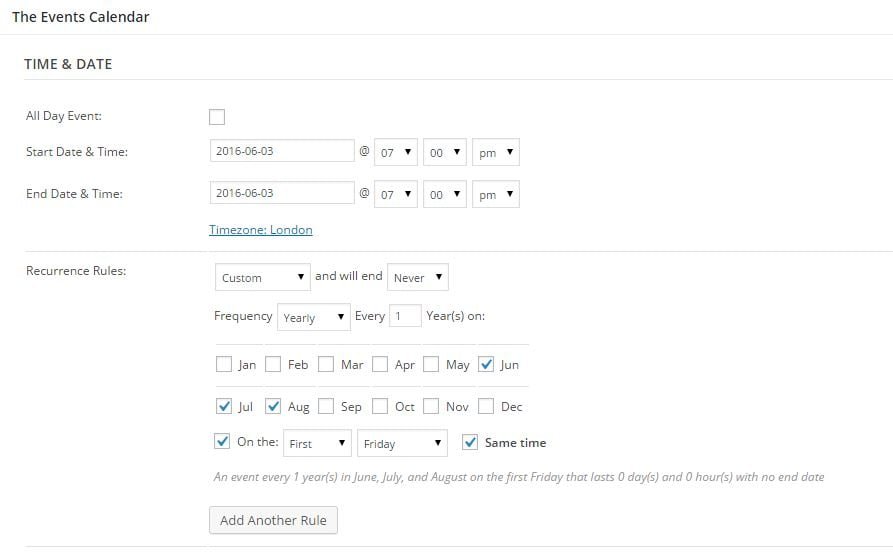
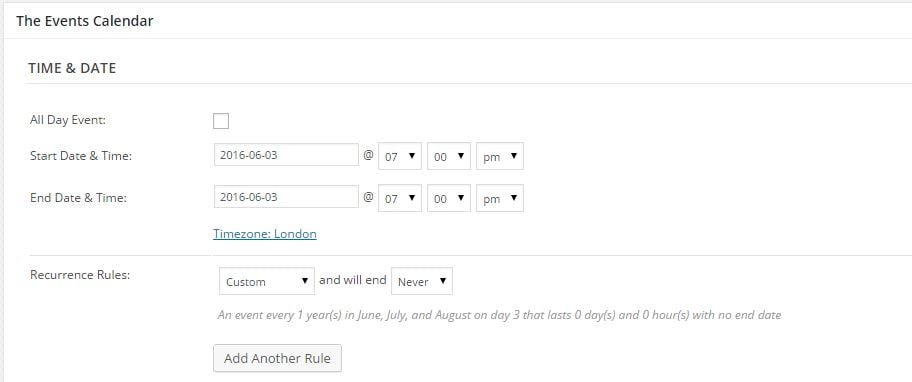
I am experiencing a bug when toggling the visibility of saved events using the rule visibility: https://cloudup.com/cLke8BQB5OK. On a previously published event, when I toggle the visibility on, it has lost a previous setting “ON THE” is no longer ticked! No if I update the event, instead of the event taking place on e.g. the “First” “Friday” it is now shown on a particular day number of the month, e.g. day 5.
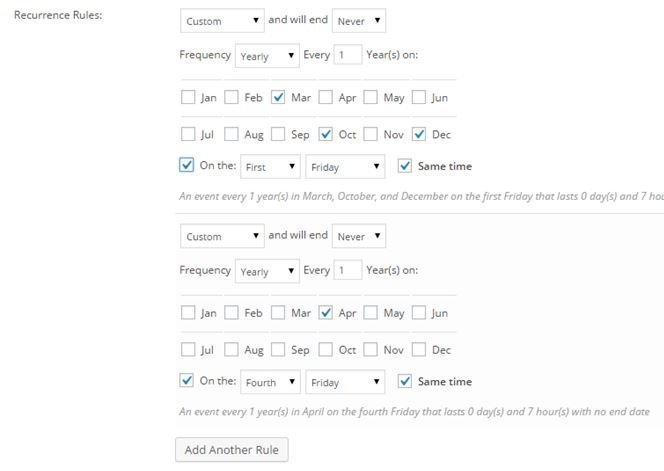
I tried #2 again but this time I set an event @7pm on Last Fri in Oct, Nov, Dec starting 28th Oct 2016 with no end date. This time only 2 x instances were created, 28th Oct 2016 and 20th Oct 2017 – no entries for Nov and Dec. So using different dates/pattern I get different results from last time but still not correct.
Best regards,
Adam.ParticipantHi Nico,
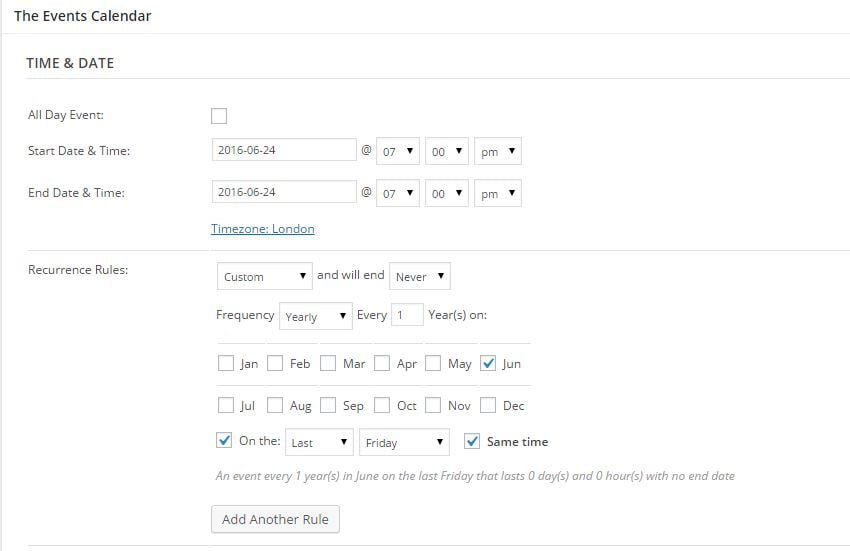
My date picker was set to DD/MM/YYYY so I changed to YYYY/MM/DD as you suggested and to retested. I created a new event on Fri 24th June 2016 @ 7pm with custom yearly recurrence set to last Friday of the month (see Issue 1 screen shot below) with no end date. The initial event on Fri 24th June 2016 was created/displayed correctly however, the recurrence event was created on 19th May 2017 which is one month before it should be and it not the last Friday, it was also one Friday before it should be.
Screen shots are here:
Issue 1 – Last Friday of month recurrence settings
Issue 2 – when creating the event BEFORE it is published
Best regards,
Adam.
September 13, 2015 at 3:24 am in reply to: Custom event. Frequency = Yearly, no end date – gives PHP error #1004644ParticipantHi Nico,
I look forward to the fix. In the mean time I’m wanting to go back to the client with some news on the matter and possibly a work around. Until the maintenance release is available, would it be possible to send me a work around, maybe in the form of an updated PHP file (“wp-content/plugins/events-calendar-pro/src/Tribe/Date_Series_Rules/Year.php”, since this was the one that looked like the error was being cause in) that I could upload the site in question?
Whilst I appreciate that Modern Tribe has many customers, am I to assume that this issue will be looked at with the utmost urgency since “flexible/free-form recurring events (PRO)” is listed at the top of the features sent out in the in “Version 3.12 of The Events Calendar and add-ons has shipped!” email?
Best regards,
Adam.
September 10, 2015 at 11:40 am in reply to: Custom event. Frequency = Yearly, no end date – gives PHP error #1003821ParticipantHi Nico,
Thanks for the reply. Here is a screen shot, it was the first custom recurrence pattern I tried. I then tried a simpler one, just one month ticked and “First” “Monday” and it also failed. I noticed that the recurrence only fails when “On the” is ticked, i.e. repeats on specific day, not on specific date. If “On the” is not ticked then the recurrence works but this is not what my client wants. They want for example on “First Friday” not on say every 2nd of the month – hope that makes sense.
As for testing, as well as the actual website I have a local fresh installation of WordPress running under Xampp on Windows 10. No other plugins activated, the default theme running. The recurrence with “On the” ticked fails for both the website and my local test system. In both setups I get the same error ending in “wp-content/plugins/events-calendar-pro/src/Tribe/Date_Series_Rules/Year.php on line 102”
If you need any more info, please let me know.
Thanks for all the help, Adam.
August 16, 2015 at 11:17 am in reply to: Recurring events not showing unless end year is more than a year past start date #996471ParticipantHi George,
How are the developers getting on with this?
Best regards,
Adam.
August 11, 2015 at 8:44 am in reply to: Recurring events not showing unless end year is more than a year past start date #995138ParticipantThis reply is private.
August 11, 2015 at 8:42 am in reply to: Recurring events not showing unless end year is more than a year past start date #995137ParticipantHi George,
Since the original post I made, I’ve created a “test” virtual PC and installed XAMPP. I then installed wordpress. No other plugins are active apart from the events calendar and the events calendar pro. I am running the theme twenty fifteen.
I then created an event for today at 7pm to 8pm and set recurrence to “Every week” and end on 8th Sept 2015.
When I view the calendar, the recurring events do not show, only the initial event set for today.When I change the end on date to 8th Sept 2015 it all works fine and displays all recurring events until 2016.
So I am getting the same issue on a fresh install of wordpress with no other plugins activated. I will post the system settings in a private message following this.
Best regards,
Adam.
-
AuthorPosts