Forum Replies Created
-
AuthorPosts
-
Carl
ParticipantThanks Brian
ParticipantHi Brian,
Thanks for responding so promptly.
Just to double check do you mean the following code should be changed:
add_action( 'init', 'stop_wootickets_ticket_email' );

function stop_wootickets_ticket_email() {
    $callback = array( TribeWooTickets::get_instance(), 'add_email_class_to_woocommerce' );
    remove_filter( 'woocommerce_email_classes', $callback );
}
`add_action( ‘init’, ‘stop_wootickets_ticket_email’ );
function stop_wootickets_ticket_email() {
$callback = array( Tribe__Events__Tickets__Woo__Main::get_instance(), ‘add_email_class_to_woocommerce’ );
remove_filter( ‘woocommerce_email_classes’, $callback );
}-
This reply was modified 11 years, 2 months ago by
Participant*UPDATE*
A update option came up about 20 minutes later, I think it just took a while to kick in. This is resolved now.
ParticipantThanks Brian, yes that’s it! Sorry to bring up this issue when it is more of a woocommerce problem. But that is kind of you to share that plugin. Cheers 🙂
ParticipantUPDATED
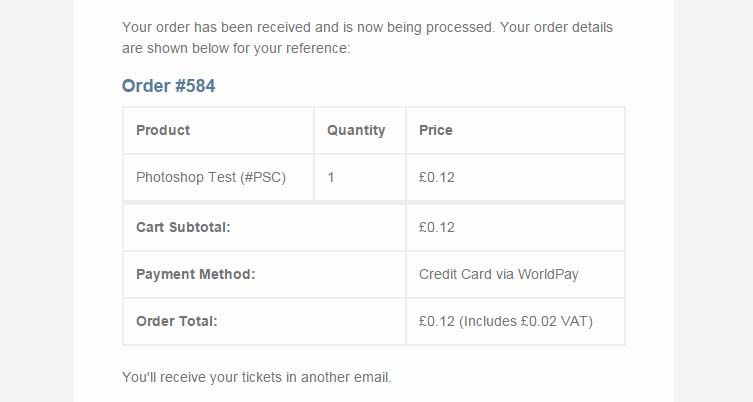
I have now found that it will only send out the email if I go into the backend of woocommerce and click “processing”. I know this is more to do with woocommerce but by the off chance do you know if there’s a way to send out this email without having to do it manually?
Thanks 🙂
ParticipantThe link didn’t seem to attach here it is again:
http://i1380.photobucket.com/albums/ah179/pippa-birchall/wooticketsorder_zpspjvetejx.jpg
ParticipantAhh, I see that makes a lot of sense, because when I transferred the site to my new host it automatically updated everything. I’ll let you know how I get on, thanks 🙂
January 29, 2015 at 2:34 am in reply to: Possible conflict with change_tickets_text and theme_filter_text? #938721ParticipantThank you I tried this but it still didn’t seem to make a difference to the frontend.
January 28, 2015 at 1:22 am in reply to: Possible conflict with change_tickets_text and theme_filter_text? #938376ParticipantHi,
Sorry I’m still a bit confused. Where exactly do I put the array in here?
// This example replaces "Event" with "Course" in all Tribe Plugins text

// See the codex to learn more about WP text domains:
// <a href="http://codex.wordpress.org/Translating_WordPress#Localization_Technology" rel="nofollow">http://codex.wordpress.org/Translating_WordPress#Localization_Technology</a>
// Example Tribe domains: 'tribe-events-calendar', 'tribe-events-calendar-pro'...

add_filter('gettext', 'theme_filter_text', 10, 3);

function theme_filter_text( $translations, $text, $domain ) {
 // If this text domain starts with "tribe-"
 if(strpos($domain, 'tribe-') === 0) {
 // Replace upper case, lower case, singular, and plural
 $text = str_replace(
 // Text to search for
 array('Event', 'event', 'Events', 'events'),

 // Text to replace it with -- change this for your needs
 array('Course', 'course', 'Courses', 'courses'),
 $text
 );

 }

 return $text;
}

add_filter('ngettext', 'theme_filter_ntext', 10, 5);

function theme_filter_ntext( $translation, $single, $plural, $number, $domain ) {
 // If this text domain starts with "tribe-"
 if(strpos($domain, 'tribe-') === 0) {
 // Replace upper case, lower case, singular, and plural
 if( $number > 1 ) {
 $plural = str_replace(
 // Text to search for
 array('Events', 'events'),

 // Text to replace it with -- change this for your needs
 array('Courses', 'courses'),
 $plural
 );

 return $plural;
 } else {
 $single = str_replace(
 // Text to search for
 array('Event', 'event'),

 // Text to replace it with -- change this for your needs
 array('Course', 'course'),
 $single
 );

 return $single;
 }
 }
}
Thanks
January 26, 2015 at 2:23 am in reply to: Possible conflict with change_tickets_text and theme_filter_text? #937490ParticipantHi,
Thanks for your help Brian. Sorry but I am not that familiar with php code to be honest. Where do I put the following code in the functions.php file?
array('Event', 'event', 'Events', 'events', 'Tickets'),

array('Course', 'course', 'Courses', 'courses', 'Bookings'),
On the other hand, if I were to edit the the ticket template how would I do this?
Thanks again
ParticipantThanks! This worked a treat. I really appreciate your assistance as I’m not very familiar with php!
ParticipantJust double checking would it be:
// Always include the main event details in this first section
tribe_get_template_part( ‘modules/meta/details’ );$set_venue_apart = true;
}// Include organizer meta if appropriate
ParticipantHi Geoff,
I’ve been trying to find the folder for this but can’t seem to find it. Do I need to go into FTP to find it?
Thanks
ParticipantThanks Geoff. I tried all these and in the end found adding the snippet to the bottom of the functions.php worked! 🙂
ParticipantHi Geoff, I have a feeling it may be something to do with updating a plugin, even though the php code is still there.
I just put this into the functions.php and it still didn’t work for some reason.
-
This reply was modified 11 years, 2 months ago by
-
AuthorPosts