
Home › Forums › Calendar Products › Events Calendar PRO › Using the Events Calendar Pro
- This topic has 7 replies, 4 voices, and was last updated 10 years, 3 months ago by
jerry.
-
AuthorPosts
-
June 22, 2016 at 10:39 am #1130448
jerry
ParticipantI have installed an updated the Pro version. How do I use it? Do i just use the regular EVENTS tab to manage my calendar? How do I use the other features? Especially viewing the events in a calendar instead of a list and recurring events?
June 22, 2016 at 11:50 am #1130485Hunter
ModeratorHey Jerry!
Thank you for choosing PRO and welcome to the forums! I would be more than happy to help assist you. If you haven’t already, check out our New User Primer as it contains tons of valuable information and tips on how to get the most out of our plugins.
Once you’ve installed and activated PRO, not much will change on the back-end of things other than a few features added (such as recurring events). To create a recurring event, simply add a new event and under the ‘Time & Date’ section, you’ll see the option to add a new set of recurring rules. We have a great article which goes into great detail on how PRO recurring events work.
If you still have any questions after reading through the provided material, feel free to respond. Thanks again for choosing PRO and have a great Wednesday.
Cheers!
June 22, 2016 at 12:49 pm #1130522ParticipantThank you for the reply. i figured out the recurring events and it saved me a ton of time.
I have another question. – I would like to enter events by looking at a calendar view instead of a list. Can i do that?
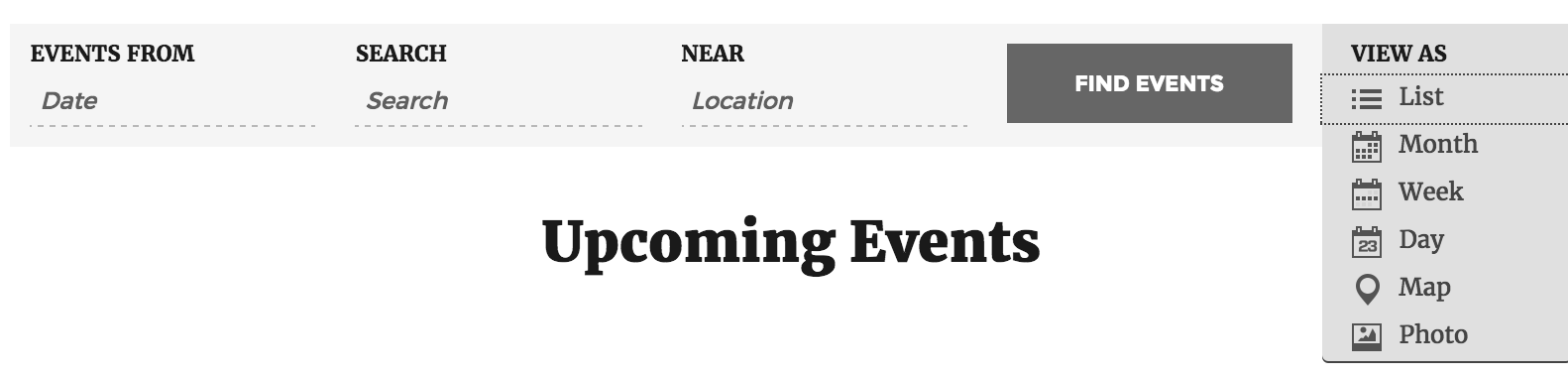
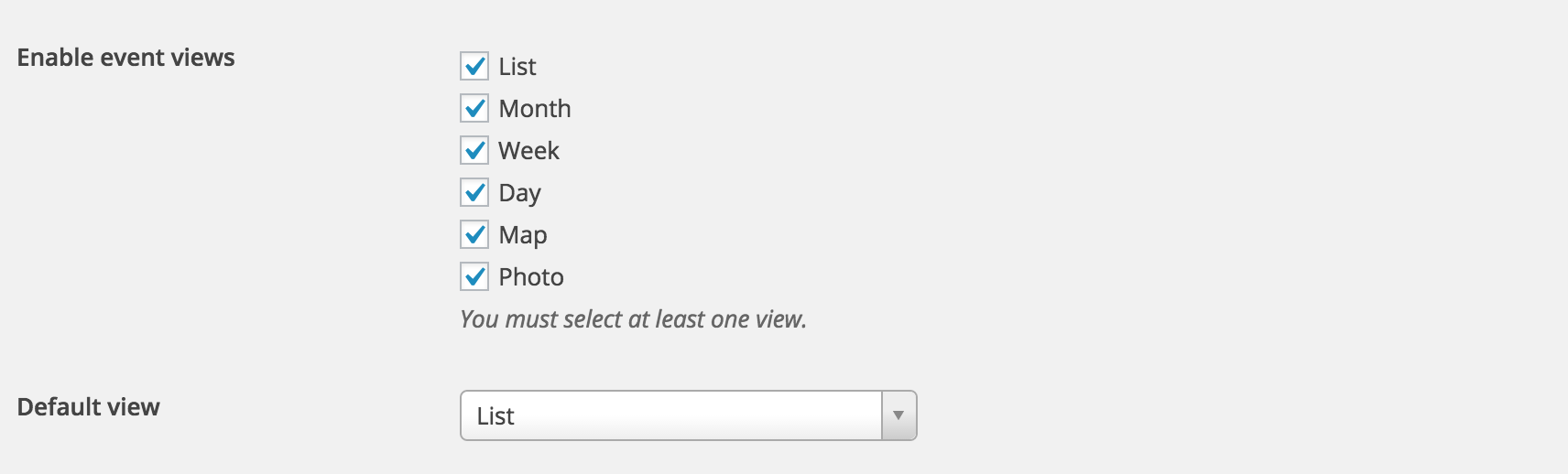
June 23, 2016 at 9:36 am #1131048ModeratorGlad to hear you’re on the right track! To get to your calendar view, you can select the ‘View as’ dropdown and select calendar (see first screenshot below) or you can enable and set the default view to ‘Calendar’ by visiting Events > Settings > Display (see second screenshot below).
Let me know if this helps.
Cheers!June 23, 2016 at 12:49 pm #1131168ParticipantThis is not what I am asking. I want to view the events in a calendar as I create them. Can I look at a calendar view, click on a day and add an event? Can I look at a calendar view, click on an event an edit it? I just do not like looking at a list of event and searching for an event.
June 27, 2016 at 12:16 pm #1132531ModeratorSorry for the misunderstanding,
We don’t have that feature available at this time, but it is something worth adding to our UserVoice Feature Ideas if it hasn’t been submitted already.
I hope this helps and have a good week.
Cheers!July 12, 2016 at 9:35 am #1138710Support Droid
KeymasterThis topic has not been active for quite some time and will now be closed.
If you still need assistance please simply open a new topic (linking to this one if necessary)
and one of the team will be only too happy to help. -
AuthorPosts
- The topic ‘Using the Events Calendar Pro’ is closed to new replies.