
Home › Forums › Calendar Products › Events Calendar PRO › Unable to edit events
- This topic has 9 replies, 2 voices, and was last updated 10 years, 5 months ago by
George.
-
AuthorPosts
-
April 28, 2016 at 6:34 am #1108169
Benjamin
ParticipantI’m running the latest version of The Events Calendar and Events Calendar Pro. I have deactivated all themes, but these two. I have a few events that I already loaded onto our new site, but now when I click Edit on one of them or Create New Event I get a 500 error that the page isn’t working.
I was experiencing some other problems which were resolved by rolling back to WP4.4.2. I noticed that an update hadn’t been released.
April 28, 2016 at 9:45 am #1108309ParticipantHey @Benjamin,
I’m sorry to hear about this!
This is not normal behavior, and I cannot recreate it, so to help me investigate, can you post your site’s complete “System information?”? Here’s how → https://theeventscalendar.com/knowledgebase/sharing-sys-info/
Thank you!
GeorgeApril 28, 2016 at 10:35 am #1108343ParticipantThis reply is private.
April 28, 2016 at 5:07 pm #1108532ParticipantHey Benjamin,
In that article I linked to, there’s a big disclaimer to not post screenshots:
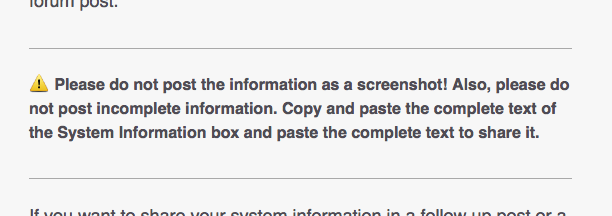
Can you copy and paste the text of System Information box in its entirety here and share that? There could be crucial information relevant to this issue there.
Thank you,
GeorgeApril 28, 2016 at 5:15 pm #1108535ParticipantThis reply is private.
April 28, 2016 at 5:42 pm #1108544ParticipantThank you for this information!
Nothing seems out of place here, so I am truly a bit stumped by the behavior you describe on your site.
1. What are your site’s Permalinks settings? These are found literally at Settings → Permalinks in your site’s wp-admin. Are they set to /%postname%/, for example?
2. Just to clear, do you mean that you have tried deactivating ALL plugins except The Events Calendar and Events Calendar Pro AND—while your site was in this state—then also activated a default theme like Twenty Sixteen? In this state, what do you find? (The key is that the default theme is active and all other plugins except the two events ones are deactivated.)
Thank you for your patience with this; the behavior is not normal and cannot be recreated, so this extra digging is unfortunately necessary to make progress on the investigation.
Sincerely,
GeorgeApril 28, 2016 at 6:06 pm #1108553ParticipantI’m pretty sure that earlier today it didn’t work, but I just retried and with all plugins turned off but The Events Calendar and Events Calendar Pro and the 2016 theme – it does work. It also works with ET’s Divi theme and just the Events Calendar, but as soon as I activate the Events Calendar Pro – I get a 500 error when I try to edit an event or post.
I’ve used the Divi theme and Events Calendar Pro in the past. Is there a known compatibility issue? This is a widely used theme.
April 28, 2016 at 8:00 pm #1108573ParticipantHey Benjamin,
There is no known compatibility issue on this level—a 500 error.
Do any errors pop up on your site if you head to your site’s wp-config.php file and change this line of code:
define('WP_DEBUG', false);to this:
define('WP_DEBUG', true);That will display PHP errors if any exist, which might be quite useful here. Try making this change and then trying to recreate the 500 error—any other errors pop up along the way? If so, copy and paste them in their entirety into Gists at http://gist.github.com, and then share links to those Gists here.
Thank you!
GeorgeApril 28, 2016 at 8:08 pm #1108574ParticipantIt looks like I’m running into PHP memory limit issues. But why it is The Events Calendar Pro alone that is causing it I can’t explain. Is this plugin heavy on resources?
I’ve added a php.ini file into my wp-admin folder, and it appears to be working.
Thank you your help!
April 28, 2016 at 8:11 pm #1108576ParticipantWeird! Thanks for reporting this, @Benjamin—Events Calendar Pro is indeed a “heavy” plugin that does lots of things, but it should not be causing 500 errors; we have no other reports of it doing so; and no matter what I tried I could not produce a 500 error myself. So I’m not quite sure happened.
I’m glad there’s progress though—thank you for your patience with this issue!
I will close this thread for now but please open a new thread any time if other issues, questions, comments, etc. arise.
Best of luck with your site,
George -
AuthorPosts
- The topic ‘Unable to edit events’ is closed to new replies.