
Home › Forums › Calendar Products › Events Calendar PRO › Styling/editing the main "Events" page
- This topic has 13 replies, 3 voices, and was last updated 10 years, 8 months ago by
Support Droid.
-
AuthorPosts
-
November 19, 2015 at 10:47 am #1028187
Greg
ParticipantHi,
How on earth do we go about editing content on the main “Events” page?
It’s a page/post that is automatically created by the plugin, but does not seem to appear anywhere as an actual page that can be modified.
We’d like to add a sidebar to the page and display a list of events alongside the calendar view, as well as regular stuff like words and images in the main body of the page.
But I can’t find anywhere to adjust the behaviour of this hidden page.
Thank you
Greg
November 19, 2015 at 3:40 pm #1028300Cliff
MemberHi Greg. Please reference https://theeventscalendar.com/support/forums/topic/control-visibility-of-sidebar-widgets/#dl_post-1011743 and see if adding those new widget areas will help you with what you’re wanting to accomplish.
And, FYI, the events page that’s created is actually a WordPress “custom post type archive” page, not an actual WordPress “page” or “post”.
Looking forward to hearing back from you.
December 2, 2015 at 5:25 am #1033631ParticipantHi Cliff,
I’m sorry, it seems I forgot to mention that we are using Avada theme, so I found the setting for what we needed to achieve under Theme Options -> Events Calendar -> Global Sidebar. It’s working here:
http://cpmr-atlantic.org/events/
Because Events Calendar comes bundled with Avada now, I would have hoped there would be very slick compatibility with styling etc. But we do have some other issues…
Here is a screenshot (by the way, provision to upload a screenshot here in your support ticket system would be quite helpful).
http://www.screencast.com/t/YHpgW9gvp
I have labelled the 5 problems.
1. Normally at page/post level in Avada, there is the option to overide the default page padding. But as this is some sort of custom post, we have no visibility to do this. How can we do this?
2. This “Find Events” button does not re-size, and where is it taking its styling from? It’s almost invisible, plus we find no setting anywhere on the site that specifies the color of the hover state, #DEF8F5
3. View As box/link. What is this supposed to do? On click nothing happens.
4. What is this dual horizontal line?
5. Export button – similar to problem 2. It’s white by default, I only found it by accident moving the mouse around. How to style this button please?
Question related to point 5: Hover state of this button talks about a Google calendar compatible download. Even though iCal is .ics, is this not a bit confusing for visitors who don’t know this? Eg. they would think that there is no Apple iCal support, only Google Calendar?
General Question – Our client would like to be able to see a print-friendly list of all forthcoming events. How can we achieve this please?
Thanks very much
Greg
December 2, 2015 at 9:28 am #1033918MemberGreg, thanks for the additional details.
FYI: In this forum we try to keep our threads focused on just one issue to ensure we answer each question. Please keep this in mind for the future and start a new thread for each unrelated issue. Thanks for your understanding.
For your issues with Avada styling, you’ll need to ask your theme support those questions.
Regarding wanting to see a print-friendly list of upcoming events, that’s not a feature we include.
You could link to http://cpmr-atlantic.org/events/list/ and use one of the WordPress Print Friendly plugins on that page. And/Or you could add some custom print page styling via @media print.
You might also want to vote for this existing feature request: Make it possible to print calendar or add your own separate feature request if that doesn’t match your idea.
I hope this information helps. Please let me know if there’s anything else I can do for you.
December 2, 2015 at 9:34 am #1033925ParticipantHi Cliff
OK thank’s I’ll speak to Themefusion about the rest of the styling-related questions, however:
> 2. This “Find Events” button does not re-size, and where is it taking its styling from? It’s almost invisible, plus we find no setting anywhere on the site that specifies the color of the hover state, #DEF8F5
— There is no setting in our Avada setup for any element coloured #DEF8F5. So this must be coming from the plugin?
Furthmore, the button is not responsive – surely this again is code from the plugin?
> 3. View As box/link. What is this supposed to do? On click nothing happens.
— No answer received
> Question related to point 5: Hover state of this button talks about a Google calendar compatible download. Even though iCal is .ics, is this not a bit confusing for visitors who don’t know this? Eg. they would think that there is no Apple iCal support, only Google Calendar?
— No answer received
Thank you
Greg
December 3, 2015 at 7:50 am #1034699MemberGreg, your website has many, many issues to address:
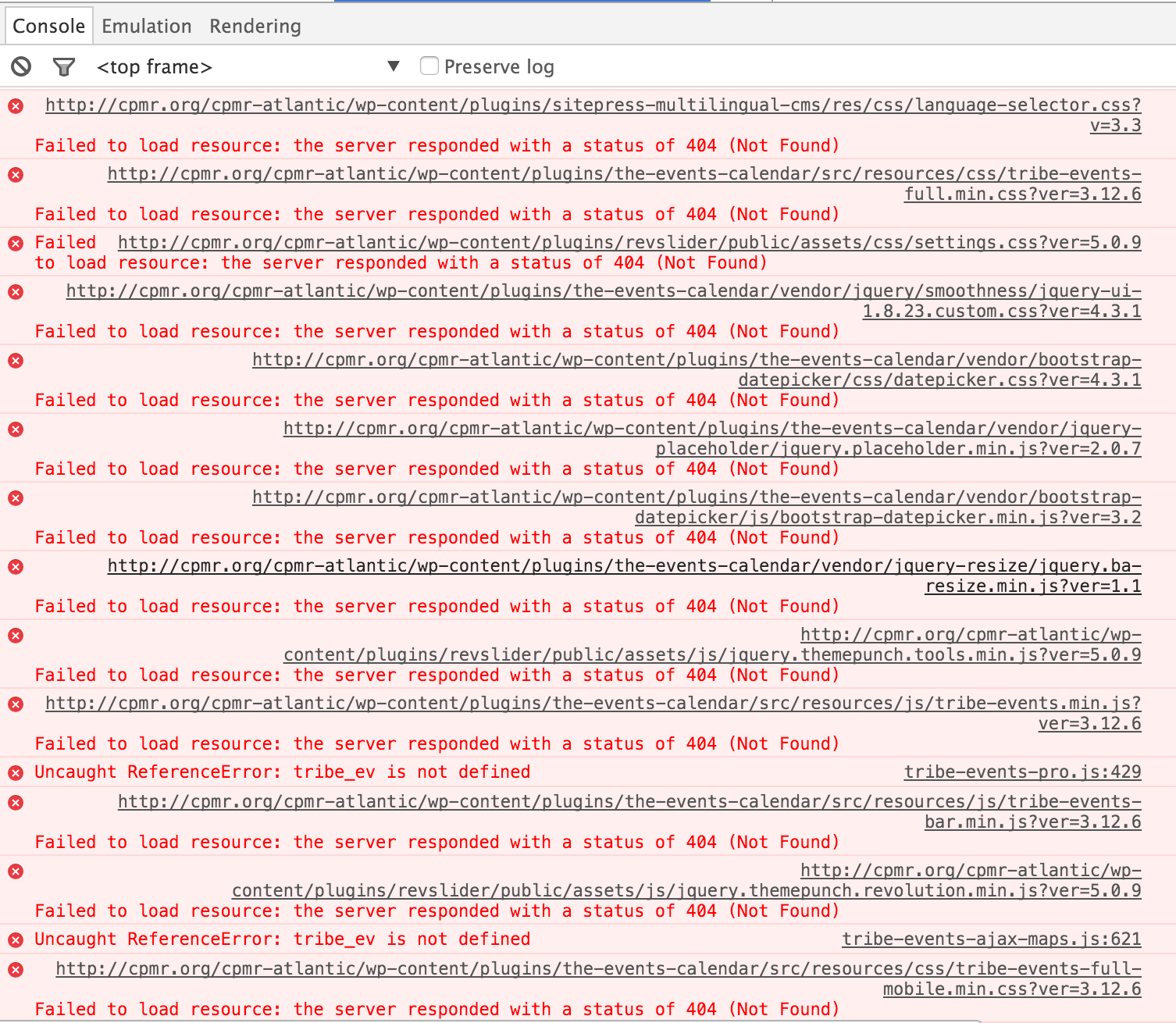
Console Errors (mostly 404’s):


Fixing these would be step 1. I’m not sure how your site can generate this many errors from a variety of sources, but, in general, when I see this happening I suggest totally deleting the relevant plugin(s)/theme(s) — at least The Events Calendar and Avada theme in your case — re-downloading the latest versions from each source, and installing the latest versions.
Hopefully that’ll resolve many of these console errors.
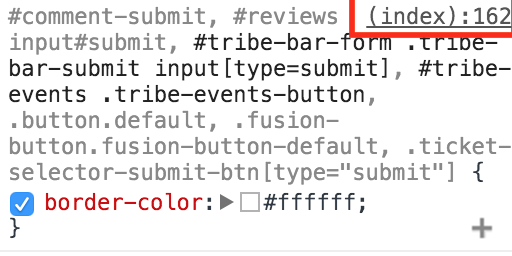
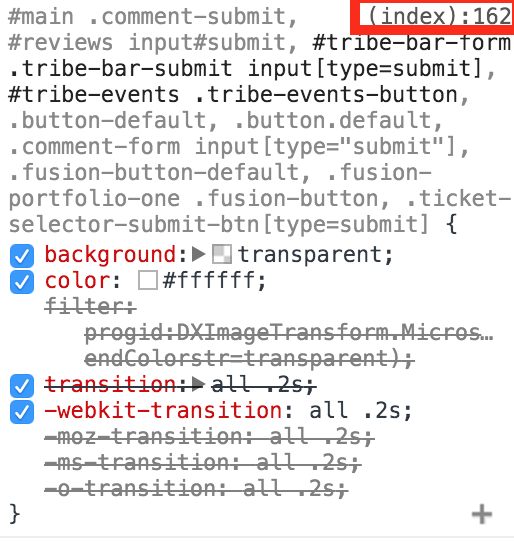
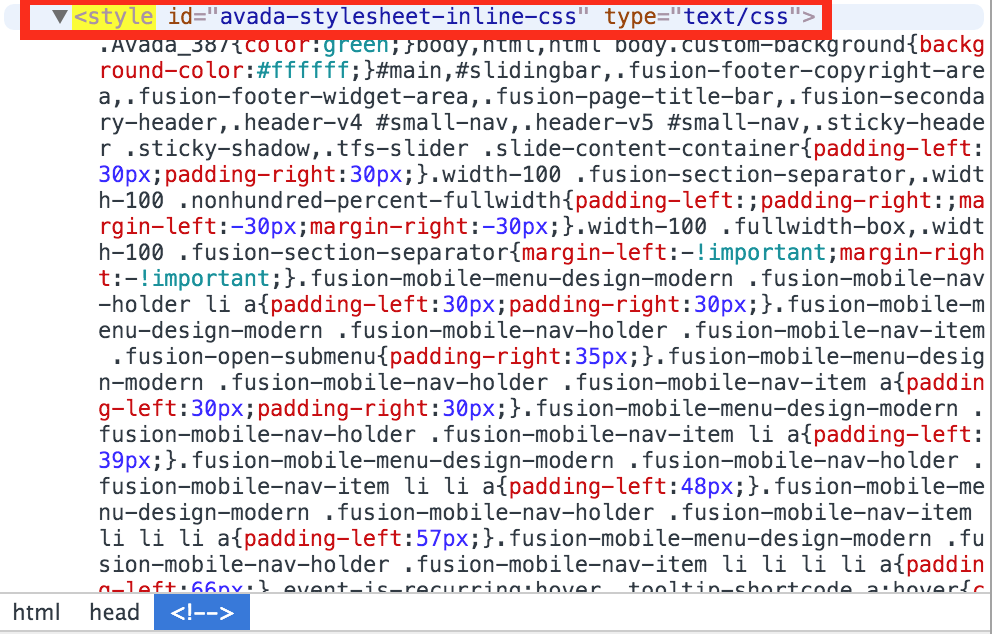
Secondly, the “Find Events” button styling isn’t from Avada core nor from The Events Calendar core stylings. It’s from “avada-stylesheet-inline-css” (wherever that comes from in your Avada theme settings). Here are some applicable screenshots:


Please reply back once you’ve solved all your console errors and I can assist further if needed.
Thank you.
December 3, 2015 at 8:14 am #1034741ParticipantHello Cliff,
No errors; sorry for the confusion – it’s a multisite, and the parent site is currently on our server, whilst the site in question is accessible directly from its domain. Which is why you’re seeing the 404’s
If you add the following to your hosts file you will access the site fine and not see these errors:
91.146.109.70 http://www.cpmr.org cpmr.org
Then hopefully you will be able to answer the remaining questions
Thank you
GReg
December 3, 2015 at 3:53 pm #1035124MemberAh, much better.
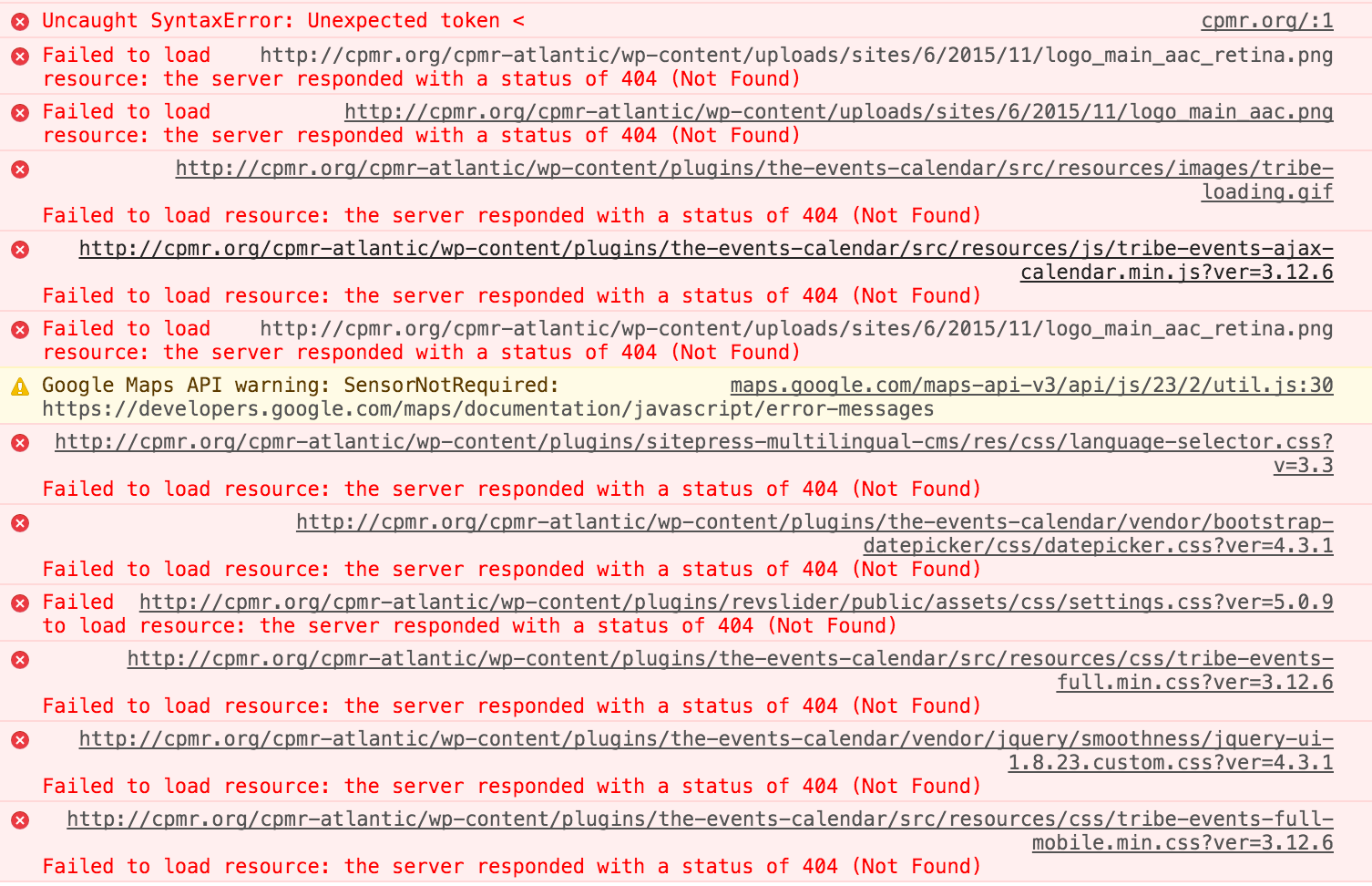
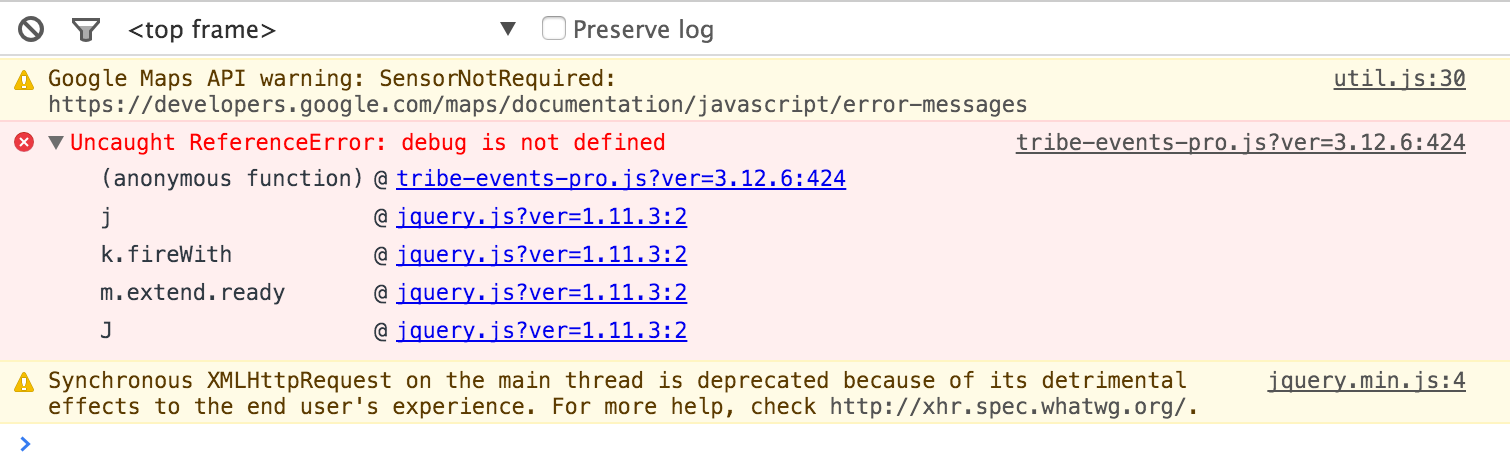
I still see some issues in the Console:

We see that Google Maps message sometimes when there’s another plugin including the Google Maps API script and that should be turned off or a conflict should be reported.
Additionally, since we have release version 4.0 of our plugins, please upgrade to those so we can proceed with this so it’s a long-term solution for you.
Thanks.
December 4, 2015 at 5:58 am #1035303ParticipantHey Cliff,
Thanks that has fixed everything – apoligies the button styling code was indeed hidden in Avada.
I see the wording of the “export” button hover is changed too in 4.0 which is much clearer 🙂
The Google maps error – could you explain a little more about what action I need to take please? It wasn’t quite clear.
Thank you
Grge
December 4, 2015 at 8:35 pm #1035845MemberI’m glad we’re getting somewhere! 🙂
The Google Maps issue was saying that more than just our plugin is trying to render Google Maps on your page(s). This is either from your theme or a plugin.
Could you try temporarily activating the default Twenty Fifteen theme and seeing if the issue persists?
If disabling the theme fixes it, we have narrowed the issue down to a theme conflict. Do you have any theme overrides for the Events Calendar? If so could you try disabling them by renaming your [themename]/tribe-events/ folder to ‘tribe-events-bak’. Did that fix it?
If the issue persists in the default Twenty Fifteen theme, then we have a different set of debugging steps. Please keep the Twenty Fifteen theme enabled, and also disable any plugins other than the ones from Modern Tribe to see if that fixes it. If it does, please try re-enabling the plugins one at a time until the issue resurfaces. When it does resurface, can you let me know which plugin caused that to happen?
December 5, 2015 at 12:36 am #1035863ParticipantHey Cliff,
Sure I will check this out – it feels like something the guys at Themefusion should be doing as its their theme, sold as compatible and integrated, that we’re using! But hey.
One thing though – which debug console are you using and what configuration/ where should I look to find the conflict displayed, as you have in your screenshot?
This problem isn’t presenting and problems front or back end so a bit tricky to spot, with no symptoms!
Cheers all the best
Greg
December 5, 2015 at 7:57 am #1036102ParticipantHi Cliff –
Actually i found this while looking at a seperate Avada issue. Can you tell me if this has now resolved the conflict you were seeing?
Thanks
Greg
December 5, 2015 at 8:58 pm #1036171MemberI’m glad you found it; thanks for the screenshot.
Loading http://cpmr-atlantic.org/events/list/ (with the hosts file edit you gave me before) now no longer has any Chrome console errors. I see you have some sort of The Events Calendar debugging on though.
Now that there’s no more console errors, is The Events Calendar loading/working as desired for you?
February 18, 2016 at 8:32 am #1075957KeymasterThis topic has not been active for quite some time and will now be closed.
If you still need assistance please simply open a new topic (linking to this one if necessary)
and one of the team will be only too happy to help. -
AuthorPosts

- The topic ‘Styling/editing the main "Events" page’ is closed to new replies.