
Home › Forums › Calendar Products › Events Calendar PRO › Recurring events over multiple days
- This topic has 9 replies, 5 voices, and was last updated 9 years, 5 months ago by
Support Droid.
-
AuthorPosts
-
December 20, 2016 at 6:05 am #1208116
Ross
ParticipantHello. I’m having an issue getting the following to work:
(1) I have an event that is spread over two full days (15 and 16 of December, January, March, April). I have input this as an all day event and set the start and end dates as 15 and 16 December and then used custom > yearly to select the relevant months. For the first entry this works fine: the event is recorded as starting on the 15 and ending on the 16th, but for all subsequent events only the first date (15th) is recorded, so if a user were to start the calendar at the 16 January the event in January (which is still being held on that day) does not appear.
(2) Using the Tribe theme an “All Events” button shows at the top of the events page when LIST is selected. This doesn’t make any sense as the page is already showing all events, and the link just takes me back to the same page but in a different view (photos in my case). I assume this is an error, but can you please tell me how to fix it?
Thanks,
RossPS The system information required below is not in Events > Settings > Help. Just Events > Help.
December 20, 2016 at 5:34 pm #1208652Hunter
ModeratorHey Ross,
Welcome back! For issue #1, I’ll need you to review our Testing for conflicts guide and reply back with your findings. This is a required step to receive support and is recommended you do so before opening new threads.
In response to issue #2, I was unsure of the default behavior, so I went ahead and tested. I’m not seeing the same “All Events” text on my test website. (see screenshot below)
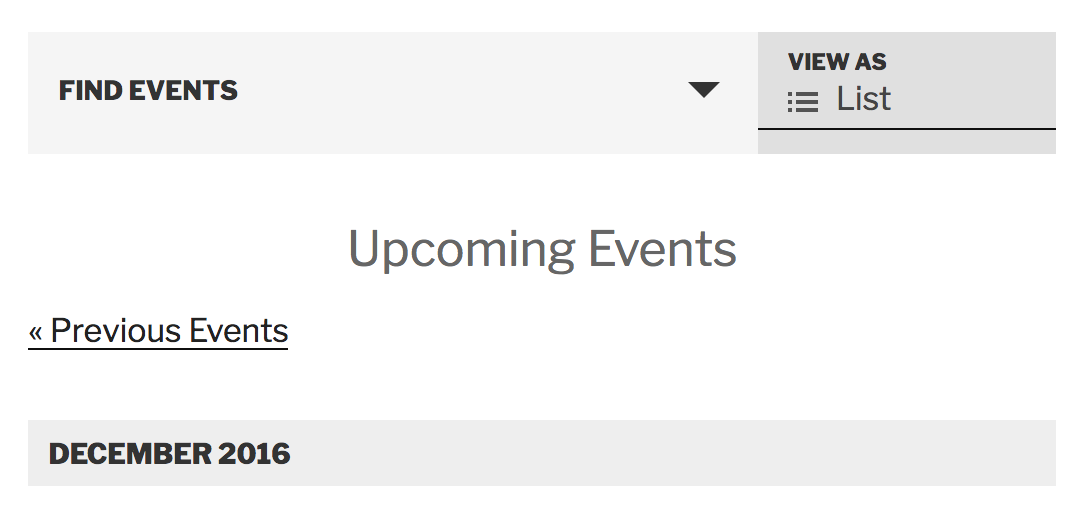
This means there is most likely custom code overwriting the default behavior. The Testing for conflicts guide will help confirm this. Once you’ve identified where the code is coming from, you can simply delete it or hide it using CSS.
Let me know what you find out in regards to issue #1 and best of luck resolving issue #2. Cheers!
December 21, 2016 at 4:57 am #1208790ParticipantThis reply is private.
December 21, 2016 at 8:18 pm #1209275ModeratorHey Ross,
Thank you for the update and following the Testing for conflicts guide instructions. I went ahead and tested the issue and experienced the same behavior as you.
Apparently, when marking the event as “All Day” in the ‘Time & Date‘ section of an event, you get the results of the faulty code. Try setting an actual start/end time for the event and you should see the correct start/end dates/times. I understand this isn’t an ideal workaround. Another option would be to manually revert back versions until you find the one that doesn’t include the bug.
We have a bug logged resembling what you’ve described, so I’ve gone ahead and added this forum thread to the ticket which helps expedite the process of getting a fix included in an upcoming release. I don’t have a precise date when it will be available, but please stay tuned to our Release Notes and the plugin changelogs for more information. Thanks again and let me know if you’ve got any additional questions or comments. Cheers!
December 21, 2016 at 8:37 pm #1209286ParticipantHi Hunter,
Thanks for the reply.
I have requested a refund for the plugin in another forum topic and I’m
requesting it again here. The only reason I purchased the PRO version
rather than simply use the free version is the plugin’s claim to handle
recurring events. On the backend this is the case–you have more options
than other plugins for various patterns and recurrences. However, the logic
is glitchy and that ultimately means I cannot use the plugin for my
purposes and as it does not do what it promises to do.For example, to set up the event I describe I have two options:
(1) Set it up as an all day event (your plugin–and no other from what I
can tell–can handle multi-day events which a time slot for each day) and
then write the time in the body. Not ideal, but only a small issue. However
this option doesn’t work because there is a fault (as per your reply) with
your plugin. Incidentally, I don’t want to set a single start/end date for
multi day events because then it shows X event beginning at 9am Saturday
and ending at 5pm Sunday (for instance), which is not the case.(2) Set up each day as a separate event. This I don’t like doing because an
event is not a logical construct–it’s whatever I define it to be. In this
case a market that takes place over the weekend is one event. Moreover,
when I have a recurring event spread over several days this quickly gets
tediuous.Hence the request for a refund, which I think is reasonable. If the above
issues are fixed I will consider rebuying because the plugin does have some
excellent features, but I would rather repurchase later than wait for an
update (especially since this issue has been raised previously and not yet
fixed).December 23, 2016 at 1:44 pm #1210153ModeratorHey Ross,
We appreciate you taking the time to provide your constructive criticism. I completely understand the faulty code that is currently affecting the recurring events feature is inconvenient, but rest assured we are taking the matter seriously and hope to release a fix as soon as possible.
Thank you for understanding our position on the matter and best of luck with your project. Feel free to reply back with any additional questions or comments. Have a great holiday season!
January 14, 2017 at 8:35 am #1218612KeymasterHey there! This thread has been pretty quiet for the last three weeks, so we’re going to go ahead and close it to avoid confusion with other topics. If you’re still looking for help with this, please do open a new thread, reference this one and we’d be more than happy to continue the conversation over there.
Thanks so much!
The Events Calendar Support TeamApril 20, 2017 at 6:43 am #1272114Nico
MemberHey Ross,
[I updated you about this in other thread as well, but for future reference I’ll do so here too]
Just wanted to share with you that maintenance release 4.4.6 of our plugins is out, including a fix for this issue 🙂
Find out more about the release → https://theeventscalendar.com/maintenance-release-events-calendar-pro-4-4-6-event-tickets-4-4-6-premium-add-ons/
Please update the plugins and let us know if the fix works for your site,
Best,
NicoMay 12, 2017 at 9:35 am #1283074KeymasterHey there! This thread has been pretty quiet for the last three weeks, so we’re going to go ahead and close it to avoid confusion with other topics. If you’re still looking for help with this, please do open a new thread, reference this one and we’d be more than happy to continue the conversation over there.
Thanks so much!
The Events Calendar Support Team -
AuthorPosts
- The topic ‘Recurring events over multiple days’ is closed to new replies.