
Home › Forums › Welcome! › Pre-Sales Questions › QR code on Ticket Plus
- This topic has 6 replies, 2 voices, and was last updated 10 years, 8 months ago by
George.
-
AuthorPosts
-
January 9, 2016 at 2:37 pm #1053260
Helgi Petersen
GuestThe QR code that is on the email.
Is it on a pdf, or at the normal woo email template ?January 9, 2016 at 3:34 pm #1053273ParticipantHey Helgi,
The QR Code is included right in the ticket email itself, and nowhere else by default. Here’s an example of how the email tickets look:
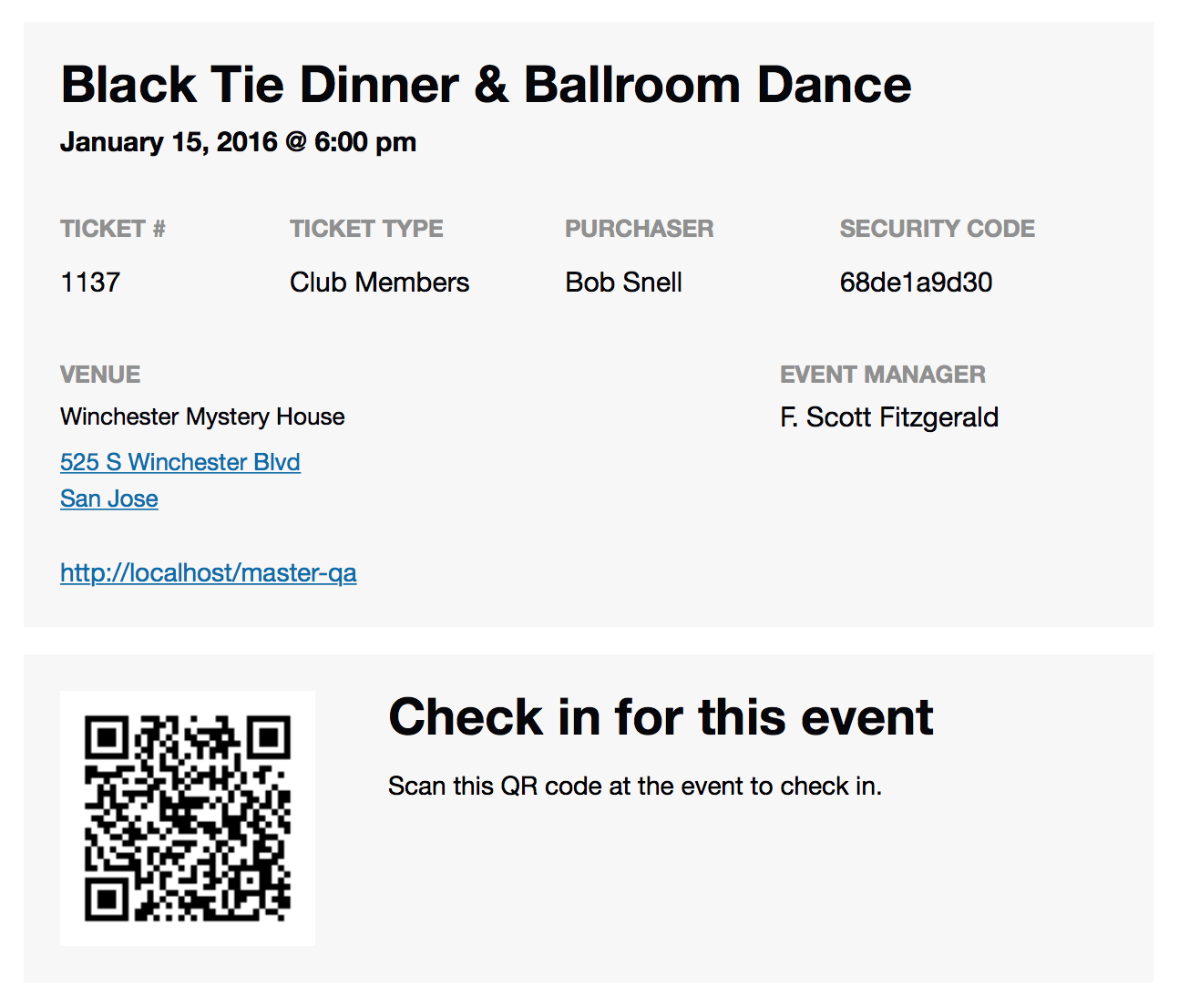
I hope this is helpful!
— George
January 9, 2016 at 10:46 pm #1053322alex
GuestHow do you scan the qr code? do you need a special ticketing app for a phone or do you provide an app? can you use a barcode scanner?
January 11, 2016 at 10:47 am #1054021ParticipantHey Alex,
Yes, a scanning app is required to scan the codes. We don’t make one ourselves, but there is a litany of options for iOS, Android, and other platforms. Here’s a general overview of the scanning process:
1. Get an App for your phone or tablet that can read QR codes (Scan for IOS is what I use)
2. Setup the Scanner App to open in a browser or in the app itself
3. Sign into your site on the device that you will be using to scan the codes.
4. Scan the QR Codse. You will get a success message such as “This Ticket with ID xxxx was checked in.” for each succesful check-in.
I hope this helps!
GeorgeJanuary 19, 2016 at 1:42 pm #1058848Chris
ParticipantI have tested this and I can not get it to check in. I am using QRReader for iphone. I have logged in to my website.
January 20, 2016 at 7:39 am #1059273ParticipantSorry to hear this Chris! Can you open a new thread on these forums that describe the issue? Describe exactly what happens when you try to scan a QR Code for check-in…
Also, can you include your system information in that thread? Here’s how to do that → https://theeventscalendar.com/knowledgebase/sharing-sys-info/
Thank you!
GeorgeJanuary 20, 2016 at 7:41 am #1059275ParticipantHey everyone,
This thread was originally started by Helgi Petersen to ask about where QR codes are. Since that original query has been answered, for any further discussion about QR Codes, or to report issues like Chris above, please open up new threads on the forums here and include your “system information” if appropriate. (as per this guide: https://theeventscalendar.com/knowledgebase/sharing-sys-info/)
We will get to those threads promptly and will be able to address your specific issues more efficiently that way instead of keeping things in this thread.
Cheers,
George -
AuthorPosts
- The topic ‘QR code on Ticket Plus’ is closed to new replies.