
Home › Forums › Calendar Products › Events Calendar PRO › Not all events show on Map view
- This topic has 9 replies, 3 voices, and was last updated 9 years, 10 months ago by
Hunter.
-
AuthorPosts
-
November 18, 2016 at 11:06 am #1194646
Ben Winton
ParticipantWe have 10 events per page, but only the first seven show up as pushpins on their venue in the large Google map at the top of the listings.
We’ve followed all the troubleshooting steps, and have an API Key for the map.
The venues are all correctly entered.
We are using the latest version of Events Calendar PRO.
November 18, 2016 at 8:32 pm #1194772ModeratorHi and welcome 🙂
Please visit Events > Settings > General > Map Settings > ‘Fix geolocation data‘ and select the ‘Fix venues data‘ button. (see screenshot below)

Please let me know if this helps and have a great rest of your weekend. Cheers!
November 19, 2016 at 7:00 am #1194844ParticipantThank you for that suggestion. I found the same idea in the Knowledge Base.
Unfortunately, in the latest version of PRO, that option does not seem available any longer. I hunted everywhere in Settings for the “Fix venue location” item, and it no longer seems to exist.
Maybe I am blind.
November 19, 2016 at 7:07 am #1194848ParticipantI am re-replying with a screenshot.
The screenshot shows the Map Settings available to me under Settings > General. There is no option to fix venue location in the latest version of PRO.
November 21, 2016 at 1:29 pm #1195515ModeratorHello,
Thank you for the update and I hope you had a great weekend. I see you’re in/near Arizona! If so, howdy neighbor! I’m located in the Phoenix area 🙂
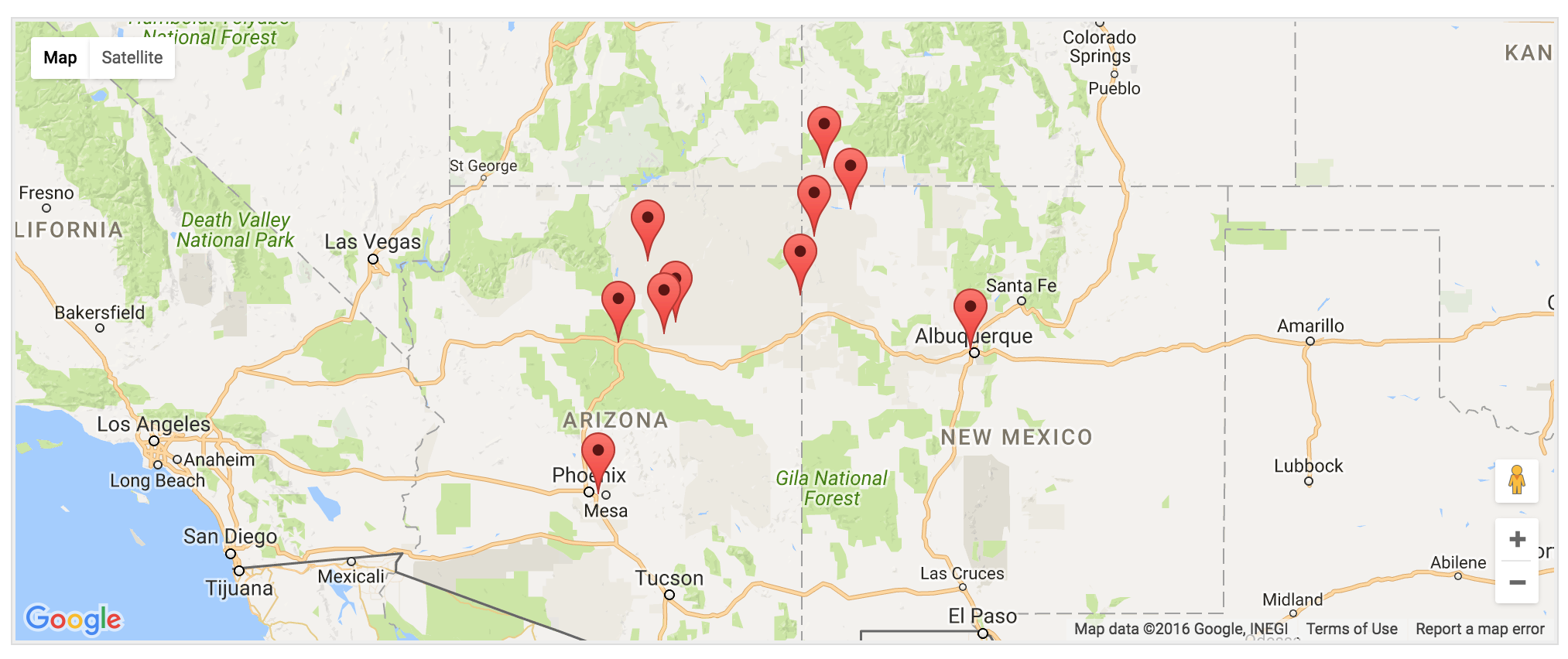
I took a look at your site and noticed all 10 map markers displayed. (see screenshot below)
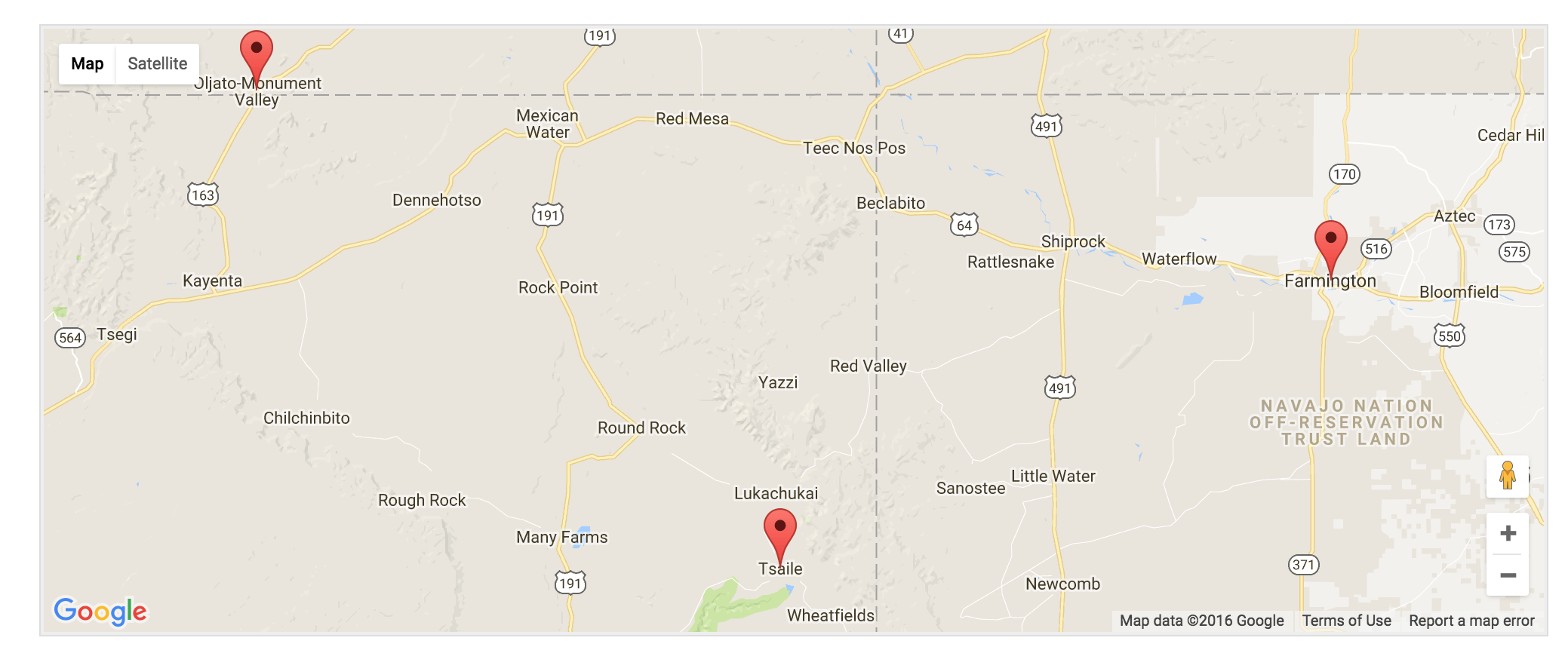
I then navigated to the next page of events and it displayed 3 events, which were all the future events remaining. (see screenshot below)
Everything appears to be working properly. Additionally, I’m not able to reproduce the behavior on my test installation. If you’re still experiencing issues, I’d double-check you have the lat/long info entered for the venues not displaying on the map. You can do this at the bottom of the page when adding/editing an event. (see screenshot below)

Please let me know how things are going and if it comes down to it, we have a list of customizers that can help further troubleshoot.
Thanks and have a great week ahead. Cheers!
November 21, 2016 at 6:16 pm #1195612ParticipantHunter,
Thanks, neighbor! We still can only see about 3/4 of the total listings on the map per page. And, some of our readers say the same.
There’s definitely a mismatch.
We did go through each individual listing — one-by-one — to try to determine if there were address discrepancies, or more. Nothing panned out.
It’s a mystery.
But your screenshots cannot be disputed. (Oh, and — yes — I cleared my browser cache, lol.)
Guess we will live with it for now.
We actually have 29 listings as of yesterday, unless staff added more that I am unaware of. So, the total number even seems out of whack from what you observed.
I think we can resolve this for now, and just keep an eye on it.
Have a great Thanksgiving.
Ben
-
This reply was modified 9 years, 10 months ago by
November 22, 2016 at 11:36 am #1196082ModeratorHey Ben,
Thank you for the response. I’d definitely keep an eye on it, but I took another look at your site again for good measure and it looks as if everything is working as designed. Have a great rest of your week and feel free to reply to this thread if anything relating to the matter comes up. If you have any new questions or concerns, feel free to create a new thread.
Enjoy the beauty AZ has to offer in the next few months. Thanks again and take care!
November 23, 2016 at 5:05 pm #1196806ParticipantI finally figured out the resolution to this: IF any one of your recent future event posts have incorrect address or lat/long location data, then the map view will fail at that point and only display all current locations UP TO but stopping at the invalid event entry.
In my case, even with that error, there was no option in Settings to “fix” location data.
So, the workaround is to go through all recent locations one by one and just manually double-check them.
My staffer shared that solution and this is why Events Calendar staff could not reproduce the problem. It was resolved by my staff by manually fixing geolocation data. They did report that even before the manual fix, the option in Settings to automatically “fix” such data still was not available.
Not sure this is a full-blown bug, or a minor defect. But, something going on in the PHP code, is my suspicion.
November 23, 2016 at 5:57 pm #1196821ModeratorWelcome back,
Thank you for sharing your solution with me. I’ll be sure and note the behavior in the case it becomes more common. I’m happy to hear things are worked out for the time being and please create a new thread if you have any new questions or concerns. Take care!
-
This reply was modified 9 years, 10 months ago by
-
AuthorPosts
- The topic ‘Not all events show on Map view’ is closed to new replies.