
Home › Forums › Calendar Products › Events Calendar PRO › New Theme Issue
- This topic has 6 replies, 3 voices, and was last updated 10 years, 7 months ago by
Support Droid.
-
AuthorPosts
-
February 9, 2016 at 2:07 pm #1070467
Dean Spencer
ParticipantHi we are building a new website and have installed the Events Calendar plugin. We have purchased Pro but this hasn’t been installed yet.
The site will not display properly – http://wp.socialhuddersfield.co.uk/events/
I have de-activated all plug-ins and this did NOT help, I restored the default 2014 theme and this did work!
The new theme has Cherry Framework Version: 4.0.5.1 installed and I believe this is where the issue is?
I have tried installing the JQuery Updater plug-in, but this did not help?
Please can you help?
Thank you.
February 10, 2016 at 10:32 am #1070960Hunter
ModeratorWelcome back, dellydooley!
Theme customizations and support are unfortunately a little out of our hands, but we have created a few helpful tutorials on how to narrow down potential theme and/or plugin conflict issues. First, check out the Themer’s Guide. Next, read through our Testing for conflicts article.
Best of luck narrowing down the issue and keep me posted on whether or not either article helped.
Cheers!
February 10, 2016 at 12:01 pm #1071007ParticipantHi I have been through the ‘Testing for conflicts’ document.
The conflict exists with ALL plug-ins enabled when using the Cherry Framework. The conflict does not exist when ALL plug-ins are enabled but using the default 2014 theme.
I feel confident therefore that the conflict is between The Events Calendar Pro and the Cherry Framework 4.0.5.1 theme.
I have tried Googling the issue as you suggested, there are fixes for other plug-ins when used with Cherry, but I can’t find any fixes for The Events Calendar.
I have looked through the Themer’s Guide but am struggling to understand it?
I am sure this is probably something simple but don’t know where to start?
Please can you help?
February 11, 2016 at 9:36 am #1071598ModeratorWelcome back,
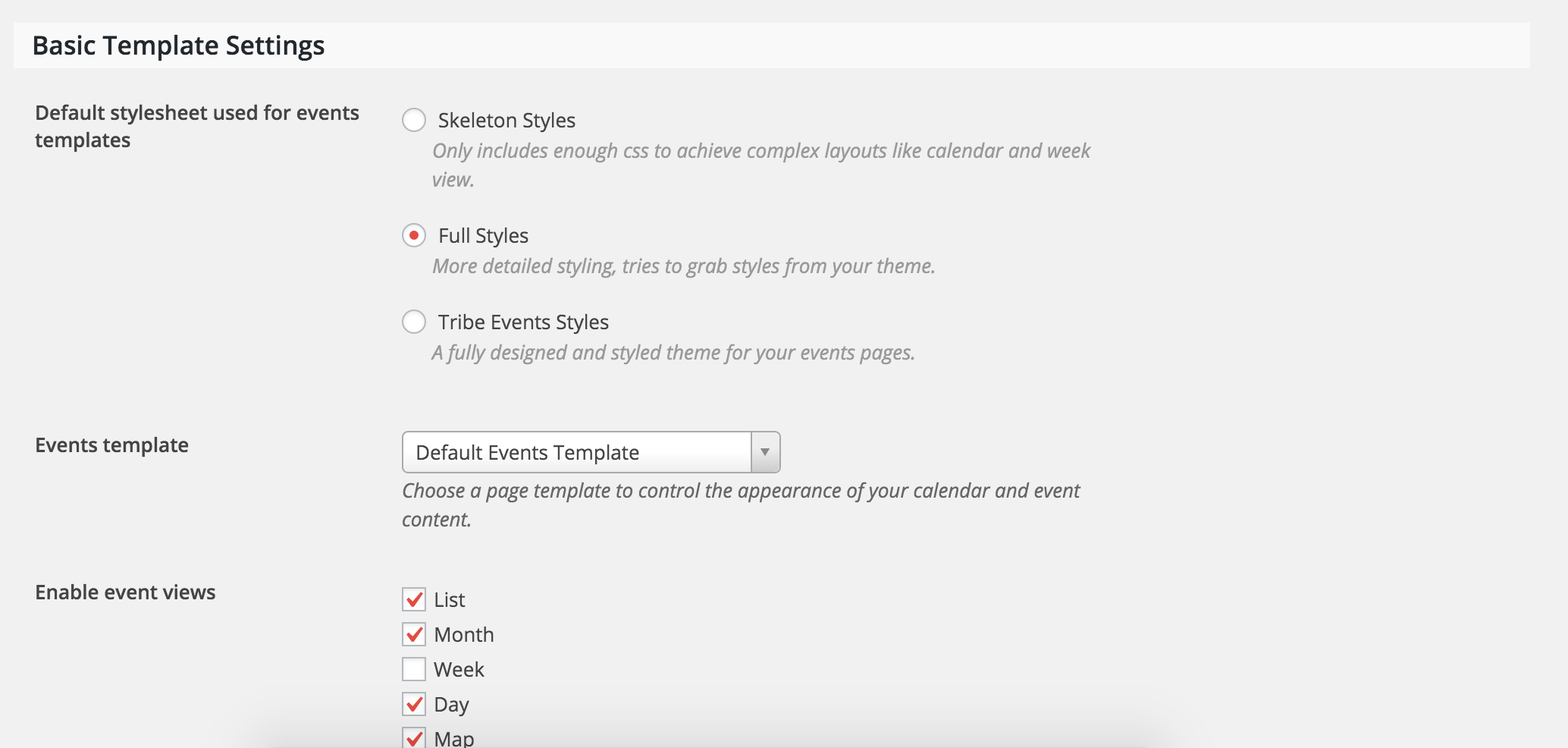
I truly do apologize you’re experiencing issues. One option you can explore is found under Events > Settings > Display in your WP-admin dashboard. Try different settings and see if you’re able to get the look you want.
I feel confident therefore that the conflict is between The Events Calendar Pro and the Cherry Framework 4.0.5.1 theme.
I believe there is a theme conflict going on as well. As previously stated, theme conflicts and customizations extend beyond the support we’re able to provide. You can learn more about template overrides by doing YouTube searches for relative keywords. Between that and the documentation provided in the Themer’s Guide, you should be able to get started.
Again, sorry I can’t be of more assistance and best of luck with the customizations 🙂
February 11, 2016 at 2:27 pm #1071739ParticipantHi thank you changing the Events Template to ‘Default Event Template’ rather than ‘Default Page Template’ solved the issue!
February 12, 2016 at 9:11 am #1072209ModeratorAwesome!
Glad to hear you’ve got it going 🙂
I’ll close this thread out but please open a new one should you have any more questions. Have a good weekend!
February 27, 2016 at 8:35 am #1082905KeymasterThis topic has not been active for quite some time and will now be closed.
If you still need assistance please simply open a new topic (linking to this one if necessary)
and one of the team will be only too happy to help. -
AuthorPosts
- The topic ‘New Theme Issue’ is closed to new replies.