
Home › Forums › Calendar Products › Events Calendar PRO › New Installation of Plugin- Errors or Glitch?
- This topic has 6 replies, 5 voices, and was last updated 8 years ago by
Victor.
-
AuthorPosts
-
March 21, 2017 at 11:54 am #1257496
VERONICA
ParticipantMy WordPress developer installed the Pro Plugin.
-I do not see the photo view, map view, week view, venue organizer view.
-Also, under list view, under “events from”, I type in Events from 1/1/17,
and I get results that say, “events for 11/11/16-Nov. 1 ”
Not sure what that means. Is that a glitch in the system?-Also under the field , “near” I type in MA, and I do not get the (Massachusetts) MA event that is listed.
-Under keyword, I type in MA ( for Massachusetts), and an event comes up with the word MAY.March 21, 2017 at 3:04 pm #1257612Hunter
ModeratorHello!
First off, thank you for your purchase and welcome to our premium plugin support forums! Sorry to see you’ve run into a few issues.
<-I do not see the photo view, map view, week view, venue organizer view
Have you and/or your developer reviewed our Settings Overview: The Events Calendar and Events Calendar PRO tutorial?
Do you have the views enabled under Events > Settings > Display tab?
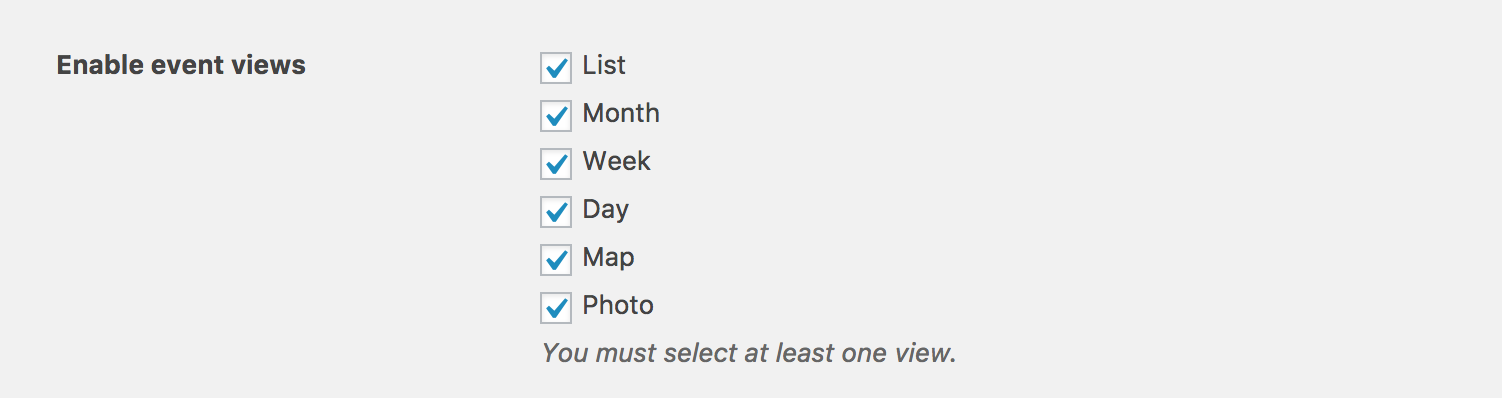
-Also, under list view, under “events from”, I type in Events from 1/1/17,
and I get results that say, “events for 11/11/16-Nov. 1 ”
Not sure what that means. Is that a glitch in the system?Can you please temporarily revert to the default WordPress theme (Twenty Seventeen, Twenty Sixteen, etc) and deactivate all plugins other than ours, then check to see if this behavior still occurs? Review our Testing for conflicts guide for detailed instructions. This will help identify exactly where the conflict is coming from. As of right now, we don’t have any logged bugs of users reporting similar behaviors and I’m unable to reproduce it on my test site.
-Also under the field , “near” I type in MA, and I do not get the (Massachusetts) MA event that is listed.
We are aware of an issue with the Tribe Events Bar “Near” field and have a bug report written up. I’ve added this forum thread to the ticket which helps expedite the process of getting a fix included in an upcoming release. I don’t have a precise date when it will be available, but please stay tuned to our Release Notes and the plugin changelogs for more information.
-Under keyword, I type in MA ( for Massachusetts), and an event comes up with the word MAY.
This is expected behavior. Our plugin searches event content for part of and the entire text users enter into the “Keyword” field, so by entering part of a word, such as “Ma”, should in theory display any events which include the text “May”.
Please keep me posted and thanks again! Cheers 🙂
March 21, 2017 at 4:40 pm #1257669ParticipantThe Map view does not work.
I get an error message that says
” Oops! Something went wrong.This page didn’t load Google Maps correctly. See the JavaScript console for technical details.”I am not happy with your key word search. You are saying that if someone wants to search for an event in Massachusetts (MA), Florida (FL), Nebraska (NE), and they type in MA, FL, or NE, then they will get all instances with those 2 letters together. That type of search result is going to frustrate the end user, if they are looking for ONLY event in those particular areas.
-DOes the zip code feature work?
March 22, 2017 at 3:29 pm #1258350ModeratorWelcome back,
I get an error message that says
” Oops! Something went wrong.This page didn’t load Google Maps correctly. See the JavaScript console for technical details.”Please review our Setting Up Your Google Maps API Key tutorial to ensure your Google Maps API key is set up properly. If you’re still seeing errors/warnings in your browser console, you may want to see if your theme and any other plugins which rely on Google Maps are the cause of conflict.
I went ahead and created a short screencast going over the Tribe Events Bar in detail, so please take a moment to review my explanation on how the feature works, current known issues, etc. We have multiple bug and feature reports related to the Tribe Events Bar which I’ve linked to this forum thread. Our devs review each before beginning work on fixing faulty code, so your input is appreciated.
I don’t have any timeline when these fixes/features will be available, but we’ll update you here in this thread in addition to the plugin changelogs and Release Notes.
<-Does the zip code feature work?
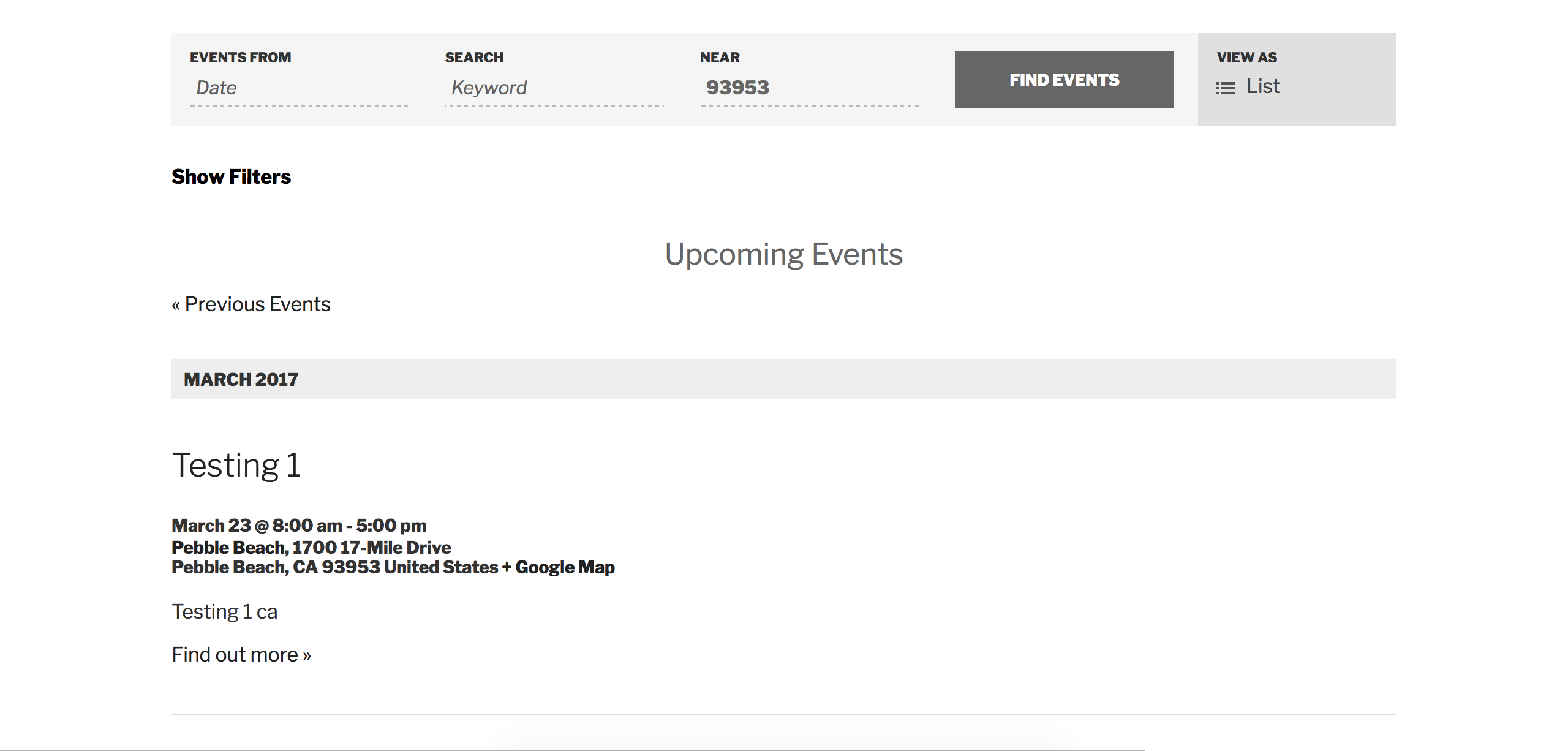
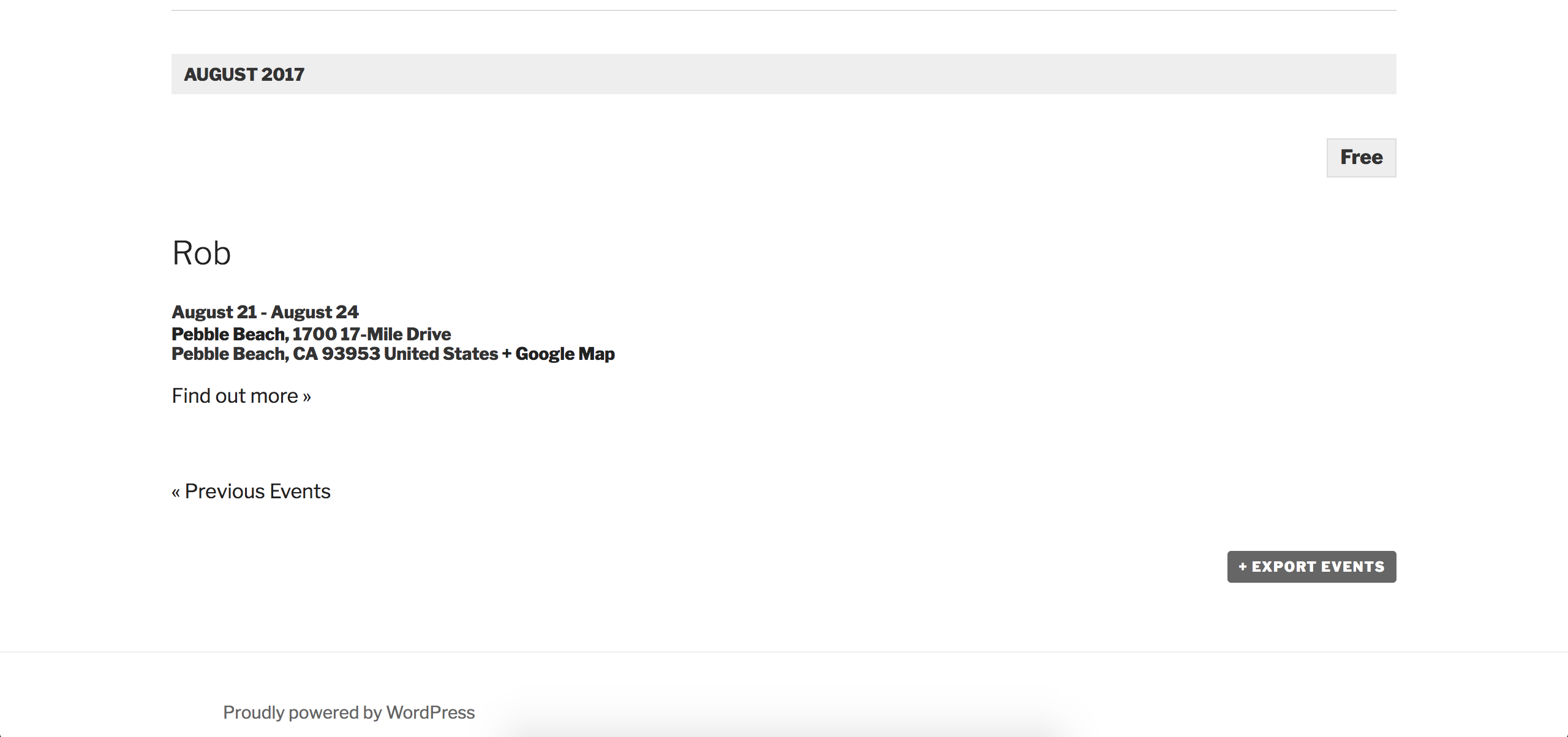
Yep! I have a venue who’s zip code is 93953. I entered it into the “Near” field and the plugin displayed all events held in/near the 93953 zip code:
Check out our UserVoice Feature Ideas should you want/need to submit any feature requests. We’re not able to assist with customizations beyond what is already included in the plugins. Please review our What support is provided for license holders? Knowledgebase article for more information. Thanks again for working with me on the issue and let me know if you get the Google Maps issue squared away.
Cheers!
April 13, 2017 at 9:35 am #1269558Support Droid
KeymasterHey there! This thread has been pretty quiet for the last three weeks, so we’re going to go ahead and close it to avoid confusion with other topics. If you’re still looking for help with this, please do open a new thread, reference this one and we’d be more than happy to continue the conversation over there.
Thanks so much!
The Events Calendar Support TeamSeptember 12, 2018 at 3:33 pm #1620179MemberHi There!
Just wanted to share with you that you can set the region and language biasing with the following snippet:
https://gist.github.com/cliffordp/c7c2713e9f61166e9aef746823be6bfa
We recommend the following guide for best practices when implementing custom code snippets like this one > https://theeventscalendar.com/knowledgebase/implementing-custom-code-snippets/
I hope that helps to improve the Near filter functionality for your site. Don’t hesitate to open a new topic if anything comes up.
Best,
Victor -
AuthorPosts
- The topic ‘New Installation of Plugin- Errors or Glitch?’ is closed to new replies.