
Home › Forums › Calendar Products › Events Calendar PRO › License tab in backend is missing
- This topic has 4 replies, 3 voices, and was last updated 10 years, 8 months ago by
Support Droid.
-
AuthorPosts
-
November 24, 2015 at 12:35 am #1029933
netzstrategen
ParticipantHi guys,
I’m missing the license tab on the settings page in the backend. I both installed the free and the pro version of your plugin. They both have the same version (3.12.6).
Anyway I can set up the pro features on the settings pages.
I guess after activating the license key on my site it will be shown in my account info https://theeventscalendar.com/license-keys/?
I appreicate any help.
Thanks & br
DominikNovember 24, 2015 at 7:20 am #1030200Josh
ParticipantHey Dominik,
That is definitely a strange issue to be having. So you’re Pro plugin is fully installed and activated but you’re unable to see the “Licenses” tab under the Event Settings? Can you verify that the Pro features such as “Recurring Events” and the additional views (photo, map) are fully functioning on the site currently?
Thanks!
November 27, 2015 at 12:39 am #1031335ParticipantHi Josh,
thanks for your answer.
Here are some screenshots:
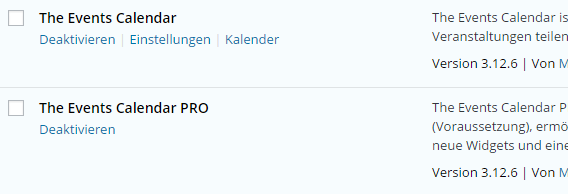
Plugin list – both free and pro are installed, activated and have the same version.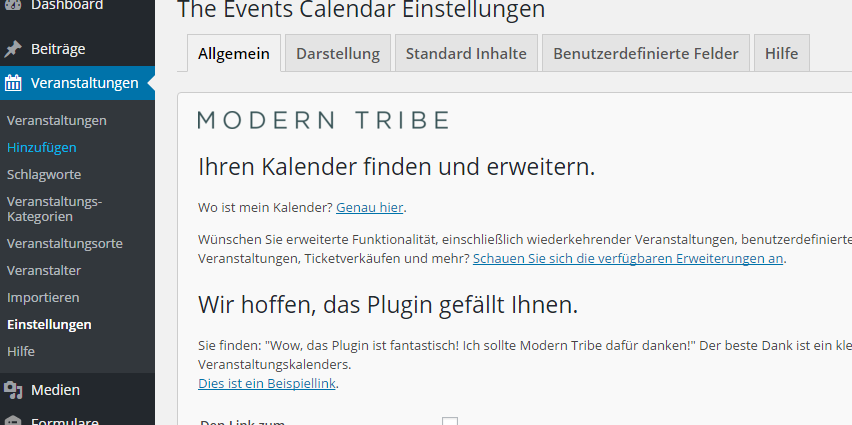
Missing license tab on settings page.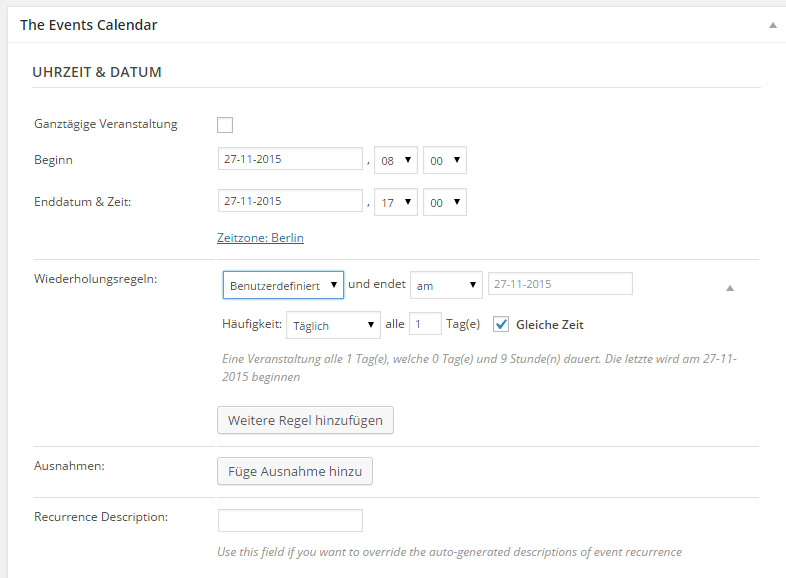
Recurring events.As you can see the website is German but I hope the screenshots help anyway.
As it seems to work properly for me there shouldn’t be a problem from my side. I just want to ensure that the plugin / pro features don’t stop working suddenly. For you, it’s probably interesting as I didn’t need the license key I bought.
Let me know if I can help you somehow.
BR Dominik
November 30, 2015 at 7:26 am #1032602ParticipantHey Dominik,
Thanks for following up with us and providing the additional screenshots.
A quick note about our license keys, the keys aren’t required for the plugin to work on your site. Without the key, you should have full functionality of The Events Calendar and Events Calendar PRO plugins. The only thing you won’t have access to on this install will be automatic updates of the plugin.
As a first step, have you tried following the Testing for Conflicts procedures to ensure there isn’t a conflict with an existing plugin or theme?
Let me know if anything changes with the visibility of the License tab after following those steps.
Thanks!
February 18, 2016 at 8:32 am #1075836KeymasterThis topic has not been active for quite some time and will now be closed.
If you still need assistance please simply open a new topic (linking to this one if necessary)
and one of the team will be only too happy to help. -
AuthorPosts
- The topic ‘License tab in backend is missing’ is closed to new replies.