
Home › Forums › Calendar Products › Events Calendar PRO › Hide Venue/Organizer Dropdowns
- This topic has 7 replies, 2 voices, and was last updated 10 years, 11 months ago by
Cliff.
-
AuthorPosts
-
October 28, 2015 at 5:59 pm #1019615
Kevin
ParticipantOctober 28, 2015 at 7:57 pm #1019629MemberHi Kevin. Thanks for first searching the forum before posting your own question — and even for linking to the close matches you found.
To be sure I’m helping you get what you want, could you be more specific? Are you wanting the fields hidden from the wp-admin post editor for Events? Or somewhere else? (Screenshots could help too.)
Thanks!
October 28, 2015 at 8:31 pm #1019632ParticipantSorry for the lack of detail. I noticed that when a user adds an event, they have the option to select an previous organizers from a Drop Down list, even if they are not organizers that were entered by that specific user. I would prefer to hide that drop down menu altogether, or if it must be there, have the only drop down option be the logged-in user or Other. I have attached as screenshot of what i’m seeing.
https://www.dropbox.com/s/ds5lt6wwdta6v2b/Screen%20Shot%202015-10-28%20at%2011.28.18%20PM.png?dl=0
October 28, 2015 at 9:33 pm #1019642MemberThanks. So it looks like you’re asking about the wp-admin Event editor screen.
FYI: Here’s some info about Organizers and Venues: https://theeventscalendar.com/knowledgebase/venue-and-organizer-pages/
I’d ask that you try the method detailed in this previous answer.
And this may be of interest down the road: https://theeventscalendar.com/support/forums/topic/sync-wp-users-with-organizers/
Please let me know if I can be of further assistance.
November 2, 2015 at 3:43 pm #1021030ParticipantThanks for sharing those links. exactly what i’m looking to do. For starters, I was able to remove the Dropdown on the Venue form thanks to this link that you provided. Unfortunately, the same did not work for removing the Organizer Drop down. I realized that the link says to edit the file organizer.php – but I found that specific line of code in the file organizer-fields.php. Even still, removing that line referenced in the link didn’t work. not sure if there is something else I need to modify to remove the organizer drop down menu.
i do like the idea of using the WP user info as the default organizer. it’s very clean as long as the user does appear as the organizer as long as users can still reference Organizer pages.
November 2, 2015 at 7:27 pm #1021076MemberKevin, is this thread about Community Events (front-end event submissions)?
Assuming it is, could you simply do something with CSS?
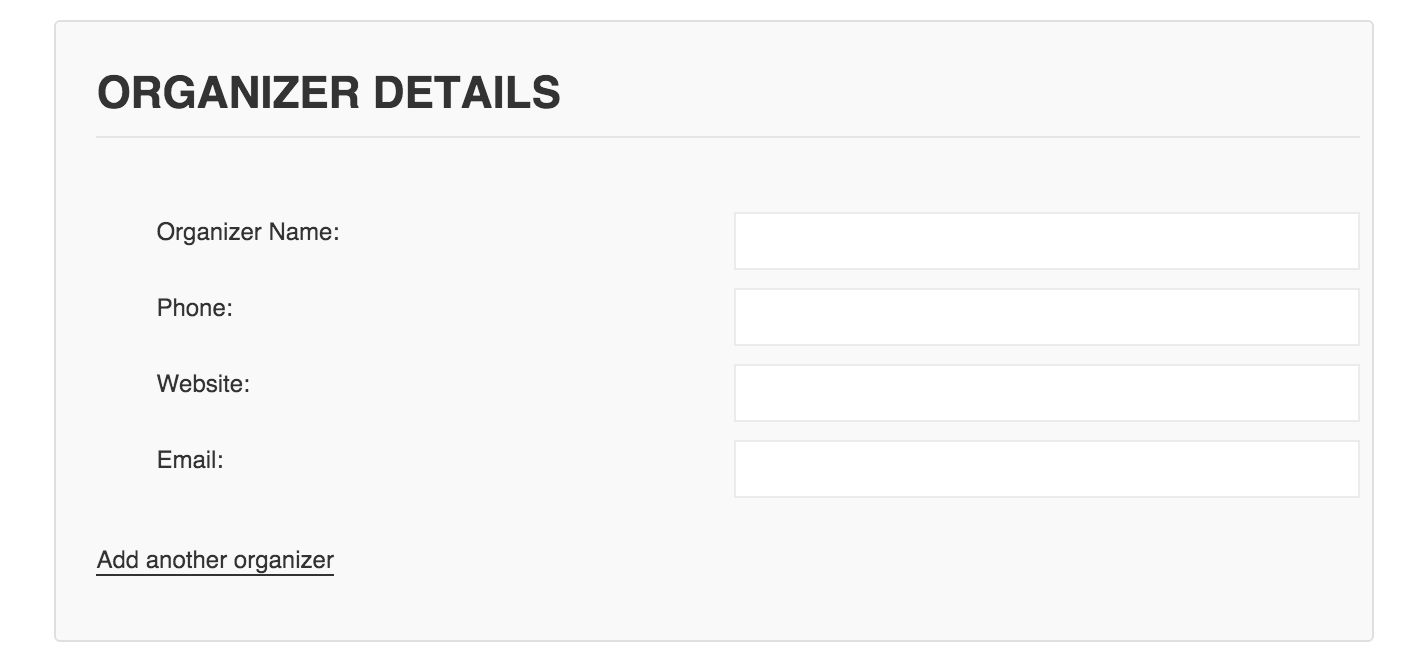
#tribe-community-events tr.saved_organizer { display: none; }So it’d look like this:

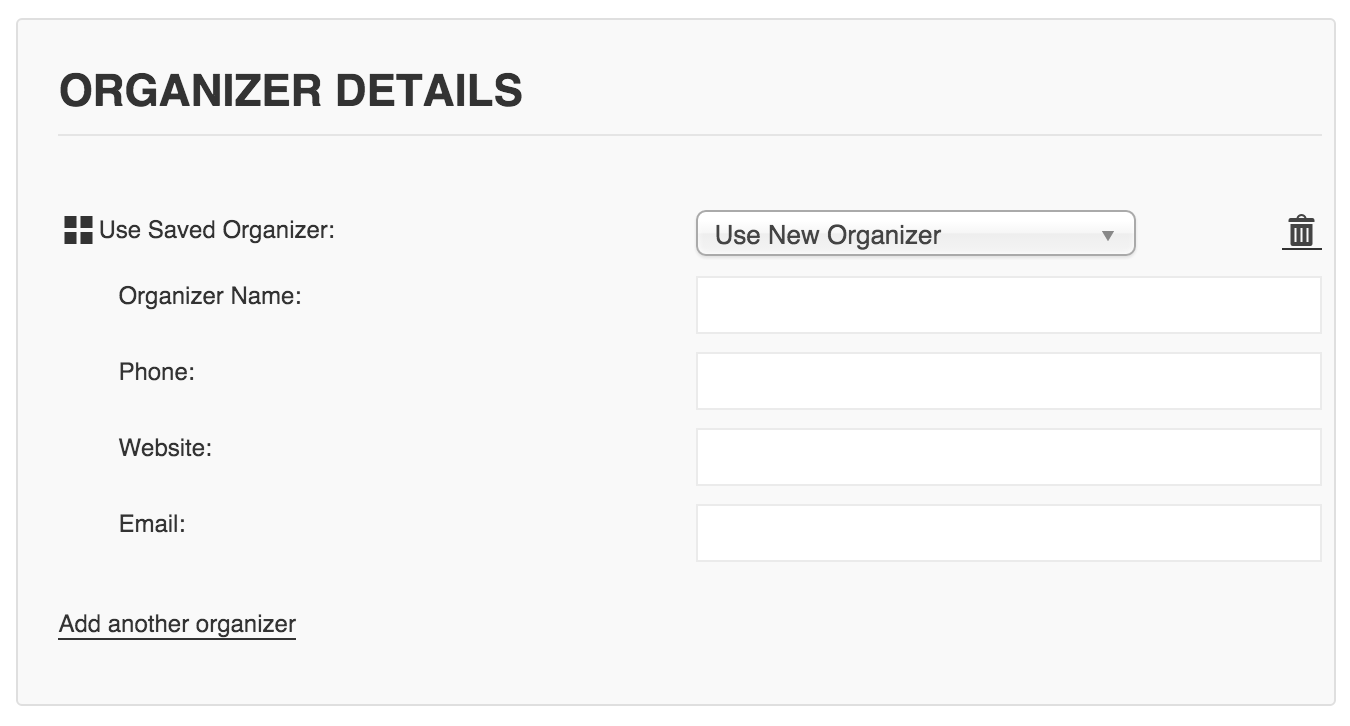
Instead of this:
 November 11, 2015 at 11:50 am #1024309Participant
This worked very well!! thanks again!
November 11, 2015 at 1:20 pm #1024332MemberThanks for letting me know. Glad to help!
-
AuthorPosts

- The topic ‘Hide Venue/Organizer Dropdowns’ is closed to new replies.